
On this page
Start here
Quick answer
First distinguish a brief cooling, balancing, or drain-pump sound from a Siemens washing machine that keeps filling, tumbling, spinning, pumping, or heating after the programme should have ended. Record the exact model, display code or symbol, programme, stage, and whether the drum contains water. If there is active leaking, uncontrolled filling, water near electrical parts, hot water, smoke, burning odor, sparks, unusual heat, violent movement, or repeated electrical trips, stop immediately: close the supply tap when safely reachable, isolate power only from a dry safe control point if possible, and do not open or restart the machine. Siemens' official guidance separates door, inlet, drain, foam, load-balance, heating, and sensor messages, and directs recurring or unlisted faults to service. With no hazard, check only the normal Stop/Cancel control and model-specific status; a pump that runs briefly while draining is not the same as a motor or inlet valve that continues indefinitely. If the controls do not stop the appliance, the door remains locked, water continues to enter, or the behaviour returns after one manual-approved reset, keep the machine out of service and arrange qualified Siemens appliance service.
Before you begin
Safety first
- This article covers only ordinary-access observation and exact model control steps. Do not bypass a lock, tilt or dismantle the machine, reach into hot or standing water, probe live parts, open valves or panels, or run an electrically or hydraulically abnormal washer.
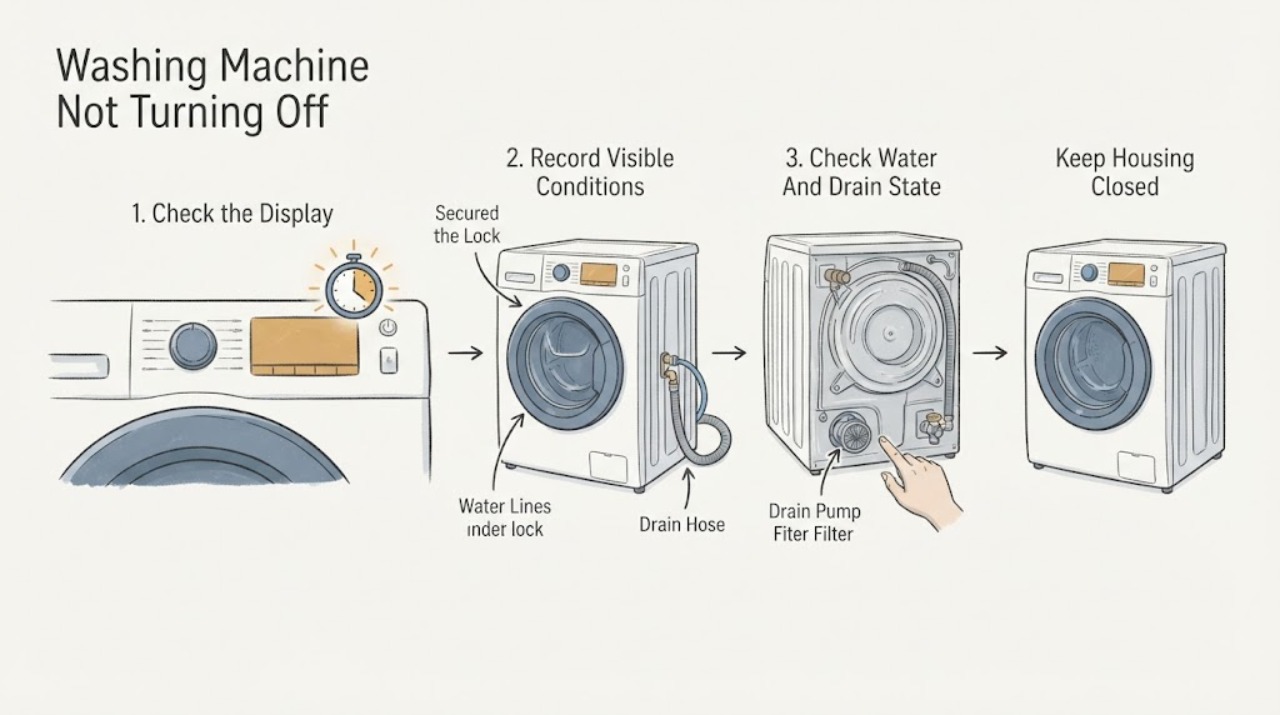
Work through in order
Diagnostic checks
Use only checks that match the exact appliance or system and its official guide.
-
Check 1
From a safe position, stop pressing controls and classify what is continuing: inlet water, drum motion, drain-pump sound, display activity, door lock, or heating; check for leaking, rising water, hot water, smoke, burning odor, sparks, unusual heat, or electrical trips.
Expected result: Water continues to enter, water is escaping, the drum or motor keeps moving, the pump runs continuously, the door remains locked, the display shows a code, or a hazard is present.
Next step: For active filling or leaking, close the supply tap if safely reachable and isolate power only from a dry safe point. For smoke, burning odor, sparks, heat, or repeated trips, stop and obtain qualified help. If there is no hazard, record the stage and display before proceeding.
Stop if: Stop immediately for active leak or filling, water near electrics, hot water, smoke, burning odor, sparks, violent movement, hot wiring, or repeated electrical trips.
Why this matters
Why: Each continuing function points to a different branch. A hazard or uncontrolled water is more urgent than a normal post-cycle pump sound and must not be tested by another programme.
-
Check 2
Record the complete Siemens model number, exact code or symbol, selected programme, time or stage, and whether the machine was filling, washing, heating, draining, spinning, or finishing; do not interpret a partial code from memory.
Expected result: The display shows a door, tap, foam, key, E18/F18, E23, E20/F20, E32, E33, E34, another E/F message, or only a normal programme indicator.
Next step: Use the exact model manual and Siemens error guide for the matching message. If it is unlisted, returns, or the machine is behaving outside the displayed stage, keep it off and arrange service.
Stop if: Stop for an unlisted or recurring code, a frozen display, unexpected heating, water, smoke, odor, sparks, or any need to bypass the door lock.
Why this matters
Why: Siemens uses these messages for different water, door, leak, heating, foam, and balance conditions. A programme indicator with a short pump run can be normal, while a recurring error or continuing operation needs a targeted branch.
-
Check 3
With the machine cool and stable, observe the water level and inspect only the accessible inlet and waste-water hoses for an obvious kink, blockage, or active leak; do not open a pump cover or reach into standing water unless the exact manual provides a safe procedure.
Expected result: Water keeps entering, water remains after the drain stage, E18/F18 or E23 appears, the waste hose is kinked or leaking, or the visible hoses are clear but the pump continues or fails to empty.
Next step: For active filling or E23, close the supply tap and stop. For a safe visible kink, correct only what the model instructions allow. For retained water, a continuous pump, or a recurring code, keep the washer off and request service.
Stop if: Stop for active leak, water in the base, hot or standing water, water near electrical parts, a damaged hose, or any need to tilt, dismantle, or reach into the machine.
Why this matters
Why: Siemens associates E18/F18 with a blocked filter or drainage hose and E23 with leaking or water in the base. A clear hose does not prove that an internal pump, valve, sensor, or control is working.
-
Check 4
When no water or electrical hazard is present, inspect the cool door area from outside and note whether a door symbol, foam symbol, or imbalance message is holding the programme; do not force or bypass the lock.
Expected result: Laundry is caught in the door, the door is not recognized as locked, foam is excessive, or the programme has stopped at spin with an unbalanced-load message; alternatively none of these is present and the machine still will not stop.
Next step: Only while the machine is stopped, cool, and safe, follow the model's normal door, load, detergent, or cancel guidance. If the door remains locked, foam continues, the drum keeps moving, or the message returns, leave the machine off and request service.
Stop if: Stop for a locked door with hot or pressurized water, broken glass or seal, uncontrolled foam, violent movement, metal grinding, or any attempt to bypass the interlock.
Why this matters
Why: Siemens treats door, foam, and load-balance conditions as separate programme decisions. A safety hold may explain a continued pump or lock state without proving a motor fault, while a normal display with continuous motion needs service escalation.
-
Check 5
Only when the washer is cool, dry, stable, and hazard-free, use the exact manual's normal Stop/Cancel or one short power-off reset; then observe without starting another load or deliberately reproducing the fault.
Expected result: The pump and display stop normally and the door follows the model's normal unlock timing; or water, motor, pump, inlet, heating, display, or lock behaviour continues or returns.
Next step: If the washer does not stop cleanly or the symptom returns, keep the supply closed when relevant, leave the appliance off, and arrange qualified Siemens service with the recorded sequence.
Stop if: Stop for repeat uncontrolled operation, an error returning, smoke, odor, sparks, water, hot parts, door-lock failure, or any repeated reset request.
Why this matters
Why: A single reset can clear a transient programme state, but continuing operation indicates a control, pump, inlet, lock, motor, sensor, or safety fault that cannot be isolated safely by repeated resets.
Use your observations
Decision map
Find the observation that best matches what you see, then follow the next safe action.
-
PATH 01Next step
What you see
Water keeps entering, the floor or base is wet, E23 appears, or water approaches electrical parts.
Do this next
Close the supply tap if safely reachable, isolate power only from a dry safe point, keep clear of wet electrics, and request qualified service. Do not restart to see whether filling stops.
-
PATH 02Next step
What you see
The pump continues, water remains after the drain stage, or E18/F18 appears.
Do this next
Let hot water cool and follow only the exact model's safe drain or filter guidance. A clear visible hose with continuous pumping or recurring code requires service without another test programme.
-
PATH 03Next step
What you see
A door, key, foam, or imbalance symbol or message holds the programme.
Do this next
Use the model's normal door, detergent, load, or cancel guidance while stopped and safe. Never force or bypass the lock; persistent holding or continuous motion requires service.
-
PATH 04Next step
What you see
The machine continues heating, tumbling, spinning, or displaying an E/F code after the programme should stop, or the code returns after one permitted reset.
Do this next
Keep the washer off and arrange qualified service for control, motor, heating, sensor, lock, or wiring diagnosis. Do not perform internal tests or cross-reference another model's code.
Helpful context
Understand the symptom
Not every sound after a cycle means the washer is stuck
A drain pump may run while residual water is being removed, and a machine can take time to unlock or settle after a programme. The important distinction is whether the drum, inlet, or pump continues indefinitely, whether the display still shows a programme, and whether water is rising or escaping. Note the exact stage instead of switching repeatedly between programmes. A motor that continues to turn, an inlet that keeps filling, or a pump that runs without clearing water needs a different service handoff.
Use the message and stage as the branch
Siemens lists door, tap, drain, foam, balance, leak, heating, pressure, and sensor indications separately. A door icon can keep a programme in a safety state; a tap indication can point to supply; E18/F18 can point to drainage; E23 can indicate a leak or water in the base. Do not suppress a message by repeatedly restarting the machine or by bypassing the door interlock.
Stop first when water or heat is uncontrolled
If the machine keeps filling, leaks, contains hot water, or has water near the cord or outlet, do not reach into the drum or service flap. Close the water supply tap if it is safe to reach and isolate power only from a dry, safe control point. Smoke, burning odor, sparks, hot wiring, or repeated electrical trips are immediate stop-use conditions. A wet or energized washer is not a safe reset project.
A single documented reset has a narrow purpose
If the appliance is stable, dry, cool, and free of hazard, the exact manual may allow a normal Stop, power-off, or short reset. This can clear a transient programme state. It cannot prove that a pump, inlet valve, motor, lock, sensor, or control is healthy. If the machine resumes the same uncontrolled behaviour or the message returns, leave it off and provide the event sequence to a qualified technician.
Prepare a useful service handoff
Give the technician the complete model number, programme, stage, display code or symbol, whether the drum was empty or full, whether the pump, motor, or inlet continued, door-lock state, water location and temperature, detergent or foam observations, and what happened after any one manual-approved reset. Do not reproduce the fault for a video, open the cabinet, or bypass a safety control.
Safety boundary
Stop conditions
- Active filling, active leaking, water in the base, standing water near the cord or outlet, or water contacting electrical parts: close the supply tap if safe, isolate power only from a dry point, and do not run or open the machine.
- Hot water, a locked door with water inside, uncontrolled foam, violent drum movement, metal grinding, or broken glass or seal: stop and do not force the door or restart the programme.
- Smoke, burning odor, sparks, arcing, hot plug or wiring, unexpected heating, or repeated electrical trips: stop immediately and obtain qualified emergency or appliance help.
- Do not bypass the door lock, tilt or dismantle the machine, probe live wiring, open a cabinet, remove a pump or valve, or repeatedly reset or run programmes to reproduce the behaviour.
- A continuous motor, inlet, pump, or heating function, a recurring or unlisted code, or failure to stop after the model-approved control step is a service boundary.
Only after diagnosis
Potential parts
- drain pump or pump filter assembly
Only consider this category after the drain stage, visible hose, and model-approved filter checks are clear and a technician confirms an internal pump fault.
Confirm the complete Siemens model and approved fit information; do not open or replace a pump on a wet or energized appliance. - water inlet valve or level-sensing component
Only applicable when water continues entering or an inlet or level-sensing fault is confirmed after safe external checks.
Verify model and diagnosis before replacement; do not work on pressurized or energized connections. - door lock, motor, heater, or control component
Only applicable after the exact code, continuing function, and qualified diagnosis identify the relevant internal system.
Do not infer compatibility from a code or appearance; confirm the complete model and professional repair path.
When checks do not resolve it
Need a professional?
Request Siemens or qualified appliance service when the washer continues filling, pumping, moving, or heating after the normal programme state, when the door remains locked, when a code returns or is unlisted, or when the visible hose checks do not resolve the symptom. Stop immediately for leaking, water near electrics, hot water, smoke, burning odor, sparks, violent movement, or repeated electrical trips.
Safety scope: This article covers only ordinary-access observation and exact model control steps. Do not bypass a lock, tilt or dismantle the machine, reach into hot or standing water, probe live parts, open valves or panels, or run an electrically or hydraulically abnormal washer.
Common questions
FAQ
Why does my Siemens washing machine keep running after the cycle?
A short pump run or lock delay can be part of a normal end state, but continuous filling, tumbling, spinning, pumping without draining, or heating is not something to reproduce repeatedly. Record the stage and display; recurring behaviour needs service.
What should I do if the washer keeps filling with water?
Close the supply tap if it is safely reachable and stop using the machine. If water is near the plug, outlet, or electrical parts, do not touch the wet area or restore power. Arrange qualified service.
Can a Siemens washer keep pumping because it cannot drain?
Yes, a blocked drain path or filter can be associated with E18/F18. Let hot water cool and follow only the exact model's safe drain or filter instructions. If the pump continues or the code returns, keep the machine off and request service.
Should I force open the door if the Siemens washer will not turn off?
No. A locked door can protect against hot or moving water. Do not force or bypass it. Wait only as the model manual directs when the machine is safe; water, heat, leaking, or a persistent lock needs service.
How many times should I reset a Siemens washing machine that will not stop?
At most one model-approved reset when the machine is cool, dry, stable, and hazard-free. A returning fault, continued motion or pumping, water, smoke, odor, sparks, or repeated trip is a stop-use and service condition.
Read the exact guide
Official sources
- Support for Siemens washing machinesSiemens Home Appliances · Siemens official support hub listing programme, draining, filling, leaking, door, foam, heating, movement, and electrical-trip troubleshooting categories
- Error codes and symbolsSiemens Home Appliances · Siemens official washing-machine error and symbol guide with door, inlet, drain, leak, heating, foam, balance, reset, and service guidance
Community feedback
Share a repair observation
Share a plain-text repair observation. Accepted observations are published automatically; this page may take a moment to update.