
On this page
Start here
Quick answer
For the Frigidaire FFAD6022W10 and FHDP5033W1 used in a home environment, compare the displayed relative humidity with a separate room reading under the same conditions, then check the selected humidity target and normal fan cycling. Clean the filter and keep airflow clear. A stable, implausible reading or a matching sensor code needs model-specific service; the display alone does not identify a failed sensor.
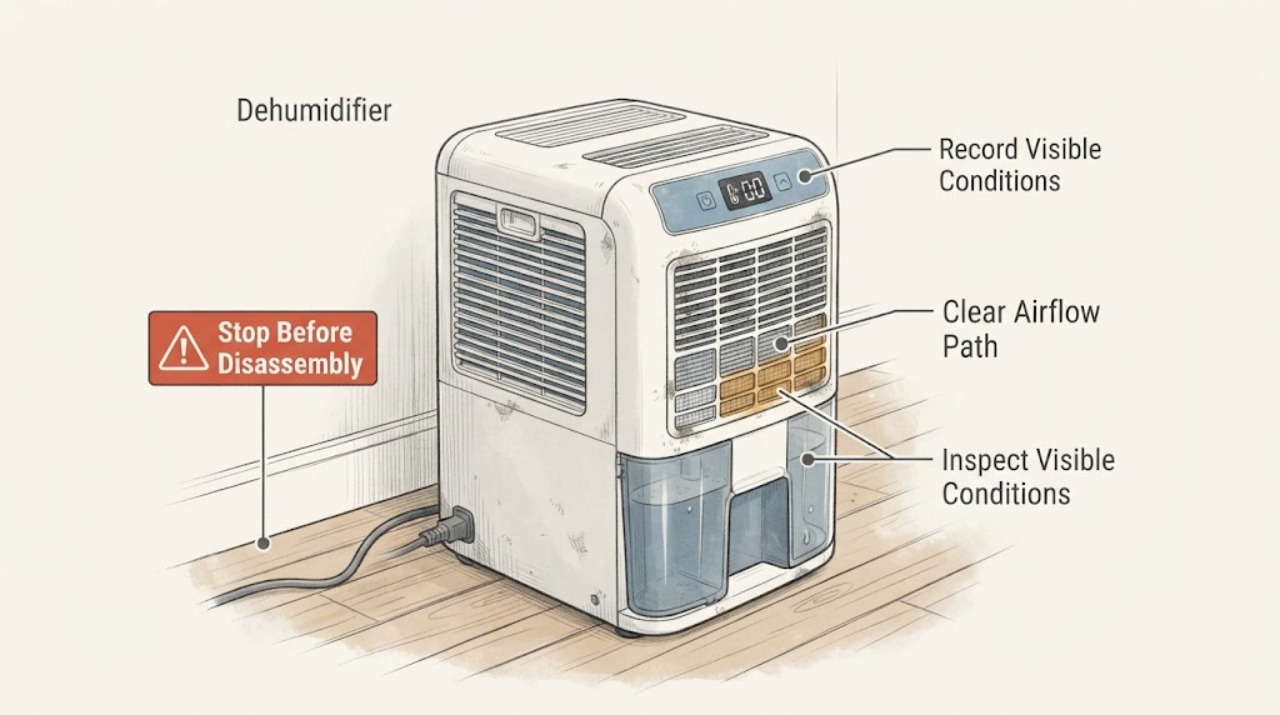
Work through in order
Diagnostic checks
Use only checks that match the exact appliance or system and its official guide.
-
Check 1
Record the exact model shown on the label, the displayed RH, the selected target, room temperature, and whether the fan or compressor is running. Compare with a separate hygrometer placed nearby but away from the discharge air.
Expected result: The display tracks the independent reading within normal measurement variation, stays fixed, or differs substantially while the room conditions are stable.
Next step: Keep the readings and model together, then continue with the setpoint and airflow checks rather than changing hidden settings.
Why this matters
Why: A changing reading that follows the room can be normal; a fixed or persistent large difference makes placement, airflow, calibration, or the humidity sensor more likely.
-
Check 2
Use the normal HUMIDITY controls to view the setpoint and make one model-authorized adjustment. Observe the unit over a normal cycle with doors and windows closed.
Expected result: The unit starts or stops as room RH crosses the target, or it ignores a clear change in RH.
Next step: Do not repeatedly change the target or enter service settings; record the result for support.
Why this matters
Why: Frigidaire documents RH-controlled cycling; response to the target supports normal control behavior, while no response with a valid demand points toward sensing or control diagnosis.
-
Check 3
With power disconnected, clean the accessible filter and clear objects from the front and rear air paths. Confirm the filter is dry and reinstall it exactly as the model manual shows.
Expected result: Airflow was restricted or the filter was dirty, or the airflow path is already clear.
Next step: Make one normal test after reassembly and do not scrape coils or open the cabinet.
Why this matters
Why: Restricted airflow can change the air sampled by the unit and can also cause frost or overload behavior; a clear path with a wrong reading leaves sensing or control uncertainty.
-
Check 4
Check the display for AS, ES, F1, F2, L1, F5, EC, F0, H3, E5, E4, or C5 and record the exact code before clearing it.
Expected result: A humidity or temperature sensor code appears, an overload or control code appears, or no code is shown.
Next step: Follow the exact model manual and arrange service for a recurring code or persistent inaccurate reading.
Why this matters
Why: Frigidaire maps sensor codes to assistance, sealed-system codes to assistance, and overload codes to clearance, filter, and cool-down checks; no code cannot establish a sensor failure.
Use your observations
Decision map
Find the observation that best matches what you see, then follow the next safe action.
-
PATH 01Next step
What you see
The Frigidaire display changes with the independent hygrometer and the unit cycles when RH crosses the selected target.
Do this next
Leave the target at a suitable setting and monitor; no sensor part is justified from this pattern.
Why this path and its safety boundary
Why it matters: The reading and control behavior are consistent with normal humidity regulation.
-
PATH 02Next step
What you see
The display remains implausibly fixed or differs from the nearby hygrometer after a clear filter, stable room, and valid humidity demand.
Do this next
Arrange model-specific service with both readings, model identifiers, and timing; do not calibrate an unknown service menu.
Why this path and its safety boundary
Why it matters: Humidity sensing, airflow sampling, or control interpretation is more likely than a simple setting issue.
-
PATH 03Next step
What you see
A listed sensor code recurs, or the unit shows an overload, sealed-system, or electronic-control code.
Do this next
Turn the unit off as directed and provide the exact code and model to Frigidaire service.
Why this path and its safety boundary
Why it matters: The official code guide supports service-level diagnosis rather than a user-selected replacement part.
Helpful context
Understand the symptom
This topic is about the humidity reading, not simply whether the compressor runs. Frigidaire says the displayed RH and the selected setpoint control normal cycling, and that the fan may continue briefly after the compressor stops.
The two supplied model identifiers must be checked against their own manuals. The official error guide supports service for humidity or temperature sensor codes, but it does not prove a sensor fault from an unexplained reading alone.
Only after diagnosis
Potential parts
- model-specific humidity sensor or control assembly
Consider this category only if repeatable comparison readings and the exact model documentation or service diagnosis support a sensing fault.
The two model identifiers and their control assemblies must be verified before any part selection.
When checks do not resolve it
Need a professional?
Contact Frigidaire service when the FFAD6022W10 or FHDP5033W1 display remains inaccurate after a stable comparison, clear airflow, and correct setpoint, or when a listed sensor, control, overload, or sealed-system code recurs.
Common questions
FAQ
Why does a Frigidaire dehumidifier reading change or appear to pause?
Frigidaire says the fan can cycle when room RH is below or above the selected target, and the fan can run briefly after compressor shutdown. Compare the displayed RH with the target before treating cycling as a reading fault.
Does an inaccurate humidity display prove the sensor is bad?
No. First record a nearby independent reading, confirm the target, clear the filter and airflow path, and check for a model-specific sensor code. Persistent disagreement then needs service diagnosis.
Read the exact guide
Official sources
- Dehumidifiers Error Code GuideFrigidaire · Opened official Frigidaire error guide; it routes humidity and temperature sensor codes to assistance and describes compressor overload and sealed-system limits. The task model identifiers are FFAD6022W10 and FHDP5033W1; confirm the exact manual before model-specific settings or parts.
- Dehumidifier - No PowerFrigidaire · Opened official Frigidaire support; it covers grounded outlet, cord, breaker, GFCI/AFCI, extension-cord and power-strip boundaries. The task model identifiers are FFAD6022W10 and FHDP5033W1; confirm the exact manual before model-specific settings or parts.
- Dehumidifier - Fan turning on and off periodicallyFrigidaire · Opened official Frigidaire support; it explains RH display, setpoint cycling, and that fan operation can continue briefly after compressor shutdown. The task model identifiers are FFAD6022W10 and FHDP5033W1; confirm the exact manual before model-specific settings or parts.
Community feedback
Share a repair observation
Share a plain-text repair observation. Accepted observations are published automatically; this page may take a moment to update.