
On this page
Start here
Quick answer
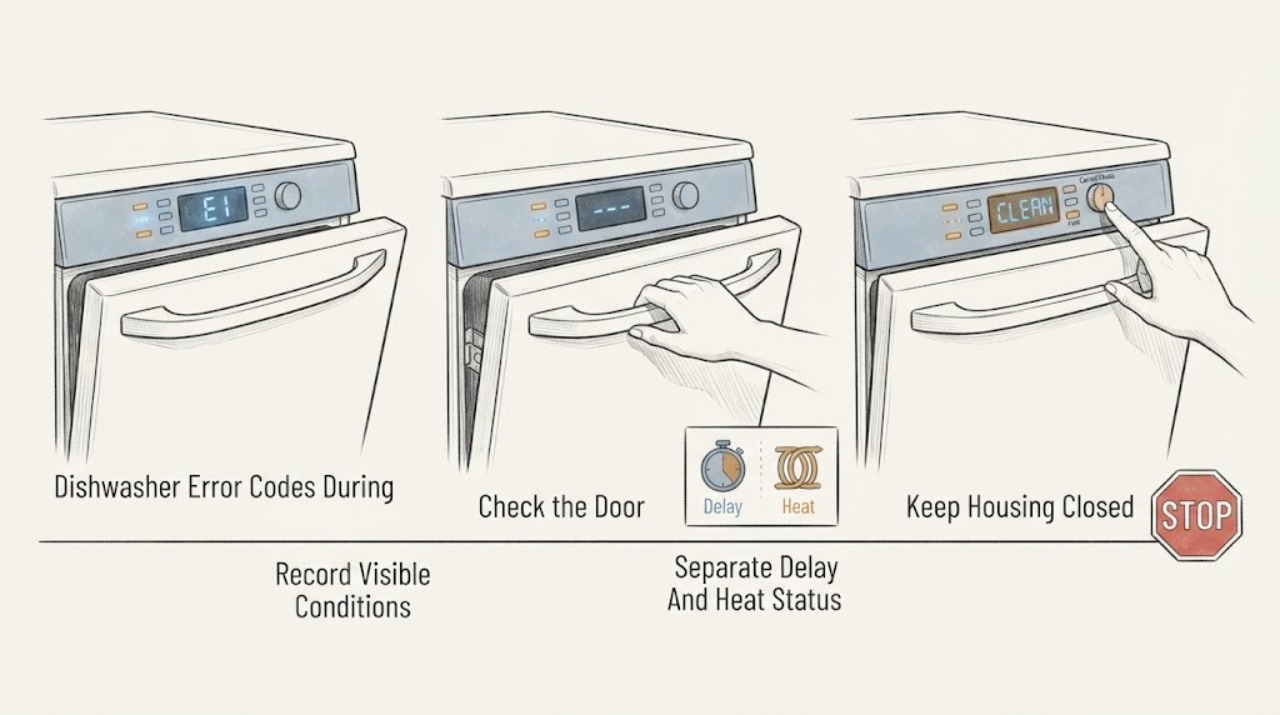
Do not interpret a Frigidaire dishwasher display from the word “error” alone. Record the exact code or light pattern, whether the tub contains water, and the complete model number before choosing a procedure. Frigidaire's opened guide distinguishes status displays such as delay hours, minutes remaining, LOC, CL/Cd, Hd/HO and PRESS START from fault codes such as i20, i40 and PF; the message-code page directs any other display to the exact owner manual. For i20, use the model-appropriate drain, hose and filter checks; for CL/Cd or flashing door lights, close and latch the door; for PF or power-failure lights, check the household supply safely. If water is leaking, the dishwasher will not drain, the code returns after the documented reset, or the display is not covered by the exact manual, stop using it and arrange Frigidaire service. Do not transfer a code meaning from another model or open electrical parts.
Work through in order
Diagnostic checks
Use only checks that match the exact appliance or system and its official guide.
-
Check 1
Before clearing the display, photograph or write the exact characters, punctuation, light names and sequence; record the complete model number, whether the door is closed, whether the tub is full or empty, and whether the machine is washing, heating, draining or idle.
Expected result: The display matches a documented status/code, or it is an unlisted code/light pattern.
Next step: Use only the matching branch below. For an unlisted display, stop and consult the exact manual or Frigidaire service rather than borrowing a meaning from another model.
Why this matters
Why: Frigidaire distinguishes status displays from fault codes and directs other messages to the exact Owner's Manual. A partial code or guessed character can send the diagnosis to the wrong branch.
-
Check 2
If the display is CL, Cd, LOC, PRESS START, or door-related flashing lights, close the door firmly without forcing it and confirm the documented Start/Cancel action and lock state in the exact manual.
Expected result: The door latches and the message clears, or the door will not latch/message returns.
Next step: If the door closes and the exact manual permits resuming, follow that manual. If the latch is damaged or the message returns, leave the dishwasher unused and arrange service.
Why this matters
Why: Frigidaire defines CL/Cd as a door not successfully closed and latched, LOC as a locked door and PRESS START as an instruction rather than a fault. A door that will not latch needs service, not a bypass.
-
Check 3
If the display is 01-24, a cycle-minute value, Hd or HO, compare it with the selected cycle and wait state shown in the exact manual instead of treating it as a component fault.
Expected result: The display is a delay countdown, minutes remaining or heat-delay/heater-on status, or the cycle remains stalled beyond the documented behavior.
Next step: Cancel delay or continue only as the exact manual allows. If the cycle does not progress or the same display returns abnormally, record the model and arrange service.
Why this matters
Why: Frigidaire says 01-24 can be delay start, 1-199 can be minutes left, and Hd/HO can indicate heat delay or heater-on mode. These displays do not by themselves prove a failed heater or control board.
-
Check 4
If the exact display is i20 and water remains, stop the dishwasher and use the Owner's Manual to inspect the accessible drain route, filter/glass trap and any disposer connection; do not reach into an unsafe pump area or disconnect plumbing without model instructions.
Expected result: The drain hose/path or filter has a visible restriction, or the accessible path is clear but water remains.
Next step: Follow the exact model's documented reset only after the accessible check. If standing water remains, the code returns or a leak is present, stop and arrange service.
Why this matters
Why: Frigidaire defines i20 as incomplete draining and lists a blocked/pinched hose, disposer knockout, filter/food soil and drain setup among checks. A clear accessible path does not prove the pump or control is defective.
-
Check 5
If the exact display is i40, isolate the dishwasher as the model manual requires and clean the accessible glass trap/filter area only as that manual directs; do not assume every Frigidaire filter layout is identical.
Expected result: Food soil is present in the filter/sump area, or the area is clear and i40 remains/returns.
Next step: Reinstall the filter exactly as the manual describes and use the model-approved next step once. If i40 returns or access is unsafe, leave the dishwasher off and arrange service.
Why this matters
Why: Frigidaire says i40 occurs when food soils build up in the sump and recommends cleaning the glass trap and filter. A recurring code after the documented clean needs further support.
-
Check 6
If the display is PF or the documented power-failure lights are flashing, check the household power and breaker only from a safe position; if the dishwasher has lost power, record whether the code clears with the exact model's Start/Cancel instruction.
Expected result: A breaker/fuse or power interruption is evident, the code clears, or the lights/code persist after power is restored.
Next step: Do not repeatedly reset a breaker or open the control panel. If power is stable but the code/lights return, keep the dishwasher out of use and contact Frigidaire service or a qualified electrician for a household supply problem.
Why this matters
Why: Frigidaire defines PF as power loss and identifies specific flashing lights for power failure, door-not-closed and a possible shorted keypad. Persistent flashing lights can require service.
Use your observations
Decision map
Find the observation that best matches what you see, then follow the next safe action.
-
PATH 01Next step
What you see
The display is a documented delay, minute countdown, LOC, PRESS START or Hd/HO status and the door/cycle behaves as the exact manual describes.
Do this next
Follow the exact model's normal control instructions. If the cycle stalls or the message returns outside the documented state, capture the model and obtain service.
Why this path and its safety boundary
Why it matters: Frigidaire identifies these as status or operating messages rather than a universal failed-part diagnosis.
-
PATH 02Next step
What you see
CL/Cd, PRESS START or door-related flashing lights appear and the door is not fully latched.
Do this next
Close the door normally and follow the exact manual. If it cannot latch or the message returns, stop and arrange service rather than bypassing the latch.
Why this path and its safety boundary
Why it matters: Frigidaire associates the display with an open/not-successfully-latched door or a required start/close action.
-
PATH 03Next step
What you see
i20 appears, water remains in the tub, or the dishwasher cannot complete the drain portion of the wash cycle.
Do this next
Use only the exact manual's accessible drain checks and reset. If water remains, the code returns or there is a leak, leave the dishwasher off and obtain service.
Why this path and its safety boundary
Why it matters: Frigidaire defines i20 as incomplete draining and directs attention to the drain path, filter and related installation conditions.
-
PATH 04Next step
What you see
i40 appears and food soil is visible in the filter/glass-trap or sump area.
Do this next
Clean only the accessible area as the exact model manual directs. If the code persists or access is unsafe, stop and arrange service.
Why this path and its safety boundary
Why it matters: Frigidaire associates i40 with a clogged filter or sump from food soils.
-
PATH 05Next step
What you see
The code/light pattern is not one of the documented examples, the exact model manual gives a different meaning, or the same code returns after the model-approved reset/check.
Do this next
Keep the dishwasher out of service if water, heat or electrical symptoms are present, record the display and arrange Frigidaire service. Do not infer a component from a similar code.
Why this path and its safety boundary
Why it matters: Frigidaire explicitly directs other message codes to the Owner's Manual, and a recurring display needs model-specific diagnosis.
Helpful context
Understand the symptom
Capture the code before deciding what it means
Frigidaire's dishwasher guide includes both ordinary status information and fault-related displays. For example, 1-199 can be minutes remaining, 01-24 can be a delay option, LOC can indicate a lock, and PRESS START is not an error code. The same page lists i20, i40 and PF as different fault conditions. Photograph the display or write down the exact characters and model before resetting anything.
Use only the matching code branch
A door message, a power-loss message, a heat delay and an incomplete-drain code lead to different checks. Frigidaire's message-code page says that another display should be looked up in the Owner's Manual. Do not replace a part or use a reset sequence because a similar code appeared on another Frigidaire family or another appliance.
Standing water or recurring lights change the next step
Frigidaire identifies i20 with incomplete drainage and lists drain-path and filter checks. Its flashing-lights guide also says a persistent shorted-keypad pattern needs service. If water leaks, remains after the exact model-approved checks, or a code returns, stop treating the display as a simple reset and arrange service.
When checks do not resolve it
Need a professional?
Arrange Frigidaire service when a code is unlisted or recurring, the door will not latch, standing water or a leak remains, flashing lights persist, the dishwasher does not resume after the exact model check, or electrical power is unstable.
Have this ready
- complete Frigidaire model number
- exact code, message or named flashing lights
- whether the tub contains standing water or has a leak
- where in the cycle the display appeared
- whether the code returns after the exact model-approved reset/check
Common questions
FAQ
Are all numbers on a Frigidaire dishwasher an error code?
No. Frigidaire says 01-24 can be delay hours and 1-199 can be minutes remaining; PRESS START is an instruction, while LOC, CL/Cd and Hd/HO describe operating states. Capture the exact display before treating it as a fault.
What does i20 mean on a Frigidaire dishwasher?
Frigidaire defines i20 as the dishwasher not draining properly. Its official checks include the drain path, hose restrictions, disposer connection and glass trap/filter, followed by the exact model's reset instructions. A recurring i20 needs service.
What if the code is not listed in the Frigidaire guide?
Frigidaire's message-code page directs other displays to the Owner's Manual. Do not copy a meaning or reset sequence from another model; record the model and exact display and contact service if the manual does not resolve it.
Can I keep running the dishwasher after a recurring code?
A single documented status may be normal, but a recurring fault code, persistent flashing pattern, standing water, leak or unstable power should be treated as a service condition. Keep the dishwasher off when water or electrical safety is involved.
Read the exact guide
Official sources
- Dishwashers Flashing LightsFrigidaire · Official Frigidaire dishwasher support page; light patterns remain model/control dependent.
- What should I do if my dishwasher is not starting?Frigidaire · Official Frigidaire dishwasher support page used only for external start-state checks.
- What do I do if my dishwasher is showing a message code?Frigidaire · Official Frigidaire dishwasher support page; explicitly sends other message codes to the exact Owner's Manual.
- Dishwasher Error Code i20 - Unit did not drain properlyFrigidaire · Official Frigidaire dishwasher support page specifically for i20; it must not be used to explain another code.
- Dishwasher Error Codes and Alarms GuideFrigidaire · Official Frigidaire dishwasher support guide; exact model and region remain controlling for displays not listed here.
Community feedback
Share a repair observation
Share a plain-text repair observation. Accepted observations are published automatically; this page may take a moment to update.