
On this page
Start here
Quick answer
First separate normal retained heat from a cooling-fan or over-temperature fault. Frigidaire says the oven fan can run during preheat and baking, and may continue after the oven is turned off until the internal temperature falls. Do not judge the oven by touching the door or cavity. If the display shows F10 (thermal runaway), turn the oven off and let it cool; if the code returns, Frigidaire says to contact support. For a fan that never starts, runs abnormally after the oven is cool, or is accompanied by smoke, a burning smell, damaged controls, or a hot cabinet, stop using the oven and arrange service. The exact behavior and reset steps vary between range ovens and wall ovens, so use the model's manual rather than opening the control area.
Before you begin
Safety first
- This article covers observing fan timing and display behavior from a safe distance, allowing a switched-off oven to cool, and consulting the model manual. It does not authorize cabinet removal, live electrical testing, fan or sensor disassembly, thermal-protection bypass, or gas work.
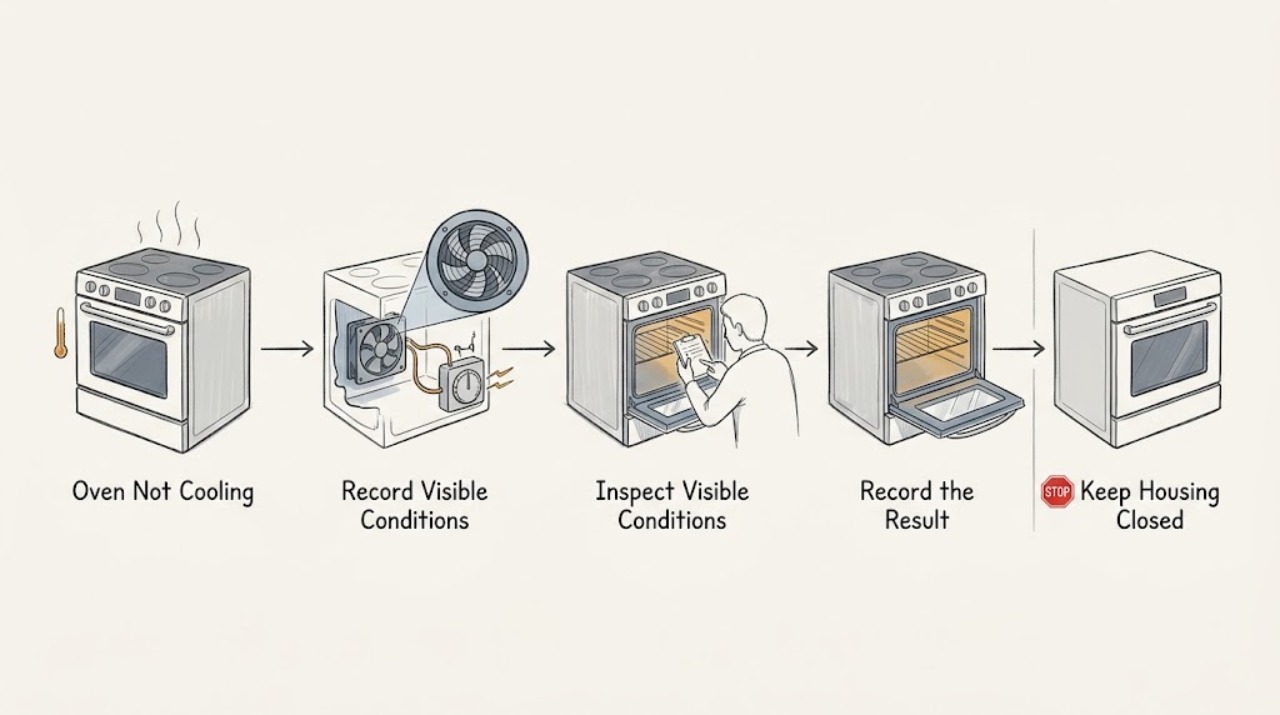
Work through in order
Diagnostic checks
Use only checks that match the exact appliance or system and its official guide.
-
Check 1
Record the exact symptom without touching hot surfaces: does the fan run during preheat, during baking, after the oven is switched off, or not at all; does the cavity merely remain warm, or is the cabinet/control area unusually hot; and is any code such as F10 displayed? Identify whether the appliance is a range oven or wall oven.
Expected result: The fan runs during heating or for a while after shutdown, the oven is simply retaining heat, the fan never runs, the fan continues after the oven has cooled, or F10 appears.
Next step: Use the normal-fan, F10, or abnormal-fan branch below and follow the exact model manual. If the cabinet is dangerously hot, smoke or burning odor is present, or the source cannot be safely observed, switch the oven off and arrange service.
Stop if: Do not touch the cavity, door glass, vents, or control area to test temperature, and do not open panels or reach into a running oven.
Why this matters
Why: Fan operation during heating and continued operation while the internal temperature falls can be normal. No fan, abnormal prolonged operation, or an over-temperature code points to a model-specific control, sensor, ventilation, or service issue rather than ordinary residual heat.
-
Check 2
For a fan that runs during preheat, baking, or shortly after shutdown, leave the oven switched off and observe from a safe distance whether the fan eventually stops as the internal temperature falls. Keep the oven door closed unless the model manual specifically gives another instruction.
Expected result: The fan cycles during cooking and then stops as the oven cools, the oven is warm but shows no warning, or the fan remains on after the oven is no longer hot.
Next step: If the fan stops as expected and there is no warning, use the oven according to the manual. If it does not stop after cooling, note the model, cycle, and timing and request service rather than disconnecting the fan.
Stop if: Do not block the oven's vents, force the fan blades, or remove the fan guard or control panel.
Why this matters
Why: Frigidaire says the fan helps circulate oven temperatures and may stay on after baking until the internal temperature cools. Warmth alone is not evidence of a failed cooling system; a fan that remains abnormal after cooling needs model-specific service diagnosis.
-
Check 3
If F10 or another high-temperature alarm appears, turn the oven off and allow it to cool fully without attempting another cooking cycle. Once cool, record whether the code clears and whether it returns when the oven is used again; do not repeatedly reset the breaker as a repair.
Expected result: F10 clears after cooling and does not return, F10 returns, the oven heats while controls are off, or the cabinet/control area remains abnormally hot.
Next step: If the code returns or heat remains abnormal, keep the oven off and contact Frigidaire service. Provide the exact model, code, selected mode, whether the fan ran, and any unusual heat or odor.
Stop if: Do not bypass a thermal protection device, run self-clean or another high-heat cycle to test it, or open the electrical/control compartment.
Why this matters
Why: Frigidaire identifies F10 on standard range and wall ovens as detection of higher-than-normal temperatures and a built-in safety alert. A returning code or heating outside the selected operation is not a normal fan-after-run condition.
-
Check 4
Compare the controls and cooling behavior with the full model's Owner's Manual, including whether the appliance is a range oven or wall oven and whether it has convection or other fan modes. Check only that the selected oven mode and OFF control respond normally; do not attempt live electrical or fan testing.
Expected result: The manual describes the observed fan behavior, the fan/control response differs from the manual, the display or controls are unresponsive, or the model and expected behavior cannot be identified.
Next step: Use Frigidaire's model-specific support or arrange a qualified appliance technician. Keep the oven off if the fan does not cool the appliance as documented, the control area overheats, or the source of heat is uncertain.
Stop if: Do not buy or install a cooling fan, temperature sensor, relay, or control board based only on the phrase ‘not cooling.’
Why this matters
Why: Frigidaire states that products and control steps vary by model. A mismatch between documented behavior and the observed fan or temperature condition cannot safely identify a fan motor, relay, sensor, or board from the symptom alone.
Use your observations
Decision map
Find the observation that best matches what you see, then follow the next safe action.
-
PATH 01Next step
What you see
The Frigidaire oven fan runs during preheat or baking, may continue after shutdown, and stops as the internal temperature falls with no warning or abnormal heat.
Do this next
Let the oven complete its cool-down and use it according to the model manual. Escalate if the fan later fails to run, never stops after cooling, or a high-temperature code appears.
Why this path and its safety boundary
Why it matters: This matches Frigidaire's documented normal fan behavior more closely than a failed cooling circuit.
-
PATH 02Next step
What you see
The oven is merely warm after cooking, the fan behavior is normal for the model, and there is no F10, smoke, burning odor, abnormal cabinet heat, or control fault.
Do this next
Keep the oven off until it is cool and follow the manual. Do not use touch as a temperature test; request service if the warmth is accompanied by an alarm or unsafe symptom.
Why this path and its safety boundary
Why it matters: Residual heat is more likely than a cooling failure; the cavity and surrounding metal do not become instantly cold when the elements or burners turn off.
-
PATH 03Next step
What you see
F10 appears, the oven heats when it should not, the cabinet/control area is unusually hot, or the fan does not provide the expected cooling behavior.
Do this next
Turn the oven off, let it cool without another test cycle, and arrange Frigidaire or qualified appliance service. Provide the code and observed fan behavior.
Why this path and its safety boundary
Why it matters: An over-temperature or control/ventilation fault is more likely than normal fan run-on, and continued use could create a safety risk.
-
PATH 04Next step
What you see
The fan remains on after the oven has cooled, never runs when the model manual says it should, controls do not respond normally, or the appliance type/model behavior is unclear.
Do this next
Keep the oven off and request service. Do not open the control area or test live wiring; have the technician verify the exact model behavior and safety controls.
Why this path and its safety boundary
Why it matters: The symptom requires model-specific diagnosis of the fan, temperature sensing, control, or ventilation path; a universal part or reset cannot be justified.
Helpful context
Understand the symptom
‘Not cooling’ can describe two different symptoms
An oven can still feel hot after cooking because the cavity and metal retain heat; that alone does not prove the cooling fan failed. A fan that runs during preheat or after shutdown can also be normal. The actionable distinction is whether the fan behavior is consistent with the model, whether a high-temperature warning appears, and whether the oven remains abnormally hot after it should have cooled.
Use the matching range or wall-oven instructions
Frigidaire's oven support covers both range ovens and wall ovens, and its controls vary by model. Identify the full model number and consult the Owner's Manual for the fan, cooling, and reset behavior. Do not remove panels or test a fan, sensor, relay, or control board while energized.
F10 changes the safety decision
Frigidaire describes F10 as thermal runaway: the oven is detecting higher-than-normal temperatures. Turn the oven off and allow it to cool. If the alert returns, stop using the oven and contact service rather than repeatedly resetting it or trying to force the fan to run.
When checks do not resolve it
Need a professional?
Contact Frigidaire service when F10 returns, the oven heats outside the selected operation, the cooling fan never runs or remains on after the oven has cooled, controls or the cabinet become unusually hot, smoke or a burning odor appears, or the model-specific behavior cannot be established. Do not remove panels, bypass thermal protection, or test live wiring.
Safety scope: This article covers observing fan timing and display behavior from a safe distance, allowing a switched-off oven to cool, and consulting the model manual. It does not authorize cabinet removal, live electrical testing, fan or sensor disassembly, thermal-protection bypass, or gas work.
Common questions
FAQ
Why does my Frigidaire oven fan keep running after I turn it off?
Frigidaire says the oven fan can remain on after baking and stop once the internal oven temperature cools. If it never stops after cooling, the cabinet remains unusually hot, or an error appears, stop using the oven and arrange model-specific service.
Does a warm Frigidaire oven mean the cooling fan failed?
Not by itself. The cavity and metal retain heat after cooking, and normal fan operation does not make the oven instantly cold. Judge the fan against the exact manual and look for F10, abnormal cabinet heat, smoke, odor, or a fan that does not run or stop as expected.
What should I do if my Frigidaire oven shows F10?
Turn the oven off and allow it to cool. Frigidaire describes F10 on standard range and wall ovens as a higher-than-normal-temperature alert; if it returns, contact support rather than repeatedly resetting or running another high-heat cycle.
Read the exact guide
Official sources
- How do I use my display or controls?Frigidaire · Official Frigidaire support article; it explicitly notes that products vary by model.
- Oven Error Codes and Alarms GuideFrigidaire · Official Frigidaire support guide; code coverage and reset behavior vary by model.
- Ranges - Is it normal for a fan to come on while using my range and when does it stop running?Frigidaire · Official Frigidaire support article for ranges; exact fan behavior and controls vary by model.
Community feedback
Share a repair observation
Share a plain-text repair observation. Accepted observations are published automatically; this page may take a moment to update.