
On this page
Start here
Quick answer
If a Frigidaire oven keeps heating after you press Off, treat it as a control or safety problem unless only the cooling fan is still running. Frigidaire says the fan may continue after the oven is turned off until the internal temperature cools, but the heating source should not remain active without a valid command. If the oven is still producing heat, the display ignores Off, the temperature rises uncontrollably, there is smoke or a burning odor, or a breaker trips, stop using it and arrange qualified service. If the oven is safe and the controls respond, check whether a lock, active mode, or error code explains the display, then perform no more than the model-specific reset guidance; do not open panels, bypass controls, or keep testing uncontrolled heat.
Before you begin
Safety first
- A technician can isolate the control, relay, temperature sensor, heating or gas system, cooling fan, and lock safely. Do not open live panels, bypass a safety control, or keep using an oven that will not turn off.
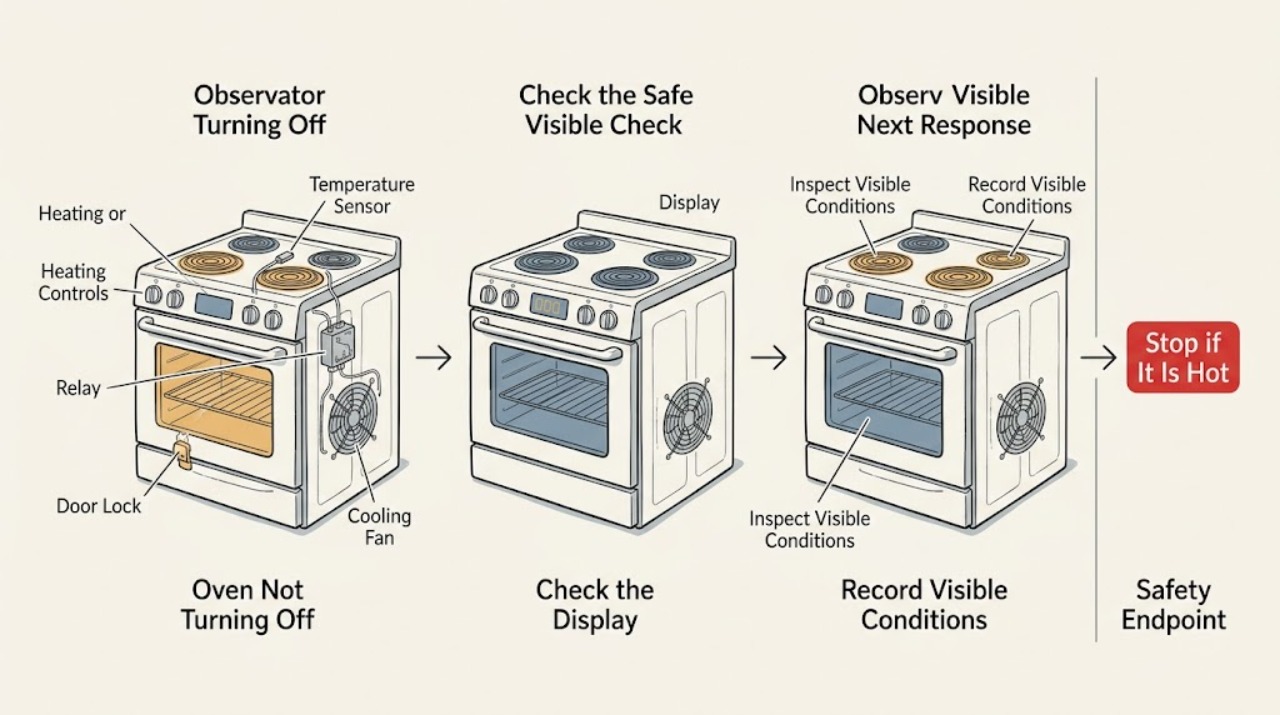
Work through in order
Diagnostic checks
Use only checks that match the exact appliance or system and its official guide.
-
Check 1
Stop using the oven immediately if heat continues without a valid command, you see smoke or sparks, smell burning or gas, the door or glass is damaged, the temperature rises uncontrollably, or the circuit trips. Keep people away and do not reach into the cavity or operate controls repeatedly.
Expected result: The oven has a safety symptom or it is stable with no smoke, unusual odor, sparks, damaged glass, or electrical interruption.
Next step: For any hazard, keep clear and arrange qualified appliance or emergency assistance as appropriate. If stable, determine whether only the cooling fan is running.
Stop if: Smoke, gas odor, sparks, runaway heat, damaged glass, or a tripped circuit ends all user testing.
Why this matters
Why: Uncontrolled heat or a fire, gas, or electrical sign is an emergency stop condition, not a normal control check. A stable oven permits only low-risk observation.
-
Check 2
After pressing Off once, listen and observe from a safe distance. Note whether the remaining sound is only a fan, whether the heating element remains visibly active or the burner remains lit, whether the display says an end or cooldown state, and whether the cavity continues getting hotter.
Expected result: Only the fan runs and heat is declining, or the heating source remains active and the temperature or odor is rising.
Next step: For fan-only cooldown, leave the oven undisturbed. For continuing heat, stop use and call service rather than trying another cooking function.
Stop if: Do not touch the element, burner, door glass, or exhaust area to confirm heat.
Why this matters
Why: Frigidaire describes post-cycle fan operation as normal until the internal temperature cools. Continuing active heat is a control, sensor, relay, or fuel-control fault until proven otherwise.
-
Check 3
Record the active mode and controls without starting a new cycle: bake, broil, convection, self-clean, delayed cooking, or another model-specific function. Note whether a timer ended, whether a lock icon or dash appears, and whether Off is accepted by the display.
Expected result: The oven is in a normal cooldown or locked state, a programmed mode remains active, or the display ignores Off while heat continues.
Next step: Follow only the exact model guide for ending a valid mode or clearing a lock. If Off is ignored or heat remains active, stop and arrange service.
Stop if: Do not force the door, defeat a lock, or press unrelated functions while the oven is hot or heating unexpectedly.
Why this matters
Why: A mode or lock can make the interface appear stuck, but a control that ignores Off while heat remains active is not an ordinary setting issue.
-
Check 4
If you need to change the cooking function and the oven is stable, stop the current cycle first, then select the new function and time using the normal control sequence. Do not change functions mid-cycle or use a new mode as a way to interrupt uncontrolled heating.
Expected result: The oven stops and accepts the new function, or it keeps heating, refuses Off, or restarts heat without a valid start command.
Next step: If the sequence fails or heat continues, stop all use and provide the recorded mode and display behavior to a technician.
Stop if: Do not keep cycling modes or attempt a cooking test when the oven will not obey Off.
Why this matters
Why: Frigidaire says the cooking function cannot be changed during an active cycle. A successful normal stop points to a control-sequence issue; refusal or unsolicited heat points to a fault.
-
Check 5
If the display shows an error, photograph the complete code and note whether the oven is hot, cooling, or still heating. For a safe, cool appliance only, follow the model guide and Frigidaire's documented reset guidance once; do not reset a smoking, sparking, gas-smelling, or uncontrolled oven.
Expected result: The code clears and the oven remains off or cools normally, or the same code returns, the display stays blank, or heat resumes unexpectedly.
Next step: Keep the code and reset result with the service record. If the code returns or heat resumes, stop using the oven and call qualified service.
Stop if: Never bypass a temperature, door, or control safety and never perform repeated resets to keep using a faulty oven.
Why this matters
Why: Frigidaire identifies a high-temperature F10 alert and other model-dependent codes; a reset can clear a transient display but cannot validate a failed sensor, relay, control, or safety circuit.
-
Check 6
End the diagnosis after one safe observation and prepare the service handoff: record the complete model number, cooking mode, target setting, Off response, whether heat or only the fan continued, error code, door state, odor, smoke, and the result of any permitted reset.
Expected result: The oven completed a normal cooldown and stayed off, or it repeatedly ignores Off, returns heat, overheats, or shows the same code.
Next step: Leave the oven out of service when the failure recurs and arrange a qualified appliance technician with the record and model information.
Stop if: Do not open panels, measure live voltage, bypass a lock, or replace a control or gas component as a user test.
Why this matters
Why: Normal cooldown can explain fan noise. A repeat failure or uncontrolled heat requires diagnosis of the control, sensor, heating or gas system, relay, or lock; symptom alone does not identify a replacement part.
Use your observations
Decision map
Find the observation that best matches what you see, then follow the next safe action.
-
PATH 01Next step
What you see
Smoke, gas odor, sparks, runaway heat, damaged glass, or a tripped circuit
Do this next
Stop immediately, keep clear, and obtain qualified appliance or emergency help appropriate to the hazard. Do not attempt a reset or repair.
-
PATH 02Next step
What you see
Only the cooling fan runs and the oven temperature is falling after Off
Do this next
Allow the oven to cool undisturbed. Frigidaire describes this fan behavior as normal; arrange service if the fan never stops or heat does not decline.
-
PATH 03Next step
What you see
A lock icon or dash is shown and no uncontrolled heat is present
Do this next
Use the exact model instructions for the Lock feature. Frigidaire documents an Off-hold method for some models, but do not force a hot or locked door.
-
PATH 04Next step
What you see
The oven has an F10 or other error code
Do this next
Turn the oven off and allow it to cool. Follow the model guide and one safe documented reset only; if the code returns, call service.
-
PATH 05Next step
What you see
Off is ignored or heating resumes after a safe reset
Do this next
Leave the oven out of service and arrange qualified diagnosis of controls, sensor, heating or gas control, relay, and safety circuits.
Helpful context
Understand the symptom
First distinguish heat from fan noise
A fan that continues after an oven is turned off can be part of normal cooldown. A heating element that remains red, a gas burner that continues to fire, or heat that keeps rising after the Off command is different and should be treated as uncontrolled heating. Do not open the door repeatedly or touch the element to test it.
Use the display and mode as evidence
Write down the selected cooking function, whether a timer or self-clean mode was active, the exact display message or code, and whether the controls accept Off. A locked control or a normal cooldown message can explain why the display seems unresponsive, but it does not justify continuing a cycle that is producing uncontrolled heat.
Reset only from a safe state
Frigidaire's error guidance includes a short power reset for some codes. Use that only when the oven is cool enough to approach safely, no smoke or odor is present, and the model instructions support it. A reset that clears the display does not prove the underlying fault is repaired; a returning code or recurring heat problem needs service.
Do not repair a live oven
The control board, relay, heating circuit, gas valve, sensor, and lock are inside a high-temperature appliance with hazardous electrical or fuel systems. Do not remove panels, measure live circuits, bypass a safety control, or replace a part based only on the symptom. Give a qualified technician the recorded behavior and model details.
Only after diagnosis
Potential parts
- temperature sensor or probe
Consider this category only if a technician confirms incorrect temperature sensing or a documented temperature-related code after safe control checks.
Confirm the complete oven model and manufacturer's fit information before ordering; a no-off symptom alone does not prove sensor failure. - electronic control or relay assembly
Consider this category only if the controls ignore Off or heating remains active and a technician confirms a control or relay fault.
Control assemblies vary by model and revision and require qualified diagnosis and installation. - heating element or gas-control component
Consider this category only when a technician identifies a heating-side or gas-control fault after confirming that the command and safety controls are correct.
The correct component depends on oven fuel type and model; do not access live or fuel-connected parts. - door-lock assembly
Consider this category only if a cooled self-clean or lock condition remains and the model-specific diagnosis confirms a failed lock assembly.
Verify model fit and have a qualified technician handle lock and safety-control work.
When checks do not resolve it
Need a professional?
Call qualified appliance service immediately for uncontrolled heat, an oven that ignores Off, a recurring high-temperature code, smoke, burning or gas odor, sparks, a tripped circuit, or a lock that remains engaged after safe cooldown.
Safety scope: A technician can isolate the control, relay, temperature sensor, heating or gas system, cooling fan, and lock safely. Do not open live panels, bypass a safety control, or keep using an oven that will not turn off.
Have this ready
- Provide the complete model number, mode, target setting, timer or self-clean state, Off response, whether the heat source or only fan continued, error code, door state, safety symptoms, and any permitted reset result.
Common questions
FAQ
Why does my Frigidaire oven fan keep running after I turn it off?
Frigidaire says the oven fan may remain on after baking and after Off while the internal temperature cools. If the fan is the only remaining activity and heat is declining, allow cooldown; service is needed if it never stops or heat continues to rise.
What should I do if my Frigidaire oven keeps heating after Off?
Stop using it and keep clear if the heating element or burner remains active, heat rises, or smoke, odor, sparks, or a breaker trip appears. Do not keep changing modes or open panels; arrange qualified service.
Could an error code make a Frigidaire oven seem unable to turn off?
A code can change the control state. Photograph it, allow a safe oven to cool, and follow the model guidance. Frigidaire identifies F10 as a higher-than-normal-temperature alert; a returning code or continued heat requires service.
Can I change the cooking function to stop a Frigidaire oven?
Frigidaire says the function cannot be changed during an active cycle. Stop the current cycle first only when the oven is stable and responds normally. If Off is ignored or heat is uncontrolled, stop use and call service instead.
Why is my Frigidaire oven door or control locked?
A Lock or self-clean state can keep the door and cooking functions unavailable until the model's safe unlock conditions are met. Do not force the door; use the exact model guide and arrange service if the lock remains after cooldown.
Read the exact guide
Official sources
- Ovens - How do I set my oven or range to self-clean?Frigidaire Owner Support · Self-clean operating and cooldown lock behavior; availability and controls vary by model.
- Oven Error Codes and Alarms GuideFrigidaire Owner Support · Frigidaire guidance for resetting codes, higher-than-normal temperature alerts, door-lock issues, and model-specific support.
- How do I change the cooking function during cooking?Frigidaire Owner Support · Control sequence for changing an active cooking function; exact buttons vary by model.
- What does it mean if my display shows a – (dash)?Frigidaire Owner Support · Frigidaire lock-display explanation and one model-dependent unlock method.
- Ranges - Is it normal for a fan to come on while using my range and when does it stop running?Frigidaire Owner Support · Frigidaire explanation of fan operation during and after oven use; exact behavior varies by model.
Community feedback
Share a repair observation
Share a plain-text repair observation. Accepted observations are published automatically; this page may take a moment to update.