
On this page
Start here
Quick answer
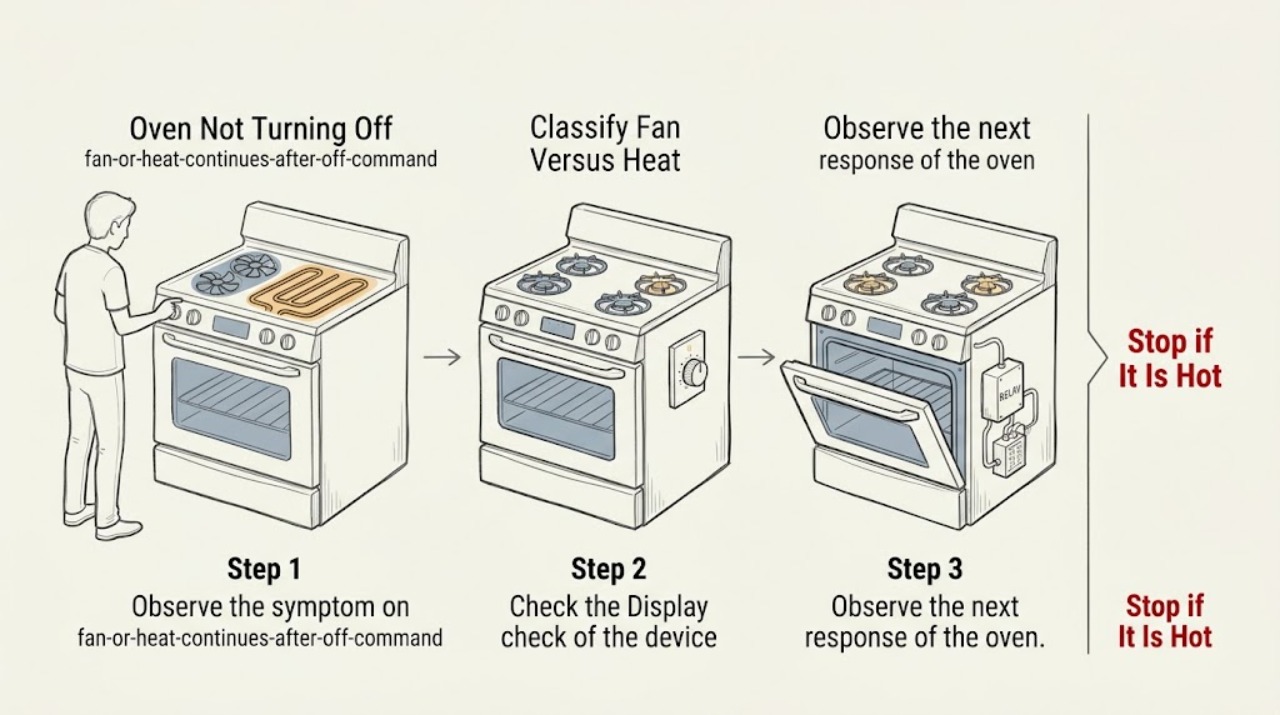
First separate a fan that is still cooling from an oven that is still heating. KitchenAid says the automatic cooling fan can continue after a cooking cycle to cool the cavity and electronic controls, so fan noise alone does not mean the heat is still on. If the display is off but the oven cavity continues to heat, an element remains energized, a gas flame remains lit, or the oven ignores Cancel or Off, treat that as a fault. Press Cancel or Off once only when the controls respond normally; if heating continues or there is gas odor, smoke, arcing, severe heat, or a tripped breaker, stop using the oven. From a safe, dry position, isolate electrical power at the labeled breaker only when necessary and safe, and do not operate switches when gas is suspected. Leave gas shutoff and internal diagnosis to qualified service, then arrange KitchenAid or qualified appliance service rather than repeatedly cycling power or replacing a control from the symptom alone.
Before you begin
Safety first
- This article supports ordinary observation and one normal Off command or model-directed isolation only. Do not work on energized wiring or gas parts, force a hot or locked door, bypass thermal or door protection, relight gas, touch heating elements, or re-energize an uncontrolled oven.
Work through in order
Diagnostic checks
Use only checks that match the exact appliance or system and its official guide.
-
Check 1
From a safe position after pressing Off or Cancel once, listen and observe without touching the door glass, element, burner, or internal parts.
Expected result: Record whether only a fan or airflow sound remains, the display is off, the cavity is cooling, an element is still glowing, a gas flame is still present, heat continues to rise, or the oven is making an unusual sound.
Next step: If only the fan remains and heat is declining normally, let the oven cool and monitor without interrupting it. If heat or flame continues, follow the immediate safety branch and isolate the appliance only from a safe, clearly identified control point.
Stop if: Do not touch hot surfaces, open a hot door to investigate, reach into the cavity, or continue testing when there is smoke, gas odor, arcing, burning smell, or severe heat.
Why this matters
Why: KitchenAid says a cooling fan can run after a cycle to cool the cavity and electronic controls. Continued heating, flame, rising heat, or a nonresponsive control is not explained by ordinary fan run-on and requires a safety decision.
-
Check 2
When the display and surrounding area are safe, press the model's normal Cancel or Off control once and note the control state without using unlisted key combinations.
Expected result: Record whether the display acknowledges Off, changes to a cooling state, remains in Bake/Broil/Clean, shows Control Lock or Delay, is blank, or ignores the key while heating continues.
Next step: If a lock or delay is shown, follow only the exact model manual. If heat remains active or the command is ignored, stop normal use and move to the safe isolation and service branch.
Stop if: Do not keep pressing controls, enter technician diagnostics, or attempt to defeat a lock or safety state.
Why this matters
Why: A delayed or locked control can make a normal command appear ineffective; a responsive Off command with only fan operation is consistent with cooling. An ignored command while heat remains active suggests a control, relay, thermostat, or model-specific fault.
-
Check 3
Read the selected function and visible indicators from outside the hot cavity, noting whether Bake, Broil, Clean, delayed start, control lock, or a door-lock state is active.
Expected result: Record whether the oven is in a normal post-cycle cooling period, a self-clean or lock state, a delayed programme, a mode that is still commanded on, or an unknown state; note whether the door is closed, locked, or physically damaged.
Next step: Allow a normal cooling or lock state to complete according to the exact manual. If the oven remains hot or commanded on after the correct Off/Cancel path, stop and arrange service.
Stop if: Do not force a hot or locked door, interrupt self-clean to access the cavity, or continue if the door or latch is damaged.
Why this matters
Why: The function and door state determine which heating and fan behavior is expected. KitchenAid notes that fan operation can accompany Bake, Broil, and Clean, while a locked or hot state should not be forced open or interrupted by guesswork.
-
Check 4
Identify the oven's fuel configuration from the rating label or manual and observe only from a safe distance; do not remove a burner, element cover, control panel, or wiring enclosure.
Expected result: Record whether the oven is electric, gas, or dual fuel; for a gas model, whether there is gas odor, hissing, an abnormal flame, or delayed ignition; for an electric model, whether an element glows after Off, there is arcing, smoke, or a breaker trip.
Next step: For gas odor or suspected leak, leave without operating switches and contact gas emergency service from outside. For an electrical heating fault, use the labeled breaker only if safe and arrange qualified service; do not re-energize to test.
Stop if: Do not light or relight a gas burner, look for a leak with a flame, touch an element, make live measurements, or continue after smoke, arcing, burning smell, or a trip.
Why this matters
Why: An electric element that remains energized and a gas burner that remains lit have different service and isolation paths. Gas odor, abnormal flame, electrical arcing, smoke, severe heat, or repeated trips is an immediate stop rather than a part-identification exercise.
-
Check 5
If the oven continues heating and there is no gas emergency, water, smoke, or electrical damage, turn off only the clearly labeled oven breaker or disconnect from a dry, safe position; do not open the electrical enclosure.
Expected result: Record whether the heating stops, the fan coasts down, the display goes dark, the breaker will not stay off, or another circuit shows abnormal behavior.
Next step: Leave the breaker off and arrange qualified appliance or electrical service when heating stops after isolation, or obtain emergency help when the breaker behavior is abnormal. Do not restore power for another test.
Stop if: Do not reset a tripping breaker repeatedly, reach into a panel, touch wet electrical equipment, or use power isolation when gas odor or fire is suspected.
Why this matters
Why: Power isolation can stop an electrical heating or control fault, but it does not identify or repair the failed relay, element, sensor, thermostat, or control. A breaker that trips again or cannot isolate the appliance is a service and electrical safety issue.
-
Check 6
If the heating source has stopped and only airflow remains, observe the cooling fan from outside the appliance while the cavity and controls cool naturally.
Expected result: Record whether the fan runs smoothly and then stops, runs for an unusually long period, cycles with the door or controls, makes scraping or grinding noise, or is accompanied by rising heat or an odor.
Next step: If the oven is cooling normally, no further repair action is needed beyond monitoring. If the fan behavior is abnormal or the oven remains hot, leave it off and request model-specific service.
Stop if: Do not block the vents, remove the fan guard, put hands near moving parts, or continue if heat, smoke, or burning smell increases.
Why this matters
Why: KitchenAid describes post-cycle automatic cooling-fan operation as normal and says duration varies with the appliance and cycle conditions. A fan that does not settle, makes abnormal noise, or coincides with continued heat may indicate a fan, temperature-sensing, control, or airflow problem.
-
Check 7
Only after the oven is cool, isolated safely when necessary, and free of gas, smoke, heat, water, or electrical hazards, follow the exact model manual's single reset or power-restoration instruction; do not use repeated cycling as a repair.
Expected result: Record whether the display and controls return normally, the same heating command resumes, the oven begins heating without an Off command, a fault message appears, or the breaker trips again.
Next step: If any abnormal result occurs, isolate the oven if safe, leave it off, and provide the complete record to qualified service. If the result is normal, monitor one ordinary cycle without repeating the reset.
Stop if: Do not restore gas or electrical power to investigate an unsafe oven, and do not run another cycle after unexpected heating, smoke, arcing, burning smell, or a trip.
Why this matters
Why: A normal restart after a fan-only condition may confirm a transient control state, but heating that resumes unexpectedly, a returning fault, or another trip indicates an unresolved control or power problem.
-
Check 8
For an oven that ignores Off, keeps an element or gas flame active, overheats, repeatedly trips power, or has an abnormal fan, leave it isolated and prepare a service record instead of choosing a replacement part.
Expected result: Provide the complete model number, fuel type, cavity, selected function, Off/Cancel response, fan-versus-heat observation, door or lock state, display or error message, breaker result, and any smoke, odor, arcing, flame, or temperature change.
Next step: Contact KitchenAid support or a qualified appliance technician and keep the oven out of service until the heating and control system has been inspected.
Stop if: Do not open panels, bypass thermal or door protection, make energized measurements, relight a gas appliance, or re-energize an uncontrolled oven.
Why this matters
Why: The symptom can involve a relay, control, thermostat, temperature sensor, element, burner or valve, latch, fan, or supply. KitchenAid's product-help pages direct model-manual and service use; the symptom alone does not establish which part is compatible or safe.
Use your observations
Decision map
Find the observation that best matches what you see, then follow the next safe action.
-
PATH 01Safety boundary
What you see
The heat source has stopped and only the cooling fan or airflow remains after a cooking cycle.
Do this next
Let the oven cool naturally and monitor without blocking vents or disconnecting it solely because the fan is audible.
Why this path and its safety boundary
Why it matters: KitchenAid says the automatic cooling fan may run after a cycle to cool the cavity and electronic controls.
Safety stop: Escalate if heat rises, the fan makes abnormal noise, smoke or burning odor appears, or the fan never settles as the oven cools.
-
PATH 02Safety boundary
What you see
The display shows Delay, Control Lock, a self-clean or door-lock state, or another model-documented control condition.
Do this next
Follow the exact model manual's cancel, unlock, cooling, or completion procedure once; request service if the oven remains commanded on or cannot safely release.
Why this path and its safety boundary
Why it matters: The oven may be following a programmed state rather than ignoring Off; behavior is model-specific.
Safety stop: Do not force the door, defeat a lock, or interrupt a hot self-clean state by guesswork.
-
PATH 03Safety boundary
What you see
An electric element remains glowing or the cavity continues heating after Off or Cancel.
Do this next
From a dry, safe position turn off the clearly labeled oven breaker only when there is no gas, smoke, water, or electrical emergency; leave it off and arrange service.
Why this path and its safety boundary
Why it matters: This is not normal fan run-on and can involve a control, relay, thermostat, sensor, element, or supply fault.
Safety stop: Do not touch the element, open panels, reset a tripping breaker repeatedly, or restore power to test.
-
PATH 04Safety boundary
What you see
A gas flame remains lit unexpectedly, gas odor or hissing is present, ignition is delayed, or the flame is abnormal.
Do this next
Do not operate switches, create a spark, or relight the appliance; leave the area and contact the appropriate gas emergency service from outside. Arrange qualified appliance service after the area is declared safe.
Why this path and its safety boundary
Why it matters: This is a gas safety event, not a normal oven shutoff diagnosis.
Safety stop: Do not test ignition, search for a leak with a flame, or reintroduce gas to see whether the oven shuts off.
-
PATH 05Safety boundary
What you see
Smoke, burning smell, visible arcing, severe heat, damaged wiring or cord, or a fire symptom appears.
Do this next
Stop using the oven, move away, and use the appropriate emergency or electrical service route from a safe location; do not continue the diagnostic sequence.
Why this path and its safety boundary
Why it matters: The appliance presents an immediate fire or electrical hazard.
Safety stop: Do not open the hot oven to investigate or operate controls through smoke or heat.
-
PATH 06Safety boundary
What you see
The breaker trips when the oven is used or will not remain on after a safe reset.
Do this next
Leave the oven isolated and request qualified electrical or appliance service with the model and event record.
Why this path and its safety boundary
Why it matters: The supply or appliance electrical fault remains unresolved; repeated resetting can create additional risk.
Safety stop: Do not repeatedly reset the breaker or open the electrical panel.
-
PATH 07Safety boundary
What you see
The heat source is off but the fan scrapes, grinds, cycles abnormally, or continues with rising heat or an odor.
Do this next
Leave the oven off and arrange model-specific service; do not remove a guard or reach near the fan.
Why this path and its safety boundary
Why it matters: Normal cooling-fan behavior does not explain mechanical noise, increasing heat, or an odor; a fan, sensor, airflow, or control fault is possible.
Safety stop: Stop immediately for smoke, burning smell, visible damage, or severe heat.
-
PATH 08Safety boundary
What you see
After a model-directed single reset, the heating source responds to Off and the oven cools normally with no hazard.
Do this next
Keep the record, monitor one normal cycle, and stop for any return of uncontrolled heating or abnormal behavior.
Why this path and its safety boundary
Why it matters: A transient control state is possible, but the reset does not prove the control or heating system is healthy.
Safety stop: Do not repeat resets as preventive maintenance.
-
PATH 09Safety boundary
What you see
The oven ignores Off, resumes heating unexpectedly, remains hot after safe isolation is restored, or the symptom returns.
Do this next
Keep the oven isolated and arrange qualified KitchenAid appliance service with the complete evidence record.
Why this path and its safety boundary
Why it matters: The fault is unresolved and requires diagnosis of controls, heating components, sensors, door systems, gas components, or supply.
Safety stop: Do not choose or install a part from the symptom alone, bypass protection, or re-energize for another test.
Helpful context
Understand the symptom
Fan noise after Off can be normal; continued heat is not
KitchenAid's product-help guidance says the automatic cooling fan may run during use and for some time after a cycle to cool the oven cavity and electronic controls. Listen for airflow and check only from a safe position whether the cavity is actually heating. A fan that gradually stops as the oven cools is a different condition from a glowing element, a continuing gas flame, rising heat, or controls that do not respond.
Cancel the command once, then let the result choose the path
Use the model's normal Cancel or Off control once when the oven is safe and the display responds. A delayed-start, control-lock, or other control state may make a command appear ineffective, while a relay, element, burner, thermostat, or control fault can leave heat active. Do not keep pressing keys, enter an unlisted diagnostic mode, or use a component code from another KitchenAid model.
Power isolation is an emergency boundary, not a repair
If the oven continues heating or the control cannot stop it, use the labeled appliance breaker only from a dry, safe location and only if doing so does not expose you to gas, smoke, fire, water, or electrical damage. For a gas odor, do not operate switches or create a spark; leave the area and contact the appropriate gas emergency service from outside. Do not restore power or gas to test the oven until a qualified technician has made it safe.
Only after diagnosis
Potential parts
- electronic oven control or relay
Consider this only when qualified diagnosis confirms that the control or relay remains energized after the model's Off command and other heating paths are excluded.
Confirm the complete model number and revision before any replacement; uncontrolled heating alone does not establish part fit. - bake or broil heating element
Consider this only when an electric model's exact diagnosis identifies a damaged element or element circuit; an element that stays hot can also be controlled incorrectly.
Verify model-specific compatibility and safe isolation; do not touch or remove a hot element. - temperature sensor or thermostat
Consider this only when the exact model procedure and qualified testing identify inaccurate temperature control or a sensor or thermostat fault.
Do not infer sensor or thermostat failure from fan run-on; confirm model and revision before replacement. - gas burner or safety valve assembly
Consider this only for a gas model after a qualified technician confirms an unsafe burner or valve condition; gas odor or abnormal flame is an immediate stop.
Gas components require model-specific service and qualified installation; never relight or bypass a gas safety device. - cooling fan or fan sensor
Consider this only when the heat source is off but the fan remains mechanically abnormal or a technician confirms a fan or temperature-control fault.
Normal post-cycle fan operation is not a failure; confirm the model, fan type, and diagnosis before replacement.
When checks do not resolve it
Need a professional?
Safety scope: This article supports ordinary observation and one normal Off command or model-directed isolation only. Do not work on energized wiring or gas parts, force a hot or locked door, bypass thermal or door protection, relight gas, touch heating elements, or re-energize an uncontrolled oven.
Common questions
FAQ
Is it normal for a KitchenAid oven fan to keep running after I turn it off?
Often, yes. KitchenAid says the automatic cooling fan may continue after a cooking cycle to cool the oven cavity and electronic controls. Confirm that the heating source has stopped and the oven is cooling; continued heat, a flame, smoke, or an abnormal fan needs service.
What if the KitchenAid oven is still heating after I press Off?
Press Off or Cancel once only when the controls and area are safe. If an electric element remains active or a gas flame continues, stop using the oven. From a dry, safe position isolate a clearly labeled electrical supply only when appropriate, do not operate switches if gas is suspected, and arrange qualified service.
Could Delay or Control Lock make my KitchenAid oven seem stuck on?
A delayed or locked control can change how commands are accepted, and the correct steps vary by model. Check the exact manual and follow its cancel or unlock procedure once. Do not force the door, use unlisted key sequences, or continue if heat remains uncontrolled.
Should I keep resetting the KitchenAid oven breaker?
No. A single model-directed isolation or reset can be a troubleshooting step when the oven is safe, but repeated trips or returning heat means the fault is unresolved. Leave the oven isolated and arrange qualified appliance or electrical service.
Can I replace the control board because my KitchenAid oven will not turn off?
Not from the symptom alone. A relay, element, burner or valve, sensor, thermostat, door system, fan, or supply can produce related behavior. Give the technician the exact model, fuel type, Off response, heat or fan observation, and breaker result for model-specific diagnosis.
Read the exact guide
Official sources
- Oven Not Shutting OffKitchenAid · KitchenAid ranges and ovens covered by the Product Help page; verify the exact model when behavior or controls differ.
- Oven Not Heating - Powering On - ElectricKitchenAid · KitchenAid electric ovens and ranges covered by this Product Help page; gas and dual-fuel behavior needs the applicable model guidance.
- Understanding Fan or Humming Noise in OvenKitchenAid · KitchenAid oven and range fan behavior across the listed standard and convection categories; verify the exact model manual.
- Oven Not Pre-Heating - Wall OvenKitchenAid · KitchenAid wall ovens covered by the Product Help page; follow the exact model's installation and service information.
Community feedback
Share a repair observation
Share a plain-text repair observation. Accepted observations are published automatically; this page may take a moment to update.