
On this page
Start here
Quick answer
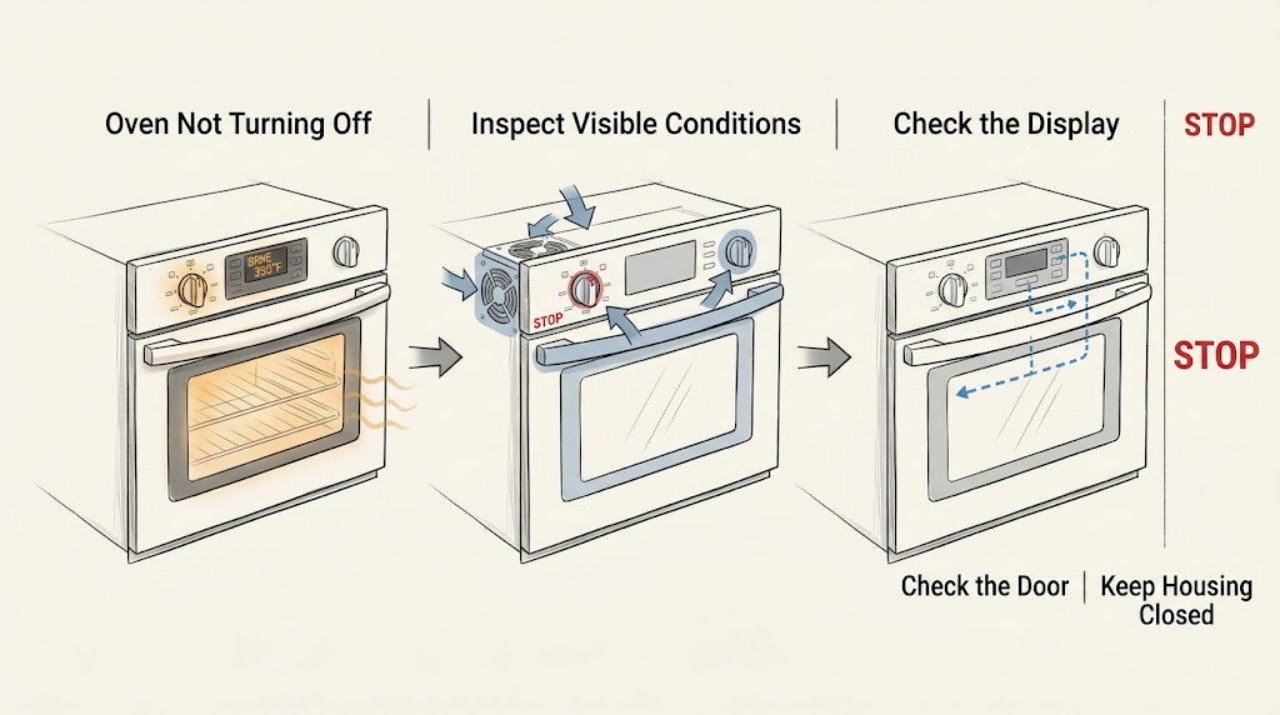
First check whether the oven is still heating or whether only the light or cooling fan is running. Bosch's owner instructions say that after cooking the oven stops heating, while the cooling fan can continue until the appliance has cooled; setting the function selector to Off ends the operation. If the heating elements continue glowing, the display keeps an active cooking mode, the controls do not respond, or an error returns, treat it as a fault. Turn the oven off using its normal control, and if it continues heating or there is smoke, a burning smell, sparking, or other danger, isolate power at the accessible circuit breaker only if safe and leave the oven unused. Do not open the cabinet or attempt to repair live wiring.
Before you begin
Safety first
- Do not reach into a hot Bosch oven or block its cooling vent. Use the normal Off control first. Isolate the circuit breaker only when the appliance and surrounding area are dry and it can be done safely; do not restore power for repeated tests. Internal control, relay, sensor, fan, and wiring work belongs to trained service personnel.
Work through in order
Diagnostic checks
Use only checks that match the exact appliance or system and its official guide.
-
Check 1
From a safe distance, observe the display, indicator lights, heating elements, cavity temperature, and sound after you set the intended cooking mode to end. Decide whether only the cooling fan or light remains, or whether the oven is still actively heating or showing an active mode.
Expected result: The fan or light remains but heat is stable or falling, or the heating elements continue to glow, the display remains in a cooking mode, or the oven becomes hotter after Off is selected.
Next step: If only the fan or residual light remains, continue with the cooldown branch. If heat continues, stop use and follow the safe power-isolation and service branch; do not keep testing the controls.
Why this matters
Why: Bosch says a cooling fan can continue after heating stops, but an oven that continues heating or does not respond to Off is not explained by normal cooldown alone.
-
Check 2
Turn the Bosch function selector to the Off position, or press the model's documented On/Off or Clear/Off control once. Do not repeatedly turn through heating modes while checking whether the oven has stopped.
Expected result: The selected cooking mode and heating stop, while the cooling fan continues temporarily; or the cooking mode/heating does not stop after the documented Off action.
Next step: If heating stops, leave the door and vents unobstructed while the fan cools the oven. If heating does not stop, keep the oven out of use and proceed to service, using the breaker only under the safe conditions below.
Why this matters
Why: Bosch's troubleshooting table identifies the Off position as the step that switches the appliance off; it separately describes the cooling fan as stopping automatically after cooling.
-
Check 3
Allow the oven to cool without blocking its vent and note whether the fan gradually stops. Keep children away and do not place items against the vent or touch the hot cavity, door, or heating elements.
Expected result: The fan stops after the oven cools, or it runs indefinitely while the oven is cool, becomes unusually loud, or is accompanied by continued heating or an error.
Next step: If the fan stops normally, the oven has completed its cooldown. If it does not stop after the oven is cool or the oven is also heating, leave it off and contact an authorized service provider rather than opening panels.
Why this matters
Why: Bosch manuals describe continued fan operation after cooking as normal until the oven has cooled. A fan that remains abnormal after cooling, especially with heating or a code, needs model-specific diagnosis.
-
Check 4
Check the control panel only from the front for a flashing display, an E-number or other fault message, a stuck-looking key, or a function selector that does not match the displayed mode. If the panel is visibly soiled or damp and the oven is otherwise safe, switch the controls off and wipe the exterior panel dry.
Expected result: A fault message returns, the controls remain unresponsive, the selector does not change the mode, or the dry exterior panel responds normally.
Next step: Record the exact message and model information. If the controls respond, select Off once and observe cooling; if the fault returns or the selector remains ineffective, keep the oven off and arrange service.
Why this matters
Why: Bosch treats an E-number or recurring fault message as a condition to record and report. A panel that remains unresponsive after a safe surface check is not a reason to remove the control panel or guess at an electronic component.
-
Check 5
If the oven is cool enough to approach safely, there is no smoke, water, sparking, gas odor, or damaged equipment, and heating did not stop at Off, switch the appliance off at its accessible circuit breaker once. Do not touch the appliance or breaker with wet hands or while water is present.
Expected result: Power isolation stops the display and heating, or the oven continues to heat, the breaker trips again, or a hazard appears.
Next step: Leave the breaker off and arrange qualified service; do not restore power for another test. If there is active smoke, fire, sparking, or a gas concern, leave the area and seek urgent help.
Why this matters
Why: Bosch uses a fuse or breaker disconnect as part of its electrical-fault guidance, but a breaker reset is not a repair for a stuck control, relay, sensor, or wiring fault. A repeated trip or continuing hazard requires urgent professional handling.
-
Check 6
Prepare a service record without removing any panel: note whether heating continued, whether the fan or light alone remained, the selected mode, exact display text, time until any fan stop, breaker behavior, recent cleaning or power interruption, and the oven's model and production information.
Expected result: The oven remains off but the fan is abnormal, or the oven will not stop heating, repeats the fault, has damaged wiring/controls, or would require internal access to diagnose.
Next step: Keep the oven disconnected or unused and provide the record to Bosch or an authorized service provider. Do not open the cabinet, defeat a safety control, or test live components.
Why this matters
Why: The same symptom can arise from normal cooldown, a selector or relay, an electronic control, temperature sensing, or fan circuitry. Bosch states that appliance repairs should be carried out by trained specialist staff.
Use your observations
Decision map
Find the observation that best matches what you see, then follow the next safe action.
-
PATH 01Next step
What you see
Heating stops when Off is selected, but the cooling fan or light continues while the oven is hot.
Do this next
Leave vents unobstructed and allow the fan to stop as the oven cools. Do not disconnect internal parts just to silence the fan.
-
PATH 02Next step
What you see
The display remains in a cooking mode, the selector does not set Off, or heating continues after the documented Off action.
Do this next
Stop using the oven, isolate power at the accessible breaker only if safe, and arrange qualified service for the controls, relay, sensing, or wiring.
-
PATH 03Next step
What you see
An E-number or other fault message appears again, or the controls remain unresponsive after the safe surface check.
Do this next
Record the exact message and keep the oven off while contacting an authorized service provider. Do not repeatedly reset or open the control panel.
-
PATH 04Next step
What you see
Smoke, burning odor, sparking, melting, a damaged cord, uncontrolled heat, repeated breaker trips, or another immediate hazard is present.
Do this next
Stop immediately, keep the oven off, isolate power only when safe, leave the area if needed, and seek urgent professional or emergency help.
Helpful context
Understand the symptom
The fan can sound like the oven is still on
A Bosch oven can remain noisy after cooking because its cooling fan protects the appliance while it cools. The fan continuing by itself does not prove that the heating elements are still energized. The important distinction is whether the cavity is still actively heating, whether a cooking mode remains selected, and whether the fan eventually stops as the appliance cools.
What should be off and what may continue
At the end of a cooking time, Bosch describes the oven as no longer heating; depending on the model, the light or a cooling fan can remain on. Turn the function selector or On/Off control to the off position as your manual shows. Do not cover the vent or disconnect parts behind the control panel to silence the fan.
Stop for uncontrolled heat or electrical symptoms
If the oven continues heating after the controls are set to Off, or if smoke, a burning odor, sparking, melting, a damaged cord, or repeated breaker trips occur, stop troubleshooting. Keep the door closed if the cavity is dangerously hot, isolate power only when it can be done safely, and arrange qualified service.
Only after diagnosis
Potential parts
- function selector or control interface
Consider this category only if a technician confirms that the selector or interface does not issue the Off command with the oven safely isolated.
Confirm the complete Bosch model and manufacturer's fit information before ordering; do not infer compatibility from an oven that appears to stay on. - power relay or electronic control module
Consider this category only after a qualified technician confirms that heating remains energized because of a relay or control fault rather than normal fan cooldown.
Use model-specific diagnosis and fit information; do not open the cabinet or replace an electronic part as a trial. - temperature sensor or cooling fan assembly
Consider this category only when a technician confirms a sensing or cooling fault after distinguishing normal post-cooking fan operation.
Match the exact Bosch model and revision and follow the service procedure; a fan that runs after cooking is not by itself proof of failure.
When checks do not resolve it
Need a professional?
Contact Bosch or an authorized appliance technician when the oven continues heating after Off, the cooling fan does not stop after the oven is cool, a fault message returns, the controls or selector do not respond, the breaker trips, or diagnosis would require opening the cabinet or testing the relay, sensor, fan, control, or wiring.
Common questions
FAQ
Why does my Bosch oven seem to stay on after I turn it off?
It may be only the cooling fan or light. Bosch says heating stops at the end of cooking while the cooling fan can continue until the oven has cooled. If the elements continue heating or the display stays in a cooking mode after Off, stop using the oven and arrange service.
Should the Bosch oven cooling fan run after shutdown?
Yes, Bosch describes continued cooling-fan operation after the oven is turned off as normal until the oven cools sufficiently. Keep the vent unobstructed. If the fan runs abnormally after the oven is cool, or heating continues, request service.
What if my Bosch oven does not respond to the Off control?
Try the model's normal Off or function-selector position once and check whether the panel is visibly damp or soiled. If the mode or heating remains active, record any fault message, isolate power only if safe, leave the oven unused, and contact an authorized technician.
When is a Bosch oven that will not turn off an emergency?
Treat smoke, burning odor, sparking, melting, uncontrolled heat, a damaged power connection, or repeated breaker trips as an immediate stop condition. Keep the oven off, isolate power only if safe, leave the area if necessary, and seek urgent professional or emergency help.
Read the exact guide
Official sources
- Get Support - Ovens & Ranges | Bosch Home AppliancesBosch Home Appliances · Bosch US wall ovens and ranges, including model-specific support, manuals, and authorized service
- User manual and installation instructions HBA4330.1Bosch · Bosch built-in ovens, including end-of-cooking shutdown, cooling-fan behavior, controls, and troubleshooting
- Bosch Oven Use and Care ManualBosch · Bosch wall ovens and ranges with cooling-fan and Self Clean operating behavior
- Bosch Oven & Microwave Error CodesBosch Home Appliances · Bosch US ovens and microwaves displaying E-number or electronic fault messages
Community feedback
Share a repair observation
Share a plain-text repair observation. Accepted observations are published automatically; this page may take a moment to update.