
On this page
Start here
Quick answer
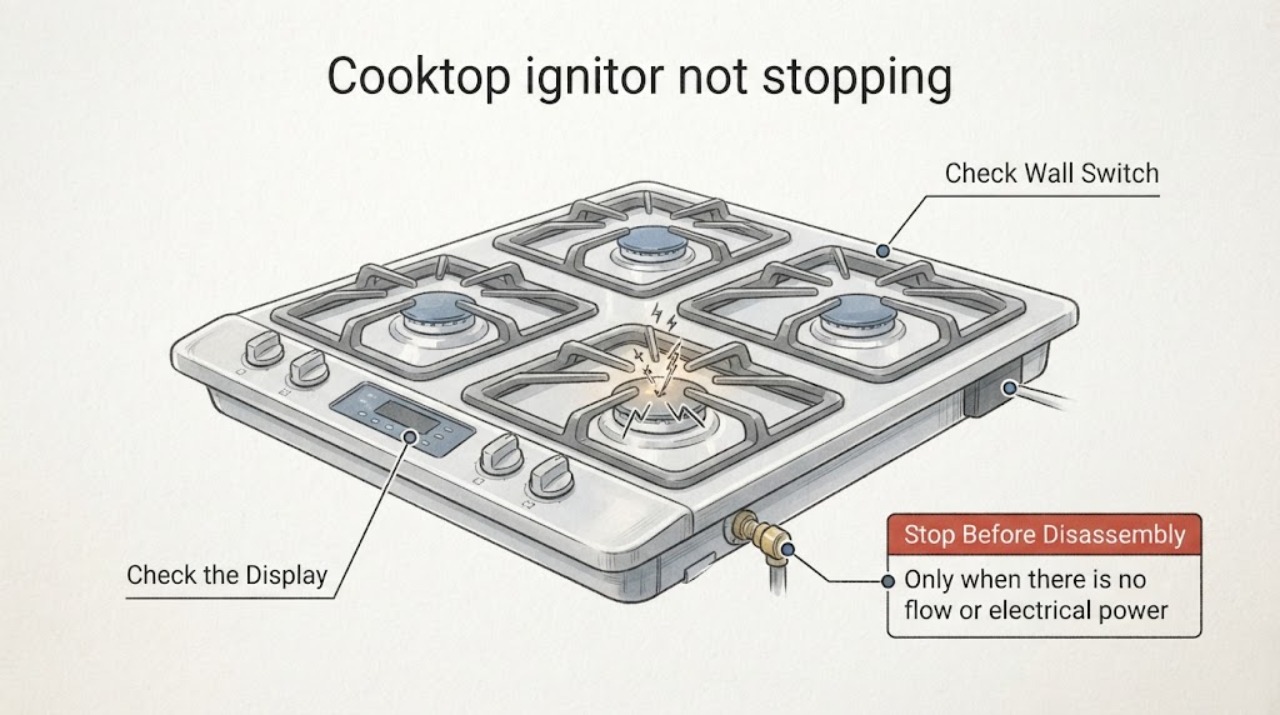
First turn every burner knob fully to OFF and confirm each knob has returned to its normal position. If GE surface-burner igniters keep clicking after the burner is lit, or keep clicking with all knobs off, stop using the cooktop: unplug it or turn off its breaker and shut off the cooktop gas supply until a qualified service person checks it. If there is no gas odor and the appliance was recently cleaned, allow the cool burner parts to dry and verify that each cap and head is correctly matched and seated; moisture or misalignment can cause repeated clicking. Do not open the cooktop, adjust gas controls, hand-light a burner, or infer a failed igniter or spark module from clicking alone.
Work through in order
Diagnostic checks
Use only checks that match the exact appliance or system and its official guide.
-
Check 1
From a safe position, turn every cooktop control fully to OFF and confirm each knob has popped back out or returned to its normal OFF position. Do not touch burner parts while they are hot or clicking.
Expected result: Clicking stops when a knob is corrected; or clicking continues with all knobs confirmed OFF.
Next step: If the knob was the cause, allow the burner to cool and monitor without changing gas settings. If clicking continues with all knobs off, move immediately to the power-and-gas shutoff boundary and service.
Why this matters
Why: GE identifies a knob left in the ignition position as a cause of persistent clicking. Clicking with all knobs off indicates a condition that is not resolved by normal burner selection.
-
Check 2
If clicking persists, do not keep trying to light the cooktop. From a safe position, unplug the cooktop or turn off its dedicated breaker, and close the cooktop gas shutoff; if you smell gas, do not operate switches or create a flame and leave the area before contacting emergency or gas service.
Expected result: Clicking stops after power and gas are isolated; or gas odor, a visible flame abnormality, damaged wiring, or a hot/sparking condition is present.
Next step: Keep the cooktop out of use and arrange qualified appliance service. For gas odor or an active fire hazard, follow local emergency and gas-provider instructions from outside the hazard; do not return to test the cooktop.
Why this matters
Why: GE specifically recommends power disconnection and gas shutoff when igniters continue clicking. Isolation prevents repeated ignition attempts while the cause remains unverified; hazardous gas or electrical signs exceed user troubleshooting.
-
Check 3
Only when there is no gas odor, no smoke, and power is isolated, let the cool removable burner heads and caps dry completely after a cleaning or spill. Use the exact GE manual to identify the parts, and do not open the cooktop or press on a live electrode.
Expected result: Clicking began after cleaning or a spill and stops after the cool parts dry; or clicking continues after thorough drying.
Next step: If dry parts resolve the issue, reinstall them only in their correct positions and monitor. If clicking remains, keep power and gas off and schedule service rather than replacing an internal component.
Why this matters
Why: GE says moisture in ignition and flame ports can cause continuous clicking until the burner dries. Continued clicking is not proof that the electrode or spark module itself has failed.
-
Check 4
With power isolated and the burners cool, verify that each burner head and cap is seated flat, matched to its burner, and that the accessible ceramic electrode is flush only if the exact GE manual permits this user check. Do not use needles, wires, or tools to adjust gas openings.
Expected result: A cap/head was mismatched or visibly out of position; or all parts appear correctly seated but clicking persists.
Next step: Correct only an obvious, cool, model-authorized seating issue, then keep hands clear while the appliance is re-energized only according to the manual. If the symptom remains, leave the cooktop isolated and call service.
Why this matters
Why: GE lists a mis-seated electrode and incorrectly matched or positioned cap/head as ignition causes. A correctly assembled burner with persistent clicking needs service assessment, not a gas-valve or ignition-module diagnosis.
-
Check 5
Record the exact pattern for the service call: which burner was selected, whether all igniters click or only one, whether a flame was established, whether clicking continued after moving the knob off LITE, whether cleaning preceded it, and the model/region.
Expected result: Clicking occurs only during normal ignition; it persists after a flame is established; it occurs with all knobs OFF; or it is associated with a griddle/automatic relight feature.
Next step: Give the record to a qualified GE appliance technician. Do not bypass an ignition or flame-sensing circuit, hand-light a burner, adjust gas pressure, or remove the cooktop panel.
Why this matters
Why: GE documents several configuration-dependent normal spark patterns, but persistent post-ignition or all-off clicking remains a service condition. The pattern and model are needed to distinguish normal behavior from a fault without guessing.
Use your observations
Decision map
Find the observation that best matches what you see, then follow the next safe action.
-
PATH 01Next step
What you see
Clicking occurs only while a burner knob is being turned to ignite, then stops after the flame is established and the knob is moved to the heat setting.
Do this next
Use the exact model instructions for normal burner operation and keep the burner area dry and correctly assembled. Do not treat simultaneous brief sparks as an individual igniter failure.
Why this path and its safety boundary
Why it matters: This matches the normal electric-ignition sequence described by GE, including the possibility that multiple surface igniters spark together.
-
PATH 02Next step
What you see
Clicking continues after a surface burner is lit and the knob has been moved to the heat position, or it continues after the burner is turned off.
Do this next
Confirm all knobs are OFF, disconnect power or turn off the breaker, shut off cooktop gas, and arrange qualified service. Do not continue cooking or attempt internal repair.
Why this path and its safety boundary
Why it matters: GE says this persistent pattern requires service; the sound does not identify the failed component.
-
PATH 03Next step
What you see
Clicking began after cleaning or a spill, there is no gas odor, and the appliance is safely isolated while the cool burner parts dry.
Do this next
Allow thorough drying, reinstall the matching caps and heads according to the exact manual, and stop if clicking persists. Do not use a flame or operate with parts removed.
Why this path and its safety boundary
Why it matters: Moisture in the burner head or flame ports is a documented GE cause of continuous clicking and delayed ignition.
-
PATH 04Next step
What you see
There is a gas odor, a flame abnormality, sparking beyond normal burner ignition, damaged wiring, repeated breaker action, or any need to open the cooktop.
Do this next
Leave the area or keep clear as appropriate, avoid flames and electrical switches, shut off gas only if it can be done safely, and contact emergency/gas or qualified appliance service. Do not restart or hand-light the burner.
Why this path and its safety boundary
Why it matters: This is a gas or electrical hazard outside routine user checks.
Helpful context
Understand the symptom
Normal spark patterns versus a persistent click
GE gas cooktops may make several igniters spark when one burner is selected. A griddle can also use an igniter that remains on while that burner is operating. The relevant abnormal pattern is clicking after the selected burner has lit and the knob has been moved to the heat setting, or clicking while every burner is off. That pattern needs service rather than a guessed ignition-module diagnosis.
Only inspect cool, removable burner parts after isolating power
If the problem began after cleaning or a spill and there is no gas odor, GE identifies moisture, clogged ports, an electrode that is not seated flush, and a cap or head that is in the wrong position as possible causes. Disconnect power before cleaning, let parts dry thoroughly, and match each cap and head to its burner using the exact owner manual. Do not reach toward clicking electrodes or work on a hot burner.
Stop at the gas and electrical service boundary
A cooktop that continues clicking with all controls off can still have an energized ignition circuit or another fault that cannot be identified safely from sound. If clicking persists after the visible knob and drying checks, GE directs the owner to service; its electric-ignition guidance says to turn off power and gas until a service person checks the range or cooktop. Gas odor, a flame problem, damaged wiring, or a need to remove a panel is an immediate stop condition.
When checks do not resolve it
Need a professional?
Call qualified GE appliance service when clicking persists after every knob is OFF, after a burner is lit and moved off the ignition position, or after the cool removable parts are dry and correctly seated. Keep power and cooktop gas off until service when clicking persists. Stop immediately for gas odor, abnormal flame, damaged wiring, sparking, repeated breaker trips, or any need to open the cooktop; do not hand-light, bypass, or adjust gas controls.
Common questions
FAQ
Is it normal for multiple GE cooktop igniters to click when I turn on one burner?
On GE sealed-burner models, multiple igniters can spark together by design. The normal pattern should end after the burner lights and the knob is moved to the heat setting. Persistent clicking after ignition or with all knobs OFF requires service and power/gas isolation.
Can cleaning cause a GE cooktop igniter to keep clicking?
Yes. GE says moisture in the burner head ignition or flame ports can cause continuous clicking until the parts dry. With no gas odor and the appliance isolated and cool, let the removable parts dry completely and reinstall them correctly according to the exact manual. If clicking remains, stop and arrange service.
Can I keep cooking while the igniter keeps clicking?
No. GE directs owners to confirm the knobs are OFF, unplug or turn off the breaker, and turn off the gas until a service person checks persistent clicking. Do not hand-light the burner, bypass the ignition system, adjust gas controls, or open the cooktop.
Read the exact guide
Official sources
- Gas Range & Cooktop - Common Causes for Slow Ignition, No Ignition or Clicking on Surface BurnersGE Appliances · Opened GE Appliances' official support page. It supports external and cool removable-burner checks without establishing an internal component diagnosis.
- Gas Range & Cooktop - Electric Ignition for Surface BurnersGE Appliances · Opened GE Appliances' official support page. It is used for general GE gas-cooktop ignition behavior; exact model manuals govern model-specific configuration.
- Gas Range & Cooktop - One or More Burners Are ClickingGE Appliances · Opened GE Appliances' official support page. It provides general GE clicking checks and does not identify a universal replacement part.
Community feedback
Share a repair observation
Share a plain-text repair observation. Accepted observations are published automatically; this page may take a moment to update.