
On this page
Start here
Quick answer
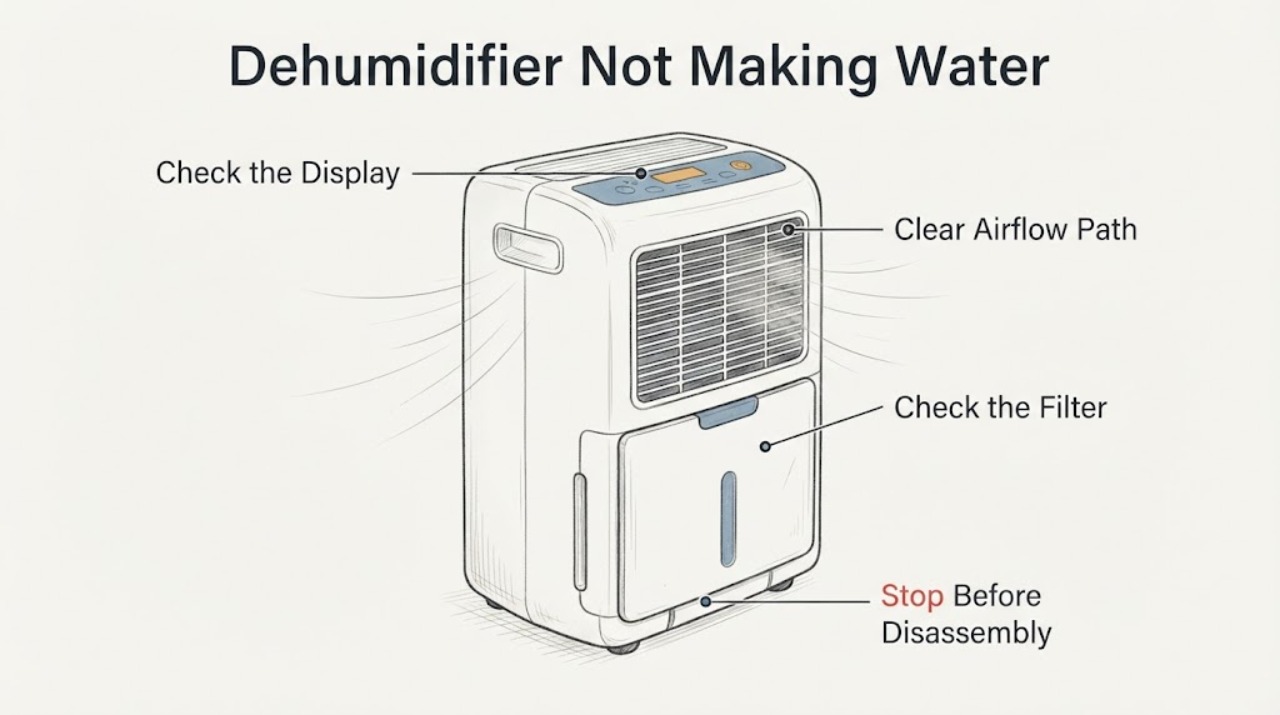
A GE ADEL70LWL1 that runs but does not put water in the bucket may be operating below its set humidity, in a room that is too cool or poorly circulated, with a dirty filter, an unseated bucket, or with a drain hose diverting water away from the bucket. GE's ADEL70 manual says the unit needs a correctly seated bucket, clean filter, adequate airflow and room conditions above 41°F, and that the first use may require at least 24 hours; GE also says no water is expected when room relative humidity is below the setting. Set the humidity lower or use the manual's Nonstop setting, keep the room enclosed with clearance around the unit, verify the bucket and filter, and check whether a hose is carrying water to a drain. If the unit still never collects water after these external checks, stop short of opening the case or diagnosing refrigerant or compressor parts and arrange qualified service or replacement guidance.
Work through in order
Diagnostic checks
Use only checks that match the exact appliance or system and its official guide.
-
Check 1
Read the displayed relative humidity and compare it with the humidity setpoint. If the room is not already at or below the target, lower the target using the control or select the exact manual's Nonstop setting, then give the unit the manual's initial operating time.
Expected result: The room humidity is below the setpoint, close to it, or remains clearly above it after the unit has operated under the documented settings and time.
Next step: If humidity is below target, no water may be normal. If it remains above target, continue with temperature, airflow, bucket, filter and drain-routing checks without opening the case.
Why this matters
Why: GE says no water is expected when room relative humidity is below the selected setpoint. A persistently higher humidity after the documented operating period supports further external checks, but does not identify a refrigeration component.
-
Check 2
Check the room and unit placement without moving the dehumidifier over obstacles: confirm the room is enclosed, doors and windows are closed, the front and rear air paths are not blocked, and the room temperature is above the ADEL70 manual's lower operating limit.
Expected result: The room is cool, an opening is adding outdoor air, furniture or curtains restrict airflow, or the unit has the documented clearance and room conditions.
Next step: Correct only the visible room or placement condition, allow the documented operating period and observe the humidity and bucket. If the room conditions are appropriate and no water is ever collected, continue to the bucket/filter and service boundary.
Stop if: Do not operate the unit in standing water or with a damaged cord, plug or outlet.
Why this matters
Why: GE says low temperature can reduce moisture removal or cause frost and that good circulation in an enclosed room is essential. Correct conditions can explain slow collection; they do not prove the sealed system is healthy or failed.
-
Check 3
Turn the unit off and unplug it before cleaning or reseating anything. Remove and reinstall the bucket only as the manual shows, making sure it is fully seated, and check the accessible filter; clean the filter with warm soapy water and let it dry before replacing it.
Expected result: The bucket was not seated, the full/empty indication was active, the filter was dirty, or the bucket and filter were already correctly installed.
Next step: After the bucket and dry filter are correctly installed, restore power and observe under the documented humidity and room conditions. If the unit still never collects water, do not open the cabinet; arrange service or replacement guidance.
Stop if: Do not operate the dehumidifier without its filter, remove the bucket while it is operating, or clean it while powered.
Why this matters
Why: GE states that a full or missing bucket stops the unit and that the bucket must be securely seated. The manual says a dirty filter restricts airflow and reduces performance. These checks can restore operation but cannot identify a compressor or refrigerant condition.
-
Check 4
Determine whether a garden hose is connected to the drain port. If the goal is bucket collection, leave the appliance unplugged and disconnect the hose only when the connection is dry and the exact manual permits it; if hose drainage is intended, inspect the visible connection for looseness, kinks and an upward or blocked route.
Expected result: A hose is connected while the user expects bucket water, the hose connection is loose or kinked, or no hose is connected and the bucket remains empty.
Next step: Use the model-matched routing for the intended collection method and then observe. If the bucket remains empty despite suitable conditions and correct routing, stop user troubleshooting and arrange qualified service.
Why this matters
Why: GE's manual says water flows through the hose instead of into the bucket when the hose is connected. GE also identifies loose or kinked hose routing as a drainage issue. No hose with no collection shifts attention back to humidity, temperature, airflow and service, not to a guessed part.
-
Check 5
Record the exact model and serial, setpoint and displayed humidity, room temperature, time operated, filter and bucket observations, hose status and any frost or unusual odor visible without opening the case.
Expected result: The unit still runs without collecting water after the documented external conditions are met, or it stops, trips power or shows a damaged cord or unsafe condition.
Next step: Keep the unit off for unsafe electrical, water or burning conditions and use qualified appliance service or GE's model warranty/service path. Do not test or recharge the refrigeration circuit.
Why this matters
Why: A persistent no-water symptom after external conditions are confirmed exceeds the user checks. GE's manual warns against user servicing, and the generic symptom does not identify a refrigerant, compressor, sensor or board fault.
Use your observations
Decision map
Find the observation that best matches what you see, then follow the next safe action.
-
PATH 01Next step
What you see
Displayed room humidity is already below the selected setpoint, or the unit has just started and the manual's initial operating period has not elapsed.
Do this next
Do not diagnose a failed part from an empty bucket; use the documented setpoint and operating period, then reassess the humidity and bucket.
Why this path and its safety boundary
Why it matters: GE says the appliance may collect no water when humidity is below the setting, and the ADEL70 manual says initial drying takes time.
-
PATH 02Next step
What you see
The room is below the documented lower temperature, airflow is blocked, or outside doors/windows remain open.
Do this next
Correct the visible room or placement condition, keep the unit on a level surface with its documented clearance, and observe again under suitable conditions.
Why this path and its safety boundary
Why it matters: GE identifies low temperature and poor circulation as conditions that reduce moisture removal or cause frost, while an open room changes the moisture load.
-
PATH 03Next step
What you see
The bucket is missing or unseated, the filter is dirty, or a drain hose is connected while bucket collection is expected.
Do this next
Power the unit off, correct the documented bucket/filter/hose condition, and then observe. If collection still does not occur, escalate rather than opening the case.
Why this path and its safety boundary
Why it matters: GE documents bucket seating, filter condition and hose routing as operating or water-collection conditions; these observations do not prove an internal failure.
-
PATH 04Next step
What you see
Humidity remains above the setpoint after suitable room conditions, correct bucket/filter/hose setup and the documented operating period, or the unit has a damaged cord, standing water, smoke, burning odor or repeated power trip.
Do this next
Stop using the unit for any unsafe condition and arrange qualified service or replacement guidance. Do not open the cabinet, test refrigerant, add refrigerant or substitute a part.
Why this path and its safety boundary
Why it matters: The symptom has exceeded safe external checks; the available sources do not identify whether a refrigeration, electrical or control component is at fault.
Helpful context
Understand the symptom
No bucket water is not automatically a failed compressor
GE distinguishes low moisture demand from a malfunction: its support article says the unit will not collect water if room relative humidity is below the set humidity, while “never, ever” collecting water is the condition that needs further attention. The ADEL70 manual also says to allow at least 24 hours initially and explains that a lower setpoint or Nonstop increases dehumidification. Check those operating conditions before drawing a sealed-system conclusion.
Room temperature and airflow control the result
The ADEL70 manual says the unit should be placed where the temperature does not fall below 41°F, with 12–18 inches of air space around it, and in an enclosed room with outside openings closed. GE's operating guidance also says low temperature can freeze the evaporator coil and that good circulation is essential. These checks explain a fan that runs with little or no collected water without proving a coil, compressor or refrigerant fault.
Confirm where the condensate is going
On this GE family, a hose connection routes water to a floor drain instead of the bucket. The manual says the bucket must be securely seated for operation, and GE's drain guidance says a loose, kinked or badly routed hose can cause drainage problems. If the unit is intended to fill the bucket, check that no hose is attached and that the bucket is seated; if a hose is intended, follow the exact model instructions and inspect only the visible connection and routing.
Keep sealed-system diagnosis outside the user checks
The supplied post reports the model and a no-water symptom, but its direct Reddit page was not available for durable opening and its comments cannot establish a repair result. GE's ADEL70 manual says the appliance should not be serviced by the user and its support article directs unresolved cases to the model warranty or service path. Do not open the cabinet, test refrigerant, add refrigerant or infer a failed part from a warm cabinet or a compressor sound.
When checks do not resolve it
Need a professional?
Arrange qualified service or replacement guidance when the ADEL70LWL1 never collects water despite humidity above the setpoint, suitable room temperature and airflow, a clean filter, securely seated bucket, correct hose routing and the manual's operating period. Stop immediately for standing water near the appliance, a damaged cord or outlet, smoke, burning odor or repeated power trips.
Common questions
FAQ
Can the GE ADEL70LWL1 run without filling the bucket even when it is working normally?
Yes. GE says a dehumidifier will not collect water when room relative humidity is below the selected setpoint, and the ADEL70 manual says initial drying can require at least 24 hours. A low-moisture or recently dried room can therefore leave the bucket empty.
What temperature and clearance does the ADEL70 manual describe?
The manual says to avoid room temperatures below 41°F and to allow 12–18 inches of air space around the unit; GE's operating guidance also emphasizes circulation and says low temperature can reduce moisture removal. Match the exact model instructions before changing placement.
Why is the bucket empty when a drain hose is attached?
GE's manual says water flows through the connected hose to the drain instead of into the bucket. For bucket collection, follow the manual's hose and bucket configuration; for hose drainage, inspect only the visible connection and routing.
Should I add refrigerant if the GE dehumidifier runs but collects no water?
No. GE's manual warns against user servicing and the symptom does not identify a refrigerant or compressor fault. Complete the external humidity, temperature, airflow, bucket, filter and hose checks, then use qualified service or replacement guidance if the symptom persists.
Read the exact guide
Official sources
- Dehumidifier - Not Collecting WaterGE Appliances · Opened GE's official dehumidifier support article. It gives general GE guidance applicable to this symptom, including the humidity-setpoint condition and service path; it does not diagnose the ADEL70LWL1 refrigeration circuit.
- Dehumidifier - Ideal Operating ConditionsGE Appliances · Opened GE's official operating-conditions article. It supports general environmental checks for the ADEL70 family but does not identify a failed part.
- 49-7768-1_HiRes.pdf — GE ADEL30/ADEL50/ADEL70 Dehumidifier Owner's ManualGE Appliances · Opened the owner manual linked from the exact ADEL70LWL1 GE model page. The PDF identifies the ADEL70 family rather than printing the LWL1 suffix, so it supports family-level external operating guidance and safety boundaries, not a sealed-system diagnosis or unverified part compatibility.
- Dehumidifier - Drain Hose IssuesGE Appliances · Opened GE's official drain-hose article. It supports external hose checks and the instruction to use the exact model manual; it does not establish an internal pump, compressor or refrigerant fault.
- Model Search | ADEL70LWL1GE Appliances · Opened GE Appliances' official parts/model page for ADEL70LWL1. It confirms the assigned exact model is a GE dehumidifier and links the ADEL70 family owner manual; it does not diagnose the no-water symptom or establish a replacement part.
Community feedback
Share a repair observation
Share a plain-text repair observation. Accepted observations are published automatically; this page may take a moment to update.