
On this page
Start here
Quick answer
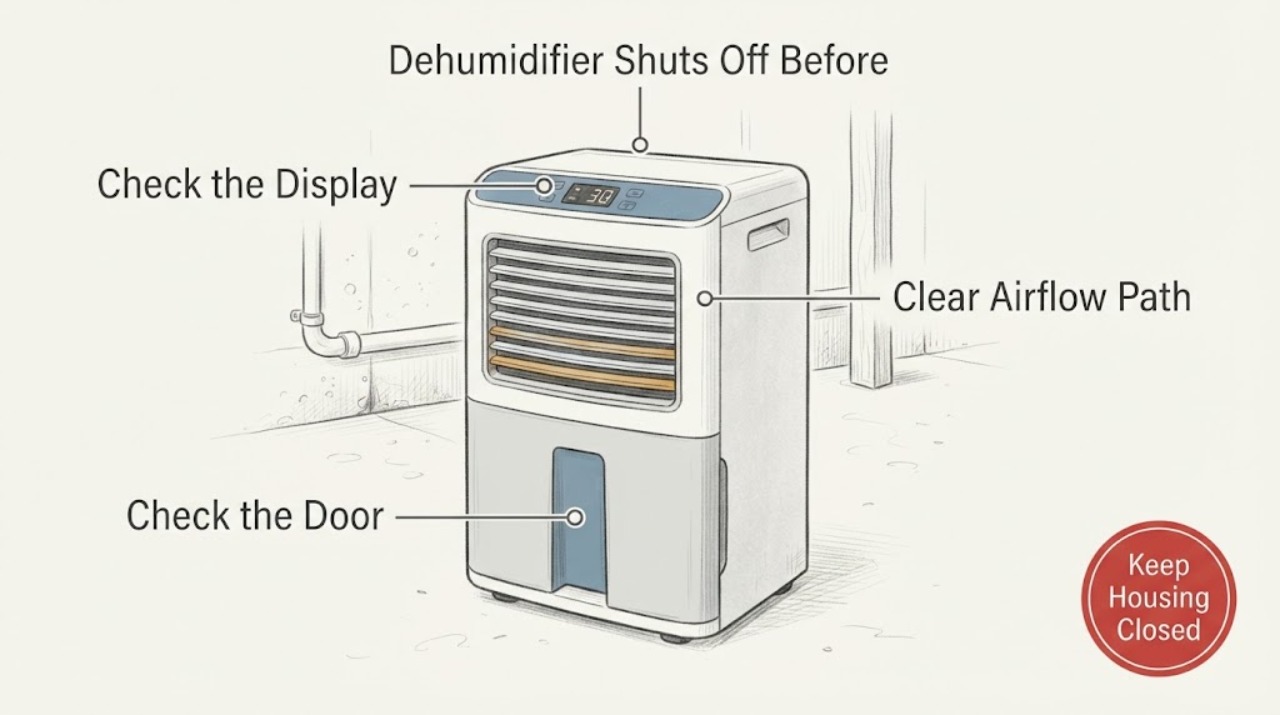
The GE ADEL70LW can stop because its humidity control has reached the set relative-humidity level, the bucket is full or not seated, or the unit is in a condition where moisture removal is slow. Its manual says the display shows the set percentage while it is being changed and then the actual room humidity with about ±5% accuracy; it also says to allow at least 24 hours after first use. In a basement, close outside openings, keep the front and rear airflow clear, clean the filter, and keep the room above 41°F. If the unit still shuts off while the measured room humidity remains high, produces little or no water, repeatedly frosts, or shows a fault, stop treating this as a setting issue and arrange GE service. Do not open the sealed refrigeration system or add refrigerant.
Work through in order
Diagnostic checks
Use only checks that match the exact appliance or system and its official guide.
-
Check 1
Check the ADEL70LW display while changing the humidity setting, then leave it long enough to show the actual room humidity. Note whether the unit stopped at or near the setting, whether the bucket-full light is on, and whether the bucket is fully seated.
Expected result: The display is near the selected percentage, or the bucket is full/missing/not seated; alternatively, the display remains well above the setting and the bucket is correctly installed.
Next step: Empty and reseat the bucket if indicated. If the room is still damp, lower the set percentage or use Nonstop only as documented, then allow the unit time to operate. If it stops while the reading remains clearly high, continue the checks below and prepare for service.
Why this matters
Why: GE’s manual says the unit shuts off when it reaches its preset level or when the bucket is full, removed or improperly positioned. The actual humidity display has about ±5% accuracy, so a small difference is not proof of a fault.
-
Check 2
Check the basement as an enclosed room: close windows, exterior doors and other openings, and move the dehumidifier away from a clothes dryer or another direct moisture source. Confirm that the unit is not being asked to dry a connected storage area with no air circulation.
Expected result: Outside openings or a moisture source are present, or the basement is enclosed and air can circulate through the area being dried.
Next step: Close the openings and separate the unit from the dryer or other moisture source. Give the basement time to dry; GE’s general support guidance says a new installation may need 3–4 days as walls and objects release stored moisture.
Why this matters
Why: GE says open doors/windows, dryer moisture and poorly connected adjacent spaces can keep adding moisture faster than the dehumidifier removes it. That condition can prevent the room from reaching the target without indicating a sealed-system fault.
-
Check 3
With the unit off and unplugged, check that the front and rear airflow paths have at least the manual’s clearance and that the washable filter is not dirty. Clean the filter with warm soapy water, let it dry fully, reinstall it, and do not run the dehumidifier without the filter.
Expected result: Furniture, curtains or a dirty filter restricts airflow, or the clearances and filter are already acceptable.
Next step: Restore the documented clearance and reinstall a dry filter before operating. If the ADEL70LW still shuts off early or removes little water with clear airflow, request model-specific service.
Why this matters
Why: GE’s ADEL70LW manual calls for about 12–18 inches of air space and says a dirty filter or blocked airflow reduces moisture removal. A clear filter and open airflow remove this external cause but do not prove the compressor or refrigerant circuit is sound.
-
Check 4
Observe the basement temperature and the coil through only the normal user-accessible openings. Note whether the room is below 41°F, whether frost appears and clears during automatic defrost, and whether the unit is collecting water during a normal run.
Expected result: The room is below 41°F or frost is present, or the temperature is suitable but the unit repeatedly frosts or collects little/no water while the room remains humid.
Next step: Warm the space and allow the documented defrost behavior to complete when appropriate. If frost or poor collection persists above the specified operating condition, stop diagnosing the sealed system yourself and arrange GE service.
Why this matters
Why: The ADEL70LW manual says low room temperature reduces moisture removal, frost can appear below 41°F, and automatic defrost temporarily cycles the compressor while the fan continues. Repeated frost or poor collection under suitable conditions remains a service symptom, not proof of a low refrigerant charge.
-
Check 5
After the setting, bucket, room, airflow, filter and temperature checks, decide whether the ADEL70LW still stops while the room humidity remains high or displays a fault. Do not remove covers, bypass the bucket switch, or open the refrigeration circuit.
Expected result: The unit reaches the set level after the external conditions are corrected, or it still stops early/does not collect water/shows a fault.
Next step: If the symptom persists, leave the unit in a safe state and schedule GE service with the ADEL70LW model/serial, humidity setting, display reading, room temperature, bucket/filter status and frost/water observations.
Why this matters
Why: Improvement after the external checks supports a control, room-load or airflow explanation. Persistent failure with those conditions corrected requires diagnosis beyond the owner checks; GE states that it does not support self-servicing the dehumidifier.
Use your observations
Decision map
Find the observation that best matches what you see, then follow the next safe action.
-
PATH 01Next step
What you see
The ADEL70LW stops near its set humidity or the bucket-full indicator is on or the bucket is not seated.
Do this next
Reseat or empty the bucket, confirm the target setting, and allow the unit to operate long enough to show the actual room reading before judging the result.
Why this path and its safety boundary
Why it matters: The manual describes automatic shutoff at the preset level and when the bucket is full, removed or improperly positioned. The display’s stated accuracy allows a small difference from a separate reading.
-
PATH 02Next step
What you see
The basement has open windows/doors, blocked airflow, a dirty filter, a dryer adding moisture, or an adjacent area with poor circulation.
Do this next
Close openings, separate the dryer, restore clearance, clean and dry the filter, and give the room time to dry before escalating to a sealed-system diagnosis.
Why this path and its safety boundary
Why it matters: The moisture load or airflow condition can keep the room above the target even when the dehumidifier is operating normally.
-
PATH 03Next step
What you see
The basement is below 41°F, the coils frost, or the unit is in its documented automatic-defrost interval.
Do this next
Keep the room above the model’s specified minimum when practical and allow the defrost cycle to complete. If frost or weak collection continues in a suitable room, schedule service.
Why this path and its safety boundary
Why it matters: GE says low temperatures reduce moisture removal and that frost can cause the compressor to cycle off while the fan continues until the coil defrosts.
-
PATH 04Next step
What you see
The bucket is seated, the filter and airflow are clear, the basement is enclosed and warm enough, but the unit still shuts off early or collects little/no water.
Do this next
Stop self-servicing, keep the unit electrically safe, and schedule GE service with the complete model/serial and observations. Do not add refrigerant or bypass controls.
Why this path and its safety boundary
Why it matters: The owner-level causes in the GE guidance have been checked; the remaining problem cannot be narrowed to refrigerant, compressor or another internal part from this evidence.
Helpful context
Understand the symptom
First decide whether the shutoff is normal
The ADEL70LW manual says the humidity control can be set from 35% to 80% RH in 5% steps or to Nonstop, and that the display changes from the selected setting to the actual room humidity. The manual also gives the display about ±5% accuracy. A unit that stops near its set point may be working as designed even when a separate room reading differs. A full, removed or poorly seated bucket also stops the unit.
Basement conditions can make the target take longer
GE’s humidity guidance says a new installation may need several days to dry moisture stored in walls and objects. The exact manual says to allow at least 24 hours initially, close doors and windows, keep airflow open, and avoid room temperatures below 41°F. These conditions can explain slow progress without proving a refrigerant fault.
The filter and bucket are user checks; sealed-system work is not
The manual allows the filter to be removed and cleaned after the unit is turned off and unplugged, and requires the bucket to be seated for operation. It warns that GE Appliances does not support owner servicing. If the external checks are correct but the humidity remains high, service should diagnose the appliance rather than a user opening the refrigeration circuit.
Common questions
FAQ
Why does the GE ADEL70LW shut off before the basement feels dry?
The unit may have reached its set relative humidity, the display may be within its stated ±5% accuracy, or the bucket may be full or incorrectly seated. If the room is still damp, check the basement’s openings, airflow, filter, temperature and moisture load before assuming an internal fault.
What humidity setting should I use on the ADEL70LW?
The manual allows 35% to 80% RH in 5% steps or Nonstop. It recommends starting at 45% or 50% and allowing at least 24 hours; if the air remains damper than desired, it says to select a lower percentage or Nonstop for maximum dehumidification.
Does poor dehumidification mean the ADEL70LW needs refrigerant?
Not from this symptom alone. GE lists time, room size, open doors/windows, blocked airflow, a dirty filter, low temperature and control setting as possible causes. If those external conditions are correct and the unit still performs poorly, schedule service rather than opening the sealed system or adding refrigerant.
Read the exact guide
Official sources
- 49-7768-1_HiRes.pdfGE Appliances · Official GE manual cover lists ADEL30, ADEL50 and ADEL70; the assigned ADEL70LW support page links this document. The manual supports controls, humidity display, bucket, airflow, filter, temperature and service boundaries; it does not authorize sealed-system repair.
- Dehumidifier - Not Reaching Proper Humidity LevelGE Appliances · Official GE support guidance for dehumidifiers not reaching a set humidity; it supports the general room-time, sizing, closed-openings, airflow, dryer-moisture, controls and filter checks. The exact ADEL70LW manual governs model-specific operation.
- Troubleshooting for ADEL70LW | GE AppliancesGE Appliances · Official GE ADEL70LW troubleshooting page identifies the exact model and links model troubleshooting topics, including not collecting water, drain hose issues, fan behavior, fault codes and service.
- User Manual & Care for ADEL70LW | GE AppliancesGE Appliances · Official GE Owner Center page identifies model ADEL70LW, its manufacturing range, the exact owner’s manual and schedule-service link.
Community feedback
Share a repair observation
Share a plain-text repair observation. Accepted observations are published automatically; this page may take a moment to update.