
On this page
Start here
Quick answer
First separate a normal long or briefly paused cycle from a true interruption: GE says many dishwashers can run for two hours or more, clean sensors can change the time, and some models start and stop briefly while draining. Heated Dry, Dry Boost, Power Dry, Added Heat, sanitize options, and low incoming-water temperature can add time. If the dishwasher stopped after the door was opened, close and latch it and check that Control Lock or Delay Start is not holding the cycle; use the exact model manual for the resume or cancel sequence. If it has no lights or response, check the dry, accessible supply path once; if water remains, inspect only the model-appropriate filter, sump opening, visible drain hose, sink, air gap, or disposer connection with power isolated. A LEAK DETECTED message, water under the unit, smoke, burning odor, hot or damaged wiring, repeated breaker operation, or a cycle that will not recover is a stop-use and service condition. Do not open the dishwasher base, bypass the door or flood protection, perform live tests, or replace a pump, heater, valve, sensor, or control without model-specific diagnosis.
Before you begin
Safety first
- The user may perform dry, accessible, model-supported checks of door loading, controls, household supply, nearby hot-water availability, removable filter, visible sump, and accessible drain connections after isolating power as instructed. Qualified service must handle the dishwasher base, pump, heater, inlet valve, temperature sensor, control board, door interlock wiring, flood or leak system, and live tests.
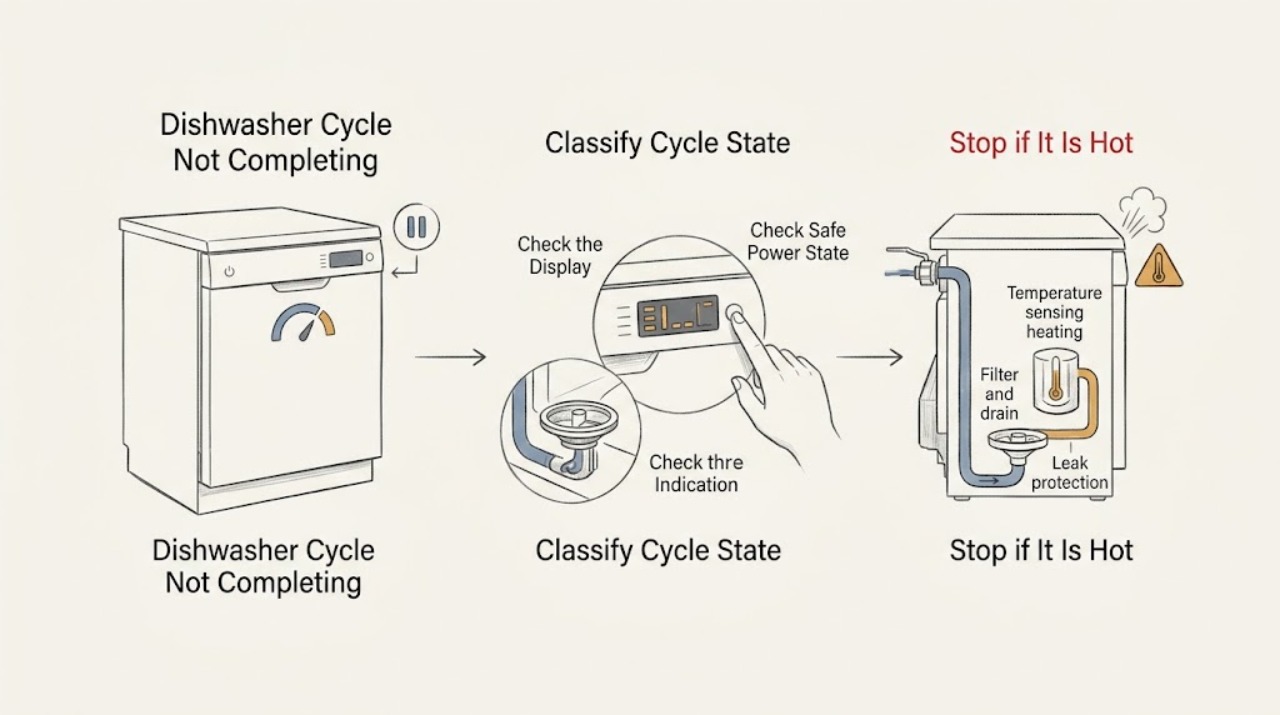
Work through in order
Diagnostic checks
Use only checks that match the exact appliance or system and its official guide.
-
Check 1
Without restarting the dishwasher, note the display or indicator, remaining time, pump sound, water level, door position, and the exact point where the cycle stopped. Record whether the timer is still changing, whether the pause occurs only during drain, whether the Clean or end indicator appears, and which options were selected.
Expected result: The timer is progressing slowly, the pump starts and stops briefly while water is leaving, the door was opened and left unlatched, the timer is frozen, water remains, or the panel is completely dark.
Next step: Use the matching branch below, then perform only the corresponding external check. Do not create a new symptom pattern by repeatedly pressing Start or cycling power.
Stop if: Stop immediately for smoke, burning odor, visible arcing, water under the unit near electrical parts, a hot or damaged cord, or repeated breaker operation.
Why this matters
Why: A long but progressing cycle or brief drain pauses can be normal. An unlatched door can interrupt a cycle. A frozen timer, standing water, or a dead panel points to a different next check and is not explained by normal run time alone.
-
Check 2
If the cycle stopped after loading or opening the door, inspect the visible door perimeter and rack fronts for a pan handle, utensil, trim, or rack that prevents full closure. Close the door firmly without forcing it and check the exact model manual for the Start/Resume or Cancel/Drain procedure. Also look for Control Lock, Delay Start, Demo Mode, Sleep/Sabbath Mode, or a model-specific leak message.
Expected result: The door latches and the model-documented resume control works; an item or alignment issue still prevents latching; a lock/delay/demo state is shown; or the door and controls appear normal but the cycle stops again.
Next step: Remove only an obvious loading obstruction, turn off a feature only through the model manual, and observe one cycle. If the door will not latch, the panel stays locked, or the cycle stops again, leave the appliance off and arrange service.
Stop if: Do not force the door, defeat the latch, insert a tool into the interlock, or remove the door or control panel.
Why this matters
Why: GE says the door latch must engage for the dishwasher to operate, and Control Lock, Delay Start, Demo Mode, and some protection features vary by model. A successful documented resume supports an interrupted-control explanation; repeated stopping with a secure door needs service diagnosis.
-
Check 3
If the display and buttons are dark or the dishwasher is non-responsive, check from a dry, accessible position whether its wall switch is on, its accessible plug is seated, and its GFCI receptacle has not tripped. Check the household breaker only once and only if it can be operated safely; do not use the dishwasher as a live test load.
Expected result: The accessible supply path is off or loose, a GFCI or breaker is open, the dishwasher remains dark with normal household power, or the display and controls are lit.
Next step: Restore only a normal accessible switch, plug, GFCI reset, or breaker state. If the protective device trips again, will not reset, or the appliance remains dead, keep it isolated and call an electrician or appliance technician as appropriate.
Stop if: Do not repeatedly reset a breaker or GFCI, change its rating, remove a grounding prong, open an outlet, use an extension cord, or access dishwasher wiring.
Why this matters
Why: GE separates a no-light, no-response condition from a dishwasher that has lights or sounds. Restored external power can explain the interruption, but a breaker that trips again or a dead dishwasher on a stable supply requires professional diagnosis.
-
Check 4
If the dishwasher has power but stops while filling or spends a long time heating, confirm that the household hot-water tap near the dishwasher produces water before starting the next cycle. From a dry, non-invasive position, note whether the supply shutoff is visibly closed or the inlet hose is kinked. If you use a thermometer at the sink, follow safe handling and the model manual; do not open the dishwasher or test the inlet valve.
Expected result: Hot water reaches at least the GE-recommended 120 degrees Fahrenheit, the water is cold or supply is restricted, the dishwasher never visibly fills, or it fills but still stops during heating.
Next step: Let the nearby tap run until hot before one model-approved cycle and correct only a clearly accessible supply setting. If the machine still fails to fill or stops in heating, stop owner checks and arrange model-matched service.
Stop if: Do not adjust internal thermostats, bypass a float, remove the inlet valve, touch hot water inside the tub, or perform electrical tests.
Why this matters
Why: GE says cold or low-temperature inlet water can impair performance and extend sensor-controlled cycles, while a no-fill condition can involve a flood float, drain issue, inlet valve, or other model-specific cause. Temperature and supply observations do not identify an internal part by themselves.
-
Check 5
If water remains in the tub or the final drain never finishes, first isolate power using the model instructions and allow hot water to cool. Check only the removable filter and sump opening, visible food or paper debris, and the accessible drain hose under the sink for an obvious kink. If an air gap or disposer is installed, inspect and clean it only from a safe position; never put hands into a disposer and never pour drain cleaner into the dishwasher.
Expected result: The model filter or sump is visibly blocked, the drain hose is kinked, the sink or air gap is blocked, a recently installed disposer still has its drain plug, only normal sump water is present, or the visible path is clear but the tub remains full.
Next step: Correct only a visible obstruction or kink that the model manual permits, then run one monitored cycle. If water remains, the pump only hums, the unit leaks, or the path requires disassembly, leave it off and arrange service.
Stop if: Do not reach into the disposer, remove the pump or hose inside the cabinet, use drain chemicals, run a cycle with exposed electrical parts, or perform a live drain test.
Why this matters
Why: GE identifies filters, sump debris, hose kinks, sink/air-gap restrictions, disposer installation, and excessive suds as possible drain causes. Some clean water in the sump is normal depending on filter design. A clear accessible path with persistent standing water makes the drain pump, wiring, or control a service diagnosis.
-
Check 6
Look at the floor immediately around the dishwasher and read any displayed message without moving the appliance. If the display says LEAK DETECTED, the floor is wet, the machine cancels and pumps out, or water appears under the unit, stop the cycle and isolate power only from a dry accessible point.
Expected result: There is no water or leak message, a model-specific leak alert is present, water is under the dishwasher, or there is an electrical or heat hazard.
Next step: Keep the dishwasher out of use and arrange qualified appliance service for a leak alert or water under the unit. For smoke, arcing, burning odor, a hot cord, or a repeatedly tripping protective device, obtain appropriate electrical help as well.
Stop if: Do not remove the toe-kick, dry an internal pan, defeat a leak sensor, move a built-in dishwasher, or restore power to a wet or damaged appliance.
Why this matters
Why: GE says select leak-protection systems can cancel the wash cycle and pump out remaining water when moisture is detected, and a LEAK DETECTED message or leak underneath requires service. A leak or electrical hazard overrides normal cycle troubleshooting.
-
Check 7
Stop owner diagnosis when the door and model settings are correct, safe external power is stable, the visible water and drain checks are clear, but the cycle still stops, never heats or fills, leaves water, repeats an error, or does not show a completed state. Record the model number, cycle and options, time remaining, display text, water level, sounds, and what changed before the stop for the technician.
Expected result: One documented external correction lets a full cycle complete, or the same failure returns despite normal settings and accessible paths.
Next step: Arrange qualified appliance service for recurring or unresolved failure and provide the observations without deliberately reproducing a hazardous event. Use an electrician when the household circuit or protective device is the problem.
Stop if: Do not open the base, bypass safety switches, test live voltage, replace internal parts by symptom, or keep restarting a unit with water or electrical hazards.
Why this matters
Why: A successful correction supports monitoring. Recurrence can involve a door interlock, inlet valve, drain pump, heater, temperature sensor, flood or leak system, wiring, or control; GE's general articles do not prove which part applies to a specific model.
Use your observations
Decision map
Find the observation that best matches what you see, then follow the next safe action.
-
PATH 01Safety boundary
What you see
The dishwasher pauses briefly or the drain pump starts and stops while water is still leaving, then the timer continues and no water remains.
Do this next
Let the cycle continue and compare its total time with the exact manual. Escalate only if the pause becomes indefinite, the tub remains full, or another symptom appears.
Why this path and its safety boundary
Why it matters: GE says repeated start-stop behavior during draining can be normal operation and can vary by model or cycle.
Safety stop: Do not interrupt a normal drain pattern by repeatedly pressing controls.
-
PATH 02Safety boundary
What you see
The dishwasher stopped after the door was opened, the door is not fully latched, or the display shows a lock, delay, demo, sleep, or model-specific protection state.
Do this next
Remove an obvious rack or utensil obstruction, latch the door, and use only the exact manual's resume or cancel sequence. Arrange service if the latch or state cannot be corrected without internal access.
Why this path and its safety boundary
Why it matters: A door interlock or control state is more likely than a failed motor. GE notes that the door must latch and that these features use model-specific controls.
Safety stop: Do not force the door or defeat the latch or control lock.
-
PATH 03Safety boundary
What you see
The timer changes slowly, the dishwasher continues filling, washing, or heating, and there is no standing water, leak message, or electrical hazard.
Do this next
Check the selected options and exact manual, verify safe hot-water supply at the nearby tap, and allow one complete cycle. If time remains frozen or the cycle never reaches completion, arrange service.
Why this path and its safety boundary
Why it matters: A long cycle can be normal on GE dishwashers because of clean sensors, heavy cycles, drying or heat options, or low incoming-water temperature. The timer may pause while a heater is active on some models.
Safety stop: Do not bypass temperature controls or open the heating area.
-
PATH 04Safety boundary
What you see
The dishwasher stops near drain, leaves excessive water in the tub, or repeatedly hums without removing water after the visible filter, sump, hose, sink, air-gap, or disposer checks allowed by the model have been completed.
Do this next
Keep power isolated and arrange qualified service. Give the technician the water level, filter design, drain connection type, and whether the pump sounds; do not remove the pump or run live tests.
Why this path and its safety boundary
Why it matters: A restriction or installation issue remains possible, but a clear accessible path with persistent water makes the internal drain pump, wiring, or control more likely than a normal timing pause.
Safety stop: No drain chemicals, disposer-hand access, cabinet disassembly, or repeated restart attempts.
-
PATH 05Safety boundary
What you see
The panel is dead after a stable accessible supply, the breaker trips again, LEAK DETECTED or water under the unit appears, smoke or odor occurs, or a cycle repeatedly fails after safe external checks.
Do this next
Leave the dishwasher off and arrange qualified appliance service, or qualified electrical service for the circuit, GFCI, breaker, outlet, or wiring. Provide the exact model and recorded symptoms.
Why this path and its safety boundary
Why it matters: This is no longer a routine cycle-setting issue. GE directs service for unresolved run, leak-protection, and drain problems; electrical or water hazards require isolation rather than another cycle.
Safety stop: Do not restore power to a wet or damaged unit, bypass protection, open the base, or deliberately reproduce the failure.
Helpful context
Understand the symptom
What counts as not completing
Record the point at which the dishwasher appears to stop: immediately after Start, after the door was opened, during a drain, while the timer is counting down, or after the timer reaches the end without a Clean indication. A short pump pause can be normal, and a long cycle can reflect sensing or added heat. A silent control panel, standing water, a leak alert, and a cycle that repeatedly stops are different paths and should not be treated as one fault.
Model differences matter
GE has built dishwashers with different cycle names, displays, adjustable racks, filters, leak-protection features, and control layouts. Use the complete model number to find the matching Owner's Manual before relying on a button combination or assuming that a filter, flood float, or display message is present. A generic GE support article can identify a symptom pattern, but it does not select an internal component for every model.
A hot, wet appliance needs a conservative boundary
Only perform accessible, model-supported checks from a dry position. Before removing a filter or clearing visible debris, isolate power according to the model instructions. Keep hands out of a disposer, do not use drain cleaner, and leave the pump, heater, inlet valve, wiring, control, door interlock, and leak sensor to qualified service. Water under the dishwasher or a LEAK DETECTED message is not a reason to keep restarting the cycle.
Safety boundary
Stop conditions
- Stop using the dishwasher for smoke, burning odor, visible arcing, a hot or damaged cord, water under the unit near electrical parts, a LEAK DETECTED message, or repeated breaker or GFCI operation.
- Do not repeatedly reset the breaker or GFCI, bypass the door latch, flood float, or leak protection, change a protective-device rating, or perform live electrical tests.
- Before filter or visible drain checks, isolate power from a dry accessible point and let hot water cool. Do not reach into a disposer, use drain cleaner, or open the dishwasher base.
- Use the exact GE Owner's Manual for cycle controls, filters, rack arrangement, and feature behavior. Internal pumps, heaters, valves, sensors, wiring, controls, and leak systems require qualified service.
Only after diagnosis
Potential parts
- door latch or door interlock
Consider this category only if the exact model door cannot signal closed after loading and alignment checks, or the cycle repeatedly interrupts with a secure-looking door.
Confirm the complete GE model number and the matching parts diagram; latch styles and electrical interfaces vary by model. - drain pump
Consider this category only when the model-permitted filter, sump, hose, sink, air-gap, and disposer checks are clear but water remains or the pump fails to drain.
Do not infer pump fit or failure from standing water alone; a qualified technician should diagnose the pump, wiring, and control for the exact model. - inlet valve or fill system
Consider this category only when a stable control state and water supply are confirmed but the dishwasher does not fill or repeatedly stops at fill on the exact model.
Verify model-specific valve, screen, hose, and electrical specifications before any part decision; internal water and electrical work is service-only. - heater or temperature sensor
Consider this category only when the cycle consistently stalls during heating despite correct model settings and hot incoming water, with service diagnosis confirming a heating or sensing fault.
Heating components and sensor arrangements differ by GE platform; do not select a part from cycle time or a cold load alone.
When checks do not resolve it
Need a professional?
Arrange qualified appliance service when a GE dishwasher repeatedly stops, never completes after the door, control, supply, and visible drain checks, leaves water with a clear accessible drain path, stalls during heating or filling, shows LEAK DETECTED, or needs internal access. Arrange qualified electrical service when the breaker, GFCI, outlet, cord, or house circuit is hot, damaged, dead, or trips again. Treat smoke, burning odor, arcing, water near electrical parts, and a wet or damaged appliance as immediate stop-use conditions.
Safety scope: The user may perform dry, accessible, model-supported checks of door loading, controls, household supply, nearby hot-water availability, removable filter, visible sump, and accessible drain connections after isolating power as instructed. Qualified service must handle the dishwasher base, pump, heater, inlet valve, temperature sensor, control board, door interlock wiring, flood or leak system, and live tests.
Common questions
FAQ
Can a GE dishwasher take two hours or more and still be working normally?
Yes. GE says some dishwashers run for two hours or more, and clean sensors, heavy cycles, drying or heat options, and incoming-water temperature can change the time. Compare the behavior with the exact model manual and escalate if the timer never progresses or the cycle repeatedly fails.
Why does my GE dishwasher stop and start while draining?
GE says many dishwashers start and stop several times during a drain to help remove food soils. It is generally normal when the pause is brief, water continues to leave, and the timer resumes. Standing water or an indefinite stop follows the drain-path troubleshooting and service boundary instead.
What should I do if I opened the door and the GE dishwasher did not finish?
Close the door without forcing it, remove any visible rack or utensil obstruction, and check the exact model manual for the resume or cancel sequence. GE notes that an unlatched door can interrupt a cycle and that the door latch must fully engage; a repeat failure with a secure door needs service.
Does low hot-water temperature make a GE dishwasher cycle longer?
It can on models that use temperature sensing. GE recommends at least 120 degrees Fahrenheit water entering the dishwasher and explains that some sensor-controlled models extend heating when the water is cooler. Check the nearby tap safely and use the exact manual for model behavior; do not test the heater yourself.
What if my GE dishwasher stops with water left inside?
After power is isolated and hot water has cooled, inspect only the model-approved removable filter, sump opening, visible drain hose, sink, air gap, or disposer connection. GE notes that some sump water is normal, but excessive tub water can reflect a blockage or installation issue. If the visible path is clear and water remains, arrange service for the pump, wiring, or control rather than opening the base.
Is LEAK DETECTED a reason to restart a GE dishwasher?
No. On models with the feature, GE says moisture detection can cancel the wash cycle and pump out remaining water. A LEAK DETECTED message or water under the dishwasher requires service; isolate power from a dry, safe point and do not defeat the sensor or move the built-in unit.
Read the exact guide
Official sources
- Dishwasher - Correct Water TemperatureGE Appliances · General GE dishwasher water-supply guidance; the installation manual controls the individual model.
- Dishwasher - Door Will Not LatchGE Appliances · Applies to GE dishwashers; adjustable-rack examples are limited to the listed model-prefix families.
- Dishwasher - Temperature SensorGE Appliances · Applies to GE dishwasher models equipped with the described temperature-sensor system; model limits and cycles vary.
- Dishwasher - Floor Protect / Leak Protection FeatureGE Appliances · Applies only to GE dishwasher models equipped with the named protection feature; it does not establish that every model has it.
- Dishwasher - Stops and Starts During DrainingGE Appliances · General GE dishwasher drain behavior; the exact pattern can vary by model or cycle.
- Dishwasher - Will Not Run or Has No PowerGE Appliances · General GE dishwasher guidance; exact controls and installation vary by model.
- Dishwasher - Not DrainingGE Appliances · Applies to GE built-in and portable dishwashers with model-specific filter and drain arrangements.
- Dishwasher - Will Not Start or Run but Has Lights or SoundGE Appliances · Applies to GE dishwasher models with the listed features; the Owner's Manual controls model-specific sequences.
- Dishwasher - End of Cycle Light Not WorkingGE Appliances · Applies to GE dishwasher end-of-cycle indicators; light colors and options vary by model.
- Dishwasher - Normal Run TimeGE Appliances · General GE dishwasher run-time guidance; exact duration is model and option dependent.
- Dishwasher Cycle DefinitionsGE Appliances · General GE cycle definitions; not every cycle or option is available on every model.
Community feedback
Share a repair observation
Share a plain-text repair observation. Accepted observations are published automatically; this page may take a moment to update.