
On this page
Start here
Quick answer
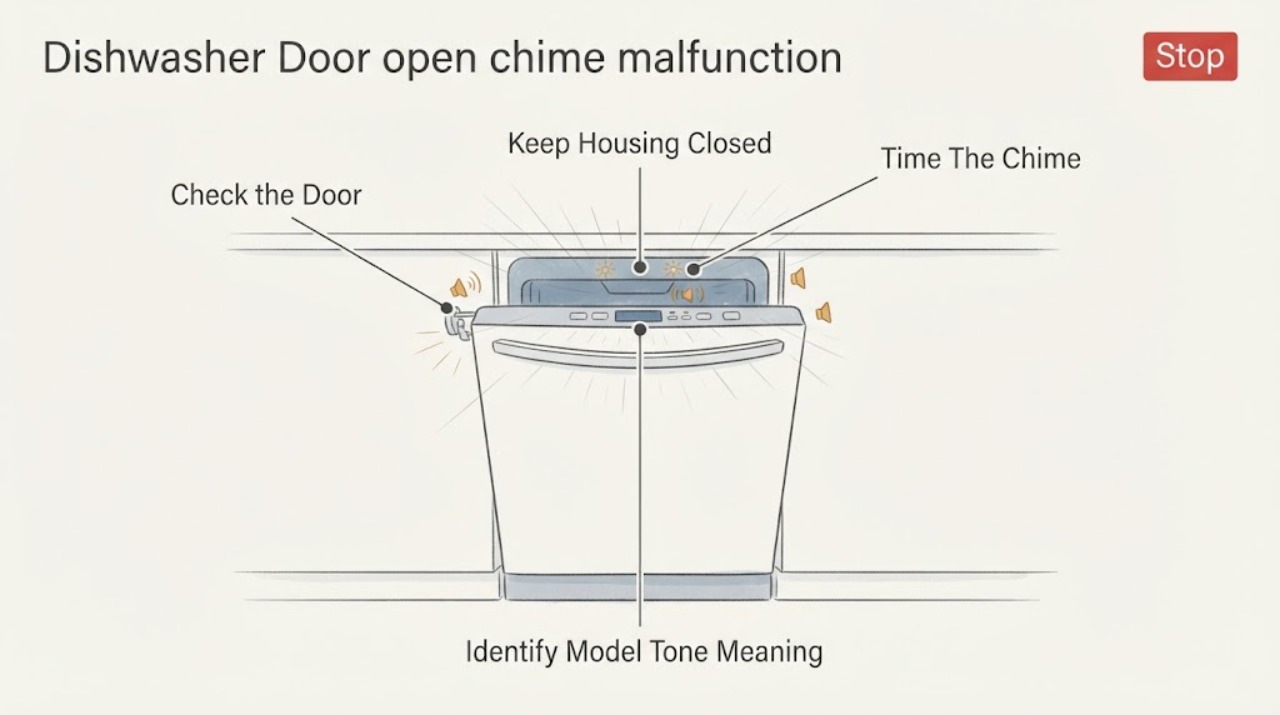
First separate a normal door reminder from a latch or control problem. GE says beeping while a dishwasher is opened mid-cycle, including drying, can be normal and should stop when the door is closed so the cycle can resume. Check only that the door closes fully and that visible trim, insulation, cabinet or countertop is not blocking the latch. Other flashing lights and beep patterns vary by model, so use the exact owner manual; do not bypass the latch or open the control panel. If a Start/Reset light or other lights keep flashing after the model-appropriate reset, or the dishwasher still will not run with the door fully latched, stop at the external checks and arrange service.
Work through in order
Diagnostic checks
Use only checks that match the exact appliance or system and its official guide.
-
Check 1
Note whether the sound occurs only when the door is opened during a running cycle, when the door is closed, when a keypad is pressed, or at the end of a cycle. Record whether any light flashes and whether the sound stops after the door is fully closed.
Expected result: The beep occurs only with the door open mid-cycle and stops after closure, or it continues with the door closed/appears with unexplained lights.
Next step: Treat the first pattern as a door reminder and continue only after the door is closed. For persistent or different patterns, record the model and consult its manual before resetting.
Why this matters
Why: GE identifies a mid-cycle open-door beep as a normal reminder; continuing beeps or different light patterns need model-specific interpretation.
-
Check 2
With the appliance off, inspect the door perimeter and latch area from the outside for visible trim, insulation, cabinet or countertop interference. Close the door normally without forcing it and confirm that it sits flush and engages the latch.
Expected result: A visible obstruction prevents secure closure, or the door closes flush and the latch appears to engage.
Next step: Remove only the visible obstruction without dismantling the dishwasher. If the door still will not latch, do not tape, hold or bypass the latch; arrange service.
Why this matters
Why: GE says the latch must be fully engaged for its door-closed switch to signal readiness. A visible fit problem can explain a door reminder without proving a failed switch.
-
Check 3
Find the complete GE model number and compare the observed beep/light pattern with the matching owner manual. Record the exact light name, whether it blinks continuously or at intervals, and whether the Start or Start/Reset control was involved.
Expected result: The manual explains the pattern, or the model/pattern remains unmatched.
Next step: Follow only the matching manual's external control guidance. If the pattern is not explained or the model is unavailable, stop before opening the panel or bypassing the door sensor and seek GE service.
Why this matters
Why: GE states that lights and sounds vary by model and lists model-number families with different control-tone behavior. A generic keypad sequence can change settings on the wrong model.
-
Check 4
If the exact model manual and GE guidance call for a reset, use only the external Start/Reset or power-reset method documented for that model. Observe whether the light stops and whether the latched dishwasher can start normally.
Expected result: The pattern clears and the dishwasher operates, or beeping/flashing/door-not-ready behavior remains.
Next step: If the issue persists, stop using the dishwasher and arrange GE or qualified appliance service. Do not open the control panel, short the latch switch or continue repeated resets.
Why this matters
Why: A successful reset can clear a transient reset or power condition, but persistent behavior after a secure latch points to a fault requiring diagnosis.
Use your observations
Decision map
Find the observation that best matches what you see, then follow the next safe action.
-
PATH 01Next step
What you see
The dishwasher beeps only when its door is opened during a running or drying cycle, and the sound stops after the door is closed and latched.
Do this next
Close the door fully and press Start only as the model manual directs so the cycle can resume.
Why this path and its safety boundary
Why it matters: GE identifies this pattern as a normal door-open reminder.
-
PATH 02Next step
What you see
The door does not sit flush or the latch cannot engage because visible trim, insulation, cabinet or countertop interference remains.
Do this next
Remove only the visible fit obstruction if possible without disassembly. If the door still will not latch, arrange service and do not tape or hold the switch closed.
Why this path and its safety boundary
Why it matters: The dishwasher may correctly sense that the door is not closed; GE does not support operating it with the latch bypassed.
-
PATH 03Next step
What you see
The Start or Start/Reset light flashes during a reset, or another documented model-specific pattern appears after a power interruption.
Do this next
Allow the documented stop/reset interval, then use only the matching external reset. If the pattern persists, schedule service.
Why this path and its safety boundary
Why it matters: GE says a Start/Reset light can blink while the dishwasher is resetting; other patterns require the model manual and may need a reset or service.
-
PATH 04Next step
What you see
The door closes securely and the visible path is clear, but the dishwasher continues to beep or flash, will not start or reports a pattern not explained by the exact manual.
Do this next
Stop at external checks and arrange GE or qualified appliance service. Do not open the control panel or bypass the door latch.
Why this path and its safety boundary
Why it matters: The remaining issue cannot be safely distinguished between door sensing, controls, power events or another model-specific condition from the symptom alone.
Helpful context
Understand the symptom
A door-open beep can be normal
GE says a dishwasher may beep when its door is opened during a cycle, including the drying portion. The first decision is timing: a reminder that stops after the door is properly closed is different from a tone that continues with the door closed or appears with unexplained flashing lights.
Check the door closure from the outside
With the dishwasher off, look for visible trim, insulation, cabinet or countertop interference that prevents the door from closing securely. GE says the latch must fully engage for the closed-door switch to signal that the dishwasher is ready. Do not force the door, tape the latch, hold the switch closed or remove the inner door/control panel.
Read the flashing light by model
GE states that blinking lights and beep meanings differ across dishwasher models. A blinking Start or Start/Reset light can indicate that the dishwasher is resetting, while other patterns may indicate a problem or power event. Record which light flashes, its timing and whether the door was open, then use the exact model manual rather than a generic keypad sequence.
Reset only through the documented external control
If the model manual and GE guidance identify a reset as appropriate, use the Start/Reset control or the documented power reset, then wait for the dishwasher to finish stopping before judging the result. A reset does not repair a door-sensing or control fault. Persistent chimes or flashing after the door closes and the model-appropriate reset are a service decision.
When checks do not resolve it
Need a professional?
Have this ready
- complete GE dishwasher model and serial information
- whether the sound occurs with the door open mid-cycle, closed, at keypress or at cycle end
- the exact light name and flash timing
- whether the door sits flush and the latch visibly engages
- any recent power interruption, installation change or visible obstruction
- the external reset performed from the matching owner manual and its result
Common questions
FAQ
Is a GE dishwasher beep when I open the door normal?
It can be. GE says beeping can occur when the dishwasher is opened mid-cycle, including drying, and should stop when the door is closed so the cycle can resume.
Why does the dishwasher beep even though the door looks closed?
Check only for visible interference that prevents the door from sitting flush and latching. If it closes securely but still beeps or flashes, the model-specific manual and service path are needed; do not bypass the latch.
Can I use the same GE button sequence to turn off every dishwasher tone?
No. GE lists different model-number families and different tone controls, and says light and sound meanings vary by model. Use the exact owner manual rather than transferring a keypad sequence.
Can I tape down or bypass the GE dishwasher door latch?
No. The latch is the door-closed signal for operation. If the door will not latch securely or the dishwasher continues to behave as if it is open, stop and arrange service.
Read the exact guide
Official sources
- Dishwasher - Will Not Start or Run but Has Lights or SoundGE Appliances · GE dishwasher door-latch engagement, external fit checks, control lock and service boundary
- Dishwasher - Blinking Lights or Beeping SoundsGE Appliances · GE dishwasher beep/light interpretation, model-specific variation and reset/service boundary
- Dishwasher - Normal / Abnormal NoisesGE Appliances · GE dishwasher normal sounds, mid-cycle door-open beeping and service boundary
- Dishwasher - Sounds and TonesGE Appliances · GE dishwasher model-family tone behavior and model-specific sound controls
Community feedback
Share a repair observation
Share a plain-text repair observation. Accepted observations are published automatically; this page may take a moment to update.