
On this page
Start here
Quick answer
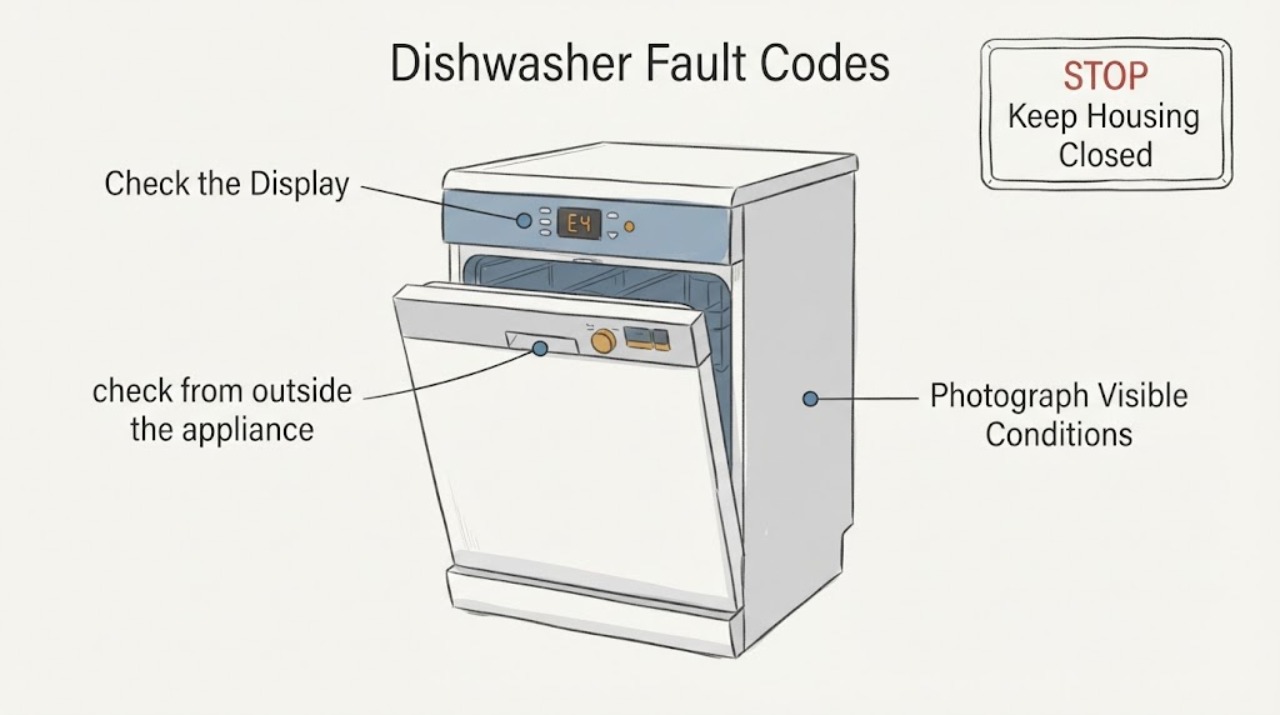
A GE dishwasher fault-code label is not enough to choose a repair: GE says its common code list is not present on every model, and its blinking-light guidance says lights and sounds vary by model. First record the exact display text, model and serial, and whether the unit is beeping, blinking, not filling, not draining or leaking. Use the matching owner manual or GE model support page. If the display is H2O, GE supports checking that the under-sink hot-water valve is fully open and that the dishwasher is level; if the condition remains after those external checks, service is recommended. For other codes, a single model-appropriate Start/Reset or breaker reset may clear a transient condition, but a recurring code, leak indication, or unsafe water condition should be left for qualified service. This guide deliberately does not turn an unspecified GE code into a universal code table or internal-part diagnosis.
Before you begin
Safety first
- Do not open the cabinet, electrically test an inlet valve/pump/sensor, bypass a float or leak protection, or select a replacement part from a generic code. Close the water supply if a leak is active and use qualified service.
Work through in order
Diagnostic checks
Use only checks that match the exact appliance or system and its official guide.
-
Check 1
Photograph or transcribe the display exactly, including letter/number order, spaces, punctuation and any blinking-light pattern. Record whether the dishwasher has standing water, fails to fill, fails to drain, beeps, or shows a leak message.
Expected result: A stable text code is visible, only lights/beeps are present, or the display is unclear/changes during the cycle.
Next step: Keep the exact text and symptom sequence; do not select a code meaning until the full model manual or matching GE support page confirms it.
Why this matters
Why: GE says its common fault-code list is not present on all models, and GE says blinking lights and sounds have different meanings by model. A guessed code expansion can send the repair down the wrong path.
-
Check 2
Find the full model and serial from the dishwasher rating label or owner documentation, then open the GE support page or owner manual for that exact model. Compare the displayed message with the manual entry rather than a generic internet code list.
Expected result: The model-specific manual contains the display message, contains only a blinking/beeping procedure, or does not contain the message.
Next step: Follow only the matching manual. If the message cannot be matched, preserve the display photo and arrange GE or qualified appliance service without guessing an internal component.
Why this matters
Why: GE directs owners to model-specific manuals for lights and sounds and provides a model/serial support route. An absent entry means the generic page cannot establish the code meaning or a compatible part.
-
Check 3
If the display literally reads H2O, check from outside the appliance that the hot-water shutoff valve under the sink is completely open and that the dishwasher is level. Do not remove panels or test an inlet valve electrically.
Expected result: The valve was partly closed, the dishwasher is visibly out of level, or both external conditions are normal and H2O remains.
Next step: Correct only the external valve/level condition described by GE and use the documented cycle-option clear. If H2O remains, stop troubleshooting and request model-specific service.
Why this matters
Why: GE defines H2O as insufficient or absent incoming water and supports the valve and leveling checks. Persistent H2O after adequate supply/pressure, a fully open valve and level installation requires service; it does not prove a valve failure.
-
Check 4
After recording the code and confirming there is no active leak or unsafe water condition, use the exact model manual's Start/Reset instruction. If the manual permits a breaker reset, switch power off at the household breaker for about 30 seconds as GE describes, then restore power once.
Expected result: The display clears and the dishwasher returns to normal, or the same code/lights/beeps return.
Next step: Do not keep cycling the breaker or run repeated tests. If the code returns, use the model-specific service path and provide the original code, symptom sequence and reset result.
Why this matters
Why: GE describes reset as a way to clear some transient blinking, beeping or fault-code states. A successful reset does not identify a failed sensor, pump, heater, control or wiring harness, and recurrence means the issue remains unresolved.
-
Check 5
Stop and arrange service when the message returns, the model manual cannot identify it, the dishwasher shows a leak indication, water remains after the documented drain behavior, or the next step would require opening the cabinet or testing an internal part. Keep the full model, display photo, cycle and symptom history for the technician.
Expected result: A recurring/unmatched code, leak indication, persistent fill/drain issue, or need for internal diagnosis is present.
Next step: Leave the appliance in the safest non-running state supported by the model manual, close the water supply if a leak is active, and use qualified GE or appliance service. Do not choose a pump, sensor, heater or control board from the generic phrase “fault codes.”
Why this matters
Why: GE states that most fault codes require a repair technician, recommends service when an external H2O check does not resolve the condition, and directs service for leak indications in the common-code guidance.
Use your observations
Decision map
Find the observation that best matches what you see, then follow the next safe action.
-
PATH 01Next step
What you see
The exact display text appears in the owner manual or the GE support page for the full model.
Do this next
Follow the matched manual's external check and stop when it directs service.
Why this path and its safety boundary
Why it matters: Only that model-scoped entry supplies a reliable meaning and user action; a common-code list may not cover the unit.
-
PATH 02Next step
What you see
The display literally reads H2O and there is no separate leak indication.
Do this next
Perform those external checks and the documented cycle-option clear once; request service if H2O remains.
Why this path and its safety boundary
Why it matters: GE defines this message as insufficient or absent incoming water and supports checking the under-sink hot-water valve and appliance level.
-
PATH 03Next step
What you see
Only blinking/beeping is present, or the exact text does not appear in the full model manual.
Do this next
Record the model, display pattern and cycle conditions and arrange model-specific service rather than using a copied code table.
Why this path and its safety boundary
Why it matters: GE says sound/light meanings vary by model, so the generic page cannot establish a fault definition or internal part.
-
PATH 04Next step
What you see
A leak message appears, water is leaking/standing abnormally, or the same code returns after the one applicable external check/reset.
Do this next
Stop repeated operation, close the water supply if water is actively leaking, and use qualified service.
Why this path and its safety boundary
Why it matters: The issue has exceeded the supported user-level check, and GE routes leak indications and most persistent fault conditions to service.
Helpful context
Understand the symptom
Start with the exact display and model
“Fault codes” is a topic, not a diagnosis. GE's opened code page calls its list common codes and expressly warns that not all codes occur on all models. Record the characters exactly as shown, including letters, digits, spaces and punctuation, then identify the full model and serial from the rating label. A blinking light or beep without a model-specific manual entry should not be renamed as a code.
Use the one matching external branch
The useful check depends on what the display actually says. GE's H2O support page provides an external water-supply and leveling check for the literal H2O message. GE's general code page separately gives examples of drain, temperature, detergent-cup and leak indications, but does not make them universal. Do not copy a definition or reset sequence from a different GE model.
Reset is a limited check, not a repair
GE says a Start/Reset action or a brief breaker power reset can clear some blinking, beeping or fault-code states, while also directing owners to the model manual. Record the original display and symptoms before one applicable reset. If the indication returns, persists, or involves a leak, stop repeating resets and use model-specific service.
When checks do not resolve it
Need a professional?
Use GE or qualified appliance service when the exact display cannot be matched to the full model, a code or blinking pattern returns after the one applicable external check/reset, a leak indication or active leak is present, water remains abnormally, or internal diagnosis would be required. Do not turn this unspecified fault-code topic into a universal code table or component diagnosis.
Safety scope: Do not open the cabinet, electrically test an inlet valve/pump/sensor, bypass a float or leak protection, or select a replacement part from a generic code. Close the water supply if a leak is active and use qualified service.
Have this ready
- Provide the full model and serial, exact display text or light/beep pattern, cycle and timing, standing water or leak observations, water-supply/level checks, and the result of one model-appropriate reset.
Common questions
FAQ
Can I use GE's online dishwasher code list for every GE dishwasher?
No. GE labels it a list of common fault, error or function codes and says not all codes are found on all models. Match the full model and exact display to its owner manual before interpreting the message.
What should I do if my GE dishwasher only beeps or blinks?
Record the exact pattern and model. GE says lights and sounds vary by model, so use the matching manual; an applicable Start/Reset or brief breaker reset may clear a transient state, but recurring behavior needs service.
What does H2O mean on a GE dishwasher?
For the literal H2O display, GE says the dishwasher is not getting enough water or no water. Check the under-sink hot-water valve is fully open and the appliance is level, then use GE's documented cycle-option clear; persistent H2O calls for service.
Read the exact guide
Official sources
- Dishwasher - H20 in DisplayGE Appliances · Opened GE Appliances' official H2O support article. It applies to a dishwasher displaying H2O and supports only external checks of the under-sink hot-water valve, appliance leveling and the documented cycle-option clear; persistent H2O after adequate supply/pressure and leveling requires service.
- Dishwasher - Error, Fault or Function CodesGE Appliances · Opened GE Appliances' official general dishwasher code article. It explicitly says the list contains common codes and not all codes appear on all models; it is used for the model-scope warning, limited external examples and service escalation, not as a universal code table.
- Dishwasher - Blinking Lights or Beeping SoundsGE Appliances · Opened GE Appliances' official support article. It says light and sound meanings differ by model, directs owners to the matching manual, and provides a limited Start/Reset and 30-second breaker reset path for unresolved blinking/beeping.
- Support for GE DishwashersGE Appliances · Opened GE Appliances' official dishwasher support page. It directs owners to model/serial or QR-code support, the owner support library, troubleshooting articles and qualified service; it is used for model identification and service routing only.
Community feedback
Share a repair observation
Share a plain-text repair observation. Accepted observations are published automatically; this page may take a moment to update.