
On this page
Start here
Quick answer
If a GE dishwasher suddenly loses power, first note whether the display and buttons are completely dark or whether the dishwasher has lights but will not start. With the dishwasher stopped and no signs of water or electrical damage, check the dedicated breaker or fuse, a nearby GFCI reset, any accessible power cord and wall switch, and the door latch. If the breaker or fuse trips again immediately, stop resetting it and have the house wiring checked by an electrician; if the supply is active but the dishwasher remains dead, GE recommends service. [GE's no-power guide, GE's breaker-tripping guidance]
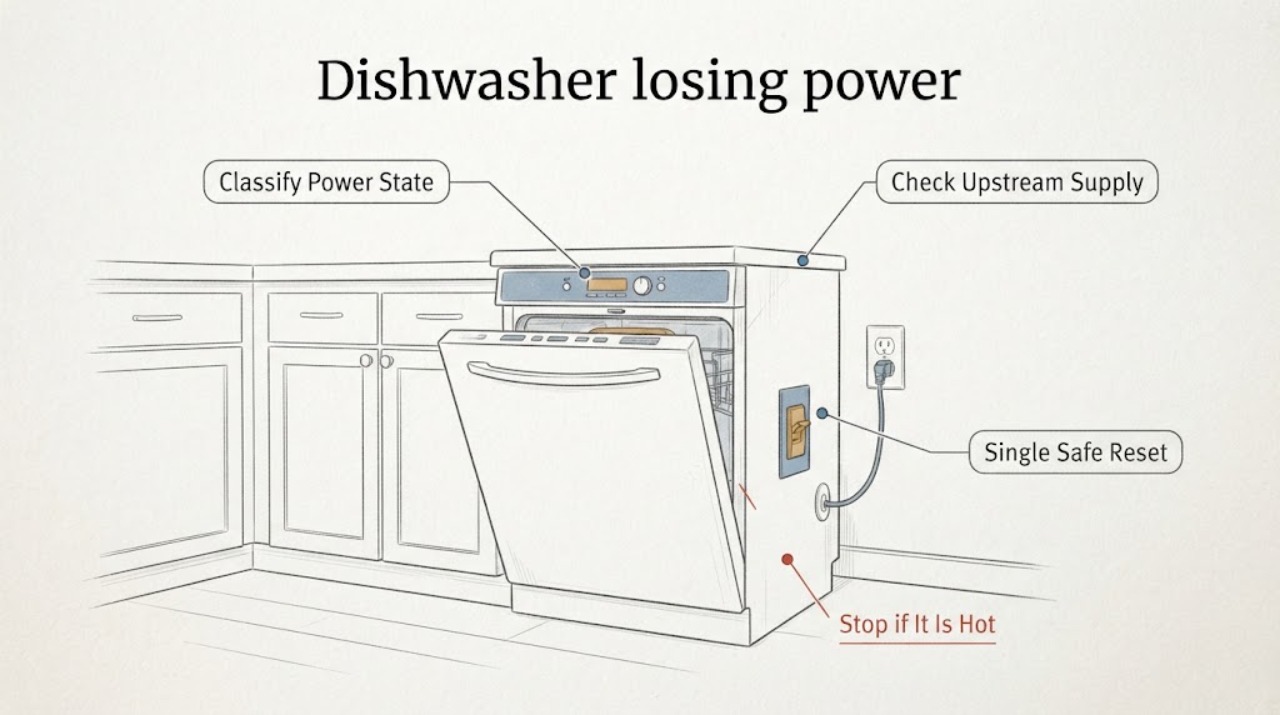
Work through in order
Diagnostic checks
Use only checks that match the exact appliance or system and its official guide.
-
Check 1
With the dishwasher stopped, note whether the display and every control are dark, or whether any lights, beeps, or display segments remain; check only for visible water, scorching, smoke, or a burning smell.
Expected result: A fully dark and silent dishwasher is consistent with a supply interruption; lights or sounds mean the appliance is not completely without power and should be handled through the model-specific start/control path.
Next step: If there is smoke, burning odor, visible electrical damage, or water at the supply connection, leave it off and obtain qualified service. Otherwise continue with the accessible supply checks.
Why this matters
Why: This separates a supply problem from a control, latch, lock, leak-protection, or start-condition problem without diagnosing an internal part.
-
Check 2
Check the dishwasher's labeled fuse or circuit breaker and, if the installation uses one, the accessible GFCI reset and wall switch; do not remove a hardwired cover or touch wiring.
Expected result: The breaker or fuse is open, the GFCI is tripped, the wall switch is off, or an accessible cord is loose; alternatively, all accessible supply controls appear on.
Next step: Restore only an identified external reset once, using the correct circuit and safe access. If the installation is new or hardwired and the supply is uncertain, have the installer or electrician check it.
Why this matters
Why: An open breaker/fuse, tripped GFCI, switch, or loose cord can remove power before the dishwasher itself is diagnosed. A supply that appears active does not prove the appliance is healthy.
-
Check 3
If there is no water or electrical hazard and the breaker or fuse is clearly the dishwasher supply, turn it fully off, wait about two minutes, and restore it once; do not substitute a fuse or breaker with a different rating.
Expected result: The dishwasher returns to its prior control state and stays powered, or it remains dark, or the breaker/fuse trips again immediately.
Next step: If it trips again, stop resetting it and contact an electrician or qualified appliance service. If power returns but the cycle will not start, use the exact model's latch, lock, delay, and leak-protection guidance.
Why this matters
Why: A single reset may clear a supply interruption, but an immediate repeat trip indicates a house-wiring/fuse-box issue or an appliance fault that needs professional diagnosis.
-
Check 4
If the display or buttons are lit after supply is restored, close the door firmly and check for an accessible Control Lock, Delay Start, or model-specific leak-protection indication; do not force the door or bypass a latch.
Expected result: The door does not latch, a lock or delay indicator is active, or an LCD model reports a protection condition; otherwise the controls remain powered but the dishwasher will not run.
Next step: Use the owner manual for the exact model's safe control sequence. If the door, leak-protection condition, or powered control fault persists, arrange service rather than opening the machine.
Why this matters
Why: GE lists door latching and protection features as reasons a powered dishwasher may remain nonresponsive or refuse to run, and their controls vary by model.
-
Check 5
Stop user troubleshooting when the supply is active but the dishwasher stays dead, the breaker/fuse continues to open, or the dishwasher loses power again during operation.
Expected result: The external supply is present but the dishwasher remains dark, or power interruption repeats under load.
Next step: Leave the dishwasher off and contact an electrician for the circuit or a qualified appliance technician for the dishwasher; do not perform live testing or internal repairs.
Why this matters
Why: GE identifies service as the next step when a properly connected dishwasher remains dead, and says repeated trips can involve house wiring, a shorted heater, loose wiring, or another failed component that requires professional diagnosis.
Use your observations
Decision map
Find the observation that best matches what you see, then follow the next safe action.
-
PATH 01Next step
What you see
The display and controls are completely dark, but no breaker, GFCI, switch, cord, water, or damage issue is visible.
Do this next
Do not remove covers. Have the installer or an electrician verify the circuit; if the supply is confirmed active, schedule qualified dishwasher service.
Why this path and its safety boundary
Why it matters: The supply path remains unresolved; the dishwasher may be hardwired or may have a model-specific installation arrangement.
-
PATH 02Next step
What you see
The breaker or fuse opens again immediately after one safe reset.
Do this next
Leave the appliance off and contact an electrician for the circuit and qualified appliance service as appropriate.
Why this path and its safety boundary
Why it matters: GE treats an immediate repeat trip as a house-wiring/fuse-box or appliance fault requiring professional diagnosis, not as a reason to keep resetting.
-
PATH 03Next step
What you see
Power returns and the display works, but the dishwasher will not start.
Do this next
Check only the exact model's owner-manual controls and latch guidance; if the condition remains, request service without bypassing the latch or protection feature.
Why this path and its safety boundary
Why it matters: This is no longer a total-power symptom; door latch, Control Lock, Delay Start, leak protection, or another model-specific start condition may be involved.
-
PATH 04Next step
What you see
There is water at the electrical connection, smoke, a burning odor, scorching, or a hot/damaged cord.
Do this next
Stay clear of the hazard, leave the dishwasher off, and arrange appropriate emergency electrical or appliance service; do not touch wet electrical equipment or retry the dishwasher.
Why this path and its safety boundary
Why it matters: The situation has an electrical or water safety hazard beyond ordinary user troubleshooting.
Helpful context
Understand the symptom
Start with the symptom state
A completely dark display and silent buttons point first toward the supply path. A lit display, button sounds, or a control-lock indication means power is reaching at least part of the dishwasher, so the issue may be a latch, lock, leak-protection, delay, or another model-specific control condition rather than a total outage. GE's exact owner manual controls any model-specific control sequence.
Keep the electrical boundary narrow
Only use accessible controls and visual checks. Do not remove an access panel, probe live wiring, replace an internal fuse, or keep restoring power after a breaker or fuse trips. Water near an outlet, scorch marks, burning odor, smoke, or a hot cord is a stop condition: leave the dishwasher off and arrange qualified electrical or appliance service.
When checks do not resolve it
Need a professional?
Call an electrician when the breaker/fuse trips again immediately, the circuit rating or wiring is uncertain, or the installation is new and power is absent. Call qualified dishwasher service when the circuit is confirmed active but the GE dishwasher remains dead or repeatedly loses power. Do not open the dishwasher, access hardwired terminals, probe live wiring, replace internal fuses, or bypass the latch or protection system.
Common questions
FAQ
Should I keep resetting the GE dishwasher breaker if it trips?
No. GE says an immediate repeat trip points to a house-wiring/fuse-box issue or an appliance fault requiring professional diagnosis. Leave the dishwasher off and arrange an electrician or qualified appliance technician.
What if the dishwasher has lights but will not start?
That is not a total loss of power. Check the exact model's door latch and accessible Control Lock, Delay Start, or leak-protection state; do not bypass a latch or protection feature.
Can I check a loose dishwasher cord?
Only if the cord and receptacle are in an adjacent cabinet and are safely accessible without removing covers or touching wiring. Hardwired installations should be checked by an electrician or qualified service professional.
Read the exact guide
Official sources
- Dishwasher - Reset Circuit BreakerGE Appliances · Single external dishwasher breaker/fuse reset and service boundary when power does not return; not an internal electrical procedure.
- Dishwasher - Checking the Fuse or Circuit BreakerGE Appliances · GE dishwasher external fuse/circuit-breaker checks and electrician/service boundary; no internal repair procedure.
- GE Appliance - Circuit Breaker TripsGE Appliances · GE guidance for repeated fuse/breaker trips, including dishwasher electrical safety and professional diagnosis boundary.
- Dishwasher - Will Not Start or Run but Has Lights or SoundGE Appliances · GE dishwasher powered-but-not-starting distinction, including Control Lock, door latch, delay, sleep/demo modes, and protection features; model-specific controls vary.
- Dishwasher - Won't Run and Has No PowerGE Appliances · General GE dishwasher no-power checks: door latch, breaker/fuse, accessible cord, GFCI, wall switch, Control Lock, and leak protection; exact model controls model-specific functions.
Community feedback
Share a repair observation
Share a plain-text repair observation. Accepted observations are published automatically; this page may take a moment to update.