
On this page
Start here
Quick answer
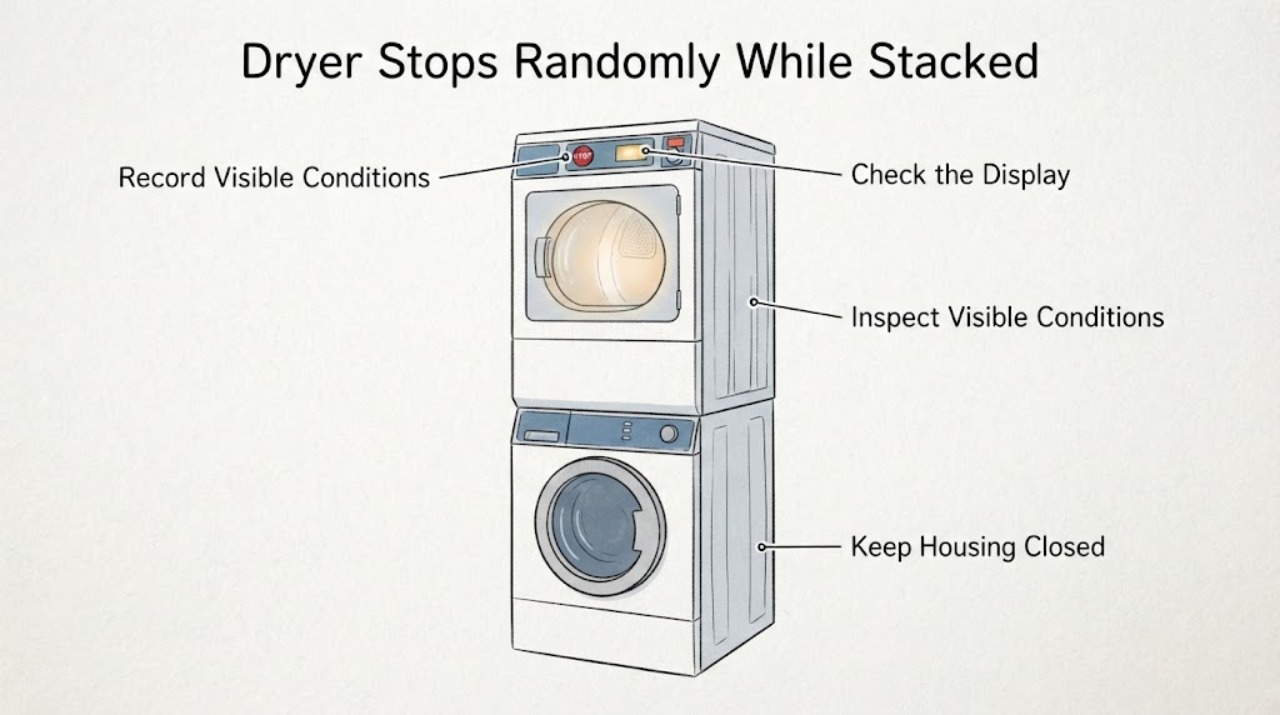
For the GE DBVH510GH0WW, record whether the display stays on, the drum stops after heating, the door was opened, the load is still wet, and whether the dryer restarts only after cooling. The official DBVH510GH0WW parts/support record identifies this as a GE 7.0 cu. ft. gas dryer, while the matching DBVH510-series manual says automatic-cycle timing can be non-linear and that a partially blocked exhaust, poor load, power interruption, or an unlevel/incorrectly secured stacked installation can change operation. With the dryer off and cool, clean the lint filter and inspect the visible vent outlet, front clearance, plug, outlet, and cabinet alignment without moving the stacked pair. Do not keep restarting a dryer that stops after heating, has a blank display, unusual heat, a hot connection, smoke, a burning or gas odor, or a shifting stack; isolate it safely and arrange qualified appliance/vent/gas service.
Before you begin
Safety first
- Do not open the cabinet or terminal cover, perform electrical measurements, bypass the door switch or thermal protection, adjust gas components, light the burner manually, move or push the stacked pair, remove stack brackets, or run repeated heated tests. The owner-level scope is model identification, timeline capture, external load/door/power observations, lint-filter care, and visible vent/stack observations from a safe position.
Work through in order
Diagnostic checks
Use only checks that match the exact appliance or system and its official guide.
-
Check 1
Stop the dryer and write down the exact timeline from the last event: cycle selected, approximate minutes or stage before stopping, whether the drum stopped while the display stayed lit, whether the display went blank, whether the door was opened, whether the load was hot or still wet, and whether the unit restarted without intervention or only after cooling. Look from a safe distance for smoke, sparks, a hot plug or outlet, unusual cabinet heat, a burning/electrical odor, or a gas odor.
Expected result: The display remains on and the dryer resumes; the stop follows heating; the display is blank; the door was opened; it restarts only when cool; or a heat, electrical, smoke, or gas warning is present.
Next step: Keep the dryer off for smoke, burning/gas odor, sparks, a hot connection, damaged cord, unusual heat, blank-display recurrence, or stops that recover only after cooling. From a safe dry location, isolate power and close the gas shutoff if appropriate, then arrange qualified service. If there is no hazard, continue only the external checks below and do not create repeated test cycles.
Stop if: Do not restart to see whether the stop happens again when the dryer is hot, smoking, sparking, unusually hot, or producing a burning or gas odor.
Why this matters
Why: A short automatic-cycle pause or door interruption is different from a loss of supply, a heat-related shutdown, or a hazardous condition. Cooling-dependent recovery is evidence of an unresolved fault pattern, not permission to keep testing. The DBVH510 manual requires qualified installation/service and says not to operate a damaged or malfunctioning appliance.
-
Check 2
Identify whether the event is a normal automatic-cycle pause or a completed/failed cycle. Compare one documented stop with the selected cycle: on a sensor cycle, note whether clothes were already nearly dry and whether the display was still monitoring or later showed the end state; on a timed cycle, note whether the drum and heat stopped before the selected time. Do not use an empty drum or repeated hot runs to force a result.
Expected result: The timer or display advances sporadically but the drum resumes, the load is dry and the cycle has ended, the stop happens only with a tiny/nearly dry load, or a normal timed load stops and remains wet.
Next step: If the appliance completes a normal sensor cycle with no hazard, record it as normal cycle behavior and monitor without changing wiring or controls. If a normal load stops in timed and automatic cycles, remains wet, or requires cooling before restart, leave it off and give the timeline to qualified service.
Stop if: Do not bypass the door switch, tamper with the control lock, enter service mode, or replace a motor, thermostat, or fuse from this observation alone.
Why this matters
Why: GE explains that an automatic timer may advance sporadically, and the DBVH510 manual says sensor drying monitors moisture until the selected dryness is reached. A repeatable stop in a timed cycle, an unfinished wet load, or a stop that needs cooling is less consistent with ordinary sensor timing.
-
Check 3
With the dryer off and cool, clean the lint filter before the next permitted use and inspect only the accessible airflow path: the front intake, the visible transition duct without pulling the stacked pair, and the outside hood. Look for a packed lint screen, crushed/kinked or plastic duct, a blocked flap, nesting, or a front area obstructed by storage. Do not open the cabinet or run a heated test with a disconnected duct.
Expected result: The lint screen is coated, the visible duct is kinked/crushed, the hood flap does not move freely, the front clearance is blocked, airflow is weak, or the accessible path appears clear.
Next step: Restore only the safe front clearance and clean the lint filter as directed. Have a qualified vent cleaner inspect a restricted house duct, hood, or inaccessible section; if the dryer still stops after heating with a clear path, leave it off for appliance service rather than opening panels.
Stop if: Never operate without the lint filter, with combustible plastic ducting, or with a loose, damaged, blocked, or disconnected exhaust path.
Why this matters
Why: GE's manual says a partially clogged exhaust lengthens drying time and requires an outdoor 4-inch metal duct that is short, unobstructed, and not crushed. Restricted airflow can make the dryer run hot and can make a heat-related stop more likely, but a clear visible path does not rule out hidden lint or an internal restriction.
-
Check 4
Inspect the stacked installation from outside without touching or pushing it. Look for a visible lean, a gap where the dryer should sit on the washer, movement or new rattling during the washer's operation history, a crushed rear duct, blocked service clearance, or evidence that the dryer was recently moved. Confirm from the rating label/manual that the dryer is the upper unit and that the pair is secured with the appropriate stack-bracket installation; do not climb on the dryer or attempt to shift it.
Expected result: The cabinet appears stable and aligned with an intact-looking installation, or there is a shift, tilt, gap, new vibration, crushed duct, missing/unknown bracket, or insufficient access for service.
Next step: If the stack is shifted, unstable, or its bracket/duct arrangement cannot be verified, stop using it and book qualified appliance installation/service. Tell the provider that the dryer is gas and stacked, and ask them to verify the bracket, level, gas/electrical connections, clearances, door operation, and exhaust routing before operation.
Stop if: Do not pull the pair out, push the dryer, remove brackets, climb on the washer/dryer, or move a connected gas dryer by yourself.
Why this matters
Why: GE's stacking instructions require qualified installation, secure attachment of the dryer to the washer, more than two people for lifting, and warn that pushing the installed dryer can cause injury or damage. A disturbed stack can change door/latch alignment, transmit vibration, or pinch the exhaust; it does not identify a failed motor or thermal component.
-
Check 5
With the dryer idle, perform only external power and door observations. Check that the plug is fully seated, the outlet and cord show no scorching, looseness, fraying, or heat damage, and the door closes normally without being held. Note whether the display wakes with POWER and whether a breaker or fuse has opened; do not remove the rear terminal cover or perform electrical measurements.
Expected result: The plug/cord/outlet is cool and intact, the display is normal, the display is blank, the door does not latch, or a breaker trips again after reset.
Next step: If the door was simply open and there is no hazard, close it fully and use the exact manual's normal cycle selection once. For a damaged connection, blank display, repeated trip, or failed latch, keep the dryer off and call qualified appliance/electrical service; do not repeatedly reset protection.
Stop if: Do not open the terminal block, alter the plug or gas connection, bypass the door switch, or measure an energized circuit.
Why this matters
Why: GE's troubleshooting lists an unplugged dryer, a household fuse/breaker, a sleeping control panel, and an accidentally paused Delay Start as distinct possibilities. A blank display, failed door closure, or repeated trip is not evidence for a specific internal part and needs a service boundary, especially on a gas appliance.
-
Check 6
Compare the load at the stop without restarting the dryer: record whether it was one normal washer load, an overloaded/heavy wet load, one or two small items, mixed heavy and light fabrics, or an item that may have been contaminated with oil, gasoline, solvent, or another flammable substance. Record whether every ordinary load stops at a similar time or only one unusual load does.
Expected result: Only a small or nearly dry load ends early, a heavy load remains wet, all ordinary loads stop at a similar point, or the load has a flammable-contamination concern.
Next step: Use garment labels and the manual's load guidance only when no safety symptom exists. Separate an unusual load and record the result rather than repeatedly testing. Do not place solvent- or fuel-contaminated items in the dryer; arrange service if ordinary loads stop or remain wet.
Stop if: Do not dry clothing contaminated with gasoline, oil, solvents, degreasers, or other flammable materials, and do not continue after a burning odor.
Why this matters
Why: The DBVH510 manual says not to overload or combine washer loads, to add items for proper tumbling when drying only one or two items, and to separate heavy fabrics. Those load effects can change apparent cycle length, but a consistent early stop with normal loads or a cooling-dependent restart is not explained by load size alone.
Use your observations
Decision map
Find the observation that best matches what you see, then follow the next safe action.
-
PATH 01Next step
What you see
The display remains active, the dryer pauses briefly in an automatic cycle, the drum resumes, the load reaches its selected dryness, and there is no abnormal heat, odor, vibration, wet load, or electrical symptom.
Do this next
Record the cycle and load, use the matching owner-manual settings, and monitor normally. Escalate if the pause becomes a full stop, occurs in timed cycles, leaves a normal load wet, or returns with a safety symptom.
Why this path and its safety boundary
Why it matters: This pattern is more consistent with documented automatic-cycle timing or completion than with a confirmed component failure.
-
PATH 02Next step
What you see
The dryer stops after becoming hot, airflow is weak or the accessible exhaust path is obstructed, the front clearance is blocked, or the stop repeats with a normal load.
Do this next
Keep the dryer off, correct only visible lint/front-clearance issues, have the house vent and hood professionally checked, and arrange appliance service if the stop persists or the accessible vent is clear.
Why this path and its safety boundary
Why it matters: Airflow restriction or a heat-related fault is more likely than a normal sensor decision, but the observation does not distinguish an internal thermal device, control, drive, or vent defect.
-
PATH 03Next step
What you see
The dryer is visibly shifted or leaning on the washer, the bracket/clearance is unknown, the rear duct appears crushed, or new vibration began after the stacked pair was moved or the washer was serviced.
Do this next
Stop using the pair and schedule qualified appliance installation/service to verify secure attachment, level, duct routing, gas/electrical connections, and clearance. Do not infer a motor or thermostat failure from the vibration alone.
Why this path and its safety boundary
Why it matters: A disturbed stack or installation-related airflow/door alignment issue becomes a priority. GE's instructions do not support a user pushing or lifting the installed gas dryer to correct it.
-
PATH 04Next step
What you see
The display goes blank, the door will not latch, a breaker trips repeatedly, the plug/outlet is hot or damaged, the drum will not turn, the dryer hums, or it restarts only after cooling.
Do this next
Leave the dryer off and give a qualified technician the exact model, stack arrangement, stop timing, load, heat, airflow, display, and cooling-restart observations. Do not open panels or order a part from the symptom alone.
Why this path and its safety boundary
Why it matters: A supply, door, drive, control, or thermal problem is possible, but the symptom cannot safely select one part. On a stacked gas dryer, internal access adds electrical, mechanical, and gas hazards.
-
PATH 05Next step
What you see
There is smoke, a burning/electrical or gas odor, sparking, unusual heat, a hot connection, damaged wiring/cord, or evidence of fire or combustion trouble.
Do this next
Stop immediately, keep people away, leave the area for a gas emergency, call the gas supplier or emergency services from outside as appropriate, and isolate power only if it can be done safely from a dry location. Do not restart for diagnosis.
Why this path and its safety boundary
Why it matters: This is an immediate fire, shock, carbon-monoxide, gas, or injury risk, not a routine intermittent-cycle question.
Helpful context
Understand the symptom
A random stop is not automatically a failed motor or thermal part. On this older GE gas-dryer family, the timer may appear not to move continuously during an automatic cycle, and a sensor cycle can end when the load reaches the selected dryness. That is different from a drum that stops and remains stopped, a display that goes blank, or a dryer that works again only after cooling. The stop time, heat state, load, display, and restart behavior are more useful than guessing a component.
Because this dryer is installed above a washer, also treat the stack and exhaust path as part of the diagnosis. GE's stacking instructions require qualified installation, secure attachment to the washer, adequate service clearance, and no pushing on the installed dryer. A shifted cabinet or crushed duct can create both vibration and airflow problems; do not pull, tilt, climb on, or try to re-level the stacked pair yourself.
When checks do not resolve it
Need a professional?
Call qualified appliance service for a recurring full stop, cooling-dependent restart, blank display, failed door latch, tumbling/humming symptom, or any suspected internal part. Call qualified vent service for restricted or inaccessible exhaust. For gas odor or active fire/electrical danger, leave the area and contact the gas supplier, fire department, or emergency service as appropriate.
Safety scope: Do not open the cabinet or terminal cover, perform electrical measurements, bypass the door switch or thermal protection, adjust gas components, light the burner manually, move or push the stacked pair, remove stack brackets, or run repeated heated tests. The owner-level scope is model identification, timeline capture, external load/door/power observations, lint-filter care, and visible vent/stack observations from a safe position.
Have this ready
- Provide the exact model DBVH510GH0WW, serial information, confirmation that it is a gas dryer stacked on a washer, cycle and load type, time and temperature at each stop, display/door state, restart-after-cooling behavior, visible vent and stack observations, and any breaker, odor, smoke, heat, or vibration history.
Common questions
FAQ
Could a GE DBVH510GH0WW pause be normal?
Possibly, if the automatic-cycle timer only appears to pause, the drum resumes, the cycle completes, and there is no abnormal heat, odor, vibration, or wet load. A full stop, timed-cycle failure, or cooling-dependent restart is not established as normal.
Can the stacked washer make the dryer stop?
A stack does not by itself prove a dryer fault, but GE requires the gas dryer to be securely attached to the washer and warns against pushing the installed dryer. A shifted or unstable stack can affect vibration, door alignment, clearance, or a crushed exhaust path, so have the installation checked rather than moving it yourself.
Should I replace the thermal fuse or motor because it stops randomly?
No. A random stop does not identify one part. Record whether it follows heating, whether it restarts only after cooling, whether the display remains on, and whether airflow or the stack is disturbed; recurring or unsafe symptoms belong with qualified service.
What should I do if the GE gas dryer smells like gas?
Do not light anything, operate an electrical switch, or restart the dryer. Leave the area and contact the gas supplier or emergency services from outside according to local guidance. The GE manual treats a gas odor as an emergency safety situation.
Read the exact guide
Official sources
- GE Dryers DBVH510/DBVH512/DCVH515/DCVH660/DHDVH52/DHDVH66 Owner's Manual 49-90316GE Appliances · Opened the manual linked from the exact-model GE page. The manual names the DBVH510 family, contains the gas-dryer safety, operation, venting, stacking, and troubleshooting sections, and does not authorize internal repair by an unqualified user.
- Model Search | DBVH510GH0WWGE Appliances · Opened official GE Appliances parts/support page for the exact assigned model; it identifies the appliance as a GE 7.0 Cu. Ft. Super Capacity Gas Dryer and links the owner's manual and installation instructions.
- Dryer - Timer Stops During the CycleGE Appliances · Opened official GE support guidance to distinguish sporadic automatic-cycle timer movement from a dryer that fully stops; the no-load examples are model-dependent and are not asserted as a DBVH510GH0WW feature.
Community feedback
Share a repair observation
Share a plain-text repair observation. Accepted observations are published automatically; this page may take a moment to update.