
On this page
Start here
Quick answer
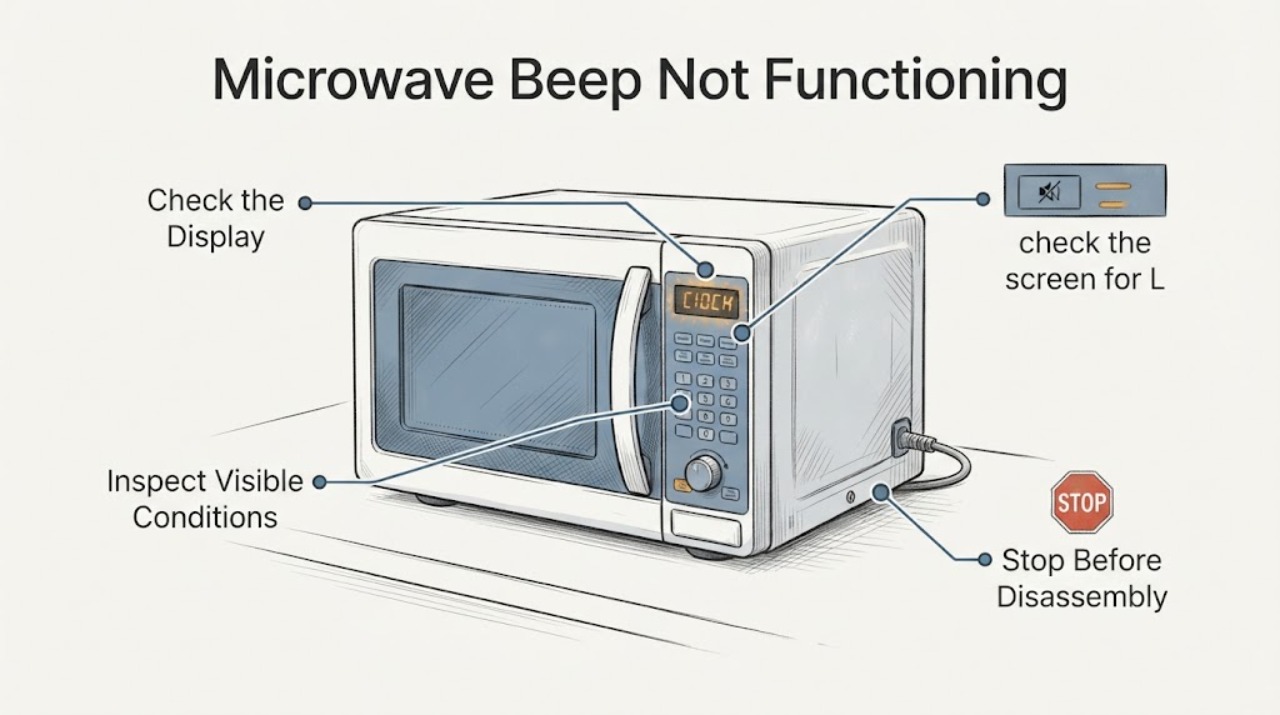
First separate a muted beeper from a nonresponsive control panel. GE says some microwave models can turn sounds off or change their volume, while other models do not offer that feature. If the display responds, check the model's SOUND, SOUND LEVEL, BEEPER VOLUME, Settings, or MUTE control exactly as documented. If the display does not respond, check for a lock or unfinished program and use only the safe external reset described for the model; do not open the microwave or diagnose its high-voltage parts.
Work through in order
Diagnostic checks
Use only checks that match the exact appliance or system and its official guide.
-
Check 1
Press a normal keypad control once and watch the display without starting a cooking cycle.
Expected result: The display changes or accepts the press, but no beep is heard; or the display does not change at all.
Next step: Use the matching branch below; do not infer a failed speaker or control board from silence alone.
Why this matters
Why: A responding display points first to a sound setting. A lit display that ignores presses points to a lock, unfinished program, or control-panel problem.
-
Check 2
With the display responding, look for the exact model's SOUND, SOUND LEVEL, BEEPER VOLUME, Settings, or MUTE control and select an audible level according to its manual.
Expected result: The model offers a sound control and the display shows or accepts the selected level, or no listed sound control exists.
Next step: If the model has no sound feature or the documented setting does not restore sound, stop changing settings and arrange service rather than using another model's key sequence.
Why this matters
Why: GE documents model-dependent controls: some use 0–3 levels, some use a Settings sound menu, and some use MUTE ON/OFF; some models cannot disable or change sound.
-
Check 3
If the display is lit but keypad presses do not respond, check the screen for L, LOC, or LOCKED and press CLEAR/OFF or RESET once to clear an unfinished program.
Expected result: The lock indicator clears or the display responds after CLEAR/OFF/RESET, or the panel remains unresponsive.
Next step: Use only the lock instruction in the exact model manual; if the panel remains unresponsive, stop and arrange service.
Why this matters
Why: GE identifies a control lock or retained program as possible reasons for a panel that does not respond, with or without sound.
-
Check 4
If the control panel remains unresponsive, check the grounded household supply and, only when safe, use the model-appropriate external power reset; GE's general panel guidance describes turning off the supplying breaker for 30 seconds and restoring it.
Expected result: The panel returns after the external reset, or it remains dead/unresponsive.
Next step: Do not remove the microwave cover, touch a fuse or capacitor, bypass a door interlock, or perform live testing. Arrange qualified microwave service if the fault remains.
Why this matters
Why: A reset can clear a retained program, but it does not prove a failed internal part. A dead display or continuing panel fault needs service.
Use your observations
Decision map
Find the observation that best matches what you see, then follow the next safe action.
-
PATH 01Next step
What you see
The display changes with button presses and cooking completes, but there is no beep.
Do this next
Use only the exact model's SOUND, Settings, or MUTE instructions; if sound still does not return, use service.
Why this path and its safety boundary
Why it matters: The microwave may be muted, set to a low level, or be a model without a user-adjustable beeper.
-
PATH 02Next step
What you see
The display is lit but ignores presses, or it shows L, LOC, or LOCKED.
Do this next
Clear the documented lock or program state. If the panel remains unresponsive, stop and arrange service.
Why this path and its safety boundary
Why it matters: A lock or retained program can prevent normal keypad response and make the absence of a beep appear to be a sound failure.
-
PATH 03Next step
What you see
The display is dead, the keypad remains unresponsive after the safe external reset, or the sound feature remains inoperative.
Do this next
Leave the microwave unplugged or switched off when appropriate and arrange qualified service. Never open the cabinet or bypass the door safety system.
Why this path and its safety boundary
Why it matters: The public GE guidance does not identify a safe user-level internal repair from this symptom.
Helpful context
Understand the symptom
Beeper loss is not automatically a failed control
A GE microwave may have a selectable or muted sound level, while a panel that no longer responds is a different problem. These checks stay at the keypad, display, door, and household power boundary. Exact button names and menus vary by model.
When checks do not resolve it
Need a professional?
Arrange qualified service if the sound feature remains inoperative after the model-specific sound check, the panel remains unresponsive after the documented external reset, or the display is dead. Stop using the microwave immediately for sparks, arcing, burning odor, smoke, a damaged door or cavity, or a door that does not close correctly. Do not open the cabinet, touch high-voltage components, or bypass a door interlock.
Common questions
FAQ
Why does my GE microwave work but make no beeps?
The sound may be muted or set low on models with SOUND, SOUND LEVEL, BEEPER VOLUME, Settings, or MUTE controls. GE also notes that some models do not offer a sound-disable feature. Use the exact model manual before assuming a failed part.
Can I open the microwave to repair the beeper?
No. A missing beep does not identify a safe internal repair, and the microwave cabinet can expose hazardous high-voltage components. If model-specific sound and external panel checks do not resolve it, use qualified service.
Read the exact guide
Official sources
- Microwave - Will Not StartGE Appliances · Official GE safety context for a microwave whose panel responds but does not start; it supports checking secure door closure and service, not beeper repair.
- Microwave - Is Not Making SoundGE Appliances · Official GE family-level guidance for a microwave that does not beep; it explicitly says sound controls and availability vary by model.
- Microwave - Touch Control Panel Not Operating CorrectlyGE Appliances · Official GE external checks for an unresponsive microwave panel; it does not authorize cabinet opening or high-voltage work.
- Microwave - Variable Beeper VolumeGE Appliances · Official GE explanation of model-dependent sound levels and mute behavior; exact availability is model-specific.
Community feedback
Share a repair observation
Share a plain-text repair observation. Accepted observations are published automatically; this page may take a moment to update.