
On this page
Start here
Quick answer
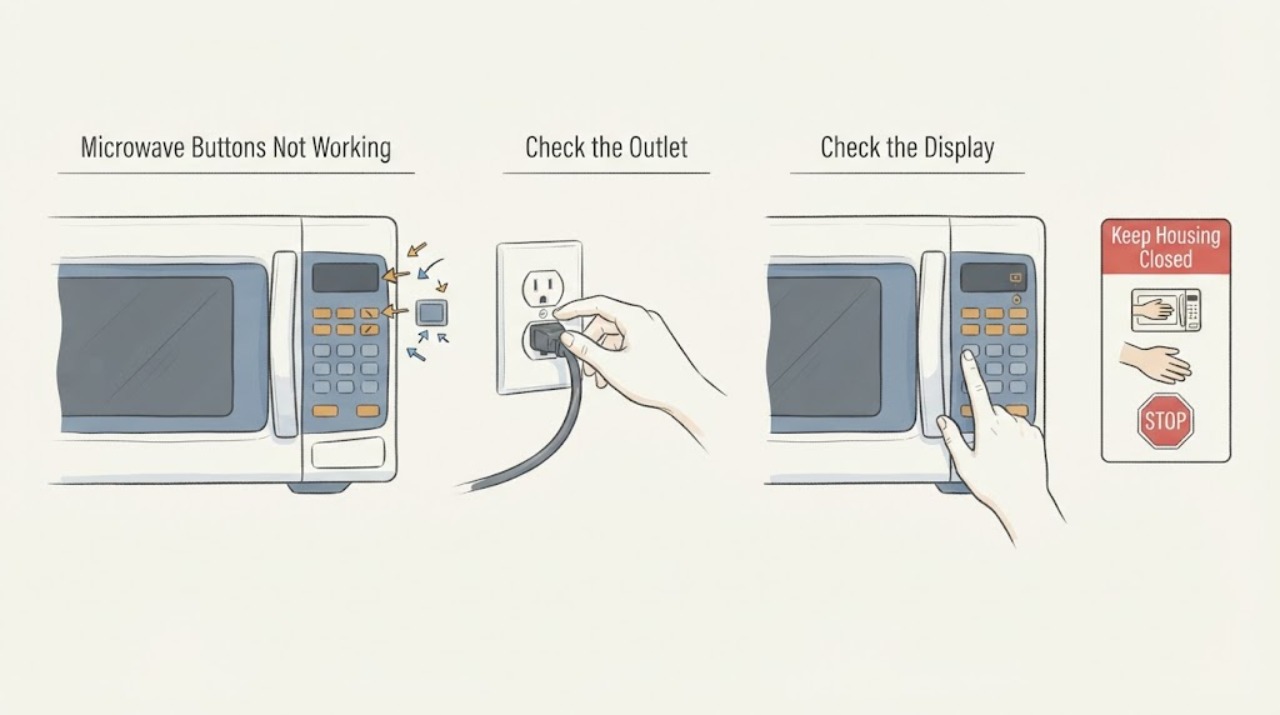
First separate a locked or unfinished program from a dead microwave. If the display is lit and the inside light comes on when the door opens, press the model's CLEAR/OFF or RESET control to clear an unfinished sequence and look for an L, LOC, or LOCKED indicator; GE says many models unlock by holding CLEAR/OFF for three seconds, but the exact manual controls. If the panel or cavity is wet or dirty, unplug the microwave and wipe the controls with a soft damp cloth, then dry immediately—do not spray cleaner onto the keypad. If the display is completely dead, check the plug and household breaker only from a dry, safe position. If buttons remain unresponsive, the door will not close normally, or the unit has arcing, burning smell, damage, or other electrical symptoms, stop and arrange service. Never open the cabinet, bypass a door interlock, or perform high-voltage testing.
Before you begin
Safety first
- Do not spray the control panel, open the microwave cabinet, bypass the door interlock, probe internal wiring, or perform live/high-voltage testing. Stop use for arcing, smoke, burning odor, damaged cord/outlet, cavity damage, or a door that will not close normally.
Work through in order
Diagnostic checks
Use only checks that match the exact appliance or system and its official guide.
-
Check 1
Stop using the microwave and disconnect power when safe if the panel or cavity is wet, there is arcing, smoke, a burning smell, visible damage, a damaged cord or outlet, or the door cannot close normally. Do not open the cabinet or bypass the door interlock.
Expected result: The microwave is dry and intact with no arcing, odor, damage, or door hazard, or a hazard sign is present.
Next step: For any hazard sign, leave the microwave out of use and arrange qualified service. If none is present, continue only with the external state and cleaning checks.
Why this matters
Why: GE's support material directs unresolved control and start problems to service and states that the door must engage the safety interlocks. Hazard signs cannot be narrowed through repeated button presses.
-
Check 2
From a dry, safe position, note whether the clock/display is lit, whether the inside light comes on when the door opens, and whether the grounded three-prong plug is fully seated without visible damage. Check the household breaker or fuse only as an external home-power observation; do not open the microwave or test its internal fuse.
Expected result: The display is lit, the display is completely dead, the breaker is tripped, the outlet/plug is damaged or loose, or household power appears normal but the microwave remains dead.
Next step: If the breaker will not reset or the outlet/plug is damaged, stop and use an electrician or property service. If household power is normal but the microwave remains dead, arrange GE service rather than opening it.
Why this matters
Why: GE says a dead microwave with no display can result from a blown fuse or tripped breaker and asks users to verify a grounded outlet. A normal household supply does not prove the microwave's internal power or control components are good.
-
Check 3
If the display is lit and the inside light comes on, press the exact model's CLEAR/OFF or RESET control once to clear an unfinished program. Look for L, LOC, or LOCKED; only if the model's documentation matches GE's general guidance, hold CLEAR/OFF for three seconds to unlock.
Expected result: The display changes after CLEAR/OFF, a lock indicator clears, the panel remains unchanged, or the model has a different documented lock control.
Next step: If the panel responds, re-enter a simple normal program according to the manual. If the panel remains unresponsive or the model's lock method is unclear, stop trying unrelated combinations and request service.
Why this matters
Why: GE says an incomplete programming sequence can leave the panel apparently unresponsive, and a lock feature may show L, LOC, or LOCKED. The three-second CLEAR/OFF instruction is not a universal substitute for the exact model manual.
-
Check 4
With the microwave unplugged, wipe the control panel using a soft, damp cloth and dry it immediately. Do not spray liquid directly onto the controls or use abrasive, ammonia, bleach, or commercial oven cleaner on the panel.
Expected result: The panel was visibly dirty or damp and responds after it is clean and dry, or individual buttons remain unresponsive after the safe cleaning.
Next step: If the panel remains unresponsive after it is fully dry, leave the microwave unplugged and arrange service. Do not pry off the keypad or test its wiring.
Why this matters
Why: GE's cleaning guidance supports a soft damp cloth and immediate drying, while direct spray and harsh cleaners can damage the appliance. A clean, dry panel that still fails does not identify a keypad or board part.
-
Check 5
If the panel lights and beeps but Start does not begin cooking, check that the door closes fully without a dish or obstruction touching it. Inspect only the visible door and latch area; do not press, defeat, or bypass the interlock.
Expected result: The door closes securely and the microwave starts, the door is obstructed or does not close, or the door appears closed but Start still does nothing.
Next step: Remove only a visible obstruction and follow the model manual. If the door will not close normally or Start remains unavailable with a secure door, stop use and request service.
Why this matters
Why: GE says microwave energy cannot enter unless the door is closed to engage its safety interlocks. A Start-only failure is different from every button being dead and does not justify an interlock diagnosis.
-
Check 6
Arrange GE or qualified microwave service when buttons remain unresponsive after the matching lock, program, cleaning, and external power checks, or when the display is dead, the door/interlock is abnormal, or any arcing, odor, smoke, damage, or electrical symptom occurs.
Expected result: The panel recovers after a documented external check, or it remains unresponsive or has a hazard/start symptom.
Next step: Keep the microwave out of use for the unresolved or hazardous pattern and provide the model, display state, lock indicator, power result, cleaning result, door behavior, and any hazard symptoms. Do not open the cabinet or perform live/high-voltage testing.
Why this matters
Why: GE routes unresolved touch-panel and start problems to service. The official pages do not establish a keypad, fuse, interlock, control board, or high-voltage failure from the symptom alone.
Use your observations
Decision map
Find the observation that best matches what you see, then follow the next safe action.
-
PATH 01Next step
What you see
The display is completely blank and no controls or interior light operate, or a breaker/fuse or outlet problem is evident.
Do this next
Correct only an accessible household-power issue or call an electrician. If the outlet and breaker are normal but the microwave remains dead, request GE service without opening it.
Why this path and its safety boundary
Why it matters: GE identifies household power, a grounded outlet, and a tripped breaker or fuse as external explanations for a dead microwave, while a normal supply does not prove internal components are good.
-
PATH 02Next step
What you see
The display is lit, the inside light works, and the screen shows L, LOC, LOCKED, or does not change because a prior program was left incomplete.
Do this next
Use the exact model manual; clear the program, then use the matching unlock control. If the panel does not recover, stop and arrange service.
Why this path and its safety boundary
Why it matters: GE identifies a lock feature or unfinished programming sequence as a possible nonresponsive-panel condition.
-
PATH 03Next step
What you see
The display is alive but buttons respond intermittently or only after the panel is cleaned and dried.
Do this next
Keep the microwave unplugged until the panel is dry. If individual buttons remain dead after safe cleaning, request service rather than spraying or opening the panel.
Why this path and its safety boundary
Why it matters: A damp or soiled surface can interfere with operation, and GE supports soft-cloth cleaning with immediate drying; this does not prove an internal keypad defect.
-
PATH 04Next step
What you see
The display and buttons beep, but Start does not begin cooking, or the door does not close securely.
Do this next
Remove only a visible obstruction and follow the exact model instructions. If the door remains abnormal or Start still fails, leave the microwave off and request service; never bypass the interlock.
Why this path and its safety boundary
Why it matters: GE distinguishes a Start/door condition from a completely nonresponsive keypad and requires the door to engage its safety interlocks.
-
PATH 05Next step
What you see
The display is lit and dry, no lock or program explanation applies, and the buttons remain unresponsive after the matching external checks.
Do this next
Keep the microwave out of use and arrange qualified service with the model and observed states. Do not remove the cover, test high-voltage parts, or replace a control component based on the symptom alone.
Why this path and its safety boundary
Why it matters: The official GE pages support service for an unresolved nonresponsive control panel but do not identify the failed internal part.
Helpful context
Understand the symptom
Buttons not working can mean different things
Record whether the display is lit, whether the clock is set, whether any button beeps or changes the display, whether the inside light comes on when the door opens, and whether the problem is every button or only Start. GE's support paths separate an unfinished programming sequence, a lock indicator, a dead outlet or breaker, a dirty control surface, and a door that is not engaging its safety interlocks. Without a model number, use only the general checks that match the observed state.
Keep the keypad and microwave interior safe
Unplug before cleaning. GE says to use a soft damp cloth on the control panel, dry it immediately, and never spray solution directly onto the controls. Do not use a wet panel as a reason to keep pressing buttons, and do not remove the outer cover: microwave high-voltage circuits and the door safety system are service work.
What an external check can establish
A lock indicator that clears, a program that resets, a dry keypad that responds, or a restored household supply points to an operating condition rather than proving a failed control board. A completely dead display, a panel that remains unresponsive after the matching checks, or a door that will not close securely needs service; it does not justify choosing a keypad, fuse, interlock, or board yourself.
When checks do not resolve it
Need a professional?
Safety scope: Do not spray the control panel, open the microwave cabinet, bypass the door interlock, probe internal wiring, or perform live/high-voltage testing. Stop use for arcing, smoke, burning odor, damaged cord/outlet, cavity damage, or a door that will not close normally.
Have this ready
- Provide the model number, whether the display and interior light work, any L/LOC/LOCKED indicator, breaker/outlet result, whether CLEAR/OFF changes the display, cleaning result, door-closing behavior, and any odor, arcing, smoke, or visible damage.
Common questions
FAQ
How do I unlock a GE microwave when the buttons do not work?
If the display is lit and shows L, LOC, or LOCKED, GE says many models unlock by holding CLEAR/OFF for three seconds. Because controls vary, use the exact model manual; if the panel remains unresponsive, arrange service rather than trying unrelated button combinations.
What should I do if the GE microwave display is completely blank?
From a dry, safe position, check that the grounded plug is seated and inspect the household breaker or fuse. GE identifies a tripped breaker or blown fuse as possible causes of a dead microwave. If household power is normal but the display remains blank, request service and do not open the cabinet.
Can cleaning make GE microwave buttons work again?
It can help when the surface is damp or dirty. Unplug first, wipe with a soft damp cloth, dry immediately, and never spray cleaner directly onto the controls. Persistent individual button failure requires service, not keypad disassembly.
Why do GE microwave buttons beep but Start does not work?
GE says a door that is not securely closed can prevent microwave energy from entering because the safety interlocks are not engaged. Check only for a visible obstruction and normal closure; never bypass the interlock. If the door is secure and Start still fails, arrange service.
Read the exact guide
Official sources
- Microwave - Touch Control Panel Not Operating CorrectlyGE Appliances Support · Opened GE Appliances' official support page. It provides general touch-panel guidance; exact model controls and manuals remain controlling.
- Microwave - Will Not StartGE Appliances Support · Opened GE Appliances' official support page. It applies when the control panel lights and beeps but cooking does not start; it does not authorize interlock bypass or internal testing.
- Microwave - Cleaning RecommendationsGE Appliances Support · Opened GE Appliances' official cleaning guidance. It supports safe external control-panel cleaning and directs model-specific cleaning questions to the owner manual.
- Microwave - Is Not Making SoundGE Appliances Support · Opened GE Appliances' official support page. The button-response section applies when the display is lit and the interior light comes on; the exact model manual controls lock behavior.
Community feedback
Share a repair observation
Share a plain-text repair observation. Accepted observations are published automatically; this page may take a moment to update.