
On this page
Start here
Quick answer
First separate the two GE features that are often both called child lock. If the display shows LOCK, LOC or L and the buttons do not respond while the door itself is physically normal, the control panel may be locked; GE lists several model-dependent unlock methods, so use the exact owner's manual rather than guessing a key combination. If a newer countertop microwave is actively cooking and the door will not open, GE says to press Start/Pause or Cancel/Off, or hold Lock on models with a Lock pad, then press the door-latch release. Do not pry the door, defeat the latch or interlock, open the cabinet, or keep using the microwave if the door, latch, hinge or frame is damaged. A door that remains stuck after the documented stop/unlock path needs qualified service.
Before you begin
Safety first
- Do not pry the microwave door, bypass a door interlock, hold the latch closed, remove the door, open the cabinet, or perform an internal latch/control/high-voltage repair. A microwave door adjustment or handle repair requires qualified service and a leak test.
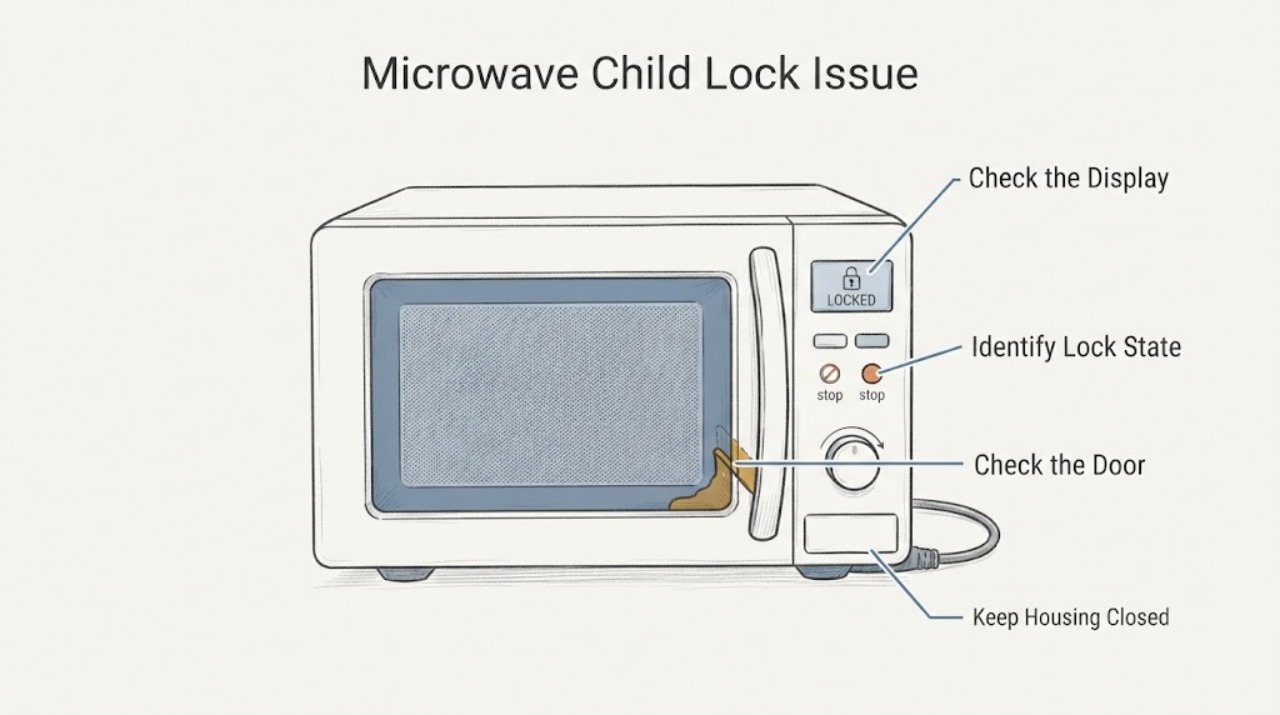
Work through in order
Diagnostic checks
Use only checks that match the exact appliance or system and its official guide.
-
Check 1
With the microwave not actively heating, note the display and control response without forcing the door: record whether it shows LOCK, LOC or L, whether the pads beep or change the display, and whether the door is physically aligned and closed normally.
Expected result: The panel is locked with a lock indication, the door is locked only during an active cycle, or the door/latch is physically stuck, damaged or misaligned.
Next step: Use the matching branch below; do not use a generic keypad sequence or force the door.
Why this matters
Why: A lock indication can be a control-panel lock, an active-cycle child-resistant door can be normal, and physical damage or a persistent latch problem is a service condition rather than a child-lock setting.
-
Check 2
If the display shows LOCK, LOC or L and the door is physically normal, use only the unlock method listed in the exact GE owner's manual; GE examples include holding Clear/Off or Pause/Off for about three seconds, Set Clock, 5 and 7 together on some older models, or Mute on some designs.
Expected result: The documented model-specific sequence clears the lock, the lock remains, or the appliance has no confirmed model/manual match.
Next step: If the manual sequence clears the lock, return to normal use only if the door and latch are intact. If it does not, stop experimenting and arrange GE support/service.
Why this matters
Why: GE uses more than one control-lock design and says the lock can persist through power disconnection on some models; an incorrect combination does not prove a control-board failure.
-
Check 3
If a GE countertop microwave is actively cooking and the door is locked by the child-resistant feature, press Start/Pause or Cancel/Off; on models with a Lock pad, hold Lock as the model directs, then press the door-latch release button.
Expected result: The cycle stops and the latch release opens the door, or the stop/release control does not respond and the door remains locked.
Next step: If it opens, handle hot food and liquids carefully. If it remains locked, keep hands and tools out of the latch area and arrange qualified service; do not restart the cycle to test it.
Why this matters
Why: A two-step release can be normal during cooking, but a failure after the documented stop path is not a reason to pry the door or bypass the latch.
-
Check 4
With the microwave stopped and disconnected only when safe to approach, inspect the door, frame, latch-release button, hinges and visible sealing surfaces from outside; do not remove trim, insert tools, or open the cabinet.
Expected result: The door closes flush and shows no visible damage, or there is a bent/cracked/peeled door surface, loose hinge or latch, damaged seal, or a door that cannot close normally.
Next step: Keep the microwave out of service and schedule qualified GE service for any physical defect or uncertainty. Do not defeat the interlock or attempt an internal latch repair.
Why this matters
Why: A normal-looking control lock is different from a physical door defect; GE treats door damage and misalignment as a repair issue requiring qualified assessment and leak testing.
-
Check 5
Record the complete GE model and serial information, the exact display text, whether the door was locked only while heating, and which model-documented controls were tried; give that record to GE support or a qualified microwave technician.
Expected result: The model/manual is available and the issue maps to a control lock or child-resistant-door procedure, or the model/state remains uncertain.
Next step: Use GE support/manuals for a confirmed control-lock procedure, or keep the microwave disconnected and schedule service for a persistent door/latch/interlock issue. Do not open the cabinet or bypass any safety device.
Why this matters
Why: Model-specific instructions are needed because GE uses several lock and latch designs; unresolved physical or safety-system behavior cannot be narrowed safely from the words child lock alone.
Use your observations
Decision map
Find the observation that best matches what you see, then follow the next safe action.
-
PATH 01Next step
What you see
The display shows LOCK, LOC or L, the control pads do not respond, and the door itself is physically normal.
Do this next
Use the exact model manual's unlock method. GE's examples differ by model; do not assume one combination applies to every GE microwave.
Why this path and its safety boundary
Why it matters: This pattern is consistent with GE's control-panel lock feature rather than a failed door latch.
-
PATH 02Next step
What you see
The microwave is a qualifying countertop model and the door is locked only while a cooking cycle is active.
Do this next
Press Start/Pause or Cancel/Off, or hold Lock on models that specify it, then press the door-latch release. Do not force the door.
Why this path and its safety boundary
Why it matters: GE documents a child-resistant door that automatically locks during heating; this differs from Control Lock on the keypad.
-
PATH 03Next step
What you see
The cycle has stopped but the door remains physically stuck, or the latch/hinge/frame/seal is damaged or the door will not close flush.
Do this next
Keep the microwave out of service and arrange qualified service. Do not pry, remove the door, open the cabinet, or defeat an interlock.
Why this path and its safety boundary
Why it matters: This is a door or safety-system repair condition, not a child-lock setting that can be bypassed.
-
PATH 04Next step
What you see
The display and model are unknown, or the documented unlock procedure does not clear the lock.
Do this next
Obtain the model manual or contact GE support. If the door or latch is also abnormal, leave the microwave disconnected and use qualified service.
Why this path and its safety boundary
Why it matters: The lock design and applicable sequence remain unresolved; power cycling or random key combinations may not clear a model-specific lock and do not diagnose the door.
Helpful context
Understand the symptom
Control lock is not the same as a locked door
A display that says LOCK, LOC or L with unresponsive pads usually points to a control-panel lock, while a door that locks only during active cooking may be a child-resistant door feature. GE documents different controls and different model coverage for these features. Read the model manual and identify the state before trying to unlock anything; do not treat a physical latch problem as a keypad problem.
Use the documented stop and release sequence
On GE countertop models with a child-resistant door, the two-step process is to pause or cancel the cooking cycle, then press the door-latch release. The feature is intended to prevent a child from opening the door while food or liquid is heating. If the stop control, release button, latch or door does not respond as documented, stop rather than applying force or bypassing the safety mechanism.
A physical door fault requires service
GE states that microwave door adjustment or repair must be followed by a leak test and that replacing a microwave handle requires door disassembly by a service technician. A bent frame, loose hinge, damaged latch, cracked or peeling door surface, or a door that will not close flush is therefore not a child-lock reset. Keep the microwave out of service and arrange qualified repair.
When checks do not resolve it
Need a professional?
Stop and arrange GE or qualified microwave service if the door does not release after the model-specific stop/unlock procedure, the latch or hinge is damaged, the door does not close flush, the control remains locked without the documented unlock response, or the problem requires door disassembly. Do not bypass a door interlock, remove the door, or open the cabinet.
Safety scope: Do not pry the microwave door, bypass a door interlock, hold the latch closed, remove the door, open the cabinet, or perform an internal latch/control/high-voltage repair. A microwave door adjustment or handle repair requires qualified service and a leak test.
Common questions
FAQ
Is GE Control Lock the same as the child-resistant microwave door?
No. GE says Control Lock/Child Lock locks the control-panel pads, while a child-resistant countertop door can lock only during an active cooking cycle. The display and timing help distinguish them.
How do I unlock a GE microwave control panel?
Use the exact model manual. GE lists several examples, including holding Clear/Off or Pause/Off for about three seconds; some models use Set Clock, 5 and 7 together, or Mute. Do not assume one sequence applies to every model.
What if my GE microwave door will not open while cooking?
Press Start/Pause or Cancel/Off, or hold Lock on models that specify it, then press the door-latch release. If it remains stuck, do not pry or bypass the latch; stop and arrange qualified service.
Can I repair or bypass the GE microwave door lock myself?
No. GE says microwave door adjustment or repair requires a qualified technician and leak test, and internal safety systems should not be bypassed or accessed by the user.
Read the exact guide
Official sources
- Microwave - Is Not Making SoundGE Appliances · GE microwave family support for lit display with unresponsive buttons; exact model controls remain controlling.
- Microwave - Child Lockout FeatureGE Appliances · GE over-the-range and countertop microwave control-lock guidance; exact model determines which key sequence applies.
- Microwave - Can't Open Door While Microwave is RunningGE Appliances · GE countertop models with the child-resistant door feature; applies only while the microwave is running.
- Microwave - Door Adjustment or RepairsGE Appliances · GE microwave door damage and adjustment/repair guidance.
- Countertop Microwave - Child Resistant Oven Door FeatureGE Appliances · Countertop microwaves manufactured after March 2024 and other models documented with this feature; exact model determines availability and disabling.
- Microwave - Explanation of the Child Lock Out FeatureGE Appliances · GE microwave family explanation of several control-lock designs; model manual remains controlling.
- Microwave - Door Latch ReleaseGE Appliances · GE microwaves without a door handle that use a latch-release button; not an internal repair procedure.
- Microwave - Will Not StartGE Appliances · GE microwave family guidance that a securely closed door engages safety interlocks; persistent issues route to service.
Community feedback
Share a repair observation
Share a plain-text repair observation. Accepted observations are published automatically; this page may take a moment to update.