
On this page
Start here
Quick answer
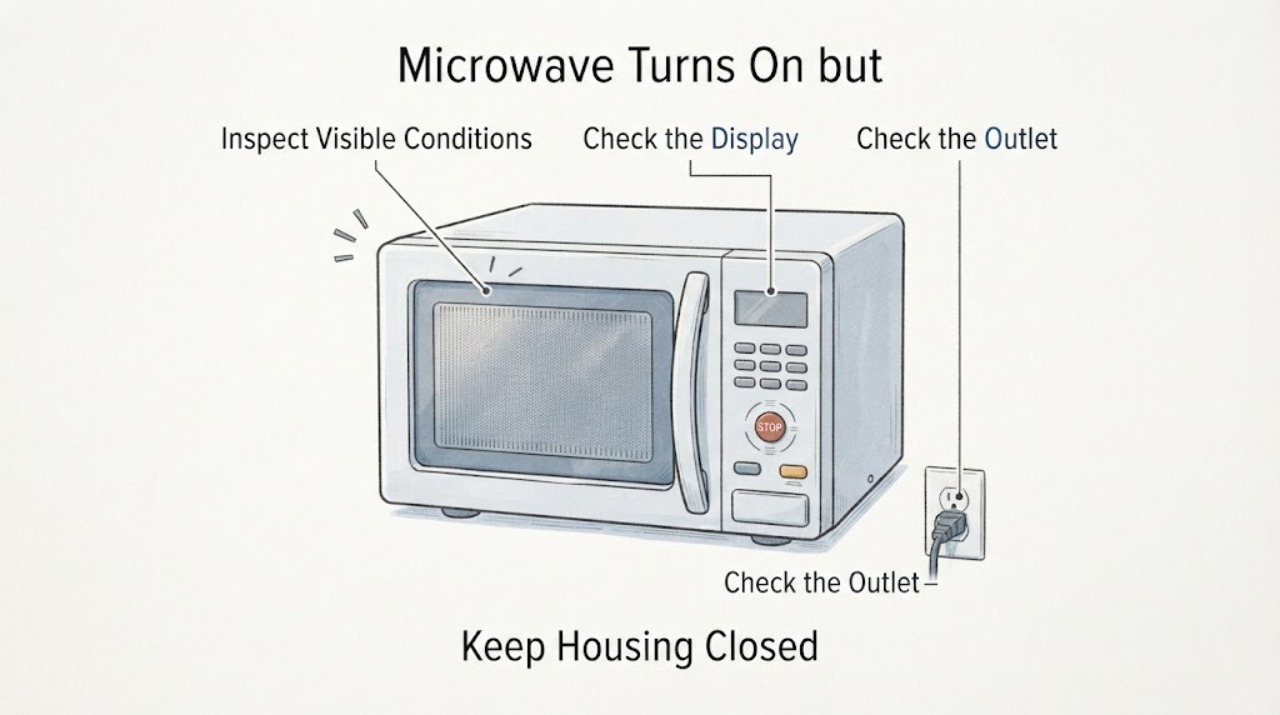
When a GE microwave turns on but its touch panel behaves erratically, first identify whether the display is lit and changing, whether the buttons beep, and whether the problem is limited to starting a cycle. A lit display with no button response can come from an unfinished program or an enabled control lock; GE says to clear the program and, when applicable, hold CLEAR/OFF for three seconds to unlock. If the display is blank, check the model's display or power-saver setting and the microwave's power at the outlet or breaker. If the panel still will not respond, the display is fading, or Start works only intermittently, stop using the microwave and arrange service rather than opening the cabinet or bypassing the door safety interlock.
Work through in order
Diagnostic checks
Use only checks that match the exact appliance or system and its official guide.
-
Check 1
With the microwave idle and the door closed, observe the display while pressing one ordinary control and then opening the door. Note whether the display changes, a beep is heard, and the cavity light comes on; do not press controls while there is smoke, arcing, a burning odor, liquid intrusion, or visible cord damage.
Expected result: The display and cavity light respond, only the beeper is silent, or the display does not change at all.
Next step: Use the beeper/display branch below, or continue to clear the program and check the lock state before considering service.
Why this matters
Why: If the display changes but there is no beep, GE says some models have a mute or beeper-volume setting, so silence alone does not prove a failed panel. If the display is lit but does not change while the cavity light works, GE identifies an unfinished program or a control lock as possibilities. A blank display is a separate power/display-state branch.
-
Check 2
If the display is lit but the panel will not accept a new command, press CLEAR/OFF or RESET once to clear an incomplete or delayed program. If the display shows L, LOC, or LOCKED, use the model's documented unlock control; GE's general guidance says to hold CLEAR/OFF for three seconds on models with that lock feature.
Expected result: The panel returns to the clock or accepts buttons after clearing, or it remains unchanged and the lock indication remains.
Next step: If the panel recovers, run only the normal owner-manual operating sequence. If it does not, proceed to the external power and clock check, then stop for service if the fault remains.
Why this matters
Why: A response after CLEAR/OFF supports a retained program as the immediate cause. A lock indication must be handled using the exact model instructions; a panel that remains unresponsive after the documented clear/unlock step may need service.
-
Check 3
For a blank display or a panel that has lost its normal state, verify from a safe position that the microwave is connected to its required grounded three-prong outlet, the clock is set, and the household breaker or fuse has not interrupted power. Check the model manual for a Display On/Off, Options, or Power Saver setting before treating a clock that disappears as a failure.
Expected result: The display returns after the correct display setting or one external power reset, or the microwave remains blank/dead while other functions are also unavailable.
Next step: If a reset is appropriate for the model, GE's touch-panel guidance specifies disconnecting power for 30 seconds and restoring it once. Do not repeatedly cycle the appliance; if the display remains blank or the breaker trips again, leave it off and arrange service.
Why this matters
Why: GE notes that some models intentionally hide the clock through Display On/Off or Power Saver settings. A dead display with nothing else working can indicate interrupted household power, while a persistent blank display or multiple failed functions needs service rather than cabinet-level testing.
-
Check 4
If the buttons light and beep but Start does not begin a cycle, close the door firmly and check that a dish or other item is not preventing full closure. Do not press, tape, or bypass the door safety interlock.
Expected result: The microwave starts after the door closes fully, or the panel still beeps but Start does nothing.
Next step: Stop using the appliance and arrange qualified service if the door does not close normally or Start remains ineffective. Do not open the cabinet or repeat heating tests to force a diagnosis.
Why this matters
Why: GE says the door must engage the safety interlocks before microwave energy can enter the cavity. If a securely closed, unobstructed door still leaves Start inoperative, the issue is beyond a safe external adjustment and may require service.
-
Check 5
If characters are missing, dim, blurry, or fading over time, disconnect power once for the model-appropriate reset interval and inspect the display again after power is restored. Keep the cabinet closed and do not probe the control area.
Expected result: The display returns to a normal, complete readout, or it still has partial characters or fades again.
Next step: If the display remains abnormal after the external reset, stop using the microwave and request service; provide the model number and a photo or description of the missing characters if safe to do so.
Why this matters
Why: GE describes persistent fading, missing segments, or improper display rendering as abnormal. A temporary reset that does not last is not a verified repair and should not be used to justify continued operation.
Use your observations
Decision map
Find the observation that best matches what you see, then follow the next safe action.
-
PATH 01Next step
What you see
The display is lit and the cavity light works, but pressing controls does not change the display.
Do this next
Press CLEAR/OFF or RESET once; if L, LOC, or LOCKED is shown, use the exact model unlock instruction. If the panel still does not respond, stop and arrange service.
Why this path and its safety boundary
Why it matters: GE's general support path points first to an uncleared program or a control lock, rather than proving a failed control board.
-
PATH 02Next step
What you see
The display is blank, but the model may have Display On/Off or Power Saver behavior.
Do this next
Check the model manual and verify external power once. If other functions are also unavailable or the display remains blank, leave the appliance off and seek service.
Why this path and its safety boundary
Why it matters: A missing clock can be an intentional setting on some GE microwave families; it is not enough by itself to diagnose a failed panel.
-
PATH 03Next step
What you see
Buttons beep and the display responds, but Start does not run the cycle.
Do this next
Remove only an obvious obstruction and close the door normally. If Start still fails or the door is damaged or misaligned, stop; never bypass the interlock or open the cabinet.
Why this path and its safety boundary
Why it matters: The next safe distinction is door closure: GE states that the door must engage the safety interlocks, and a dish can keep an apparently closed door from closing fully.
-
PATH 04Next step
What you see
The panel intermittently changes, shows missing characters, or fades after a reset.
Do this next
Stop using the microwave and arrange service with the exact model and symptom pattern. Do not continue cooking to reproduce the failure.
Why this path and its safety boundary
Why it matters: GE distinguishes an abnormal fading or partial display from a normal clock-off feature; an intermittent recovery is not confirmation that the fault is fixed.
Helpful context
Understand the symptom
Separate a quiet panel from an unresponsive panel
A microwave can seem wonky for different reasons: the display may be intentionally off, the beeper may be muted while the controls still work, a previous program may be holding the panel, or the display and controls may actually be failing. Record what happens when you press a control: does the display change, does it beep, does the cavity light come on when the door opens, and does Start fail only after a cycle is programmed? That pattern determines which safe check applies.
Use only external controls and the model's instructions
GE's support guidance covers outlet and clock checks, clearing an incomplete program, checking an applicable lock state, and a limited power reset. Button combinations vary by model, so use the owner's manual for any control-lock or display setting that is not shown on the panel. Do not remove the microwave cover, test high-voltage parts, defeat the door interlock, or keep reheating food to reproduce an intermittent control fault.
When a control fault becomes a service issue
A display that remains faded or shows missing characters is not described by GE as a normal display feature. If a safe reset does not restore it, or if the panel remains unresponsive after the external checks below, leave the appliance unused and give the service provider the model number and the exact display and button behavior.
When checks do not resolve it
Need a professional?
Arrange qualified service when the panel remains unresponsive after the documented clear/unlock and external power checks, when the display stays faded or blank with other functions unavailable, when Start still fails with a normally closed door, or whenever the cord, outlet, door, or appliance shows damage, smoke, arcing, liquid intrusion, or burning odor.
Have this ready
- Provide the complete GE model number, whether the display is blank or lit, whether buttons change the display or beep, any L/LOC/LOCKED indication, whether the cavity light works, and what happened after the single documented reset.
Common questions
FAQ
Why does my GE microwave seem to turn on but ignore the buttons?
GE identifies an incomplete program or an enabled control lock as possibilities when the display is lit but does not change. Clear the program, follow the exact model unlock instructions if L, LOC, or LOCKED is shown, and arrange service if the panel remains unresponsive.
Is a missing microwave clock always a failed control panel?
No. GE says some models can turn the display off or hide the clock through a Power Saver feature. Check the model manual and external power first; a blank display with other failed functions or a persistent fault needs service.
What if the microwave beeps but does not start?
Check that the door closes fully and that a dish is not preventing closure. GE says the door must engage the safety interlocks; do not bypass them. If Start still fails with a normal closed door, stop and arrange service.
Read the exact guide
Official sources
- Microwave - Touch Control Panel Not Operating CorrectlyGE Appliances · GE microwave family support guidance for a nonresponsive or incorrectly operating touch panel; model-specific controls remain subject to the owner's manual.
- Microwave - Display Goes Blank, Turns OffGE Appliances · GE over-the-range microwave display guidance, with model-specific Display On/Off, Options, and Power Saver availability.
- Microwave - Is Not Making SoundGE Appliances · GE microwave support guidance distinguishing muted sound from a display that does not respond; lock behavior is limited to models with that feature.
- Microwave - Display Fading or Not Displaying ProperlyGE Appliances · GE microwave guidance for partial characters, dimming, fading, or an improperly rendered display.
- Microwave - Will Not StartGE Appliances · GE microwave family guidance when controls light and beep but Start does not begin cooking.
Community feedback
Share a repair observation
Share a plain-text repair observation. Accepted observations are published automatically; this page may take a moment to update.