
On this page
Start here
Quick answer
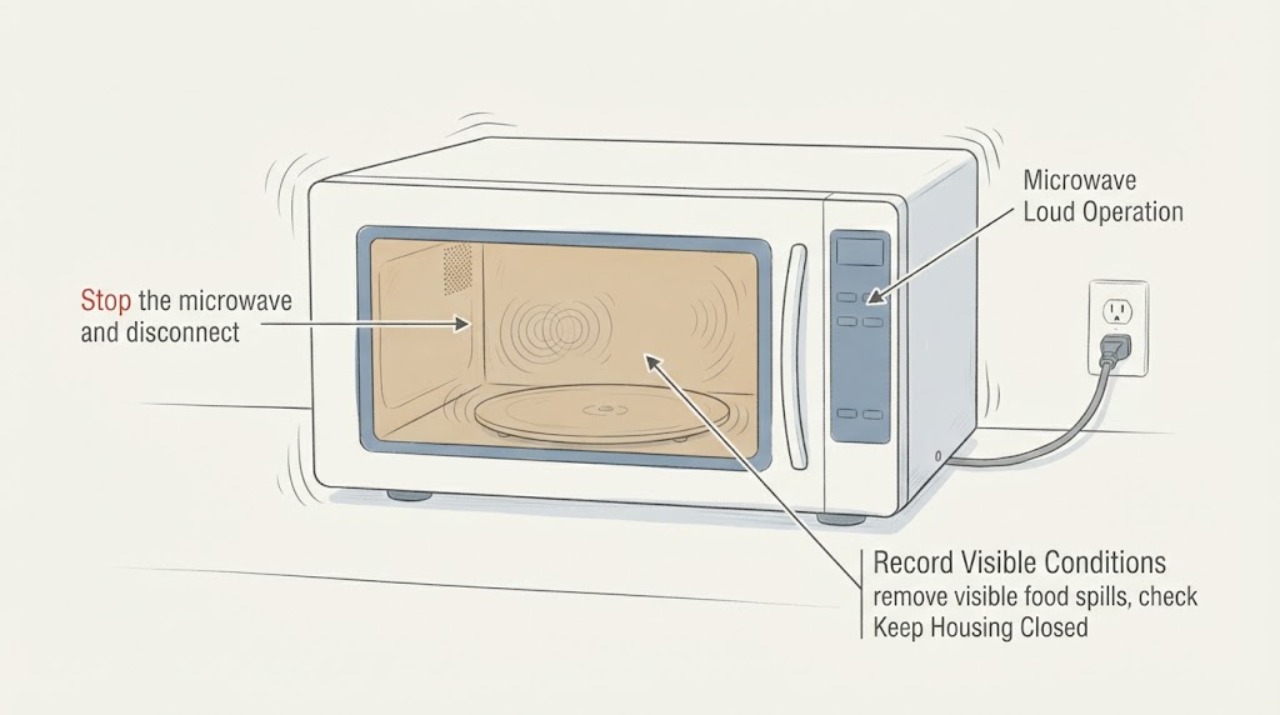
First identify whether the sound is a normal fan-speed change, turntable movement, or food-related popping. GE says a turntable may hesitate, jerk, drag, pause, or reverse direction, and an over-the-range vent fan may become louder because of heat or duct back pressure. Stop immediately for arcing, sparks, smoke, burning smell, a mechanical or electrical popping sound, or visible cavity damage; never run the microwave empty and never open the cabinet. With power disconnected when safe, clean visible spills and confirm the glass tray and support ring are seated, right-side up, and free of debris. If the sound remains loud with a clean cavity and correctly seated tray, or it is electrical/mechanical rather than airflow or food noise, stop testing and arrange GE service.
Before you begin
Safety first
- Do not operate the microwave empty or with suspected arcing, smoke, burning smell, electrical/mechanical popping, cavity damage, or a worsening abnormal noise. Do not open the cabinet, bypass the door interlock, or perform high-voltage or live internal testing.
Work through in order
Diagnostic checks
Use only checks that match the exact appliance or system and its official guide.
-
Check 1
Stop the microwave and disconnect power when safe if there is arcing, sparking, smoke, a burning smell, an electrical or mechanical popping sound, a damaged cavity wall, or any visible damage. Never run the microwave empty and never open the cabinet.
Expected result: The sound is a non-hazardous airflow or tray noise with no damage, or a hazard sign is present.
Next step: For any hazard sign, leave the microwave out of use and arrange qualified service. If none is present, continue only with the unplugged external and load checks below.
Why this matters
Why: GE says empty operation can cause popping and damage the interior, metal can arc, and electrical or mechanical popping warrants service. These observations cannot be safely narrowed by more powered tests.
-
Check 2
From outside the appliance, record whether the loudness starts with cooking, follows the vent fan, follows tray movement, occurs after cooktop heat, or remains when no cooking cycle is selected. Do not place hands inside or try to stop moving parts.
Expected result: The sound tracks fan speed or heat, tray movement, the food being heated, or persists as a buzz/scrape/pop independent of those phases.
Next step: Use the matching fan, tray, or load branch below. For a persistent electrical/mechanical sound or any worsening noise, stop repeated operation and request service.
Why this matters
Why: GE describes automatic or back-pressure-related fan changes, normal turntable hesitation/reversal, and food or spill popping as distinct causes. A persistent electrical or mechanical character is not established as normal by volume alone.
-
Check 3
When the appliance is unplugged and cool, remove visible food spills, check for metal or metal-trimmed utensils, confirm any cooking probe is correctly used for the model, and inspect the cavity for scorch marks or a burned-through area. Do not scrape, sand, or repair the cavity yourself.
Expected result: A spill, metal item, probe issue, or rack position explains the sound, or the cavity is clean with no visible damage.
Next step: Remove the visible load cause and follow the exact owner manual for permitted cookware. If arcing recurs, there is a cavity hole or the sound is electrical/mechanical, stop using the microwave and arrange service.
Why this matters
Why: GE lists food, tight food membranes, spills, metal, improperly used probes, and an incorrectly positioned metal rack as possible popping/arcing causes. A clean cavity does not identify an internal electrical fault.
-
Check 4
With power disconnected, remove and clean the glass tray and support ring, then reinstall the tray centered, right-side up, and firmly seated on the ring or model-specific shaft. Clear visible food or debris from under the ring; do not remove panels or reach toward a motor.
Expected result: The tray was off-center, upside down, dragging, or obstructed; the noise stops after correct seating; or the noise remains with the tray and ring correctly installed.
Next step: If the sound clears, use the microwave only with the tray and support installed as the model requires. If the tray remains noisy or will not operate after the external check, stop and arrange service.
Why this matters
Why: GE says incorrect seating, an upside-down plate, or debris under ring wheels can cause drag and turntable problems. Normal direction changes, hesitation, jerking, dragging, or pauses can also occur, so this check does not prove a turntable motor failure.
-
Check 5
For an over-the-range GE microwave, note whether the sound is the vent fan changing speed or continuing after cooktop heat. If the model has the documented fan controls, select a lower fan setting only through the normal keypad; do not remove a duct, filter, or cover while powered.
Expected result: The fan becomes louder only at a high setting, changes with heat or duct back pressure, or stays unusually loud independent of fan selection and cool-down.
Next step: If the sound follows the documented fan behavior, monitor after the microwave and cooktop cool. If it persists, scrapes, vibrates, smells hot, or is accompanied by electrical symptoms, stop use and request service.
Why this matters
Why: GE says fan speed changes and increased noise can be normal with duct back pressure, and an automatic fan can run to remove heat. A persistent abnormal fan sound outside the documented operating pattern needs service rather than an internal fan diagnosis.
-
Check 6
Arrange GE or qualified microwave service when loudness remains after the external tray, load, and fan checks, or whenever the sound is electrical/mechanical, accompanied by arcing, smoke, burning smell, visible cavity damage, poor heating, or repeated interruption.
Expected result: The sound follows a documented normal fan/tray pattern and stops when the condition ends, or it recurs independently of those conditions or has a hazard sign.
Next step: Keep the microwave unplugged or out of use for the hazard pattern and provide service with the model, sound description, phase, visible damage, heating behavior, and whether an over-the-range vent fan is involved. Do not perform high-voltage or interlock work.
Why this matters
Why: GE's opened guidance routes electrical/mechanical popping and unresolved turntable problems to service. It does not identify a particular high-voltage or drive component from loud operation alone.
Use your observations
Decision map
Find the observation that best matches what you see, then follow the next safe action.
-
PATH 01Next step
What you see
The sound is limited to tray movement, and the tray reverses direction, hesitates, jerks, drags, or pauses without sparks, smoke, or damage.
Do this next
With power disconnected, reseat the tray and support and remove visible debris. If the noise remains unusually loud or the tray will not operate, request service.
Why this path and its safety boundary
Why it matters: GE identifies these turntable behaviors as potentially normal, while incorrect seating or debris can add drag.
-
PATH 02Next step
What you see
The sound follows vent-fan selection, cooktop heat, or a high-back-pressure duct condition and fades when the appliance cools.
Do this next
Use only the normal fan controls and let the appliance cool. If noise persists when cool or becomes a scrape, vibration, odor, or electrical sound, stop use and arrange service.
Why this path and its safety boundary
Why it matters: GE says over-the-range fans can change speed or run automatically to remove heat, and added duct back pressure can make the fan louder.
-
PATH 03Next step
What you see
Popping occurs only with a particular food, spill, metal-trimmed item, probe, rack, or empty-cavity test.
Do this next
Stop the empty or arcing test, clean visible spills, remove the unsuitable item, and follow the exact manual. If arcing or popping returns, leave the microwave off and request service.
Why this path and its safety boundary
Why it matters: GE attributes these patterns to food, spills, metal, probe placement, rack placement, or dangerous empty operation rather than a confirmed internal part.
-
PATH 04Next step
What you see
A buzz, scrape, electrical pop, or mechanical pop remains independent of the load, tray seating, fan phase, or cool-down, or is joined by smoke, burning odor, cavity damage, or poor heating.
Do this next
Stop use, disconnect power when safe, and arrange qualified microwave service. Do not open the cabinet, bypass the door interlock, or perform high-voltage testing.
Why this path and its safety boundary
Why it matters: This pattern exceeds the official external checks. Loudness alone cannot identify a fan motor, turntable motor, magnetron, capacitor, transformer, or other internal component.
Helpful context
Understand the symptom
The sound source matters more than the volume label
Record when the sound occurs: only during cooking, when the vent fan is running, while the tray moves, after the cooktop has been used, or even when the microwave is idle. Note whether it is a smooth airflow hum, a tray drag, a food pop, a click, a scrape, a buzz, or an electrical crackle. GE's public guidance gives different next steps for these patterns, and the absence of a model prevents a model-specific part diagnosis.
Keep microwave high-voltage work out of the user checklist
Do not remove the outer cover, probe the high-voltage circuit, bypass the door interlock, or repeat a suspected arcing event. GE specifically warns that an empty microwave can pop and damage the interior, and says electrical or mechanical popping should go to service. External cleaning, tray seating, load inspection, and noting the fan phase are the useful boundaries for a no-model article.
What a normal observation can and cannot prove
A sound that follows a vent-fan speed or stops when a tray is correctly seated may identify an operating or setup condition, not a failed part. A sound that persists with no load-related cause, changes into electrical popping, or comes with cavity damage needs professional inspection. GE's official material does not support choosing a fan motor, turntable motor, magnetron, capacitor, or transformer from loudness alone.
When checks do not resolve it
Need a professional?
Safety scope: Do not operate the microwave empty or with suspected arcing, smoke, burning smell, electrical/mechanical popping, cavity damage, or a worsening abnormal noise. Do not open the cabinet, bypass the door interlock, or perform high-voltage or live internal testing.
Have this ready
- Provide the model number, sound recording if safe, whether the sound occurs during cooking or venting, whether it changes with the tray or fan, load/cookware details, any visible scorch or cavity damage, and whether heating is normal.
Common questions
FAQ
Is a loud GE microwave fan always a failure?
No. GE says over-the-range fans can become louder because of heat or duct back pressure and may run automatically to cool the appliance. If the sound persists when cool, scrapes, vibrates, smells hot, or has an electrical character, stop use and arrange service.
Can a GE microwave turntable make a dragging or jerking sound normally?
GE says the tray can hesitate, jerk, drag, pause, or change direction during operation. Still check, with power disconnected, that the tray is centered, right-side up, seated on its ring or shaft, and clear of debris; persistent loud noise needs service.
What should I do if the noise sounds like popping or sparking?
Stop the cycle and do not repeat an empty or arcing test. GE lists food, spills, metal, probe placement, and rack placement as possible causes, but says electrical or mechanical popping should go to service. Do not open the microwave cabinet.
Can I test a loud microwave by running it empty?
No. GE warns that operating a microwave empty can cause popping and damage the interior. Use only unplugged external checks and the normal user controls; persistent or hazardous noise needs qualified service.
Read the exact guide
Official sources
- Microwave - Automatic Fan FeatureGE Appliances Support · Opened GE Appliances' official support page. It applies to over-the-range microwaves with the automatic-fan feature and is used only for the fan/heat branch, not as a general internal-fault diagnosis.
- Microwave - Turntable Does Not TurnGE Appliances Support · Opened GE Appliances' official support page. It supports unplugged external tray and ring checks across GE turntable arrangements; it does not authorize motor or cabinet repair.
- Microwave - Arcing or Making SoundsGE Appliances Support · Opened GE Appliances' official support page. It provides general microwave sound and arcing guidance; the exact owner manual controls permitted cookware and model features.
- Microwaves - Vent Getting Louder or Changing SpeedsGE Appliances Support · Opened GE Appliances' official support page. It is specifically for over-the-range microwaves; it is used only when the assigned unit has an external vent-fan function.
- Microwave - Turntable OperationGE Appliances Support · Opened GE Appliances' official support page. It applies to GE turntable microwaves and describes normal tray movement; tray installation details remain model-dependent.
Community feedback
Share a repair observation
Share a plain-text repair observation. Accepted observations are published automatically; this page may take a moment to update.