
On this page
Start here
Quick answer
A dark GE microwave display does not automatically mean the high-voltage section failed. GE says some models intentionally turn the clock off through a Display On/Off control, Settings option or Power Saver feature, and some GE Profile, Café or Monogram models automatically hide the clock after a period of standby. First determine whether the microwave still responds to controls, then use the exact model manual to check its display feature. If every function is dead, verify power only at the accessible outlet and circuit breaker. If characters are fading, incomplete or still absent after an external power reset, stop there and arrange service; do not open the cabinet or perform live electrical tests.
Before you begin
Safety first
- Do not open the microwave, remove the control panel, access the internal fuse or capacitor, bypass a door interlock, or perform live voltage tests. Disconnect power externally when safe and leave persistent or all-function failures to qualified service.
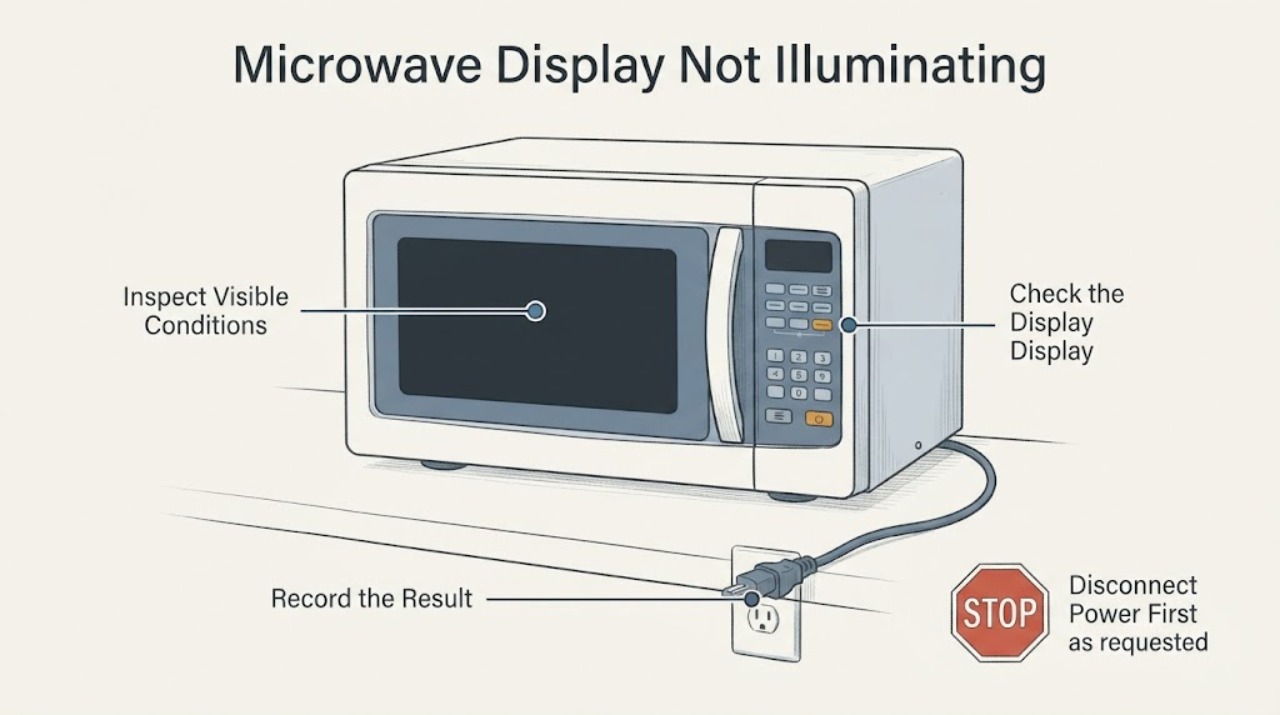
Work through in order
Diagnostic checks
Use only checks that match the exact appliance or system and its official guide.
-
Check 1
Without opening the microwave or starting a heating test, press one normal control and observe whether the keypad, timer, vent fan or surface light responds as the model normally allows.
Expected result: The appliance responds while only the clock is absent, or the display and other functions are all unresponsive.
Next step: For a responsive unit, identify the model-specific display setting. For an unresponsive unit, proceed only to the accessible power check and service boundary; do not open the cabinet.
Why this matters
Why: A responsive appliance with a missing clock is consistent with a display-off or Power Saver feature on supported models. GE's blank-display guidance treats other functions also failing as a reason for service rather than a display-setting issue.
-
Check 2
Read the complete GE model number from the rating label or paperwork and consult that model's owner manual for Display On/Off, Clock Display, Options/Settings and Power Saver instructions.
Expected result: The manual documents a display control or Power Saver, or it does not document one for the exact model.
Next step: Use only the documented control or menu path. If no feature is documented, treat a persistent dark display as a service issue rather than forcing a reset sequence.
Why this matters
Why: GE states that only some models have a clock display on/off feature and that the exact manual identifies whether the feature exists. A button combination from another GE series is not evidence for this microwave.
-
Check 3
If the exact manual documents a display control or Power Saver, use that documented control while the microwave is idle; do not use a cooking cycle as a test.
Expected result: The clock returns after the documented control, or the display remains blank even though the manual says the feature should be available.
Next step: If the display returns, monitor normal operation. If it does not, stop user troubleshooting and use the service branch; do not remove the control panel or test internal voltage.
Why this matters
Why: GE's support pages describe model-specific Display On/Off and Power Saver behavior. A failure to restore the display with the documented user control means the symptom is not resolved by that setting alone.
-
Check 4
If the microwave and its other functions are also dead, check only the accessible plug, outlet and circuit breaker/fuse according to household electrical safety; do not remove an outlet cover or microwave panel.
Expected result: The outlet/breaker is restored and the microwave returns, or accessible power is present but the microwave remains unresponsive.
Next step: If household power is restored, use the exact manual's normal clock procedure. If power is present and the microwave remains dead, disconnect it when safe and arrange service; do not bypass protection or perform live tests.
Why this matters
Why: GE's blank-display article specifically directs owners to verify power at the outlet and/or circuit breaker. Power present with a dead appliance does not identify a failed fuse, board or high-voltage component.
-
Check 5
For a display that is dim, blurry, missing segments or fading, disconnect power externally for the brief reset described by GE, then reconnect once; do not repeat the test or open the cabinet if the display does not recover.
Expected result: The display returns normally, or it remains partial, dim, blank or abnormal after the reset.
Next step: If abnormal display behavior persists, keep the microwave out of service and request qualified service. Never access the high-voltage section, internal fuse, capacitor or control wiring as a user test.
Why this matters
Why: GE says partial characters, dimming or fading are not normal and recommends a short power disconnect as a control reset; if that does not help, service is needed.
Use your observations
Decision map
Find the observation that best matches what you see, then follow the next safe action.
-
PATH 01Next step
What you see
The microwave responds to normal controls, and the exact manual documents Display On/Off, Clock Display or Power Saver.
Do this next
Use only the exact manual's documented control or menu path and monitor whether the clock returns without starting a heating cycle.
Why this path and its safety boundary
Why it matters: The dark clock can be an intentional user setting rather than a failed display; GE says the feature is model-specific.
-
PATH 02Next step
What you see
The model is one of the GE Profile, Café or Monogram families listed by GE for automatic clock dimming/blanking, and the time appears during door-open, timer or cooking operation as described.
Do this next
Use the appliance normally under the model instructions; request service if the display also becomes dim, blurry, incomplete or unavailable during the documented active states.
Why this path and its safety boundary
Why it matters: The missing standby clock is an intentional design behavior for that listed family, not proof of a failed display.
-
PATH 03Next step
What you see
The display is blank and the microwave also has no response from normal controls, vent fan or surface-light functions, with accessible household power verified.
Do this next
Disconnect power when safe and arrange qualified service. Do not open the cabinet, bypass a fuse/interlock or perform energized measurements.
Why this path and its safety boundary
Why it matters: GE's guidance treats this as outside a display-setting check; the available symptom does not identify an internal fuse, board or high-voltage failure.
-
PATH 04Next step
What you see
Characters are dim, blurry, incomplete or fading rather than simply hidden after standby.
Do this next
Stop at the external reset and arrange service if the abnormal display persists; do not diagnose or replace internal microwave electronics yourself.
Why this path and its safety boundary
Why it matters: GE says this is not a normal clock-display feature and recommends service if a brief external power reset does not correct it.
Helpful context
Understand the symptom
Separate a hidden clock from a dead microwave
Press a permitted control once and observe whether the microwave responds, without starting a cooking cycle just to test it. A clock that is absent while buttons, vent fan or surface light still work can be a display setting or Power Saver behavior. A completely unresponsive appliance, or a display that loses characters or fades, is a different service decision. GE's support guidance does not authorize opening the microwave for either symptom.
Display controls vary by model
Use the full model number and its owner manual before trying a button combination. GE says only some microwaves offer a clock display on/off feature; depending on the model it may be a Display On/Off pad, a Clock Display pad or an Options/Settings choice. The manual is also needed to tell whether a Power Saver setting is present.
Do not mistake automatic clock timeout for a failed display
Some GE Profile, Café and Monogram models listed by GE intentionally stop showing the time after standby; the time returns during a door-open period or while a timer/cooking feature is active. This is model- and family-specific, so do not transfer the timing to an unlisted GE microwave. A display that is dim, blurry or missing segments is not the same normal feature.
When checks do not resolve it
Need a professional?
Arrange qualified GE appliance service when the display remains blank after the exact model's documented setting check and accessible power check, when characters are dim/partial/fading after the brief external reset, or when the microwave has no other functions. Do not open the cabinet or perform high-voltage or live electrical tests.
Safety scope: Do not open the microwave, remove the control panel, access the internal fuse or capacitor, bypass a door interlock, or perform live voltage tests. Disconnect power externally when safe and leave persistent or all-function failures to qualified service.
Have this ready
- Provide the full model and serial, microwave type (countertop or over-the-range), whether buttons/timer/vent/surface light respond, whether the clock returns during a documented active state, the breaker/outlet result and whether characters are dim or incomplete.
Common questions
FAQ
Is a blank GE microwave clock always a failed display?
No. GE says some models intentionally turn the clock off with Display On/Off, Clock Display, Options/Settings or Power Saver, and certain listed families automatically hide the time during standby. A display that is dim, blurry or missing segments is different and is not described as normal.
Can I hold a generic GE button combination to turn the display back on?
Do not guess. GE says the feature and control vary by model, so use the full model's owner manual. Some models use a Display On/Off or Clock Display pad, while others use a documented menu or Power Saver control.
What if the microwave is completely unresponsive as well as dark?
Check only the accessible plug, outlet and breaker/fuse, as GE recommends. If power is present and the microwave remains dead, disconnect it when safe and arrange service. Do not open the cabinet or test the internal fuse, capacitor or high-voltage section.
Read the exact guide
Official sources
- Microwave - Display Goes Blank, Turns OffGE Appliances · Opened GE Appliances support article. It covers blank displays on over-the-range microwaves and explicitly distinguishes display settings, Power Saver, model-specific behavior and accessible power checks; other microwave types should follow their exact manual.
- Microwave & Advantium Oven - Clock Turns Off or Goes DimGE Appliances · Opened GE Appliances support article with an explicit model-family list. It supports only the listed families and conditions; it is not generalized to every GE microwave.
- Over-the-Range Microwave - Power Saver FeatureGE Appliances · Opened GE Appliances support article. It applies to some over-the-range models with Power Saver and is used only for the documented standby-clock behavior, not to infer that an unseen model has the feature.
- Microwave - Display Fading or Not Displaying ProperlyGE Appliances · Opened GE Appliances support article covering countertop and over-the-range microwaves. It distinguishes normal clock-off features from dim, blurry or partial characters and supports only a brief external power reset before service.
- Microwave - Clock Display On/Off FeatureGE Appliances · Opened GE Appliances support article. It says only some microwaves have the feature and describes model-dependent Display On/Off, Clock Display, older-series and countertop controls; it is not a universal button instruction.
Community feedback
Share a repair observation
Share a plain-text repair observation. Accepted observations are published automatically; this page may take a moment to update.