
On this page
Start here
Quick answer
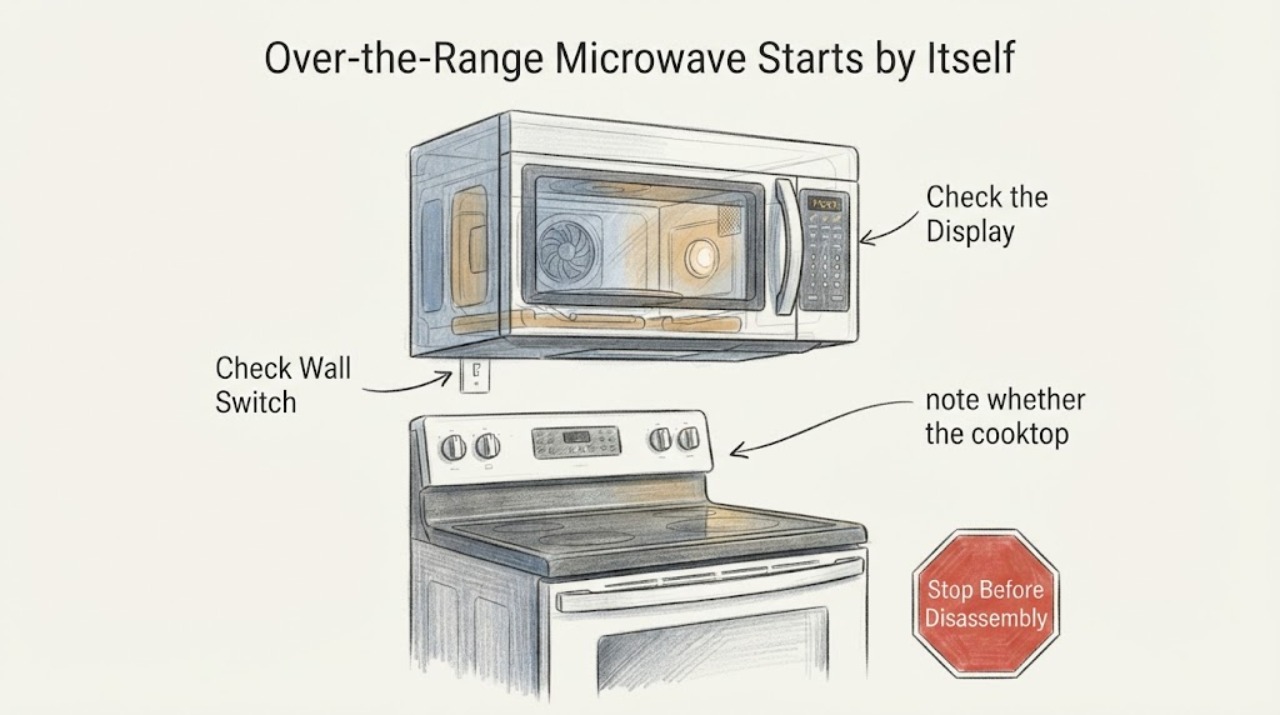
A GE over-the-range microwave that actually starts heating by itself is an unsafe malfunction. Stop using it, do not run another test, and disconnect its power only if the plug or dedicated breaker can be reached without touching a hot, smoking or energized-looking appliance; otherwise leave it alone and arrange service. GE's official guidance separates a microwave that is heating from one with only a fan or light running: fan-only operation can be a normal heat-removal response to the cooktop or oven below, while fan-and-light operation can follow an improperly seated charcoal filter or vent cover. If food or water was heating, the turntable was running with no command, the display did not show a normal timed cycle, or the behavior returns after power is restored, do not open the cabinet or test the door interlocks or high-voltage circuit. Provide the exact model and the observed sequence to GE or qualified microwave service.
Work through in order
Diagnostic checks
Use only checks that match the exact appliance or system and its official guide.
-
Check 1
If the microwave is currently running without a command, do not reach into the cavity or press random buttons. From a safe position, note whether the turntable is moving, whether a normal cook-time display is present, whether the interior light is on, and whether food or water was actually heating. Do not recreate the event by starting another cycle or running the unit empty.
Expected result: Heating already occurred, or only a fan and/or light was running with no evidence that the magnetron heated the cavity.
Next step: If heating occurred or the state is uncertain, stop and isolate power if safely accessible, then arrange service. If only the fan ran after cooking on the range, continue only with the external heat and vent-cover observations below.
Why this matters
Why: GE treats actual heating on its own as a service condition. Fan-only operation can be a normal heat-removal response, while fan-and-light operation can have a vent-cover or charcoal-filter seating explanation; sound alone cannot distinguish these states.
-
Check 2
For a confirmed self-start or any repeat of actual heating, disconnect the microwave from its accessible plug or switch off its dedicated breaker only if you can do so without reaching over a hot, smoking, sparking or otherwise hazardous appliance. Keep the door closed and do not restore power to see whether the symptom returns.
Expected result: Power can be safely isolated and the microwave remains inactive, or the power point is inaccessible or unsafe to approach.
Next step: Leave an inaccessible or hazardous unit untouched and call qualified appliance service or emergency help if there is smoke or fire. Do not open the cabinet, remove the control panel, or probe the high-voltage section.
Why this matters
Why: GE's guidance says to unplug a microwave that is heating on its own and contact service. An over-the-range installation may have a less accessible connection, so an owner should not remove mounting panels or reach into wiring to isolate it.
-
Check 3
If only the vent fan is running, note whether the cooktop or oven below was recently used, is still hot, or has been used repeatedly. Do not treat a fan-only sound as microwave heating and do not block the ventilation path.
Expected result: Heat is present below the microwave, or the fan starts with no recent cooktop/oven heat and the behavior persists.
Next step: For heat-related fan operation, allow the appliance to cool while keeping the ventilation path clear. For unexplained or persistent fan operation, disconnect power if safe and request service rather than opening the unit.
Why this matters
Why: GE says heat from the cooktop or oven can start the vent fan and that it can run for up to two hours while cooling components. A fan that starts without the documented heat condition or never stops needs the model-specific manual or service assessment.
-
Check 4
If the fan and interior light are on but the microwave did not heat, inspect only the accessible vent cover and charcoal-filter area. If the exact model manual permits user access, verify that the filter is seated and the cover sits flush with no gap; do not remove the outer cabinet or adjust door switches.
Expected result: The filter or vent cover is visibly mis-seated, or it is correctly seated and the fan/light condition remains.
Next step: Correct only the accessible filter/cover seating described for the exact model. If the cover cannot sit flush or the fan/light starts again, disconnect power and arrange service; do not force the door or open the cabinet.
Why this matters
Why: GE says an improperly installed charcoal filter can make the vent cover sit askew and slightly obstruct door closure, which can make the light and fan come on. This guidance does not establish a heating-circuit, door-switch or control-board failure.
-
Check 5
Record the exact model and serial label, installation type, whether the turntable/fan/light ran, whether food or water heated, what the display showed, when the event began, and whether power isolation stopped it. Give these details to GE or a qualified microwave technician.
Expected result: The model is available and the event is documented, or the exact model and behavior remain unknown.
Next step: Keep the microwave out of service after a self-start. Use the exact owner's manual and authorized/qualified service route; do not buy or install a door switch, relay, touchscreen or control board based on the symptom alone.
Why this matters
Why: GE's published advice is behavior-dependent, and the door uses multiple safety interlocks. Without the model and a clear heating-versus-fan observation, no internal component or safe repair can be selected.
Use your observations
Decision map
Find the observation that best matches what you see, then follow the next safe action.
-
PATH 01Next step
What you see
The turntable moved and food or water became warm without a commanded cycle, or the user cannot tell whether the microwave was heating.
Do this next
Do not repeat the test. Disconnect power only when safely accessible, keep the microwave out of service, and arrange qualified repair or replacement assessment without opening the cabinet.
Why this path and its safety boundary
Why it matters: This is an unsafe self-start condition under GE's own distinction; it is not explained by normal over-the-range fan cooling.
-
PATH 02Next step
What you see
Only the vent fan ran after the cooktop or oven below was hot, with no warm food or water and no commanded microwave cycle.
Do this next
Let the lower cooking area and microwave cool while keeping the vent path clear. Request service if the fan starts without heat, persists unusually, or is accompanied by light, turntable or heating behavior.
Why this path and its safety boundary
Why it matters: GE describes this as a possible normal cooling function that can continue for up to two hours; it does not prove a microwave heating fault.
-
PATH 03Next step
What you see
The fan and light ran without heating, and the charcoal filter or vent cover is visibly mis-seated after accessible filter work.
Do this next
Reseat the filter and cover only as the exact model's instructions permit. If the condition remains, isolate power safely and schedule service; do not adjust or bypass the door mechanism.
Why this path and its safety boundary
Why it matters: GE documents this external seating condition as a possible cause of fan-and-light operation by slightly obstructing door closure; it does not prove an interlock or board defect.
-
PATH 04Next step
What you see
The microwave is over the range, self-started more than once, or the behavior returns after power is restored.
Do this next
Keep the unit disconnected and provide GE/service with the full model, display state and observed heating behavior. Do not open the cabinet, test interlocks, or use the appliance as a monitored experiment.
Why this path and its safety boundary
Why it matters: Repeated unattended operation is outside a normal user setting decision. The Reddit report confirms the exact topic context but its community guesses do not identify a universal failed part.
Helpful context
Understand the symptom
First decide whether the microwave was heating or only cooling itself
An over-the-range microwave can sound or look active when its vent fan is removing heat from the cooktop or oven below. GE's opened guidance treats fan-only operation differently from a running heating mechanism and from fan-and-light behavior caused by an improperly seated charcoal filter or vent cover. The supplied topic has no exact model, so this page uses the observed behavior rather than a copied keypad sequence.
Actual unattended heating is the stop condition
If the turntable was moving and food or water became warm without a commanded cycle, treat the event as an unsafe appliance fault. Do not place a cup or ice cube inside and deliberately let the microwave run to reproduce it; GE's published test is not a reason to repeat a self-starting event in a home. Disconnect power when it is safe to do so, keep the unit out of service, and let qualified service evaluate it without cabinet access by the owner.
When checks do not resolve it
Need a professional?
Immediately for actual unattended heating, a moving turntable with no command, smoke, burning odor, sparking, arcing, unusual heat, or a damaged door or cord., When the appliance is hardwired or its breaker is inaccessible without reaching over the unit, or when power cannot be isolated safely., When fan-only or fan-and-light operation persists without the documented cooktop/oven heat or accessible filter/cover explanation., Before opening the cabinet, removing the control panel, testing or replacing door interlocks, probing high-voltage parts, or bypassing any safety device.
Common questions
FAQ
Is a fan running by itself the same as the microwave heating?
No. GE says heat from the cooktop or oven below can start the over-the-range vent fan, and it may run while cooling components. Actual heating of food or water, or an uncertain state, is a stop-use and service condition.
Should I put a cup of water inside to see whether it is heating?
Do not deliberately reproduce an unattended self-start in a home. If heating already occurred, keep the microwave out of service and contact qualified service. GE's published diagnostic distinction does not override the safety decision to stop repeating an uncontrolled event.
Can I replace the door switch or control board myself?
No. GE identifies multiple door safety interlocks and a monitor switch, and the microwave cabinet contains hazardous electrical sections. This article stops at external observations and power isolation; use GE or qualified microwave service for interlock, control, relay or high-voltage work.
What does the over-the-oven installation change?
It makes fan-only heat removal more plausible because the cooktop or oven is directly below, but it also can make the plug or breaker less accessible. It does not make unattended heating safe or justify reaching behind the unit; isolate power only if it is safely accessible and otherwise call service.
Read the exact guide
Official sources
- Over-the Range Microwaves - Vent Fan Coming On When Plugged InGE Appliances · Supports the installation-specific fan behavior and service boundary; it does not authorize an owner to open the microwave or diagnose self-heating.
- Microwave started running by itself!Reddit r/Appliances · Exact Reddit post used as an anecdotal case for the GE over-the-oven self-start context; comments are mixed and do not establish a repair diagnosis.
- Microwave - Door DesignGE Appliances · Supports the no-owner-repair boundary for an unidentified GE microwave; it does not provide a model-specific interlock test or repair procedure.
- Microwave - Starting On Its OwnGE Appliances · Official GE family-level guidance for over-the-range microwaves; no exact model was supplied, so only the heating-versus-fan distinction and service boundary are used.
Community feedback
Share a repair observation
Share a plain-text repair observation. Accepted observations are published automatically; this page may take a moment to update.