
On this page
Start here
Quick answer
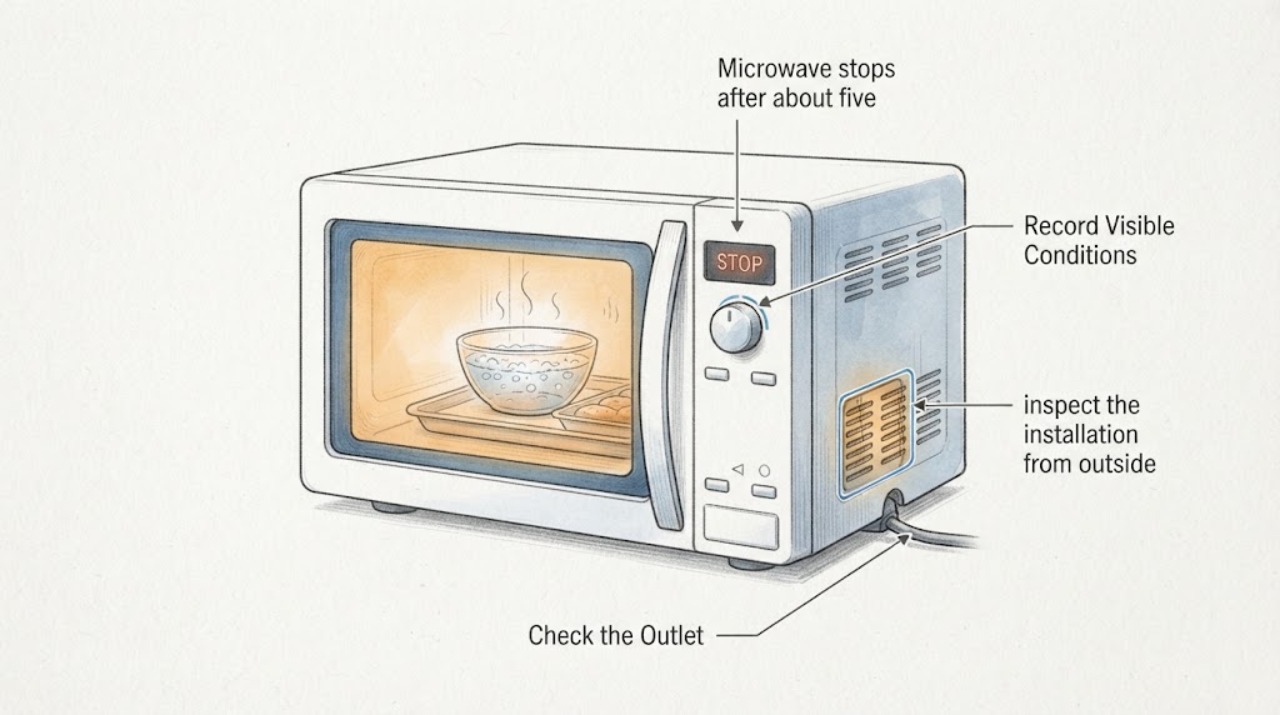
A GE GCST10A1WSS that stops after about five minutes has not been proven to have a failed thermal cutoff by the timing alone. This is a 1.0-cu.-ft. countertop model using the GCST10A1 family manual, rated at 1,050 watts of cooking power. First record whether the countdown finished with the normal Food is ready reminder, whether an Insert Food/FOOD message appeared, whether the display and cavity light went dark, and whether the household breaker or outlet changed. With the microwave off and cool, check its external clearances: at least 3 inches at each side, 3 inches above, 1 inch behind, and no obstruction underneath. GE says blocked ventilation or extended cooking can cause an overheated microwave to stop and may allow power to return after about 30 minutes. A single recovery after clear vents is only consistent with possible overheat protection; no recovery, repeated shutdown, a breaker trip, smoke, burning odor, sparks, or abnormal heat means stop and arrange qualified appliance or electrical service. Do not run it empty, open the cabinet, bypass thermal protection, or perform energized electrical tests. When heating water during otherwise normal use, stir before and halfway through heating and let it stand before removal because superheated water can boil over unexpectedly.
Before you begin
Safety first
- Do not open the microwave cabinet, access high-voltage components, bypass or bridge thermal protection, run an empty cavity, repeat a sparking or overheating test, or perform energized electrical tests. Stop immediately for smoke, burning odor, arcing, abnormal heat, a hot or damaged cord or outlet, water near electrical parts, or a damaged door.
Work through in order
Diagnostic checks
Use only checks that match the exact appliance or system and its official guide.
-
Check 1
From the accessible rating label and GE Owner Center, confirm GCST10A1WSS, the complete suffix, and that the appliance is a countertop unit. Record the food or water load, selected mode and power level, the programmed time, and the exact time and display message when the event occurred.
Expected result: The label and control layout match GCST10A1WSS and the event occurred during a counted cook, or the model suffix/layout differs or the event was only a completed program/reminder.
Next step: Use the exact model manual for the matching unit. If the identity differs, stop applying this model-specific interpretation and request model-specific support; do not choose a replacement component from the timing alone.
Stop if: Do not remove any cover, touch wiring, or deliberately repeat the event to obtain a component diagnosis.
Why this matters
Why: An exact identity makes the GCST10A1 manual and its clearance, control, and water-safety instructions applicable. A different label or a completed countdown means the suspected thermal cutoff has not been established for this topic.
-
Check 2
Without restarting the microwave, classify the state at the stop: note whether the countdown reached zero, whether Food is ready or Insert Food/FOOD appeared, whether the display and clock remain visible, whether the interior light and keys respond normally, and whether the accessible household breaker or outlet changed.
Expected result: The timer completed and the normal ready reminder appeared; FOOD/Insert Food appeared; the display and light went dark; or the display stayed active while heating stopped.
Next step: Follow the matching branch below. If the unit is completely dark, make only one check of the dry, accessible outlet/switch/breaker state; if it is still dead with stable household power, arrange service.
Stop if: Do not use an empty cavity, repeated Start presses, or an energized test to reproduce the symptom.
Why this matters
Why: A completed timer or documented food reminder is not the same evidence as mid-cycle loss of power. A fully dark unit points toward supply or appliance power/overheat investigation, while a lit control panel with slow or stopped heating can also reflect mode, load, cookware, or cooling behavior.
-
Check 3
With the microwave switched off and cool, inspect the installation from outside only. Compare the space around the case with the manual's minimum 3-inch side clearances, 3-inch top clearance, 1-inch rear clearance, and unobstructed underside; remove only an obvious external item covering a vent or opening.
Expected result: Packaging, a wall, or nearby objects block one of the specified clearances, or all listed clearances and openings are already clear.
Next step: Correct only the obvious external obstruction while keeping the unit countertop-supported. Allow the microwave to cool for about 30 minutes before one normal, supervised use; if it stays dead or the event recurs, stop and arrange qualified service.
Stop if: Do not move a built-in installation, remove case panels, bypass a thermal protector, or keep restarting a unit that overheats or trips.
Why this matters
Why: Blocked airflow can contribute to overheating and heat cycling. Clear external space makes that explanation less likely, but it cannot confirm or rule out an internal thermal device or another part.
-
Check 4
If a five-minute message was shown, read it exactly rather than labeling it a cutoff. Compare FOOD or Insert Food with the manual's normal completion message, and note whether the cavity actually contained the frozen meal or water when the normal program was started.
Expected result: The display says FOOD/Insert Food, the display says Food is ready after the countdown, or the display went blank before the programmed time ended.
Next step: Do not run the microwave empty or repeatedly test the protection timer. Use normal food-present operation only after the unit has recovered and the external installation is safe; persistent blanking or shutdown requires service.
Stop if: Do not bypass the reminder, defeat thermal protection, or open the microwave to locate a fuse or cutoff.
Why this matters
Why: FOOD/Insert Food can be the model's empty-operation protection reminder; Food is ready indicates completion. A blank display before completion is not explained by those reminders and needs the power/overheat branch.
-
Check 5
For any later normal water heating, use a suitable open container and follow the manual's liquid precautions: stir before and halfway through heating and let it stand before removal. Separately record whether the earlier frozen meal was merely slow, whether the selected power level was lower than HI, and whether any odor, spark, smoke, or abnormal heat occurred.
Expected result: Heating is normal with the intended load and mode; cooking is slow; or there is burning odor, arcing/sparking, smoke, a hot cord/outlet, or abnormal heat.
Next step: For a non-hazardous slow cook, compare the mode and load with the exact manual. For any hazardous sign, stop immediately, isolate power only from a safe position if necessary, and arrange qualified appliance service; use electrical service for a hot, damaged, or repeatedly tripping supply.
Stop if: Do not perform an empty-load test, use metal or unsuitable thermometers in microwave mode, repeat a sparking or overheating run, or perform energized electrical testing.
Why this matters
Why: Food quantity, density, cookware, power level, and airflow can affect cook time, but hazardous signs are not a normal load difference and cannot identify a safe user-replaceable part.
Use your observations
Decision map
Find the observation that best matches what you see, then follow the next safe action.
-
PATH 01Next step
What you see
The countdown reaches zero and the display gives the normal Food is ready reminder, or the machine stops heating while its controls remain active and no hazard is present.
Do this next
Open the door or use the manual's normal Cancel/Off behavior after completion. For unexpectedly slow or interrupted heating, record mode, power level, load, and display state and arrange service if it persists.
Why this path and its safety boundary
Why it matters: The first pattern is normal program completion. The second can reflect selected power cycling, load/cookware behavior, or cooling rather than proof of a thermal cutoff; the timing alone does not identify a part.
-
PATH 02Next step
What you see
The display and interior light went dark before the programmed time, the accessible outlet remains normal, external clearances are clear, and the unit returns once after being left off for about 30 minutes.
Do this next
Keep the microwave countertop-supported with the documented clearances and monitor only one normal use. If it shuts down again or fails to recover, leave it off and arrange qualified appliance service.
Why this path and its safety boundary
Why it matters: GE documents overheating after several minutes or inadequate clearance as a possible reason for a shutdown, with power returning after a cooling period. This supports only a possible temporary overheat condition, not a confirmed thermal-cutoff component.
-
PATH 03Next step
What you see
The display is blank and the accessible outlet or breaker is dead, damaged, or trips again; or the outlet is stable but the microwave remains completely dead.
Do this next
Leave the microwave off. Arrange qualified electrical service for a dead, damaged, hot, or repeatedly tripping circuit, and appliance service when household power is stable but the microwave remains dead.
Why this path and its safety boundary
Why it matters: A household supply/protective-device issue is more likely when the circuit changes. A stable supply with a dead appliance is a service condition, not a reason to open the cabinet or name a fuse.
-
PATH 04Safety boundary
What you see
The microwave does not recover after one cooling period, repeats the shutdown with clear external vents, or shows smoke, burning odor, sparks/arcing, abnormal heat, or a hot/damaged cord or outlet.
Do this next
Stop using it, keep people away from the appliance, and arrange qualified appliance service; seek electrical service for the supply. For active smoke or fire, leave the area and contact emergency services from a safe location.
Why this path and its safety boundary
Why it matters: The documented temporary-overheat explanation is no longer sufficient, and the hazard pattern requires a professional safety assessment.
Safety stop: Do not restart to reproduce the event, run it empty, remove the cabinet, access high-voltage parts, bypass thermal protection, or perform energized electrical tests.
Helpful context
Understand the symptom
What the five-minute timing does and does not show
GCST10A1WSS is the exact GE countertop model, while the linked GCST10A1 manual is the operating reference for this family. A stop at roughly five minutes is a symptom, not a component identification. If the display reaches the programmed end and shows the manual's Food is ready reminder, the oven completed the program. If it shows FOOD or Insert Food, that is a documented protection message used on some GE models to discourage empty operation. A display that goes dark during a live countdown, especially with a breaker change, is a different branch from a normal completion or reminder.
Why airflow and the load matter
The manual requires open external ventilation around this countertop unit: 3 inches on both sides, 3 inches on top, 1 inch at the rear, and no obstruction below. GE explains that the magnetron needs airflow and can cycle off when heat is not removed; the food amount, density, cookware, and selected power level can also make heating appear slow. These facts support checking the outside installation and the recorded cooking mode, but they do not prove that a thermal cutoff or another internal part has failed. Do not use an empty cavity as a test load.
Boiling water needs a separate handling precaution
For normal use that includes heating water, follow the manual's superheated-liquid warning: stir before heating and halfway through, avoid a narrow-neck straight-sided container, and let the container stand before moving it. This is a burn-prevention measure, not a way to reproduce the shutdown. If there is a burning smell, visible spark or arcing, smoke, a hot or damaged cord or outlet, or abnormal heat, stop using the microwave rather than trying another meal or water test.
When checks do not resolve it
Need a professional?
Arrange qualified appliance service if the microwave stays dead after one stable accessible-supply check and one cooling period, shuts down again with clear external ventilation, or shows unexplained loss of heating. Arrange qualified electrical service for a dead, hot, damaged, or repeatedly tripping outlet, breaker, cord, or circuit.
Safety scope: Do not open the microwave cabinet, access high-voltage components, bypass or bridge thermal protection, run an empty cavity, repeat a sparking or overheating test, or perform energized electrical tests. Stop immediately for smoke, burning odor, arcing, abnormal heat, a hot or damaged cord or outlet, water near electrical parts, or a damaged door.
Have this ready
- Provide GCST10A1WSS, the complete rating-label suffix and serial information, countertop clearances, food or water load, mode and power level, programmed and actual stop times, exact display message, whether the display and cavity light stayed active, breaker/outlet behavior, and any odor, spark, smoke, or abnormal heat.
Common questions
FAQ
Does stopping after five minutes prove that the thermal cutoff failed?
No. The time alone does not identify a component. First distinguish a completed countdown or FOOD/Insert Food protection message from a mid-cycle dark display, then check external clearances and whether one cooling period restores power. Repeated shutdown or no recovery needs service.
What clearances does the GE GCST10A1WSS need?
The linked GCST10A1 manual specifies at least 3 inches at both sides, 3 inches above, 1 inch behind, and no obstruction underneath, with openings not covered or blocked. Inspect these from outside with the microwave off and cool.
What does Insert Food or FOOD mean on this GE microwave?
GE says some models use a built-in five-minute protection timer to discourage operation without food. Treat the exact message as a documented reminder, not as proof that an internal thermal cutoff failed, and do not run the cavity empty to test it.
Is it safe to keep boiling water in the microwave?
For normal use, follow the manual's superheated-water warning: stir before and halfway through heating, avoid a narrow-neck straight-sided container, and let the liquid stand before removal. If the appliance also sparks, smells burnt, smokes, or becomes abnormally hot, stop using it and arrange service.
Read the exact guide
Official sources
- Microwave - Food Appears in Control Panel DisplayGE Appliances · Official GE explanation of the FOOD/Insert Food protection message; exact control behavior remains model-specific.
- User Manual & Care for GCST10A1WSSGE Appliances · Exact GE Owner Center page for the assigned model; it identifies GCST10A1WSS and links the model-specific owner's manual.
- Microwave - Power is OffGE Appliances · GE's official support guidance for microwaves that shut down during cooking; it is used for the overheat/recovery distinction, not for identifying an internal part.
- GE 1.0 Cu. Ft. Capacity Countertop Convection Microwave Oven with Air Fry GCST10A1WSSGE Appliances · Exact GE product page for the assigned model; it confirms the product and model identity.
- Microwave - Food Taking Too Long to CookGE Appliances · Official GE troubleshooting guidance for slow or interrupted heating; used only for load, cookware, power-level, and airflow distinctions.
- Microwave - Precaution (Operating Empty)GE Appliances · Official GE safety guidance applicable to microwave operation; used to prohibit empty-load reproduction and to explain the protection behavior boundary.
- GCST10A1 Microwave Oven Owner's Manual, 49-7000258 Rev. 2GE Appliances · Official PDF reached through the exact GCST10A1WSS support page; it supplies the model-family installation, 1,050-watt cooking-power, operation, water-safety, empty-operation, and service warnings.
Community feedback
Share a repair observation
Share a plain-text repair observation. Accepted observations are published automatically; this page may take a moment to update.