
On this page
Start here
Quick answer
Treat a locked GE Café CCHS900P4M1W2 door after self-clean as a heat-and-lock safety state first, not as a latch to force. Cancel the function if the controls respond, keep the door closed, and let the oven cool completely below its unlocking temperature. GE's Café manual says the door remains locked after self-clean until it cools, and its troubleshooting table says to allow the oven to cool for a function error; GE's public code list does not publish a model-specific meaning for Fault 910, although it places F9/FC in the door-lock circuit. Once fully cool and safe, use only the manual's Cancel/Off and one normal power reset; do not restart self-clean to test the lock, insert tools, or pry the door. If Fault 910 returns or the door remains locked after the documented reset, leave the range off and arrange qualified GE/Café service.
Before you begin
Safety first
- Let the oven cool completely before any user-level inspection. Do not force or bypass the door lock, insert tools, restart self-clean to test Fault 910, remove panels, probe live wiring, or operate with smoke, burning odor, sparks, damaged power connections, or repeated breaker trips.
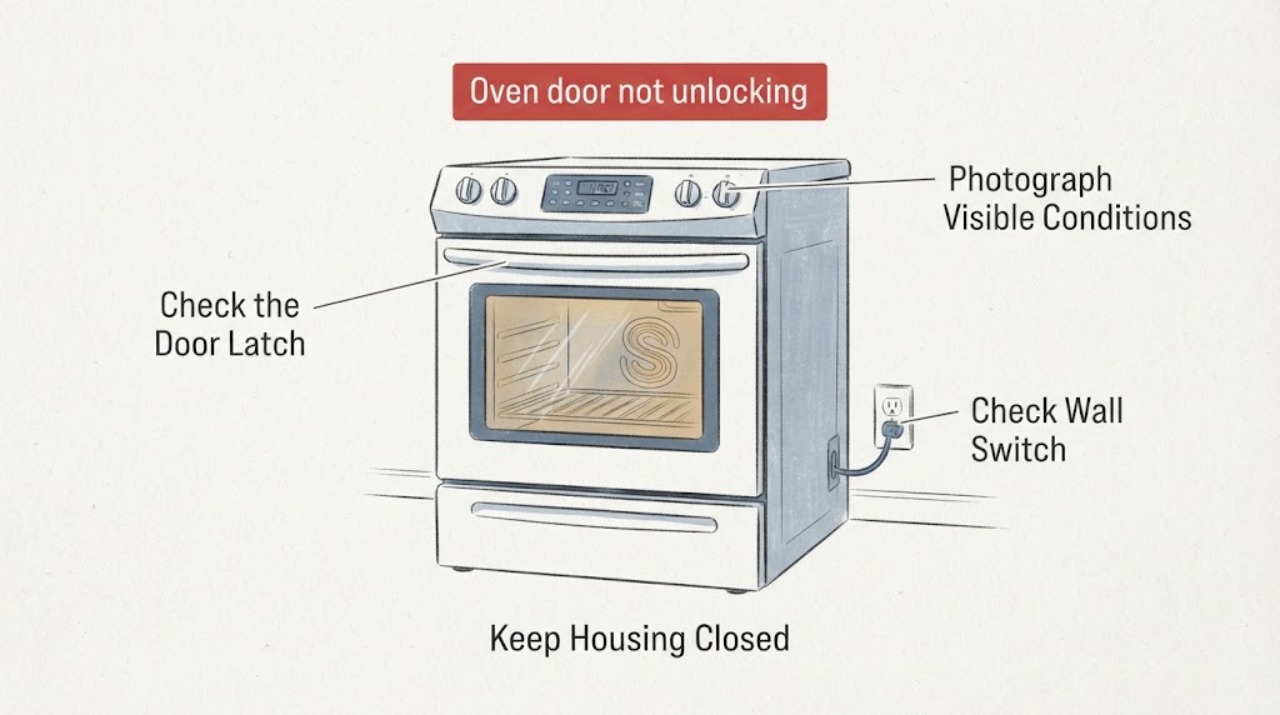
Work through in order
Diagnostic checks
Use only checks that match the exact appliance or system and its official guide.
-
Check 1
Stop the self-clean or other oven operation with Cancel/Off only if the controls respond normally. Keep the door closed, keep people away from the hot front, and do not touch or move the latch while the oven is hot. If there is smoke, flame, a burning electrical smell, or a damaged power connection, leave the area and use the appropriate emergency or electrical response.
Expected result: Record whether the oven is still hot, the LOCKED indicator remains on, the cooling fan is running, smoke or unusual odor is present, and whether the display says Fault 910, Unlock Door, or another message.
Next step: Leave the oven undisturbed and allow complete cool-down. For fire or dangerous smoke, leave and contact emergency services; do not open the door to investigate.
Stop if: Do not pry, pull, drill, insert a tool, restart self-clean, or repeatedly press controls while the oven is hot or the latch is engaged.
Why this matters
Why: A locked door during or immediately after self-clean can be normal thermal protection. Smoke, fire, electrical damage, or a rapidly worsening condition is not an unlock troubleshooting branch.
-
Check 2
After the oven has cooled completely, transcribe the entire display and photograph it before clearing anything. Include the full model and serial label, Fault 910 punctuation or spacing, any Unlock Door or LOCKED text, whether the error appeared during self-clean cancellation or after the cycle ended, and whether the door is physically flush.
Expected result: The display shows Fault 910 only, a separate Unlock Door message, a generic F-code, a hot or locked status, or a different code after power returns.
Next step: Match the full display to the exact CCHS900P4M1W2 manual or GE/Café support record. Keep the range off if the code is recurring, unlisted, or contradictory.
Stop if: Do not assume Fault 910 means a specific lock assembly, control board, or sensor without model-specific diagnosis.
Why this matters
Why: GE's public code summary identifies Unlock Door as a post-self-clean unlock condition and F9/FC as door-lock-circuit areas, but it does not publish every code for every model. An incomplete or different display must not be mapped to a part from a generic chart.
-
Check 3
Only when the oven is fully cool, no food or utensil is trapped, and the exact manual permits it, perform one normal electronic reset: switch off the range's supply at the household breaker for 30 seconds, restore power, and wait for the control to initialize. Do not repeat the reset or use it while smoke, heat, or exposed wiring is present.
Expected result: The door unlatches after cool-down without a reset, unlatches after the single reset and Fault 910 does not return, or remains locked/returns Fault 910 immediately.
Next step: If the door opens and the code stays away, keep self-clean disabled until the exact manual and service guidance are checked. If the door stays locked or Fault 910 returns, leave the range off and arrange qualified service.
Stop if: Do not cycle the breaker repeatedly, run another self-clean cycle, cook with a recurring lock fault, or remove covers to reach the latch.
Why this matters
Why: A one-time recovery can indicate a control state that cleared, but it does not prove the latch motor, position feedback, wiring, or control is healthy. A returning code is a service condition.
-
Check 4
With power isolated only from a dry, safe location and the oven completely cool, inspect the visible door edge, gasket, latch area, and control panel for an object, bent trim, displaced gasket, impact damage, or a latch that is visibly out of alignment. Do not reach behind the panel or attempt to move the lock mechanism.
Expected result: The door is visibly obstructed or damaged, the gasket is displaced, the latch does not align with the door, the control is damaged, or everything visible looks normal but the lock fault persists.
Next step: Remove only loose debris that is plainly reachable without tools and only after the range is cool. Leave the range off and request model-specific service for damage, misalignment, or a persistent code.
Stop if: Do not bend the latch, insert a tool into the gap, remove the control panel, bypass the lock switch, or touch live wiring.
Why this matters
Why: A visible obstruction or alignment issue can prevent the lock from reaching its expected state, but an apparently normal exterior does not clear the lock motor, switch, wiring, or control. GE's public F9/FC description is a circuit area, not a part confirmation.
-
Check 5
Prepare the service record rather than selecting a part: provide the exact model and serial, complete Fault 910 display, self-clean duration and cancellation point, cool-down result, one reset result, lock indicator behavior, door alignment, smoke or odor history, and whether the cooktop and oven controls are otherwise responsive.
Expected result: Fault 910 returns after every reset, the lock never releases after complete cool-down, a different fault appears, the display is blank, or the lock releases but the oven will not operate normally.
Next step: Keep the range off and arrange qualified GE/Café appliance service. Ask the provider to verify the exact model's lock mechanism, position feedback, wiring/connectors, and control before quoting a part.
Stop if: Do not approve a lock, control, sensor, or harness replacement solely from Fault 910 or from a third-party code table.
Why this matters
Why: The record helps a technician separate a normal thermal lock state from a persistent door-lock circuit, control, wiring, or related internal fault. The public code list cannot select a compatible replacement from 910 alone.
Use your observations
Decision map
Find the observation that best matches what you see, then follow the next safe action.
-
PATH 01Next step
What you see
The oven is still hot or the LOCKED light remains on immediately after self-clean, with no smoke, fire, or electrical hazard.
Do this next
Keep the door closed, cancel only if the controls respond, and wait for complete cool-down before attempting the documented unlock or reset. Do not force the latch.
Why this path and its safety boundary
Why it matters: The lock may be operating as intended: GE says an automatic self-clean lock remains engaged until the oven cools below its unlocking temperature.
-
PATH 02Next step
What you see
The oven is fully cool, the door opens after Cancel/Off or one documented 30-second power reset, and Fault 910 does not return.
Do this next
Record the event, verify the exact manual before using self-clean again, and arrange service if the door, display, or controls behave abnormally.
Why this path and its safety boundary
Why it matters: A thermal or transient control state may have cleared; this does not prove that a latch or control fault cannot recur.
-
PATH 03Safety boundary
What you see
The oven is completely cool but remains locked, or Fault 910 returns after the single safe reset or after the next control initialization.
Do this next
Leave the range off and arrange qualified GE/Café service with the exact display and model. Do not attempt a manual release or order a lock assembly from the code alone.
Why this path and its safety boundary
Why it matters: This is no longer explained by ordinary self-clean cool-down. A door-lock circuit, latch motor or position switch, wiring, or electronic control issue is possible; GE's public list does not identify which component.
Safety stop: No forced latch, coat hanger, screwdriver, cabinet removal, lock bypass, or live electrical testing.
-
PATH 04Next step
What you see
The latch, gasket, door edge, or control panel has visible damage or the door does not sit flush even after cool-down.
Do this next
Keep the range off and request service. Remove only loose debris that is plainly reachable without tools; do not bend, lubricate, or manually move the latch.
Why this path and its safety boundary
Why it matters: A physical alignment or damage condition can prevent the lock from reaching its commanded state and needs model-specific inspection before operation.
-
PATH 05Safety boundary
What you see
Smoke, flame, burning electrical odor, sparking, a hot or damaged power connection, or a repeated breaker trip occurs with the locked door or Fault 910.
Do this next
Leave the area for active fire or dangerous smoke and contact local emergency services. Otherwise isolate power only from a dry safe location and arrange qualified electrical/appliance service.
Why this path and its safety boundary
Why it matters: This is an electrical, fire, or heat emergency rather than a door-unlock troubleshooting branch.
Safety stop: Do not open the hot door, pull a wet or damaged plug, reset the breaker repeatedly, or restart self-clean.
Helpful context
Understand the symptom
Fault 910 is being reported here on a Café range after self-clean, but GE's public consumer code table does not provide a separate 910 definition for this exact model. The safe interpretation is narrower: the door-lock system has not reached the expected state, while heat may still make the lock intentionally unavailable. Let the oven become fully cool first; do not pry the latch or use a coat hanger, screwdriver, or other tool through the door gap.
The opened Café owner manual is for the closely matching CCHS900P4MW2 family page; the task model is CCHS900P4M1W2. Use the complete rating-label model and exact regional manual before any control sequence. The manual supports the cool-down and function-error boundary, not internal lock repair by the owner.
Only after diagnosis
Potential parts
- door-lock or latch assembly
Consider only after a qualified technician confirms that the lock mechanism or position feedback is the failed element for this exact model.
Fault 910 alone does not identify a compatible lock; verify the complete model, revision, connectors, and service diagnosis before ordering. - door-lock wiring or electronic control
Consider only if model-specific testing shows the latch is mechanically sound but its wiring, connector, or control input is faulty.
Do not substitute a control, harness, or sensor from a similar Café range based on a generic F9, FC, or Fault 910 table.
When checks do not resolve it
Need a professional?
Call qualified GE/Café service for a lock that remains engaged after complete cool-down and one documented reset, a returning Fault 910, visible latch or door damage, a blank or abnormal display, or any need to access the lock motor, switch, wiring, or control.
Safety scope: Let the oven cool completely before any user-level inspection. Do not force or bypass the door lock, insert tools, restart self-clean to test Fault 910, remove panels, probe live wiring, or operate with smoke, burning odor, sparks, damaged power connections, or repeated breaker trips.
Have this ready
- Provide CCHS900P4M1W2, the full serial and market suffix, exact Fault 910 display, self-clean start and cancellation point, cool-down result, lock indicator, Cancel/Off result, one 30-second power-reset result, and any smoke, odor, heat, or breaker symptom.
Common questions
FAQ
Is Fault 910 officially defined for the GE Café CCHS900P4M1W2?
GE's public common-code table does not list a separate 910 entry for this exact model. It lists F9 and FC as door-lock-circuit areas and says the summary is not exhaustive. Treat the locked door after self-clean as a safety and service condition, and use the exact model manual and technician diagnosis rather than guessing a part.
How long should I wait before trying to open the GE Café oven door?
Wait until the oven is completely cool and below its unlocking temperature. GE's Café manual says the door remains locked after self-clean until it cools, and its general guidance warns not to force the latch. Do not use a fixed time as permission to pry a still-hot or locked door.
Can I flip the breaker to clear Fault 910?
Only after the oven is completely cool, no safety symptom is present, and the exact manual permits it. GE's general post-clean guidance allows one 30-second power disconnect/reconnect attempt. If the door remains locked or Fault 910 returns, stop resetting and arrange service.
Can I start self-clean again to release the door?
Do not restart self-clean merely to test or force an unlock when Fault 910 is present. Keep the door closed while hot, follow the exact manual's cool-down and reset steps once, and use qualified service if the lock does not release.
Read the exact guide
Official sources
- Café Induction Slide-In Range Owner's ManualCAFÉ appliances Canada · Official manual opened from the matching Café product page; the exact CCHS900P4M1W2 suffix and market should be confirmed before applying controls.
- Café CCHS900P4MW2 Induction RangeCAFÉ appliances Canada · The opened Canadian Café product page is the closely matching CCHS900P4MW2 family page; the task model is CCHS900P4M1W2, so the exact rating label and regional manual must control final procedures.
- Range & Wall Oven - Locking the Oven Door for Self-CleaningGE Appliances · General GE self-clean lock guidance used only for the safe cool-down boundary; exact Café controls and regional model manual remain controlling.
- Range & Wall Oven - Oven Error, Fault or Function CodesGE Appliances · Used to establish that GE's public summary is incomplete, that F9/FC are door-lock-circuit areas, and that a recurring code needs service; it is not used to claim that public GE maps Fault 910 exactly.
- Range - Oven Door Won't UnlockGE Appliances · General GE range and wall-oven guidance used for the one-time post-cool-down power reset and service boundary; the exact Café manual controls model-specific steps.
Community feedback
Share a repair observation
Share a plain-text repair observation. Accepted observations are published automatically; this page may take a moment to update.