
On this page
Start here
Quick answer
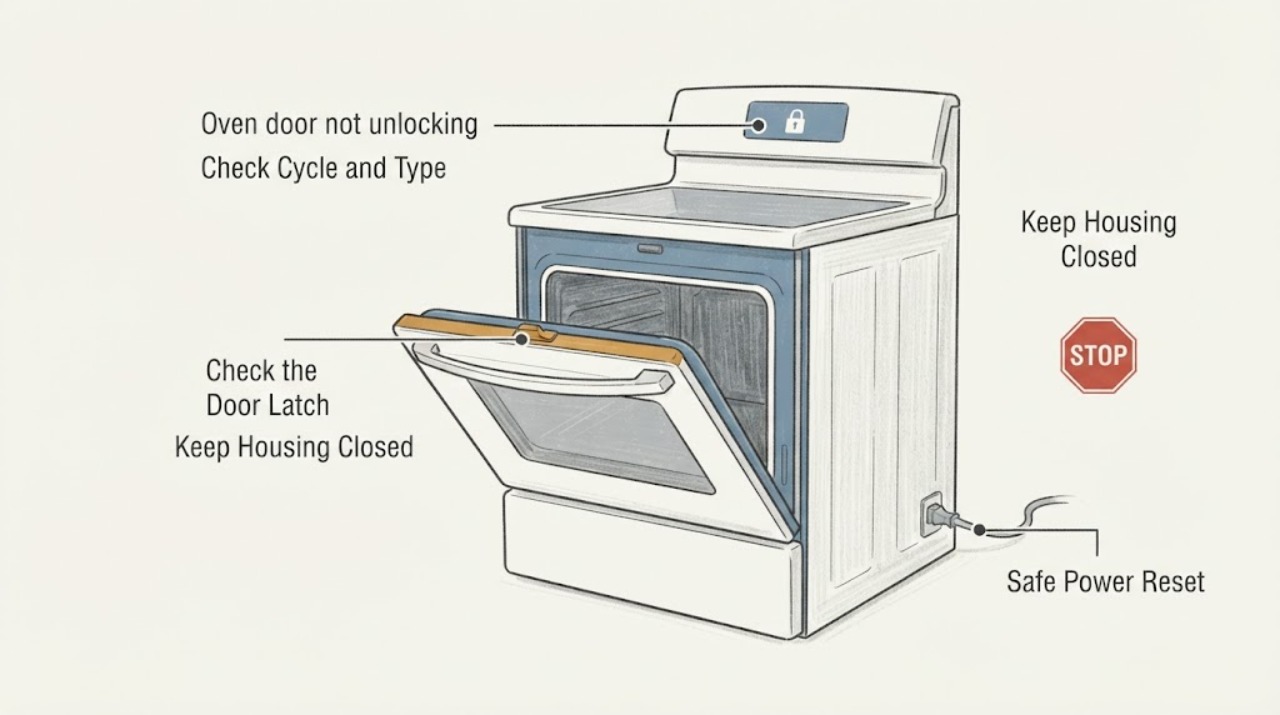
Do not force, pry or bypass a GE oven latch. A GE range or wall-oven door is expected to remain locked during self-clean until the oven cools; models may use a manual mechanical latch or an automatic lock. If the oven was baking or cleaning, press Clear/Off when the model allows it and let the oven cool fully before trying the handle. If no food or utensils are inside and the door remains locked after cooling, GE describes a model-dependent short self-clean/reset path and a 30-second power disconnect/reconnect; follow the exact Owner’s Manual and use only a safe, dry accessible disconnect. A Control Lock may disable the keypad without being the physical door lock. If the door remains locked, the latch feels jammed, the oven is hot, there is smoke or a fault, stop and arrange GE service.
Work through in order
Diagnostic checks
Use only checks that match the exact appliance or system and its official guide.
-
Check 1
Read the display and note whether Self-Clean is active/recently completed, Bake/Broil was active, or the oven is already cool. Press Clear/Off only if the exact model permits it, then keep the door closed while the oven cools fully.
Expected result: The oven is still hot or in/just after self-clean, or it is cool and the lock remains.
Next step: If hot, wait for complete cooling and do not force the handle. If cool and still locked, continue with the model-specific lock distinction below.
Why this matters
Why: GE says self-clean locks can remain engaged until cooling is complete; a hot lock is not evidence of a failed latch.
-
Check 2
From outside, identify whether the model has a visible manual latch handle or an automatic lock indicator. Use the complete model manual for the exact latch position; do not slide, pry or push a latch against resistance.
Expected result: A manual latch is present and the oven is fully cool, or the model uses an automatic lock/no manual handle.
Next step: For a cool manual-latch model, use only the manual’s normal unlock direction. For an automatic model, use the control/cooling recovery path; if it does not release, arrange service.
Why this matters
Why: GE documents separate mechanical and automatic lock behaviors. Applying a manual-latch action to an automatic model, or forcing a mechanical latch while hot, can create damage or a safety risk.
-
Check 3
If the oven is cool, empty of food/utensils and the manual allows a reset, disconnect power at the accessible range/wall-oven disconnect for about 30 seconds, reconnect it and observe whether the latch releases. Do not reach through water, damage or an unsafe electrical area.
Expected result: The door releases after the reset, or it remains locked.
Next step: If it releases, inspect only for a recurring lock condition and use the model manual. If it remains locked, do not repeat resets or bypass the latch; continue to service.
Why this matters
Why: GE says a 30-second power disconnect/reconnect can reset the control after self-clean; release after reset does not prove that a replaceable latch part was faulty.
-
Check 4
If the door is physically closed normally but keypad presses do nothing or a lock icon/LOC message appears, check the model manual for Control Lock. Use only the documented key/pad hold; GE says the exact input varies and Cancel/Off remains active on described models.
Expected result: Only the control panel is locked, or the physical door remains held by the latch.
Next step: Unlock the controls only by the exact model instructions. For a physically held or still-hot door, keep it closed and use the self-clean/cooling or service branch.
Why this matters
Why: GE describes Control Lock as a keypad lock, distinct from a self-clean door lock. A keypad unlock sequence will not repair a physically jammed latch.
-
Check 5
Stop user troubleshooting if the oven remains locked after cooling and the documented reset, the latch resists normal movement, the oven is hot with food trapped, smoke/odor/damage is present, or a fault returns.
Expected result: A persistent lock or safety condition remains.
Next step: Leave the door closed, keep the oven off, and arrange qualified GE service with the complete model, display message, cycle state, cooling time and reset result.
Why this matters
Why: GE’s public guidance treats an unresolved door lock as a service issue; it does not authorize prying, bypassing or opening the latch mechanism.
Use your observations
Decision map
Find the observation that best matches what you see, then follow the next safe action.
-
PATH 01Next step
What you see
The door locked during or shortly after Self-Clean and the oven is still hot or the lock indicator remains on.
Do this next
Leave the oven off and closed until fully cool, then follow the exact manual’s normal unlock step. Never force the latch.
Why this path and its safety boundary
Why it matters: GE says automatic self-clean locks stay engaged until the oven cools; manual-latch models also require cooling before the latch is moved.
-
PATH 02Next step
What you see
The oven is cool and the panel shows a control-lock/LOC state or ignores keypad input, while the door itself is not physically held by the self-clean latch.
Do this next
Use the complete model manual’s Control Lock release sequence. If the door is physically locked, use the door-lock branch instead.
Why this path and its safety boundary
Why it matters: GE’s Control Lock disables electronic controls and uses model-dependent key/pad inputs; it is separate from the physical door lock.
-
PATH 03Next step
What you see
The oven is cool, the cycle is complete, and an automatic lock remains engaged after the model-appropriate Clear/Off or safe power reset.
Do this next
Keep the oven off and arrange GE service. Do not pry, bypass or remove panels.
Why this path and its safety boundary
Why it matters: GE says service may be necessary when the door still does not unlatch after its recovery steps; the symptom does not identify a specific switch or control part.
-
PATH 04Next step
What you see
A cool model has a manual latch, but the handle will not move in the normal manual direction or resists movement.
Do this next
Stop handling the latch and request qualified service with the model and cycle history.
Why this path and its safety boundary
Why it matters: GE warns not to force the latch; resistance can require service rather than extra leverage.
-
PATH 05Next step
What you see
The oven is hot with food trapped, smoking, visibly damaged, or showing an electrical/fault condition.
Do this next
Keep clear of the hot or damaged appliance, do not open the lock manually, and arrange qualified service/emergency assistance as appropriate.
Why this path and its safety boundary
Why it matters: This is a safety and service condition, not an unlocking experiment.
Helpful context
Understand the symptom
A self-clean lock can be normal while the oven is hot
GE says the self-clean door must lock and that automatic locks remain engaged until the oven cools. Other GE models use a manual latch that is moved only after the cycle is complete and the oven is cool. Treat the “locked” indication during or immediately after self-clean as a temperature/lock-state question first, not proof that the latch is broken.
Separate the physical latch from Control Lock
GE’s Control Lock feature disables electronic control-pad inputs and has model-dependent unlock inputs. It is not the same diagnosis as a door that is physically held by the self-clean latch. Use the complete model manual to identify the display wording and control sequence; do not pull the door harder because the keypad is locked.
Use only the model-appropriate recovery path
For a cool empty oven, GE describes a safe external recovery sequence that may include a short power disconnect/reconnect and, on some cases, a short self-clean cycle followed by additional cooling. Food or utensils change the decision: do not start another high-temperature cycle with them inside. A manual latch and an automatic lock do not use the same physical action, so do not imitate another model’s handle or release path.
Stop when the door remains locked or the oven is unsafe
If the door still will not unlatch after the model-appropriate cool/reset checks, or if the oven is still hot, smoking, damaged, showing a fault or has a latch that feels jammed, leave it alone and arrange qualified GE appliance service. Do not pry the door, insert tools, bypass the lock, remove panels or test energized wiring.
When checks do not resolve it
Need a professional?
Have this ready
- complete GE range or wall-oven model
- range versus wall-oven configuration
- Self-Clean/Bake/Broil state and approximate cooling time
- display text or lock indicator
- manual versus automatic latch observations
- whether a safe 30-second reset was attempted and its result
Common questions
FAQ
Is a GE oven door supposed to stay locked after Self-Clean?
Yes, while the oven is hot. GE says automatic locks remain engaged until the oven cools; manual-latch models also require cooling before the normal unlock movement. Do not force the latch.
Does Control Lock mean the oven door is physically locked?
Not necessarily. GE describes Control Lock as a keypad lock with model-dependent release inputs. A physically held door should be treated as a self-clean latch/cooling or service issue, not solved by pulling harder.
Can I reset a GE oven that will not unlock?
For a cool, safe appliance, GE describes disconnecting power for 30 seconds and reconnecting it. Follow the exact manual and do not repeat resets or use them to bypass a latch; persistent locking needs service.
Should I start Self-Clean again to release the door?
GE mentions a short Self-Clean recovery only when no food or utensils are inside and after following the model-specific guidance. Because it is a high-temperature cycle, do not use this step while the oven is occupied, damaged, smoking or unsafe; service is the safer path when uncertain.
Read the exact guide
Official sources
- Range - Oven Door Won’t UnlockGE Appliances · GE ranges and wall ovens: accidental lock, post-self-clean lock, mechanical latch and service guidance
- Range & Wall Oven - Oven Door Locked During BakingGE Appliances · GE ranges and wall ovens: automatic lock accidentally engaged during baking and cooling/Clear-Off response
- Range & Wall Oven - Locking the Oven Door for Self CleanGE Appliances · GE ranges and wall ovens: mechanical versus automatic self-clean door lock behavior
- Oven Door Will Not Unlock After CleaningGE Appliances · GE ranges and wall ovens: safe recovery after a self-clean door remains locked
- Range - Lock Controls FeatureGE Appliances · GE ranges: control-panel Lock Controls feature and model-dependent unlock inputs
Community feedback
Share a repair observation
Share a plain-text repair observation. Accepted observations are published automatically; this page may take a moment to update.