
On this page
Start here
Quick answer
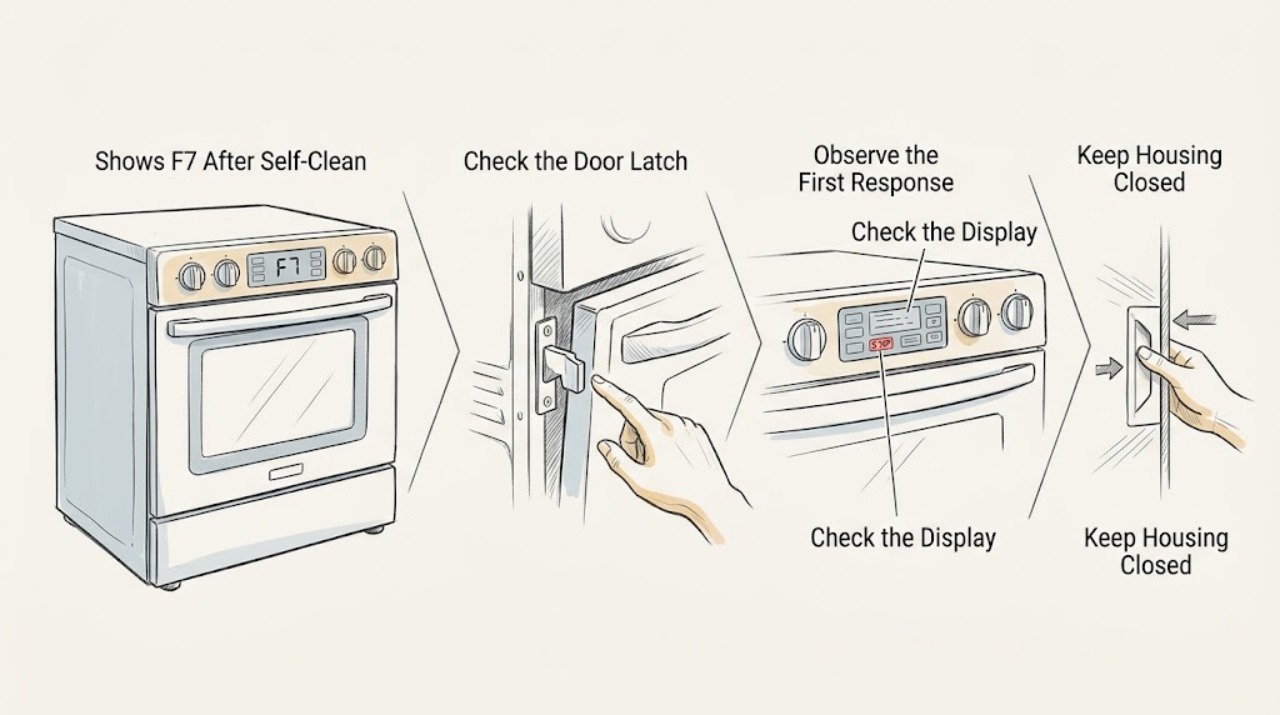
On the GE JT912S0F1SS, an F7 appearing after self-clean should be treated as a control-interface fault indication only after the oven has fully cooled; it is not a safe reason to force the door, open the console, or order a keypad or control board. GE's general range and wall-oven fault table says F7 usually indicates a keypanel problem, but also warns that its list is not complete for every past and present model. First record whether the display is F7 or another message, whether the lock or clean indicator remains on, whether the oven is still hot, and whether the keys respond. Let the oven cool, use only the exact JT912S0F1SS manual's cancel or reset procedure once, and stop if F7 returns. A locked door that does not release after proper cooling, a repeat F7, smoke, burning odor, sparks, abnormal heat, or damaged wiring needs qualified service; do not force the latch or perform a live test.
Before you begin
Safety first
- User checks are limited to reading the model and display, waiting for a complete cool-down, observing the lock and keypad from outside, using one documented user reset, and taking external photographs. Do not force or bypass the latch, start another self-clean cycle while hot, open the console, disconnect internal wiring, perform live voltage or resistance tests, or reconnect the oven to reproduce F7.
Work through in order
Diagnostic checks
Use only checks that match the exact appliance or system and its official guide.
-
Check 1
From outside the oven, record the exact model and serial number, the displayed characters, which lights remain on, whether the door is locked, when the self-clean ended, and whether the cavity or door still feels hot. Observe whether any keypad button responds normally, sticks, or gives an unexpected beep; do not remove the control panel or touch the latch mechanism.
Expected result: The display is F7; it shows LOC DOOR or another message; the lock or clean light remains on; the oven is still hot; all keys respond; one key is unresponsive; or the model label does not clearly read JT912S0F1SS.
Next step: Continue only with the matching branch. If the model or message is unclear, photograph the display and rating plate and use GE's model-specific manual lookup before any reset.
Stop if: Stop immediately for smoke, flames, burning odor, sparks, abnormal heat after the expected cool-down, exposed or damaged wiring, or a breaker that trips again.
Why this matters
Why: A true F7 and a lock or cool-down message lead to different next steps. GE's public F7 definition is a general screening guide rather than a complete JT912S0F1SS service diagnosis, and GE directs owners to model-specific literature for the exact controls.
-
Check 2
If the oven has recently completed self-clean, leave the door closed and allow the cavity and controls to cool completely. Do not press the latch, pull the door, or start another self-clean cycle while the oven is hot. Note whether the lock or clean indicator clears on its own after the cooling period described in the exact manual.
Expected result: The lock releases after cooling; the lock remains engaged; the clean indicator remains on; F7 disappears; or F7 remains while the oven is cool.
Next step: If the lock releases and the display clears, follow the model manual before using the oven. If the lock or F7 remains, proceed to one documented reset only and prepare for service.
Stop if: Never force, pry, tape, or bypass the oven latch, and do not continue if smoke, flames, odor, or abnormal heat is present.
Why this matters
Why: GE documents a post-self-clean cool-down during which the lock and clean lights may remain on. A door still locked after proper cooling is a latch or control service condition, not permission to force the door; F7 that remains after cooling is not explained by heat alone.
-
Check 3
Once the oven is cool and there is no hazard, check the exact JT912S0F1SS owner literature for the documented Clear/Off, cancel, or control-reset behavior. Perform only that user-level reset once, from a dry position; do not substitute a sequence from another GE wall oven and do not enter service diagnostics.
Expected result: The display clears and the door unlocks; F7 returns immediately; the controls remain unresponsive; a different code appears; or the breaker trips.
Next step: If F7 returns or the controls remain abnormal, leave the oven off and arrange qualified service with the model, serial, self-clean history, display sequence, and reset result. Do not order a keypad or board based on F7 alone.
Stop if: Do not repeatedly reset the breaker, disconnect internal wiring, open the console, or reconnect the oven to reproduce the code.
Why this matters
Why: GE says a breaker or fuse reset may clear some range or wall-oven codes, but also states that service may be required when the control does not reset. A reset result does not distinguish a keypanel, ribbon, control, lock, or wiring fault.
-
Check 4
With power left off when service is indicated, make only an external visual check of the control area, door edge, and surrounding cabinet for moisture, heat damage, discoloration, a cracked panel, or a pinched-looking cable that is visible without removing anything. Do not touch wiring, remove trim, or perform electrical measurements.
Expected result: The control surface is visibly damaged; moisture or heat damage is present; no external damage is visible; or the display and keys behave normally but F7 returns after self-clean.
Next step: Photograph the visible condition and arrange GE-qualified service. Keep the oven out of self-clean and do not use it if wiring, insulation, or the control panel is damaged.
Stop if: Stop for any exposed conductor, burning smell, smoke, sparks, abnormal heat, or a damaged panel; do not continue external inspection around energized parts.
Why this matters
Why: Self-clean exposes the oven to unusually high heat, and GE states that F7 usually points to the keypanel while its general table cannot cover every model. Normal-looking surfaces do not rule out an internal control-interface fault and do not justify a component choice.
-
Check 5
Prepare the service handoff with the full JT912S0F1SS identity, serial number, self-clean start and end sequence, exact F7 timing, lock-light behavior, keypad response, whether a reset cleared it, and any smoke or heat event. Keep the appliance disconnected or unused according to the technician's direction; do not run another self-clean test.
Expected result: The technician can reproduce or retrieve F7; the code does not return after a documented correction; or no safe user-level correction is available.
Next step: Use qualified appliance service for a returning F7, a locked door, or any electrical or heat damage. Ask the technician to verify fitment against the exact model before any part is ordered.
Stop if: Do not use self-clean again, bypass the door lock, perform live measurements, or open the oven to chase the code.
Why this matters
Why: GE's fault list is deliberately broad and says a trained service technician should diagnose an electronic fault. A complete history is more useful than guessing whether the keypad, ribbon, lock, or electronic control is at fault.
Use your observations
Decision map
Find the observation that best matches what you see, then follow the next safe action.
-
PATH 01Next step
What you see
The oven cools fully, the lock releases, the display clears after the exact manual's user reset, and no smoke, odor, heat, or damage is present.
Do this next
Use the oven only as the exact manual permits and monitor it without running self-clean again. Stop and schedule service if F7 returns.
Why this path and its safety boundary
Why it matters: The immediate post-self-clean lock or transient control state has cleared. That does not prove the F7 cause is permanently repaired.
-
PATH 02Next step
What you see
The oven is cool and unlocked, but F7 returns or the controls remain abnormal after one documented reset.
Do this next
Leave the oven off and arrange qualified service with the exact model, serial, self-clean history, and display sequence. Do not order or install a component based on the code alone.
Why this path and its safety boundary
Why it matters: GE's general table associates F7 with the keypanel, but its warning that the table is incomplete means the code is not enough to select a keypad, ribbon, or control board for this exact model.
-
PATH 03Next step
What you see
The lock or clean light remains on while the oven is hot, or the door remains locked after the documented cool-down.
Do this next
Keep the door closed and arrange service if it does not release after the exact manual's cool-down and reset guidance. Never force the latch or start another self-clean cycle to free it.
Why this path and its safety boundary
Why it matters: Some lock and clean indications are normal during cooling; a lock that remains after cooling is a latch or control service condition.
-
PATH 04Next step
What you see
Smoke is excessive, flames appear, burning odor or sparks occur, abnormal heat persists, or a breaker trips again.
Do this next
Turn the oven off if it can be done without approaching the hazard, leave power off from a safe position, and arrange qualified appliance or electrical service. Do not reuse the oven to reproduce the code.
Why this path and its safety boundary
Why it matters: This is a fire or electrical safety event, not a keypad troubleshooting step.
When checks do not resolve it
Need a professional?
Arrange qualified GE appliance service when F7 returns after the oven is fully cool and one exact-manual reset, the door remains locked after the documented cool-down, the controls are abnormal, or any internal keypad, ribbon, lock, control, or wiring diagnosis is needed. Stop immediately for flames, excessive smoke, burning odor, sparks, abnormal heat, damaged wiring or panel, or a repeat breaker trip.
Common questions
FAQ
Does F7 prove the keypad is bad on a GE JT912S0F1SS?
No. GE's general table says F7 usually means a keypanel problem, but it also says the table does not include every fault code for every past and present model. Treat F7 as a service clue, not a part order.
How long should I wait before trying to unlock the oven after self-clean?
GE says many ranges and wall ovens need about 30 to 90 minutes to cool after self-clean, and the lock or clean lights may remain on during that period. Use the exact JT912S0F1SS manual and never force the latch.
Can I run self-clean again to clear F7?
No. Do not run another high-heat self-clean cycle to chase a returning F7. Let the oven cool, follow one documented reset, and schedule service if the code or lock problem returns.
Read the exact guide
Official sources
- GE Appliance - Download a Copy of Your Owner's Manual or Installation InstructionsGE Appliances · GE JT912S0F1SS model-specific manual lookup route for exact control, reset, and self-clean instructions
- Range & Wall Oven - Tips for Self CleanGE Appliances · GE self-clean preparation, heat, smoke, fan, and post-cycle guidance applicable to the JT912S0F1SS wall-oven scenario
- Range & Wall Oven - Oven Error, Fault or Function CodesGE Appliances · GE electronic range and wall-oven fault-code screening for the JT912S0F1SS task, including F7, with an explicit warning that the common-code table is not exhaustive
- Find Your GE Model & Serial NumbersGE Appliances · GE model and serial identification route for JT912S0F1SS
- Range & Wall Oven - Explanation of Self-Clean Oven Cool DownGE Appliances · GE self-clean cool-down and lock-light behavior applicable to the JT912S0F1SS wall-oven scenario
- Range - Oven Door Won't UnlockGE Appliances · GE oven door-lock and post-self-clean service boundary for the JT912S0F1SS scenario
Community feedback
Share a repair observation
Share a plain-text repair observation. Accepted observations are published automatically; this page may take a moment to update.