
On this page
Start here
Quick answer
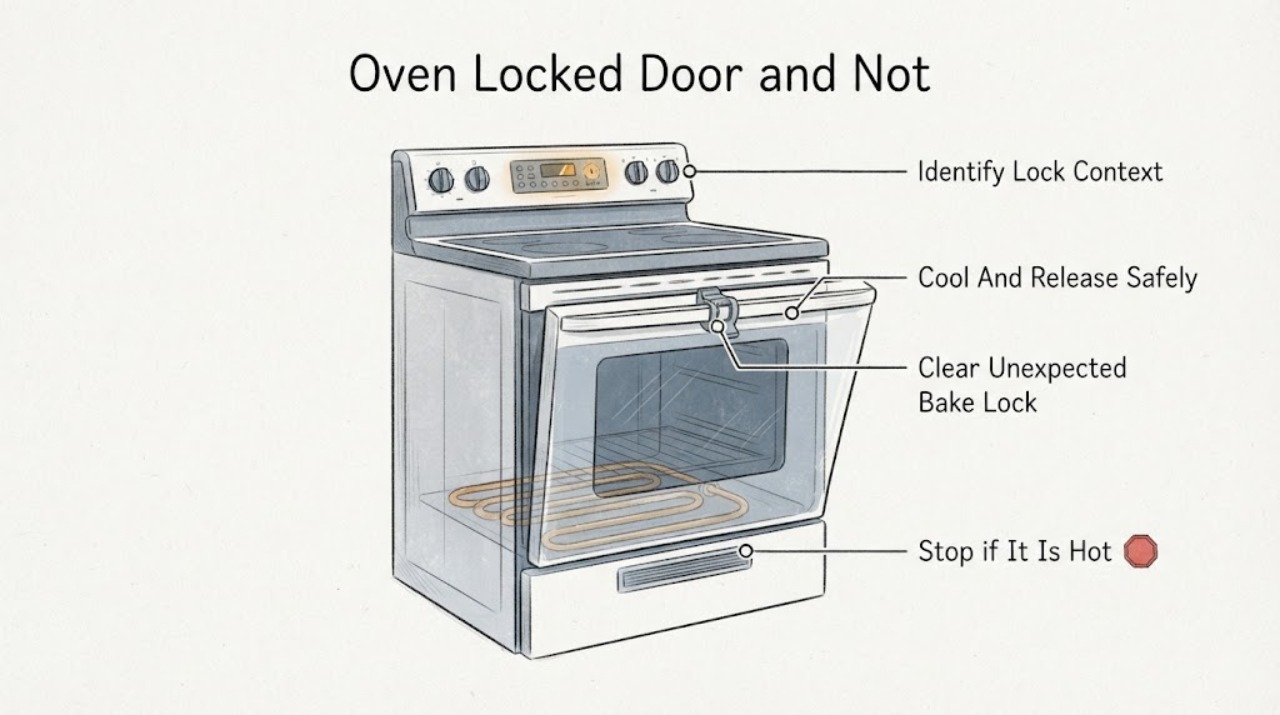
Separate a normal self-clean lock from an oven that locked during baking. GE says the door is intended to lock for self-clean, and the lock remains engaged until the hot oven cools; do not force the latch. If food is inside, stop the control and let the oven cool to room temperature before trying the normal release. If the door locked during Bake, press CLEAR/OFF and allow it to cool; GE says an automatic lock that releases after cooling may have reset. For the heating complaint, verify the selected Bake or Broil function and, on an electric range whose burners still work, inspect only the visible bake element after switching off power. A door that stays locked, a latch that binds, a gas or electrical warning, or an oven that still will not heat after these model-appropriate checks needs GE service rather than a guessed latch or heating part.
Work through in order
Diagnostic checks
Use only checks that match the exact appliance or system and its official guide.
-
Check 1
Record whether the GE oven was in Self-Clean, Bake, Broil or another mode when the door locked, and note any LOCK/LOCKED DOOR display or light.
Expected result: The lock appeared during Self-Clean, during ordinary baking, or after the cycle ended and the oven cooled.
Next step: Use the matching cooling and release path. Do not force the latch or treat every locked door as a heating-element failure.
Why this matters
Why: A self-clean lock is a documented high-temperature safety state; a lock during Bake or after cooling indicates a different latch/control condition.
-
Check 2
If food is inside or the oven is hot, press the appropriate stop control and leave the door closed until the oven reaches room temperature; then attempt only the normal model-specific latch release.
Expected result: The lock releases after cooling, or the latch remains locked/binds after the oven is cool.
Next step: If it remains locked, stop using the oven and arrange service. Do not pry, pull with tools or repeatedly heat the oven to free the latch.
Why this matters
Why: Release after cooling is consistent with a temperature-controlled lock; a persistent lock is not safe to overcome by force.
-
Check 3
If the automatic lock engaged during Bake, press CLEAR/OFF and allow the GE range or wall oven to cool fully; only if the exact manual permits it, use the model's brief power-reset procedure.
Expected result: The door opens after cooling/reset, or the lock stays engaged or reappears during a normal cooking mode.
Next step: Keep the appliance out of use and request model-specific service for a persistent or repeated baking lock.
Why this matters
Why: GE says an automatic lock that releases after cooling may have reset; recurrence or failure to release requires service rather than latch manipulation.
-
Check 4
With the door safely closed and the appliance cool, confirm the intended Bake or Broil setting, temperature and control position. If it is an electric range whose burners work, disconnect power and inspect only the visible bake element for a crack or break.
Expected result: The mode/control was wrong, the visible bake element is cracked/broken, or the controls and visible element appear normal but the oven still does not heat.
Next step: Correct only a clear control-setting issue. For a damaged element or continued no-heat, use the exact model parts/service path; do not open panels or test energized wiring.
Why this matters
Why: GE lists control settings and a visibly damaged electric bake element as possible external checks for that specific range condition; a normal-looking element does not clear hidden elements, gas systems or controls.
-
Check 5
Record the model, appliance type, fuel/electrical system, mode when the lock appeared, display/light behavior, cooling result and any visible element damage before contacting GE service.
Expected result: The door cannot be released safely, will not close/latch, locks during Bake again, or heating remains absent after the documented external checks.
Next step: Stop using the oven and arrange GE or qualified service. If there is gas odor, smoke, arcing or exposed/damaged wiring, leave it off and follow the appropriate emergency/service response.
Why this matters
Why: The remaining fault may involve a model-specific latch, control, element, igniter or wiring system that cannot be identified safely from this symptom combination.
Use your observations
Decision map
Find the observation that best matches what you see, then follow the next safe action.
-
PATH 01Next step
What you see
The door locked during Self-Clean and the oven is still hot or the lock light is on.
Do this next
Leave the door closed, wait for the cycle and cooling period to finish, and use the exact manual's normal release. Never force the latch.
Why this path and its safety boundary
Why it matters: GE describes this as the intended high-temperature lock state; the door is not safe to open until the oven cools.
-
PATH 02Next step
What you see
The automatic lock engaged during Bake but releases after CLEAR/OFF and complete cooling.
Do this next
Confirm the door closes and latches normally before using the oven again. If the lock repeats during ordinary cooking, arrange service.
Why this path and its safety boundary
Why it matters: GE says the automatic lock may have reset after cooling; this does not by itself prove a failed heating component.
-
PATH 03Next step
What you see
The door remains locked after cooling and the documented reset/release path, or the latch is bent, loose or difficult to move.
Do this next
Keep the oven out of use and request model-specific service. Do not pry the door or disassemble the latch.
Why this path and its safety boundary
Why it matters: GE treats an unresolved locked door as a service condition; forcing it can damage the latch or door and create a safety problem.
-
PATH 04Next step
What you see
The door is safe and closed, the burners work on an electric range, but Bake produces no heat and the visible bake element is cracked or broken.
Do this next
Leave power off and use the exact model's GE parts or qualified service path; do not assume the same element fits another GE range or wall oven.
Why this path and its safety boundary
Why it matters: GE identifies a visibly cracked or broken electric bake element as a replacement/service finding for that range configuration.
-
PATH 05Next step
What you see
The door is safe and closed but the oven still does not heat, the system is gas/hidden-element/wall-oven, or there is smoke, gas odor, arcing or damaged wiring.
Do this next
Stop using the oven and arrange qualified service; do not open panels, measure live circuits, relight gas components or repeatedly run the oven as a test.
Why this path and its safety boundary
Why it matters: The external checks do not establish the failed component, and the condition may require fuel/electrical or model-specific diagnosis.
Helpful context
Understand the symptom
First identify when the door locked
A GE oven door that is locked during Self-Clean may be behaving normally: GE says the door locks for that cycle and remains locked until the oven cools. A door that locks during Bake or stays locked after cooling is a different condition. Record the display or lock light, the selected mode, whether food is inside, and whether the appliance is a range or wall oven before trying to release it.
Cool the oven and protect the latch
If food is inside, stop the cooking control and let the oven cool to room temperature before attempting the normal release. GE repeatedly says not to force the latch. When a mechanical latch or automatic lock behaves differently from the owner's manual, do not pry the door, pull the latch with tools or keep applying heat to make it release.
Handle an unexpected lock during baking
For an automatic lock that engaged during Bake, GE directs the user to press CLEAR/OFF and allow the range or wall oven to cool to room temperature, then check whether the lock has released. Some electronic ranges may also release after power is disconnected briefly, but the exact control sequence is model-dependent. If the door remains locked, stop and arrange service rather than repeating Self-Clean or forcing the latch.
Check the heating complaint without opening the appliance
Once the door is safely closed or unlocked and the appliance is cool, verify that the intended Bake or Broil function and temperature are selected. GE's FAQ gives a visible bake-element inspection for a range whose burners work but the oven does not heat: switch off the range power at the breaker or fuse and unplug it before looking for a visible crack or break. That check does not apply as a universal diagnosis to gas ovens, hidden elements or wall ovens; do not remove panels or measure live circuits.
Escalate a persistent lock or no-heat condition
A latch that will not release after cooling and the documented reset path, a door that will not close or latch correctly, a repeated lock during Bake, or continued no-heat after the control and visible-element checks needs GE or qualified appliance service. Keep the oven out of use for a gas smell, smoke, arcing, damaged wiring, a cracked element or a door that cannot close safely. Do not order a latch, element or control board from the symptom alone without the exact model and system type.
When checks do not resolve it
Need a professional?
Arrange GE or qualified oven service when the door stays locked after cooling and the documented release path, locks during ordinary baking, will not close or latch correctly, or heating remains absent after the model-appropriate control and visible checks. Stop immediately for gas odor, smoke, arcing, exposed wiring or a damaged door/latch. Do not select a latch, element or control board without the exact model and system type.
Common questions
FAQ
Is a locked GE oven door normal?
It can be normal during Self-Clean while the oven is hot. GE says the door stays locked until the oven cools. A lock during ordinary Bake or a lock that remains after cooling needs the model-specific release path and possibly service.
Should I force the GE oven latch open?
No. GE explicitly says not to force the latch. Let the oven cool, use the documented CLEAR/OFF or model-specific release path, and arrange service if the door remains locked.
What can I check if the GE oven does not heat?
Confirm the Bake or Broil setting. GE's FAQ also describes a power-off visual inspection of the bake element for an electric range whose burners work. That does not diagnose gas ovens, hidden elements, wall ovens or live wiring; persistent no-heat needs model-specific service.
Read the exact guide
Official sources
- Frequently Asked Questions About GE Ranges and Wall OvensGE Appliances · Official GE FAQ covering no-heat controls, mechanical latch position, visible electric bake-element inspection after power disconnection, and model differences.
- Range & Wall Oven - Locking the Oven Door for Self CleanGE Appliances · Official GE guidance distinguishing mechanical and automatic self-clean locks and their cooling release behavior.
- Oven Lock Light Operation During Self-CleanGE Appliances · Official GE support explaining when the lock light comes on and why the door remains locked until cooling.
- Oven Door Will Not Unlock After CleaningGE Appliances · Official GE support for power removal, complete cooling, the limited no-food self-clean path and service escalation.
- Range & Wall Oven - Oven Door Locked During BakingGE Appliances · Official GE support for an automatic or manual self-clean lock that engages during a cooking cycle.
- Range - Oven Door Won't UnlockGE Appliances · Official GE support covering accidental locking, post-self-clean cooling, brief power reset on applicable electronic controls, mechanical latch variants and service boundaries.
Community feedback
Share a repair observation
Share a plain-text repair observation. Accepted observations are published automatically; this page may take a moment to update.