
On this page
Start here
Quick answer
Do not pull or pry the GE oven door or force its latch. First identify whether Self-Clean is active or recently finished, whether the oven is still hot, whether food is inside, and whether the lock is mechanical or automatic. GE says a self-clean door stays locked until the oven has cooled; a door that locked during baking should be turned off and allowed to cool to room temperature. If the oven is empty and the exact GE guidance permits it, a short Self-Clean cycle followed by the full cool-down may reset some locks. If food is inside, wait for the oven to cool and do not start another cleaning cycle. If the latch still will not release, the door is locked during ordinary cooking, or the latch feels stuck, stop and arrange GE-authorized service.
Before you begin
Safety first
- This no-model guide covers identifying the cycle and lock state, waiting for safe cool-down, and using only the exact model's visible latch or control instructions. Do not force or pry the door, bypass the lock, remove the door or control panels, test live wiring, or repeatedly run Self-Clean with food inside.
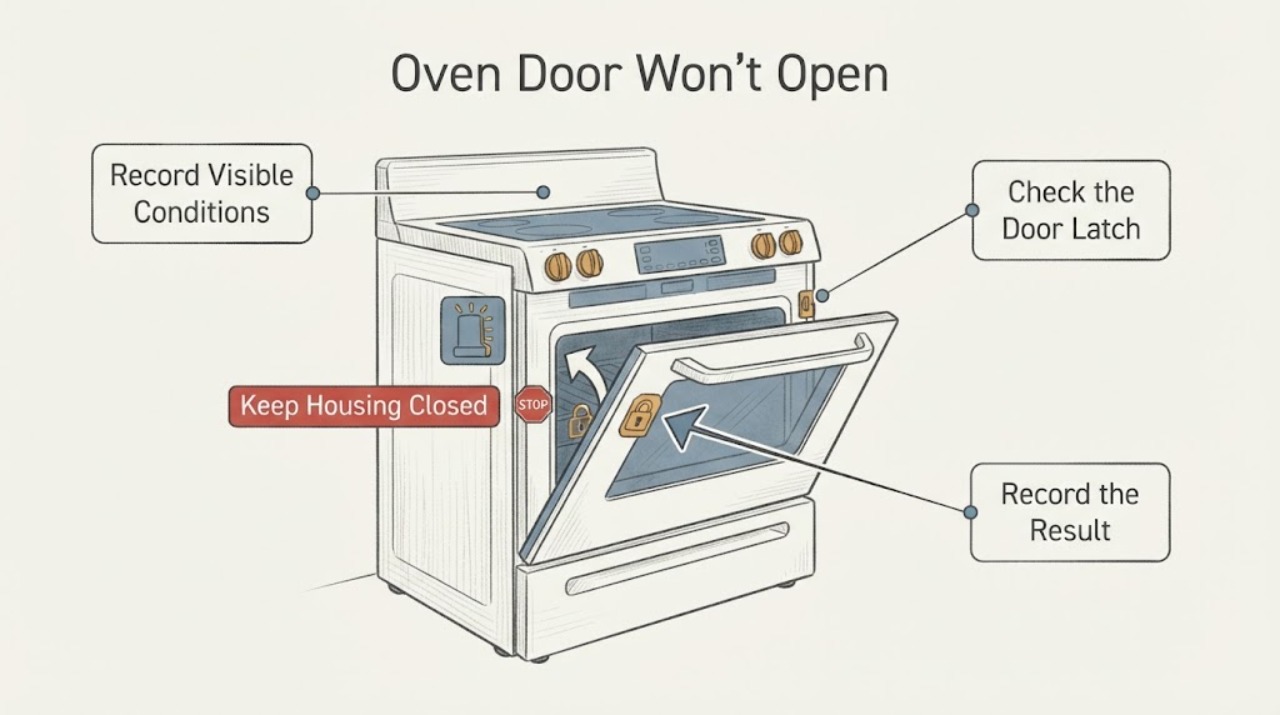
Work through in order
Diagnostic checks
Use only checks that match the exact appliance or system and its official guide.
-
Check 1
From outside the oven, record whether Self-Clean is running or recently finished, whether Bake or Broil was active, whether the Lock light or a lock message is on, whether the oven is still hot, and whether food or cookware is inside.
Expected result: The lock follows Self-Clean and the oven is hot or cooling, the door locked during ordinary baking, or the oven is cool with no active clean cycle.
Next step: Use the matching branch below. Do not pull on the handle or try to defeat the latch while the state is uncertain.
Why this matters
Why: GE treats a hot Self-Clean lock as expected until cool; a lock during baking or on a cool oven points to a different model-specific latch/control path.
-
Check 2
If Self-Clean has just run or the oven is hot, turn the controls off as the exact model requires and wait until the oven has cooled completely to room temperature. Keep children away and do not touch the door, latch, or surrounding metal until cool.
Expected result: The Lock light turns off or the automatic latch releases after cooling, or the door remains locked after the documented cool-down.
Next step: If it releases, open normally and do not repeat Self-Clean unnecessarily. If it remains locked, continue only with the exact model's allowed reset or request service; never force the latch.
Why this matters
Why: GE says the automatic lock remains engaged until the oven cools. A door that stays locked after cooling is not safely explained by normal temperature protection alone.
-
Check 3
Only when the oven is completely cool, inspect the visible mechanical latch position without tools. If the exact model uses a sliding latch, move it gently only in the direction and control position specified by its owner guide; stop immediately if it meets resistance.
Expected result: The latch moves freely after cooling and the door opens, or it is stuck, misaligned, or resists movement.
Next step: If it moves freely, return the control to the normal cooking position before use. If it resists or the door is misaligned, keep the oven off and arrange service.
Why this matters
Why: GE describes mechanical-latch models that unlock after the Self-Clean cool-down. Resistance is a service signal, not permission to pry or pull harder.
-
Check 4
If the door locked during Bake or another ordinary cooking function, press Clear/Off or use the model's normal stop control, then let the range or wall oven cool to room temperature before trying the handle once.
Expected result: The automatic lock releases after the oven is off and cool, or the door stays locked during ordinary cooking.
Next step: If it opens, do not manually lock it for Bake or Broil. If it stays locked, stop use and schedule service rather than cycling power repeatedly or bypassing the lock.
Why this matters
Why: GE says the lock is intended for Self-Clean and that a lock engaged during baking should reset after Clear/Off and cooling. A persistent baking lock may require service.
-
Check 5
If the oven is empty, fully cool, and the exact GE instructions allow a Self-Clean reset, follow that model's short cycle and complete the specified cool-down; otherwise do not start a cleaning cycle. If the door still will not open, stop and request GE-authorized service.
Expected result: The door releases after the model-supported empty-oven reset, or it remains locked, contains food, or has a damaged/stuck latch.
Next step: Use the oven only if the door opens normally and no damage or safety symptom is present. Otherwise keep it out of service and provide the model, cycle, lock indication, temperature, and reset result to GE service.
Why this matters
Why: GE documents an empty-oven short Self-Clean reset for some locked-door situations, but food, heat, model differences, and a resistant latch make repeating the cycle unsafe or inapplicable.
Use your observations
Decision map
Find the observation that best matches what you see, then follow the next safe action.
-
PATH 01Next step
What you see
Self-Clean is active or recently completed, the oven is still hot, and the Lock light or lock message is present.
Do this next
Wait for complete cool-down and do not force the handle. Try the model-appropriate release only after the lock indicator clears.
Why this path and its safety boundary
Why it matters: The door lock may be performing its normal high-temperature safety function; GE says it cannot be unlocked until the oven cools.
-
PATH 02Next step
What you see
The door locked during Bake or another ordinary cooking function, and the oven is now cool.
Do this next
Use Clear/Off and allow room-temperature cooling, then try once. If it remains locked, stop using the oven and arrange service; do not manually lock it for cooking.
Why this path and its safety boundary
Why it matters: GE says the lock is intended for Self-Clean; an automatic lock that remains engaged during baking may need a reset or service.
-
PATH 03Next step
What you see
The oven is empty and cool, and the exact GE guidance permits a short Self-Clean reset.
Do this next
Follow the matching model instructions and wait through the complete cool-down. If the latch still will not release, request service rather than repeating the cycle or forcing the door.
Why this path and its safety boundary
Why it matters: GE documents this as a possible control reset for some door-lock situations, not as a universal procedure for every GE range or wall oven.
-
PATH 04Next step
What you see
Food is inside, the oven is not safely cool, the latch resists, the door is misaligned, or the door remains locked after the permitted steps.
Do this next
Keep the oven closed and out of service, do not pry or bypass the lock, and contact GE-authorized service. Report any smoke, burning odor, damaged glass, or electrical symptom immediately.
Why this path and its safety boundary
Why it matters: The condition cannot be safely resolved by a generic latch maneuver and may involve heat, food safety, or a lock/control fault.
Helpful context
Understand the symptom
A locked GE oven door can be normal during a Self-Clean cycle and during the cool-down that follows it. The same symptom during Bake or an ordinary cool oven is a different branch. GE supports both mechanical latches and automatic locks, so the model's owner guide controls the exact button, knob, and latch behavior.
Start by leaving the door alone and determining the state from outside: was Self-Clean selected, is the Lock light or a lock message present, is the oven still hot, and is food inside? Do not pry the door, insert tools, hold a latch against resistance, or bypass the lock. A hot oven can burn you and forcing the mechanism can turn a temporary lock into a repair.
If the door remains locked after the safe model-appropriate cool-down and reset, treat it as a lock or control service issue. Keep the oven out of use if the latch is damaged, the door is misaligned, smoke or a burning odor is present, or any next step would require removing panels or touching wiring.
When checks do not resolve it
Need a professional?
Arrange GE-authorized service when the door remains locked after the exact model's cool-down and permitted reset, the latch resists or is damaged, the door locked during ordinary cooking, or resolving it would require opening panels, bypassing the lock, or touching wiring.
Safety scope: This no-model guide covers identifying the cycle and lock state, waiting for safe cool-down, and using only the exact model's visible latch or control instructions. Do not force or pry the door, bypass the lock, remove the door or control panels, test live wiring, or repeatedly run Self-Clean with food inside.
Common questions
FAQ
Why is my GE oven door locked after Self-Clean?
GE says the door is designed to stay locked until the oven cools below the lock temperature. Wait for the oven and lock indicator to clear; never force the latch.
What if my GE oven locked during Bake?
Press Clear/Off or the model's normal stop control and allow the oven to cool to room temperature. If the automatic lock does not release, GE says service may be needed; do not manually lock the door for ordinary cooking.
Can I force the GE oven latch open?
No. GE explicitly says not to force the latch. A resistant latch after cooling is a service condition, especially if the door is misaligned or damaged.
Can I run Self-Clean again to unlock the door?
Only when the oven is empty, fully cool, and the exact GE guidance for that model permits the short reset. Do not do this with food inside or use it as a substitute for service when the latch remains stuck.
Read the exact guide
Official sources
- Range - Oven Door Won't UnlockGE Appliances · Opened GE Appliances guidance. It separates accidental locking, post-Self-Clean locking, older mechanical latches, and service-required cases, and repeatedly warns not to force the latch.
- Range & Wall Oven - Locking the Oven Door for Self CleanGE Appliances · Opened GE Appliances support guidance. It distinguishes mechanical and automatic locks and states that an automatic door stays locked until the oven cools after Self-Clean.
- Range & Wall Oven - Self-Cleaning Indicator Light OperationGE Appliances · Opened GE Appliances guidance. It explains that lock lights and fans vary by model and that the door cannot be unlocked while the oven is at the lock temperature; it directs owners to the model Owner's Manual.
- Oven Door Will Not Unlock After CleaningGE Appliances · Opened GE Appliances support guidance. It says not to force the latch, documents a 30-second power disconnect/reconnect, and conditionally describes an empty-oven short Self-Clean reset followed by cooling.
- Range & Wall Oven - Oven Door Locked During BakingGE Appliances · Opened GE Appliances guidance. It says the lock is intended for Self-Clean, recommends Clear/Off and room-temperature cooling when it engages during baking, and routes unresolved cases to service.
Community feedback
Share a repair observation
Share a plain-text repair observation. Accepted observations are published automatically; this page may take a moment to update.