
On this page
Start here
Quick answer
A locked GE washer-dryer door or lid is usually holding because the washer is still running, the basket has not stopped, water must drain first, or a control lock is active; the exact behavior depends on whether the unit is front-load, top-load, or a combo. Press Start/Pause once, wait for the drum or basket to stop and for the lock to release, then check the model-specific control-lock and status message instructions. Never force the door or bypass the lid lock; if it remains locked after a safe pause and reset, arrange qualified appliance service.
Work through in order
Diagnostic checks
Use only checks that match the exact appliance or system and its official guide.
-
Check 1
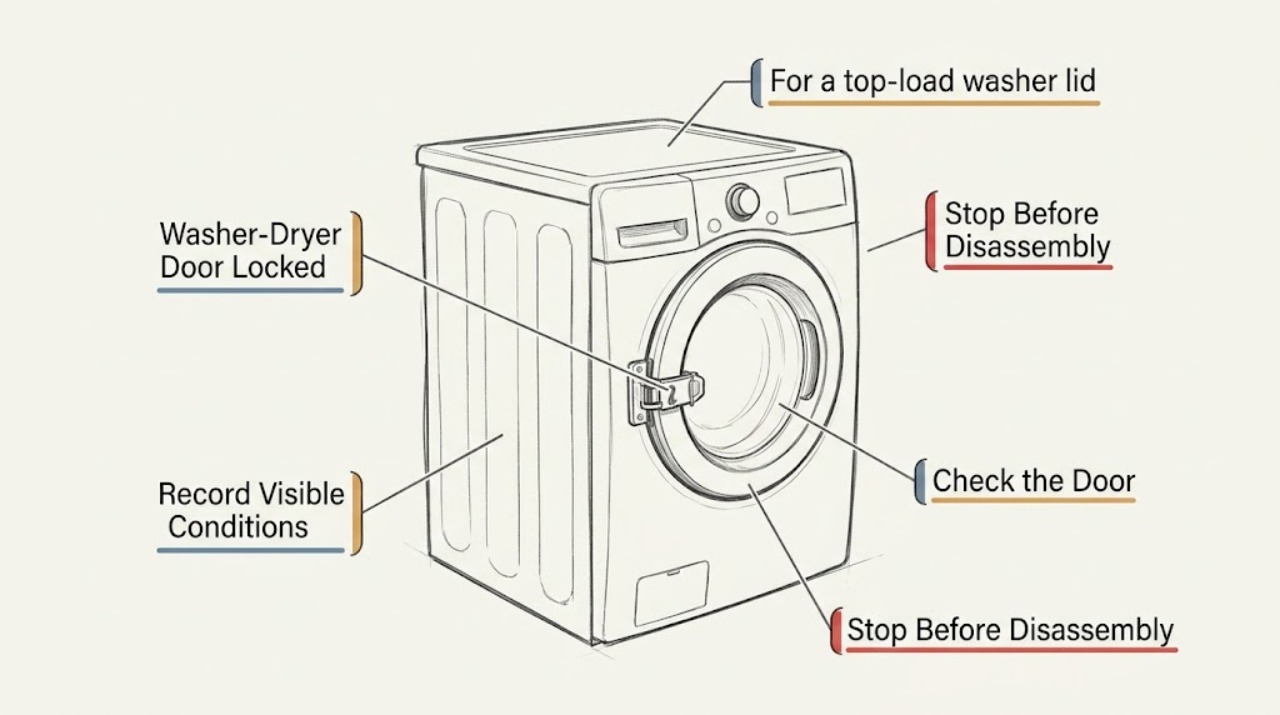
Identify whether the locked part is a front-load washer door, a top-load washer lid, or a washer-dryer combo door, and record whether the machine is washing, spinning, paused, full of water, or showing a lock icon or message.
Expected result: A front door normally locks while running; a top lid may lock during load sensing or spin; an electronic control lock may leave the display on but ignore selections.
Next step: Follow the branch for the identified design. Do not pull on the door or lid while a lock indicator is active.
Why this matters
Why: GE documents different lock timing and release behavior for front-load doors, top-load lids, and Control Lock on washers and combos.
-
Check 2
For a front-load washer door, press START/PAUSE once and wait without touching the handle. Keep the door closed if the washer is draining or if water is visibly above the door opening.
Expected result: The washer may unlock after a few seconds, or it may drain first and unlock afterward. If the lock remains on while the drum is stopped, the model may have a latch, water-level, or control fault.
Next step: Wait for the documented pause or drain sequence. If there is still water or the door remains locked, do not force it; use the model's drain instruction or arrange service.
Why this matters
Why: GE states that pausing a front-load washer can unlock the door, but some cycles drain first; forcing a door with the LOCKED indicator on can damage the washer.
-
Check 3
For a top-load washer lid, press Start/Pause to pause the machine and wait until the basket has completely stopped. If the lid locked during spin, allow the basket to coast down before trying the lid.
Expected result: The lid should release after the basket stops; GE notes that a spinning basket can take up to three minutes to coast down, depending on speed and load.
Next step: Try the lid only after all motion stops. If it stays locked, continue to the one-time reset and message checks; do not bypass the lid lock.
Why this matters
Why: The lock is protecting against access to a moving basket, so an immediate pull is unsafe and may damage the lid mechanism.
-
Check 4
If the display is lit but buttons or cycle selections do not respond, look for a Control Lock or child-lock icon and use the exact model's unlock command. GE examples use a three-second press on a Control Lock, Light-Control Lock, Lock, or specified button combination depending on model.
Expected result: A tone, disappearing lock icon, or restored button response confirms that a control lock was active. No change means the displayed lock may be a door or lid safety state instead.
Next step: Use the owner's manual for the exact button or combination. Do not repeatedly press random controls while the machine is running or full of water.
Why this matters
Why: GE says Control Lock can prevent selections on top-load, front-load, and combo models, and that the button location and command vary by model.
-
Check 5
Read any washer status or error message before resetting. Check for LId or dE, PAUSE, H2O SUPPLY, CAnCELEd, Spin Stop, or an indicator that the load is balancing, using the model guide for the precise meaning.
Expected result: A lid-open message calls for closing the lid; PAUSE calls for Start; H2O SUPPLY or CAnCELEd can impose a lockout; Spin Stop means the basket is still coasting; a critical water-level message requires stopping water and power.
Next step: Follow one displayed-message remedy from the model manual. If a critical water-level indication or visible leak is present, stop and arrange service immediately.
Why this matters
Why: GE's status and Consumer Help Indicator pages distinguish a safety lock from a paused, water-supply, imbalance, canceled-cycle, or critical-water condition.
-
Check 6
If the washer is paused or stopped mid-cycle and the door or lid still will not release, determine whether water remains inside and use the exact model's Drain or Drain & Spin option only when the controls respond.
Expected result: A successful drain can allow a front door to unlock; a top-load lid may remain locked until the basket stops. Controls that cannot select a drain cycle indicate a deeper control or lock fault.
Next step: Keep the door or lid closed while water is present. If the machine cannot drain or controls are unresponsive, do not siphon or dismantle it; request service.
Why this matters
Why: GE describes draining before some front-load unlocks and provides Drain & Spin or restart paths for certain top-load conditions.
-
Check 7
Perform at most one model-appropriate control reset after the drum or basket is stopped and the water situation is safe. GE's electronic-control guidance uses unplugging or switching off the washer supply for two minutes, while some lockout messages require waiting rather than unplugging.
Expected result: If the lock clears and the controls work after the documented reset, the interruption may have left the controls in a locked state. If the same lock returns, the reset did not resolve the cause.
Next step: Restore the cycle only if the model manual permits it. Do not keep cycling the breaker or unplugging repeatedly; persistent lock requires service.
Why this matters
Why: GE explains that a power interruption or incomplete cycle can lock electronic controls and warns that unplugging during some water-supply lockouts restarts the lockout period.
-
Check 8
Inspect only visible, external conditions after the machine is safe: a lid or door that closes squarely, a clean latch area, no trapped garment at the seal, no leak, and no scorched plug or cord. Do not remove the front, top, or rear panel.
Expected result: A trapped item or misaligned closure can prevent the lock from confirming closed; a damaged latch, wiring, leak, or scorching is not a user adjustment.
Next step: Remove only a visible obstruction without force. If the latch or wiring appears damaged, keep the appliance disconnected and arrange qualified appliance repair.
Why this matters
Why: The lock must verify a safe closed state, and GE directs service when the door or lid remains locked after the documented release and reset checks.
Use your observations
Decision map
Find the observation that best matches what you see, then follow the next safe action.
-
PATH 01Next step
What you see
A front-load washer is running and the door lock is lit.
Do this next
Press Start/Pause once and wait for the drum to stop and for any required drain to finish; never force the door.
Why this path and its safety boundary
Why it matters: The door is in its normal operating lock state.
-
PATH 02Next step
What you see
A front-load washer pauses but water must drain before the lock releases.
Do this next
Keep it closed and wait for the documented drain sequence; service a no-drain or persistent lock condition.
Why this path and its safety boundary
Why it matters: The door is being held closed while the water level is unsafe for opening.
-
PATH 03Next step
What you see
A top-load lid is locked during spin and the basket is still moving.
Do this next
Pause and wait until motion fully stops, which can take up to three minutes, then try once.
Why this path and its safety boundary
Why it matters: The lid lock is protecting access to a moving basket.
-
PATH 04Next step
What you see
The display is on but button presses are ignored and a Control Lock icon is shown.
Do this next
Use the model-specific three-second unlock command from the owner manual.
Why this path and its safety boundary
Why it matters: The control lock is active, not necessarily a door-latch failure.
-
PATH 05Next step
What you see
The display shows PAUSE, LId, or dE.
Do this next
Close the lid and press Start/Pause as directed; do not pull the lid while locked.
Why this path and its safety boundary
Why it matters: The washer is paused or detecting an open lid state.
-
PATH 06Next step
What you see
H2O SUPPLY or a similar water-entry message is scrolling.
Do this next
Check the supply valves and wait through the displayed lockout; do not unplug repeatedly to bypass it.
Why this path and its safety boundary
Why it matters: The washer may be in a model-dependent lockout while it cannot sense water.
-
PATH 07Next step
What you see
The washer shows CAnCELEd, balancing, or Spin Stop.
Do this next
Follow the model's restart or load-redistribution instruction and wait for all motion to stop before opening.
Why this path and its safety boundary
Why it matters: The cycle was interrupted, is rebalancing, or the basket is coasting to a stop.
-
PATH 08Next step
What you see
The lock remains after pausing, the basket has stopped, water is safely absent or drained, and one documented reset fails.
Do this next
Keep the door or lid closed and arrange qualified appliance service; do not bypass the safety lock.
Why this path and its safety boundary
Why it matters: A latch, lock sensor, control, wiring, or unresolved water-level fault is possible.
-
PATH 09Next step
What you see
There is a leak, critical water-level indication, burning smell, damaged cord, exposed wiring, or repeated breaker trip.
Do this next
Stop the cycle, isolate water and power only if safe, keep clear, and request qualified help.
Why this path and its safety boundary
Why it matters: This is an immediate safety stop.
Helpful context
Understand the symptom
Door, lid, and control lock are different states
A front-load washer locks its door during operation, while a top-load washer may lock during load sensing or spin. A washer-dryer combo or electronic washer can also have a Control Lock that prevents button selections. Identify the model and whether the drum is tumbling, the basket is spinning, or water remains inside before trying to release anything.
Do not defeat the safety mechanism
Do not pull hard on a locked door, insert tools around the latch, hold a lid switch closed, or remove panels. If the door will not release, keep children away, stop the cycle safely, and use only the model manual's drain or reset procedure. A latch that remains locked after those checks is a service boundary.
Only after diagnosis
Potential parts
Only when a technician confirms the door is aligned, the drum is stopped, water is safely managed, and the lock fails to release on the exact model.
Only when the basket stops, the lid closes correctly, and qualified testing confirms the lock signal is not detected.
Only after service confirms that water cannot drain or the machine is falsely detecting an unsafe water level.
Only after the model-specific Control Lock, status-message, and reset checks fail and a technician confirms a control fault.
When checks do not resolve it
Need a professional?
Arrange qualified appliance service when a GE washer or combo door remains locked after the correct pause, complete stop, safe drain, and one model-specific reset; when the lid or door latch is damaged; when the washer cannot drain; or when a status message returns. Request immediate help for leaks, critical water-level warnings, a damaged cord, burning smell, exposed wiring, or repeated breaker trips.
Common questions
FAQ
Why is my GE front-load washer door still locked after I press Pause?
Some cycles drain first, and the door takes a few seconds to release after pausing. Keep it closed while water is present and never force a door with the lock indicator on.
How long should I wait for a GE top-load lid to unlock?
After pausing during spin, wait until the basket fully stops; GE says this can take up to three minutes depending on the speed and load. If it remains locked afterward, use the model-specific reset once and arrange service if needed.
What does the lock icon mean when the controls do not respond?
It may be the Control Lock feature rather than a mechanical door fault. The unlock button or combination varies by model, so use the owner's manual and do not press random controls repeatedly.
Can I open the door by pulling harder or bypassing the latch?
No. Forcing the door can damage the washer, and bypassing the lock removes a safety function. If pausing, stopping, draining, and one model-specific reset do not release it, request qualified service.
What if the washer shows a water or canceled-cycle message?
Use the model message instructions. Water-supply and canceled-cycle states can impose a lockout; a critical water-level message requires turning off water and power and arranging service.
Read the exact guide
Official sources
- Washer - Consumer Help IndicatorGE Appliances · Model-dependent remedies for water supply, canceled cycle, lid, imbalance, and critical water-level messages.
- Top Load Washer - Lid Lock FeatureGE Appliances · Top-load lid lock conditions, pause release, spin coast-down time, reset, and service boundary.
- Front Load Washer - Door LockGE Appliances · Front-load door lock timing, Start/Pause release, drain-before-unlock behavior, and no-force boundary.
- Washer - Control Lock FeatureGE Appliances · Control Lock behavior and model-dependent unlock commands for washers and combos.
- Washer - Resetting the Electronic ControlsGE Appliances · Control lockup after interruption and the model-dependent two-minute control reset boundary.
- Top Load Washer - No FillGE Appliances · Water-supply and lockout behavior when a washer does not fill.
- Unitized Spacemaker Washer - Washer Will Not Start / Lid Not LockedGE Appliances · Visible lid alignment and bumper checks for listed Unitized Spacemaker models when the lid will not lock.
- Top Load Washer - Display and Status / Feature LightsGE Appliances · Lid, pause, water-supply, balance, spin-stop, and lock status indicators.
- Dryer - Will Not Run or StartGE Appliances · External cord, door, circuit, and service-safety boundary for the dryer half of a stacked unit.
- Top Load Washer - Does Not SpinGE Appliances · Top-load drain, pause, lid, imbalance, and restart behavior relevant to a locked lid.
Community feedback
Share a repair observation
Share a plain-text repair observation. Accepted observations are published automatically; this page may take a moment to update.