
On this page
Start here
Quick answer
If a GE washer-dryer will not fill, first confirm that the appliance has power, the wash cycle is actually running, and both hot and cold supply valves are open. Then check for a kinked hose or blocked inlet screen with the appliance unplugged and the water turned off. A Fill or H2O SUPPLY message can indicate a short control lockout on some models; wait for it to clear before trying the cycle again. If the washer still does not admit water when power, supply, and screens are known to be good, stop and arrange qualified appliance service rather than testing live internal parts.
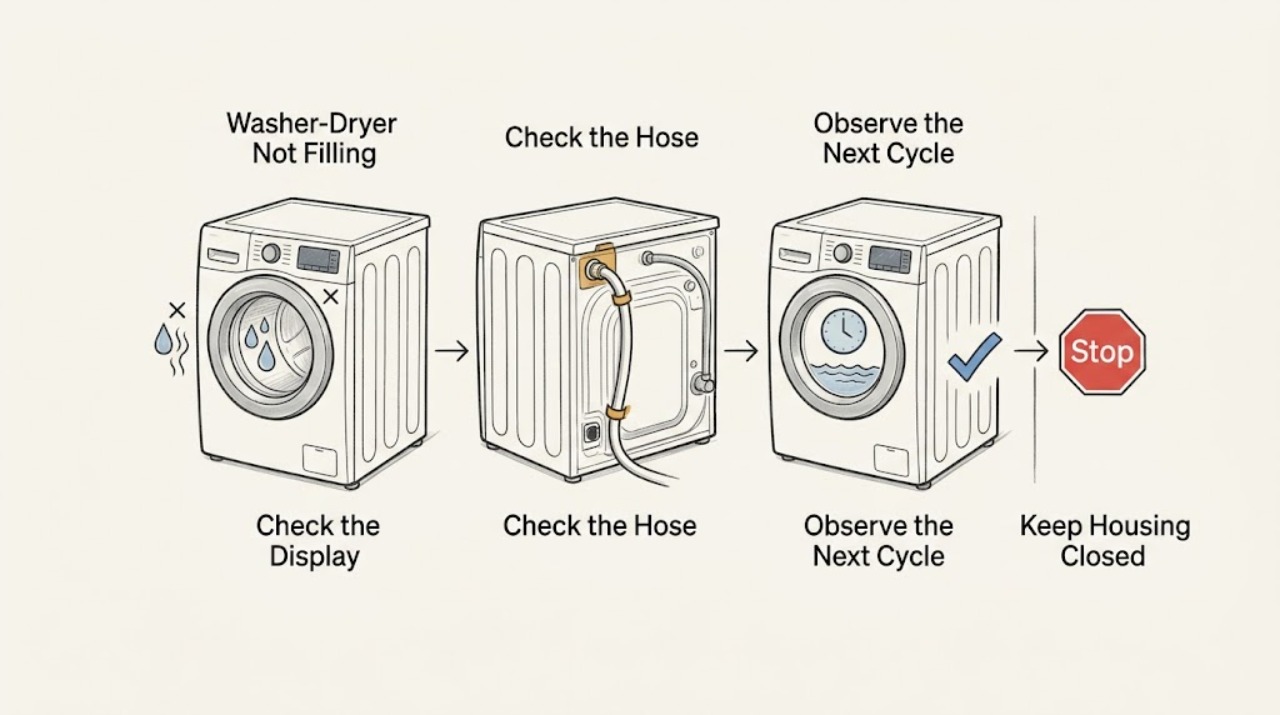
Work through in order
Diagnostic checks
Use only checks that match the exact appliance or system and its official guide.
-
Check 1
Start a short wash or rinse program and check whether the display and status lights respond. Confirm that the plug is fully seated and that the breaker or fuse supplying the washer-dryer has not opened; do not repeatedly reset a breaker that trips again.
Expected result: A dead display or a breaker that trips again means the appliance is not receiving stable power. A live display with no water sound means the fault is farther along the fill sequence.
Next step: If power is absent, resolve the outlet or circuit problem with a qualified electrician. If the display works, continue to the supply-valve check.
Why this matters
Why: Power or a stopped cycle can prevent the inlet valves from being commanded at all; stable power with a responsive control points toward water supply, a restriction, or an internal service fault.
-
Check 2
With the washer-dryer idle, verify that both the hot and cold wall valves are fully open and that neither inlet hose is sharply kinked or crushed behind the appliance. Check that the hoses are connected to the intended hot and cold inlets for the selected cycle.
Expected result: If a valve is closed, a hose is pinched, or water pressure is weak at the supply, one or both temperature paths may provide little or no water.
Next step: Open the supply valves, straighten an accessible hose, and run the short cycle again. If the household supply is weak or a valve will not operate, stop at the plumbing side and arrange plumbing help.
Why this matters
Why: The fill system cannot work without household water reaching the appliance; a supply-side restriction is more likely than a failed control when correcting the valve or hose restores flow.
-
Check 3
Unplug the washer-dryer, close both supply valves, and inspect the accessible inlet screens at the hose connections for sediment or scale. Do not pry out an internal screen or work on a pressurized connection; clean only what the model manual identifies as user accessible.
Expected result: Visible debris, scale, or a restricted screen can reduce the incoming flow enough to cause a slow-fill timeout or a no-fill symptom. Clean screens with the power disconnected and valves closed, then reconnect without cross-threading.
Next step: Restore the connections, open the valves, and repeat one short fill test. Do not bypass the inlet valve or apply power to it outside the appliance.
Why this matters
Why: A blocked screen is a supply restriction. If the screens are clear and the washer still receives no water despite good supply, the inlet valve, wiring, or control may need service diagnosis.
-
Check 4
Watch the control panel during one attempted fill for a flashing Fill light or an H2O SUPPLY message. If the panel shows that state, leave the appliance connected and allow the model's lockout period to finish before changing settings or pressing Start again.
Expected result: On some GE models, the controls may not respond for about three or four minutes while the fill-related lockout runs. A message that clears and permits a retry is different from a panel that remains unresponsive after the period ends.
Next step: After the lockout clears, select the cycle again and perform one test. If the same message returns, record it and move to the service boundary.
Why this matters
Why: The appliance may be protecting the cycle after a fill timeout rather than suffering an immediate component failure. Repeated lockouts after confirmed supply and clear screens still need diagnosis.
-
Check 5
If some water enters, compare the result with the selected cycle and load rather than judging by a completely full basket. GE top-load models may use load sensing and a timed fill; check whether the washer advances normally after sensing instead of stopping with a dry tub.
Expected result: A modest water level followed by normal washing can be expected on a load-sensing model. A dry tub, repeated timeout, or water flow that stops before the cycle can proceed is not the same condition.
Next step: If the cycle completes its fill and proceeds, monitor the next load. If it never fills or repeatedly times out after the supply checks, stop troubleshooting and arrange qualified service.
Why this matters
Why: Visible water volume alone does not prove a fill failure. The decision changes to service when the machine cannot obtain enough flow to advance, not merely when it uses less water than an older washer.
Use your observations
Decision map
Find the observation that best matches what you see, then follow the next safe action.
-
PATH 01Next step
What you see
The display is dead or the circuit trips again.
Do this next
Stop using the washer-dryer and have the outlet or circuit checked by a qualified electrician; do not keep resetting a tripping breaker.
-
PATH 02Next step
What you see
A hot or cold valve is closed, a hose is kinked, or household flow is weak.
Do this next
Correct the supply-side problem and run one short fill test. If the valve or plumbing cannot provide reliable water, arrange plumbing help.
-
PATH 03Next step
What you see
The supply is good but an inlet screen is visibly restricted.
Do this next
Clean only the user-accessible screen with power unplugged and supply valves closed, then reconnect and retest once.
-
PATH 04Next step
What you see
A Fill light or H2O SUPPLY message remains after the model's lockout period, or the washer still stays dry with good supply and clear screens.
Do this next
Stop opening the appliance and arrange qualified appliance service. Provide the model number, the display message, and which supply checks were completed.
-
PATH 05Next step
What you see
Some water enters and the load-sensing cycle proceeds normally.
Do this next
Treat the lower visible level as potentially normal for that model and cycle; use the owner's instructions for the expected fill behavior.
Helpful context
Understand the symptom
What the symptom tells you
Treat no water and a low water level as different symptoms. If the tub stays completely dry, begin with power, cycle controls, and the household water supply. If water enters but the level looks lower than an older machine, a GE load-sensing or timed-fill design may be working normally. A washer-dryer can still dry normally while the washer side has a supply restriction, so test a wash or rinse program rather than assuming the whole appliance has failed.
Work safely
Do not open the control console or measure voltage inside the appliance. Before inspecting hose connections or inlet screens, unplug the washer-dryer and close the hot and cold supply valves. Mop up any water, keep the floor dry, and restore power only after exposed connections are secure.
Only after diagnosis
Potential parts
- water inlet valve assembly
Consider this component only if both household supplies are confirmed, accessible screens are clear, and the appliance still does not admit water during a commanded fill; an internal test should be performed by a qualified technician.
Confirm the exact appliance model and the manufacturer's fit information before ordering any part. - inlet hose screen
Consider replacement only if an accessible screen is damaged or cannot be restored after the supply is shut off; a screen should not be replaced as a guess when the water restriction has not been confirmed.
Use the exact model documentation to confirm whether the screen is separately replaceable and compatible.
When checks do not resolve it
Need a professional?
Qualified appliance service is appropriate when stable power, open supply valves, straight hoses, and accessible clear screens do not restore filling, or when the panel repeatedly reports a fill problem.
Common questions
FAQ
Why does my GE washer-dryer have power but no water enters?
Check that both supply valves are open, the hoses are not kinked, and the accessible inlet screens are clear with the appliance unplugged and the valves closed. If those checks pass and the tub stays dry, service is appropriate.
Is a lower water level always a filling failure?
No. GE explains that some top-load models use load sensing and a timed fill, so a lower visible level can be normal when the cycle receives water and proceeds normally. A dry tub or repeated timeout is a different symptom.
What should I do when H2O SUPPLY appears?
On some GE models, allow the fill-related lockout period to finish before changing settings or pressing Start again. If the message returns after the water supply and screens are checked, record the message and arrange qualified service.
Read the exact guide
Official sources
- FAQs | WashersGE Appliances · GE guidance for a washer that does not fill, including power, water faucets, and a stopped cycle.
- Top Load Washer - Fill FunctionGE Appliances · Load sensing, timed fill, water pressure, inlet restrictions, and normal lower water levels on GE top-load washers.
- Front Load Washer - No FillGE Appliances · Power, hot and cold supply, inlet screens, paused cycles, and service boundary for GE front-load washers.
- Top Load Washer - No FillGE Appliances · Power, water valves, inlet screens, cycle controls, fill lockout messages, and service boundary for GE top-load washers.
Community feedback
Share a repair observation
Share a plain-text repair observation. Accepted observations are published automatically; this page may take a moment to update.