
On this page
Start here
Quick answer
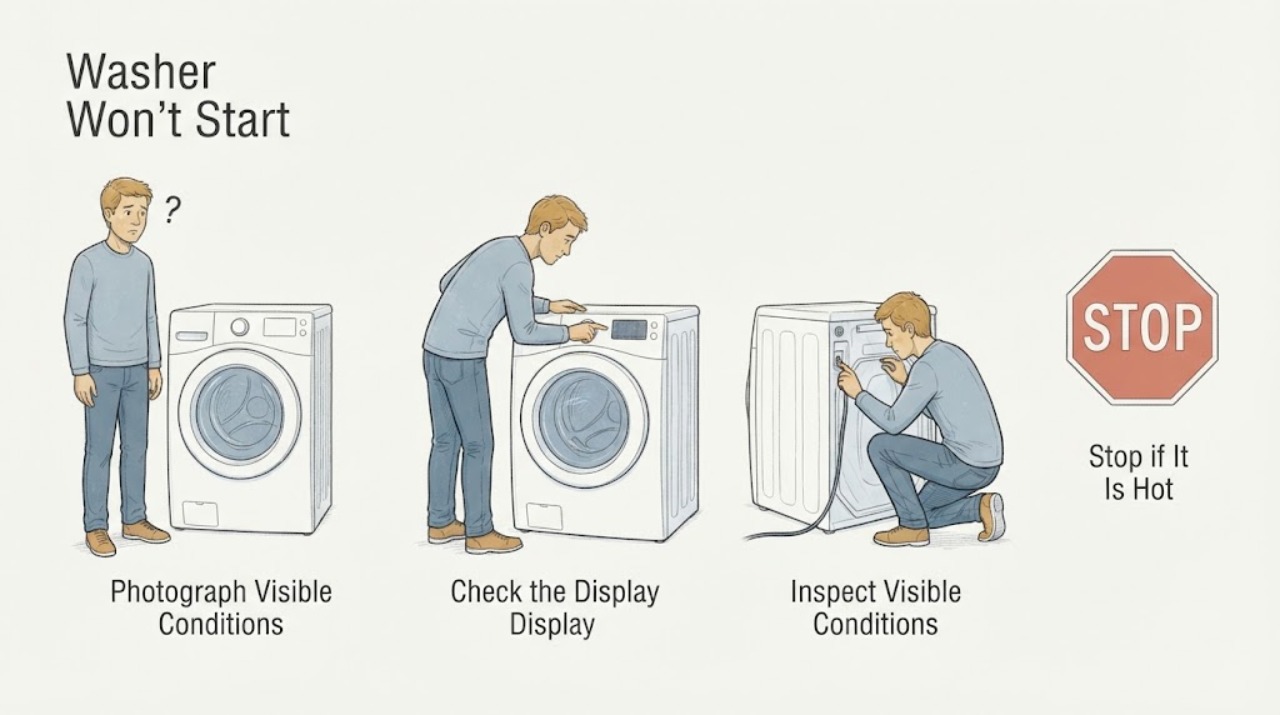
For a GE GFW650SSN2WW front-load washer that will not start, first photograph the entire display and model tag from a dry, comfortable position. Record every character exactly, including capitalization, spaces, dashes, icons, blinking lights, and when the message appeared. GE says washer messages can vary by model, so a similar-looking code from another GE appliance is not enough to identify a failed part. Check only what is comfortably visible: whether the controls respond or show a lock indicator, whether the door edge is visibly obstructed, and whether power and water are available without moving the machine. If the display is unclear, the door remains locked, a message returns, or any check requires bending, force, panel removal, or live testing, stop and give the exact photos and your physical limitations to a qualified service provider. This article does not make a repair-versus-replace economic decision.
Work through in order
Diagnostic checks
Use only checks that match the exact appliance or system and its official guide.
-
Check 1
From a dry, upright or seated position, photograph the complete display and model tag. Write down every visible character exactly as shown, including upper- and lower-case letters, spaces, dashes, icons, blinking indicators, beeps, and whether the washer was idle, filling, draining, or trying to lock when it appeared.
Expected result: The display is a recognizable status such as sensing, fill, pause, balancing, delay, or end; it is a complete consumer-help message; or it is an unfamiliar door/control message that cannot be read confidently.
Next step: Keep the photo and exact transcription, then use the matching symptom branch below. Do not substitute a code found on another GE washer.
Stop if: Stop and arrange help for smoke, burning odor, exposed wiring, a hot cord or outlet, uncontrolled filling, water near electrical parts, or any need to move or reach behind the machine.
Why this matters
Why: A status may describe a normal phase, while an error or consumer-help message can select a different check. GE states that messages may vary by model, so an approximate transcription cannot safely identify a part or reset sequence.
-
Check 2
Compare the visible model identification with GE's GFW650SSN2WW model page, and use the matching Owner's Manual link only as a reference for the control labels; do not rely on a GFW650-family code list when the full model or display text differs.
Expected result: The tag clearly reads GFW650SSN2WW, or the tag is incomplete, obscured, or different from that model.
Next step: If the tag is incomplete or different, send the full tag photo to the service provider and ask them to verify the manual before interpreting the message.
Stop if: Do not remove trim, panels, or labels, and do not crouch or move the washer to find a hidden rating label.
Why this matters
Why: The exact suffix determines which control labels and message meanings apply. The GE model page identifies GFW650SSN2WW as a front-load washer and links model-specific support material, but it does not turn an unverified display phrase into a diagnosis.
-
Check 3
Look at the control panel from a comfortable position for a lock icon or a Control Lock indication, and press only the normal Power or clearly labeled control that you can reach without force; do not enter a service mode or try random button combinations.
Expected result: A lock indicator is lit and the controls do not respond, Power responds but cycle selections do not, or the panel responds normally but the cycle still will not start.
Next step: Use the exact GFW650SSN2WW manual or ask service for the documented Control Lock release; if the lock remains or the panel behaves inconsistently, preserve the photo and stop testing.
Stop if: Do not pry buttons, hold the door switch, bypass the lock, open the console, or continue if the panel is hot, cracked, wet, or smells burned.
Why this matters
Why: GE says Control Lock can prevent selections while leaving Power usable, and the location or release method varies by model. This pattern is consistent with a locked interface or a model-specific control state, not proof that a control board needs replacement.
-
Check 4
Inspect the front door edge and gasket from outside without pulling the door or reaching into a moving drum. Look for a loose garment edge, visible detergent buildup, or another accessible obstruction, then close the door normally once if it is already aligned.
Expected result: The door closes and the lock state changes, a visible obstruction is removable without force, or the door stays open, reports a door condition, locks at the wrong time, or cannot be made to close normally.
Next step: Remove only a loose, visible obstruction and make one supervised start attempt. If the message persists or the door behaves abnormally, stop and provide the door photo and sequence to service.
Stop if: Never force the door, hold or defeat the lock, reach into a moving drum, or remove a door, gasket, or panel.
Why this matters
Why: GE front-load washers automatically lock the door when a cycle starts and warn not to force a locked door. A normal closure that does not change the display leaves a sensing, alignment, or control condition for service; it does not justify bypassing the interlock.
-
Check 5
Check only the power cord, outlet indication, and the washer's household hot and cold supply valves if each is visible and comfortably reachable. Do not pull the washer forward, kneel to inspect behind it, disconnect a hose, or perform a live electrical test.
Expected result: The display is completely dark, a safely accessible breaker or outlet is clearly off, the valves are visibly closed, or power and valves appear normal but the washer still will not start.
Next step: Correct only an obviously accessible switched-off breaker, outlet, or valve if doing so is safe; then make one normal start attempt. If the display stays dark or the message returns, request service and report exactly what was observed.
Stop if: Do not touch wet plugs, warm or damaged cords, standing water, exposed wiring, or a breaker that trips again. Do not keep resetting a breaker.
Why this matters
Why: GE lists household power and open hot/cold valves among the first no-fill checks, but a confirmed supply does not rule out a washer-side sensing or control fault. A dark display can also require electrical service rather than an appliance part.
-
Check 6
If this washer was already linked to GE's SmartHQ app or another GE appliance record, review the existing notification or status history and save a screenshot; do not pair the washer, enable remote control, or treat an app label as a verified code meaning.
Expected result: The record contains a timestamp, cycle, status, or notification that matches the photographed panel, or the washer is not connected and no record exists.
Next step: Attach the screenshot with the display photo, exact model, cycle selected, and time of failure when requesting service. If there is no record, rely on the direct photo and transcription.
Stop if: Do not repeatedly start the washer remotely, enter setup or service mode, or continue a cycle involving a leak, abnormal heat, smoke, or electrical odor.
Why this matters
Why: An existing app record can preserve timing and repeat behavior when physical inspection is difficult. GE also notes that app features and notifications can vary, so an absent record does not prove the washer is faulty and an app label does not replace the exact panel message.
-
Check 7
Prepare a service handoff rather than attempting a repair: provide the exact model tag, the full display photo, the sequence and timing, whether the door locked, the result of the comfortable front checks, and the physical limitations that prevent bending, moving the washer, or basic repairs.
Expected result: The same door or panel message returns, the cycle still will not start after one safe normal attempt, or an inaccessible check would be required.
Next step: Ask the provider to confirm the code from the exact GFW650SSN2WW documentation and to accommodate the user's physical limits. Let the provider inspect internal parts and give any repair-versus-replace recommendation after diagnosis; do not make that economic decision from an unverified code.
Stop if: Stop use and seek qualified help for a leak, flood risk, burning smell, hot electrical parts, repeated breaker trips, uncontrolled filling, or a door that cannot safely remain closed.
Why this matters
Why: A repeat or inaccessible condition needs model-specific diagnosis. The observed facts can distinguish a locked interface, closure state, supply symptom, or unresolved control condition without falsely naming a board, latch, valve, or other part.
Use your observations
Decision map
Find the observation that best matches what you see, then follow the next safe action.
-
PATH 01Next step
What you see
The panel is dark, or the outlet/cord/breaker is visibly abnormal from a safe standing position.
Do this next
Do not move the washer or keep resetting a breaker. If power cannot be safely confirmed, arrange an electrician or appliance service visit and include the display/power observations.
Why this path and its safety boundary
Why it matters: The immediate decision is an accessible power or electrical-safety issue, not a door-code or replacement-parts decision.
-
PATH 02Next step
What you see
The display is on, the controls do not respond or show a lock indicator, and the door appears physically closed.
Do this next
Use only the exact model documentation for the documented release, or ask service to handle it. If the lock indicator remains, do not pry buttons or enter service mode.
Why this path and its safety boundary
Why it matters: A Control Lock or model-specific control state is more plausible than a confirmed failed board; GE says the lock feature can block selections and varies by model.
-
PATH 03Next step
What you see
The panel shows a door-related message, the door edge has a visible obstruction, or the door will not close and lock normally.
Do this next
Remove only a loose visible obstruction and close normally once. If the message persists, the door is misaligned, or it locks unexpectedly, stop and request service without forcing the door.
Why this path and its safety boundary
Why it matters: The next decision concerns closure and interlock sensing. It is not evidence that the lock should be bypassed or that a latch should be ordered.
-
PATH 04Next step
What you see
The complete message clearly says H2O SUPPLY or IE, the washer does not fill, and the accessible household valves and visible hose path appear normal.
Do this next
Make one safe normal start attempt only if there is no leak; if the message returns, stop and provide the exact code and supply observations to service. Do not disconnect a pressurized hose or clean inaccessible screens.
Why this path and its safety boundary
Why it matters: GE treats these messages as a water-entry or supply symptom, but also notes that low pressure or a washer-side sensing problem can remain after the household supply looks normal. The message alone does not identify an inlet valve or other part.
-
PATH 05Next step
What you see
The display phrase is incomplete, differs from the examples above, or returns after the controls and door look normal.
Do this next
Preserve the unedited photo, write the characters exactly, and request a service diagnosis for the GFW650SSN2WW. State that the user cannot safely perform bending, moving, disassembly, or electrical tests.
Why this path and its safety boundary
Why it matters: A model-specific or unresolved control/door condition remains. Guessing from a similar GE code could send the provider toward the wrong part and does not answer repair versus replace.
Helpful context
Understand the symptom
The GFW650SSN2WW is identified by GE as a smart front-load steam washer. A door or control-panel message is not enough to prove that the door lock, control board, or another part has failed. The useful first decision is whether the washer has a recognizable status, a lock or closure condition, a supply problem, or an unresolved message that needs service.
Because physical limitations change what is safe and practical, the checks below stay at the front of the appliance and use photographs and observations instead of crawling behind the washer, lifting it, opening panels, or testing energized parts.
When checks do not resolve it
Need a professional?
Stop using the washer and seek qualified help for smoke, burning or gas-like odor, a hot cord or outlet, exposed wiring, repeated breaker trips, water near electrical parts, uncontrolled filling, a leak or flood risk, severe movement, or a door that cannot close or unlock normally. Also call service when the exact GFW650SSN2WW message is not clear, returns after one safe normal attempt, or would require bending, moving the washer, opening a panel, bypassing a lock, or live testing. Give the provider the model tag, complete display photo, sequence, and accessibility limits.
Common questions
FAQ
Should I repair or replace this four-year-old washer?
This symptom and an unverified door or panel phrase cannot answer that economic question. First obtain a diagnosis tied to the exact GFW650SSN2WW model and complete display message; then compare the provider's repair recommendation with the appliance's condition and your needs.
What if I cannot physically inspect the back, bottom, or internal parts?
Do not move, kneel behind, open, or electrically test the washer. Photograph the front display and model tag, perform only comfortable front checks, and tell service exactly which access limits apply so the visit can be planned safely.
How should I report a door or control-panel code?
Send an unedited photo and transcribe every character, case, space, dash, icon, blinking light, beep, and timing. GE says messages may vary by model, so do not convert the display into a familiar-looking code from another appliance.
Read the exact guide
Official sources
- Front Load Washer - No FillGE Appliances · GE front-load washer no-fill checks for household power, valves, visible hose path, and service escalation
- Washer - Consumer Help IndicatorGE Appliances · GE washer consumer-help messages, example meanings, reset boundary, and model-variation warning
- Smart Appliance - SmartHQ App TroubleshootingGE Appliances · GE SmartHQ troubleshooting, notifications, and feature-availability limits
- Model Search | GFW650SSN2WWGE Appliance Parts · GE GFW650SSN2WW model identity and its linked model support resources; the page does not define door and control panel codes
- Front Load Washer - Door LockGE Appliances · GE front-load washer door-lock behavior and no-force boundary
- Washer - Control Lock FeatureGE Appliances · GE washer Control Lock behavior and model-specific release guidance
Community feedback
Share a repair observation
Share a plain-text repair observation. Accepted observations are published automatically; this page may take a moment to update.