
On this page
Start here
Quick answer
A Haier washing machine error must be read with the exact code, any alternating display, the model number, and the stage where it appeared. Do not guess from a generic list because codes and remedies vary by model. Haier's official examples associate E1 with draining, E2 with a lid condition on some top-load models, E3 with load balance or leveling, E4 with water inlet or pressure, FA with a water-level sensor, FC-family codes with internal communication, and F2 with a critical water level; these are model-specific examples, not universal meanings. Make one normal pause or reset only when the manual allows it and no hazard is present. Stop for a leak, water near electrical parts, burning odor, smoke, sparks, or a tripped breaker, and arrange qualified service for repeated or internal faults.
Work through in order
Diagnostic checks
Use only checks that match the exact appliance or system and its official guide.
-
Check 1
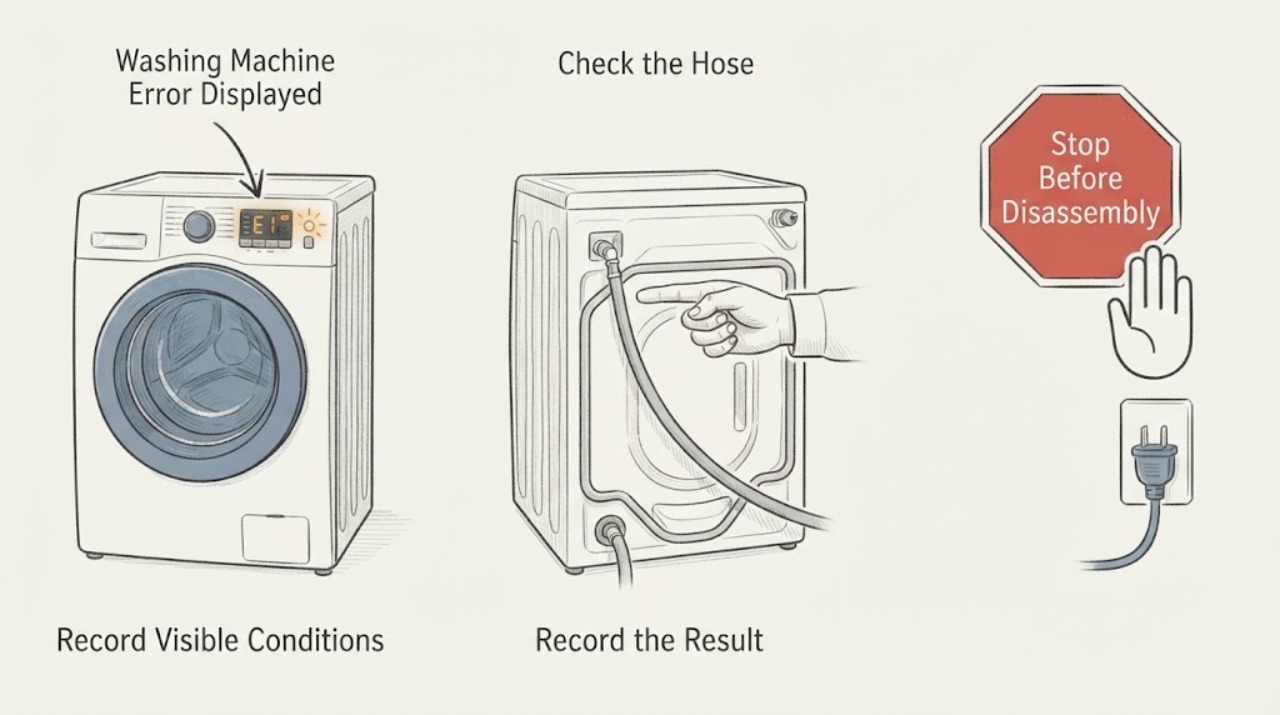
Write down the exact error display, any alternating code or message, the model number, and the stage when it appeared. Note whether the drum contains water, whether the lid or door is locked, and whether the machine stopped, drained, or continued operating. Do not substitute a code from a similar-looking model.
Expected result: The code is a documented model-specific code; two codes alternate; the code appears only during fill, drain, or spin; or the display is unclear or different from the manual.
Next step: Use the exact model manual or Haier support page to match the code. If the code cannot be identified, keep the washer off when operation is abnormal and request service rather than guessing.
Why this matters
Why: The model and stage determine which branch is safe. Haier states that its error tables are not universal across all machines, so an unverified code should not be assigned a part or cause.
-
Check 2
For a fill or water-level indication such as E4, FA, or another model-specific water alert, inspect the visible water tap and inlet hose. Confirm the tap is open, the hose is not bent or blocked, and water pressure is available. Check an inlet valve screen only if the model manual permits it, with the supply off before handling the connection.
Expected result: The tap is closed, the inlet hose is restricted, pressure is low, the valve path is dirty, water enters normally, or FA indicates a water-level sensing fault.
Next step: Correct only a visible supply or hose problem and make one supervised fill attempt. If FA persists, E4 returns with normal water, or a connection leaks, stop and arrange qualified service.
Why this matters
Why: Haier associates E4 with absent water, a blocked inlet valve, or low pressure on the documented model, while FA is listed as a water-level sensor failure in its top-load table. A clear supply with a persistent alert needs service diagnosis.
-
Check 3
For E1, a drain alert, or a code appearing with water left inside, inspect only the visible drain hose and its outlet for a kink, blockage, or incorrect position. Follow the exact model manual before opening a pump-filter cover, and disconnect power first if that procedure is explicitly supported. Never force a locked door or lid over retained water.
Expected result: Water remains, the hose is blocked or distorted, water leaves as it enters, the drain path is clear but pumping is weak, or the machine drains normally but the code returns.
Next step: Correct an obvious visible hose issue using the manual and make one supervised drain attempt. Stop for a leak or unsafe access, keep the washer off, and call service when the code returns or pump access is required.
Why this matters
Why: Haier identifies drain-hose blockage or position and pump-path restriction as causes of drain errors and retained water. A clear external path with a repeated error can indicate a pump or control fault.
-
Check 4
For E2, a door or lid symbol, or a code during spinning, confirm that the lid or door is fully closed and unobstructed without bypassing its lock. For E3 or a no-spin alert, stop the cycle and redistribute the load, remove excess items, and check that the machine is stable and level. Do not reach under the machine while it operates.
Expected result: The lid or door was open or not latched; the load is uneven or excessive; the appliance rocks; the code clears after the visible correction; or the code returns with a closed door and balanced load.
Next step: Close the lid or door normally or rebalance the load once, then make one supervised restart. If the lock will not engage, the washer vibrates violently, or E2/E3 returns, stop and arrange qualified service.
Why this matters
Why: Haier documents E2 as a lid-related stop on some top-load machines and E3 as a no-spin condition associated with uneven laundry or leveling. A returning lock or spin code after external checks needs service rather than a bypass.
-
Check 5
For FC, FC0, FC1, FC2, FC3, or another communication or sensor code, record the display and model without removing a panel. For an F2 or critical water-level alert, stop the washer and keep clear of the water until the manual or a technician gives a safe next step. Use a normal pause or reset only once for a non-hazardous transient code if the model manual directs it.
Expected result: The code clears once and does not return; FC-family communication code returns; FA or another sensor code persists; F2 indicates a critical water level; or the washer shows a leak, smoke, burning odor, sparks, or breaker event.
Next step: Keep the washer off and arrange qualified service for recurring communication, sensor, or critical-level codes. For a leak or electrical/fire symptom, stop immediately and use the property's emergency procedure; do not reset or open the washer.
Why this matters
Why: Haier explicitly directs FC-family internal communication errors and FA sensor failures to after-sales service, and lists F2 as a critical water-level condition. These are not homeowner part-identification problems.
Use your observations
Decision map
Find the observation that best matches what you see, then follow the next safe action.
-
PATH 01Next step
What you see
The code is unclear, alternates with another message, or cannot be matched to the exact model manual.
Do this next
Record the model and display exactly, consult the model manual or Haier support, and request service if the washer is not operating normally.
Why this path and its safety boundary
Why it matters: There is insufficient evidence for a safe code-specific diagnosis.
-
PATH 02Next step
What you see
A documented fill code appears with a closed tap, restricted hose, low pressure, or dirty inlet path.
Do this next
Restore the external water supply safely and make one supervised attempt; arrange service if the code returns with normal flow.
Why this path and its safety boundary
Why it matters: The visible water-supply path is the first supported cause.
-
PATH 03Next step
What you see
A drain code appears with retained water, a kinked or blocked hose, direct draining, or weak pumping.
Do this next
Check only visible hose conditions and follow the model manual for any controlled filter procedure; stop for a leak or unsafe access and call service.
Why this path and its safety boundary
Why it matters: The drain path or pump may be stopping the programme.
-
PATH 04Next step
What you see
E2 or a lock symbol appears with an open or unlatched lid or door, or E3 appears with an uneven load or unstable washer.
Do this next
Correct the visible closure or load condition once and supervise a restart; service is needed if the code returns or vibration is severe.
Why this path and its safety boundary
Why it matters: A closure, balance, or leveling condition is the supported first branch.
-
PATH 05Next step
What you see
FC-family, FA, F2, or another code returns after the external check, or the washer leaks, becomes wet, smells burnt, smokes, sparks, overheats, or trips the breaker.
Do this next
Stop using the washer, keep clear of wet electrical areas, and arrange qualified service. Do not reset repeatedly, bypass a lock, open panels, or handle internal wiring.
Why this path and its safety boundary
Why it matters: An internal fault or immediate safety issue requires escalation.
Helpful context
Understand the symptom
The code is evidence, not a diagnosis
Photograph or transcribe the display exactly, including letters, numbers, spaces, dots, and any code that alternates with another message. Record the full model from the rating label and whether the washer was filling, washing, draining, or spinning. A code from a different Haier family may have a different meaning.
Safe reset boundary
If the manual recommends a normal pause, Start/Pause action, or power reset, use it once only after the washer is stable and dry. Do not reset a machine with a leak, wet plug or outlet, burning smell, smoke, sparks, overheating, or a repeated breaker trip.
Safety boundary
Stop conditions
- Stop immediately for a leak, water near a plug or outlet, burning odor, smoke, sparks, overheating, violent vibration, or a breaker that trips again.
- Do not force a locked lid or door, remove a filter while water remains unless the exact manual gives a safe procedure, or open a panel to investigate a code.
- Do not bypass a safety lock, handle internal wiring, or assign and replace a motor, valve, pump, sensor, or control from a code alone.
Only after diagnosis
Potential parts
- washing machine water inlet valve
Consider only when the exact model's code and service diagnosis confirm normal household flow but an internal inlet valve fault.
Confirm the complete model and manufacturer fit information before ordering. - washing machine drain pump
Consider only when the visible drain path is clear and a technician confirms weak pumping or a pump fault for the exact model.
Drain components vary by model; verify approved fit information before installation. - washing machine door or lid lock
Consider only when the closure is clear and service confirms a lock signal fault behind a recurring door or lid code.
Verify model-specific fitment and have internal work performed by a qualified technician. - washing machine water-level sensor or control
Consider only when a qualified technician confirms a persistent FA, F2, or other model-specific sensor or control fault.
Do not infer compatibility or failure from a code alone; use the exact model documentation.
When checks do not resolve it
Need a professional?
Arrange qualified service when a code is not identifiable for the exact model, returns after its documented external check, indicates communication, sensor, critical-level, or internal control trouble, or requires access to a pump, motor, wiring, or panel. Stop immediately for a leak, water near electrical parts, burning odor, smoke, sparks, overheating, or a tripped breaker.
Common questions
FAQ
Should I look up a Haier washer code by code alone?
No. Record the complete model, exact display, any alternating message, and the stage where it appeared. Haier's own tables are model-specific examples, so a code should not be used to guess a part.
What do Haier E4 and E3 commonly indicate?
On the Haier support examples used here, E4 is associated with absent water, a blocked inlet valve, or low pressure, while E3 is associated with no spin from uneven laundry or leveling. Confirm the exact model before acting.
What does FC or FC2 mean on a Haier washing machine?
Haier's FC-family support page describes FC, FC0, FC1, and FC2 as internal communication errors and directs the owner to after-sales service. Do not open the control panel to investigate.
When should I stop resetting a washer error?
Use a normal reset only once when the model manual permits it and no hazard is present. Stop for a leak, wet electrical area, burning odor, smoke, sparks, overheating, violent vibration, or a breaker trip, and arrange qualified service.
Read the exact guide
Official sources
- Common problem trouble shooting for top load washing machineHaier India Service & Support · Haier top-load washer E1, E2, E3, E4, FA, FC2, F2, water, drain, lid, and spin guidance
- Not wash of front load washing machineHaier India Service & Support · Haier front-load washer power, door lock, water, drain, programme, delay, child lock, and service checks
- Remain water in clothes after washingHaier Philippines Service & Support · Haier washer drainage blockage, pump, load balance, spin, and service guidance
- The screen displays "E4"Haier India Service & Support · Haier washer E4 water inlet, tap, valve, pressure, and service guidance
- It stops running in midway. Displays E2. -Haier India Service & Support · Haier washer E2 lid-open stop and normal resume after closure
- The screen displays "E3"Haier India Service & Support · Haier washer E3 no-spin, uneven laundry, leveling, and service guidance
- Display FC, FC1, FC2, FC3-Haier IndiaHaier India Service & Support · Haier washing machine FC-family internal communication errors and service escalation
Community feedback
Share a repair observation
Share a plain-text repair observation. Accepted observations are published automatically; this page may take a moment to update.