
On this page
Start here
Quick answer
If a Hamilton Beach coffee maker will not turn on, first identify the type and symptom: automatic drip models may show a blank display or no brew, while FlexBrew, The Scoop, BrewStation, and other models use different buttons, lights, reservoirs, and lid or cup-holder checks. From a dry, safe position, verify the plug is fully inserted, the outlet works, and any model power switch is on. A clock may need to be reset after a power outage, and some models turn off after a timed automatic shutoff or enter a power-saving/preheat state. If the panel responds, check that the water reservoir is filled, the carafe or cup is correctly positioned, and the brew basket or lid is closed as the exact Use & Care guide requires. Hamilton Beach's model guides also identify cleaning or mineral buildup as a possible brew problem, but do not disassemble the appliance. Unplug and stop for smoke, burning odor, sparks, a hot or damaged cord, water in the base, repeated breaker trips, or a shock; internal heating, pump, control, and wiring repairs are for authorized service, not live testing.
Before you begin
Safety first
- Do not repeatedly cycle power, open the housing, probe live wiring, replace an internal heater/pump/control, bypass a lid or carafe sensor, run with an empty reservoir, immerse the appliance, or operate after liquid enters the base or a smoke, odor, spark, shock, heat, or repeated-trip condition.
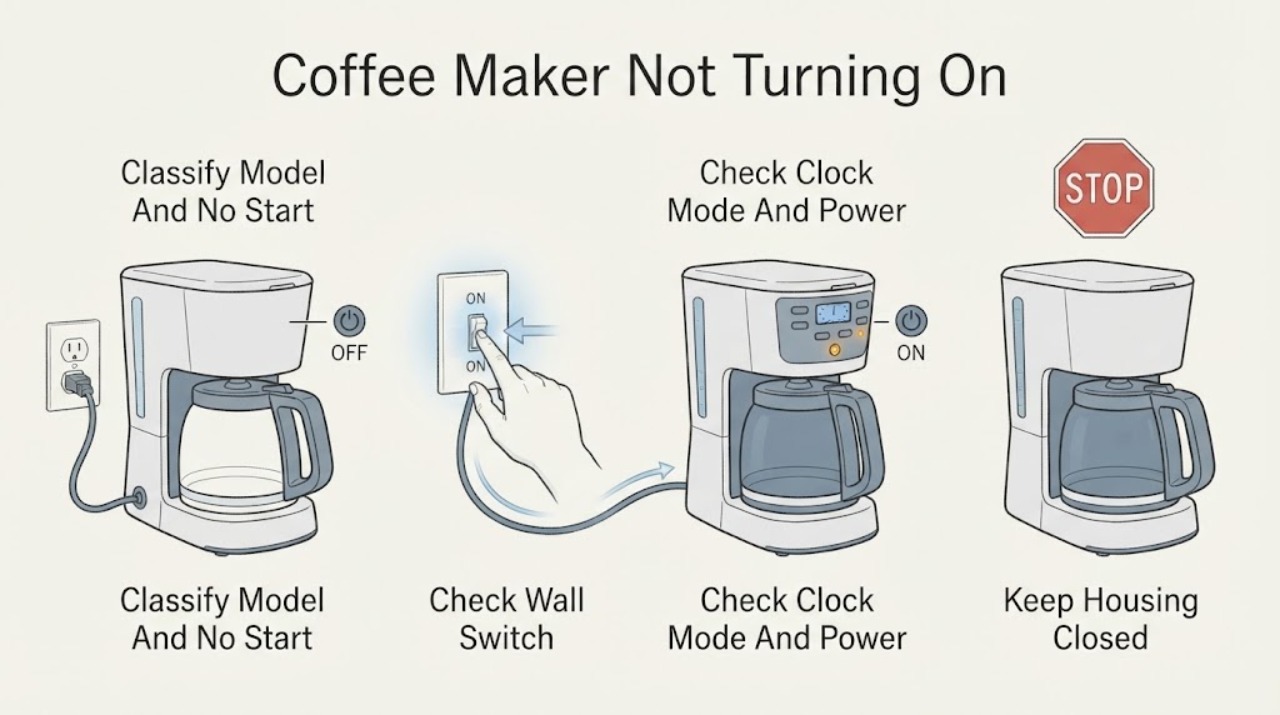
Work through in order
Diagnostic checks
Use only checks that match the exact appliance or system and its official guide.
-
Check 1
Read the model/type number and observe the controls without opening the housing. Note whether the coffee maker is automatic drip, FlexBrew, The Scoop, BrewStation, or another model, and whether the display/light is blank, the panel responds, a cup-size or brew light flashes, or the unit is warming.
Expected result: The panel is completely blank; the panel wakes but will not brew; the clock is flashing or reset; lights are slowly fading; or a lid/water/carafe indication appears.
Next step: Continue with the external power check, then use the model-specific branch that matches the observed control state. Do not press random combinations or dismantle the panel.
Stop if: Stop for smoke, burning odor, sparks, shock, water near the base, a hot/damaged cord, or a repeated breaker trip.
Why this matters
Why: A blank panel starts with outlet and power checks. A responsive panel shifts attention to mode, water, carafe/cup, lid, preheat, or clock state. Hamilton Beach uses different behaviors across model lines, so the observation must be matched to the exact manual.
-
Check 2
From a dry, safe position, confirm the plug is fully inserted and test the outlet with a known-good low-risk device. Check the household breaker once and verify the model's on/off or side power switch is in the ON position. Do not use a damaged cord, loose outlet, or adapter to bypass the normal connection.
Expected result: The outlet is dead; the breaker is tripped; the plug or cord is damaged, wet, hot, or scorched; the switch is off; or the outlet and cord are sound and power remains stable.
Next step: Leave the coffee maker unplugged and have an electrician assess a dead, loose, wet, hot, or repeatedly tripping outlet/circuit. If the supply is sound and the coffee maker stays dead, arrange authorized Hamilton Beach service.
Stop if: Do not repeatedly reset a breaker, touch wet electrical parts, tape a damaged cord, or perform a live voltage test.
Why this matters
Why: A dead outlet, unstable breaker, or damaged connection is a supply or electrical-infrastructure problem. A sound outlet with the correct switch position and no panel response makes an internal appliance fault more likely.
-
Check 3
If the panel has power, check the exact manual for automatic shutoff, power-saving, preheat, program, and clock behavior. After a confirmed outage or surge, reset the clock if the model requires it; on models with a documented wake control, press that control once rather than repeatedly pressing brew.
Expected result: The clock is flashing or incorrect; a program is active; the panel is locked or in power-saving mode; lights indicate preheat; or the model is on and ready but still will not brew.
Next step: Follow only the exact model's wake, clock, cancel, or brew sequence and allow the documented warm-up time. Do not use a different model's button combination or repeatedly start cycles with an empty reservoir.
Stop if: Stop if the control behaves erratically, the breaker trips, the cord/plug heats, or any smoke, odor, spark, shock, or water near the base appears.
Why this matters
Why: A reset clock, program state, power-saving state, or preheat period can prevent an immediate brew without a failed power supply. A ready control panel with correct time and mode moves attention to water, carafe/cup, lid, basket, or cleaning conditions.
-
Check 4
With the coffee maker unplugged or in the safe idle state described by the manual, verify that the water reservoir contains the required amount, the carafe is centered on the warming plate or the single-serve cup is in its holder, and the brew basket, pod holder, or lid is fully seated and closed. Do not open a hot brew chamber.
Expected result: The reservoir is empty or mis-seated; the carafe/cup is absent or out of position; the brew basket or lid is not locked; or all visible water and container conditions are correct.
Next step: Correct only the visible reservoir, carafe/cup, basket, or lid position allowed by the exact guide and make one normal brew attempt after cooling and safe setup. Arrange service if the condition returns or the unit remains unresponsive.
Stop if: Do not run with an empty reservoir, bypass a lid/cup/carafe sensor, open a hot lid, or touch hot liquid or the warming plate.
Why this matters
Why: Hamilton Beach guides list an empty reservoir, a carafe not on the warming plate, and lid or basket position as model-specific reasons for no brew or no start. Correct external seating can clear an interlock; correct seating with no operation points toward a model-specific control, pump, heater, or sensor fault.
-
Check 5
If the model panel works but water does not move or the unit starts and stops, check the Use & Care guide for its cleaning or descaling procedure. Unplug and allow the coffee maker to cool before external cleaning; never immerse the cord, plug, or coffee maker. Do not disassemble the pump or heater to clear buildup.
Expected result: The exact guide calls for cleaning/descaling; the machine has a CLEAN indication or slow/no water flow; or there is no model-supported cleaning explanation and the no-start persists.
Next step: Perform only the model's documented cleaning procedure with the specified cool-down and rinse steps. If the unit remains dead, fails to heat, leaks, smells burnt, or trips protection, leave it unplugged and arrange service.
Stop if: Do not run vinegar or cleaner through a damaged or leaking unit, use a hot chamber, open the housing, or use chemicals not approved by the exact manual.
Why this matters
Why: Hamilton Beach says mineral deposits can build up in a pump and that cleaning may correct some model-specific flow problems. Cleaning cannot establish that a heater, switch, pump, or control is safe or compatible, and a blank panel is not a descaling diagnosis.
-
Check 6
After a safe external correction or confirmed power restoration, make one normal start attempt using the exact model sequence and observe without opening the housing. Record whether the unit brews, remains in preheat, starts then stops, stays blank, leaks, overheats, or trips the circuit.
Expected result: The coffee maker starts and completes a cycle; it starts then stops; it remains unresponsive; or a leak, heat, odor, smoke, spark, shock, or breaker trip returns.
Next step: Leave the coffee maker unplugged for persistent no-start, no-heat, recurring stop, leak, or hazard symptoms. Provide the model, outlet result, control state, reservoir/container result, cleaning history, and exact failure timing to authorized service.
Stop if: Do not continue cycling power, bypass protection, open the housing, or operate after smoke, burning odor, sparks, shock, overheating, water in the base, or a repeated trip.
Why this matters
Why: A successful start supports a temporary mode, clock, container, water, or cleaning condition but does not prove an internal component is healthy. A persistent no-start or returning hazard requires a model-specific service diagnosis.
Use your observations
Decision map
Find the observation that best matches what you see, then follow the next safe action.
-
PATH 01Safety boundary
What you see
The outlet is dead, the breaker will not stay set, or the plug/cord/outlet is wet, hot, loose, damaged, or scorched.
Do this next
Leave the coffee maker unplugged and have an electrician inspect the circuit. Arrange appliance service if the circuit is sound but the coffee maker remains affected.
Why this path and its safety boundary
Why it matters: The electrical supply or connection is more likely than a coffee-maker control or heater fault, and the condition is not safe for repeated testing.
Safety stop: Do not reset repeatedly, use a larger fuse or breaker, touch wet electrical parts, or use a damaged cord.
-
PATH 02Safety boundary
What you see
The outlet and cord are sound, the model switch is on, and the Hamilton Beach coffee maker remains completely blank or unresponsive.
Do this next
Keep it unplugged and arrange authorized Hamilton Beach service. Do not open the housing or test the heater/control circuit.
Why this path and its safety boundary
Why it matters: An internal power, control, fuse, or wiring fault is more likely than an empty reservoir or brew-mode setting.
Safety stop: Stop immediately for heat, smoke, odor, sparks, shock, water at the base, or a recurring breaker trip.
-
PATH 03Safety boundary
What you see
The panel responds but the clock is reset, the model is in a documented power-saving/preheat/program state, or the brew button has not been pressed in the required model-specific sequence.
Do this next
Reset the clock, wake/unlock, cancel the program, or wait for preheat only as the exact manual directs, then make one normal brew attempt.
Why this path and its safety boundary
Why it matters: A control-state or timing condition is more likely than a dead appliance.
Safety stop: Do not repeatedly start cycles, run with an empty reservoir, or continue if the circuit trips or the appliance heats abnormally.
-
PATH 04Safety boundary
What you see
The panel works, but the reservoir is empty/mis-seated, the carafe or cup is out of position, or the brew basket/pod lid is not closed or recognized.
Do this next
Correct the visible setup using the exact guide and make one normal attempt after the unit is cool and dry. Arrange service if the sensor condition returns or the unit still will not brew.
Why this path and its safety boundary
Why it matters: A model-specific water, container, or lid interlock is more likely than an immediate internal heater failure.
Safety stop: Do not bypass a sensor, open a hot brew chamber, run dry, or operate with a leaking reservoir or carafe.
-
PATH 05Safety boundary
What you see
The outlet, mode/clock, water, container, lid, and model-approved cleaning checks are normal, but the coffee maker remains dead, will not heat or pump, starts and stops, leaks into the base, or creates a smoke/odor/spark/shock/trip condition.
Do this next
Stop use, unplug only from a dry safe point, and arrange authorized service. Hamilton Beach says internal coffee-maker parts are not sold to consumers; do not choose an internal part from the symptom.
Why this path and its safety boundary
Why it matters: An internal heater, pump, thermostat, control, wiring, or water-ingress fault may be involved, and the appliance is beyond safe user checks.
Safety stop: Do not open the housing, perform live tests, bypass protection, or restore power after a hazard or liquid ingress.
Helpful context
Understand the symptom
Define what 'not turning on' means
Record the exact Hamilton Beach model and whether the display is blank, the power light is off, the panel wakes but will not brew, all lights flash, the unit is preheating, or the clock lost its setting. An automatic drip maker, a FlexBrew single-serve machine, a BrewStation, and a model with a thermal carafe can have different controls and lock or sensor behavior. Use the model's Use & Care guide for the correct button sequence and water/carafe configuration rather than copying a procedure from another line.
A dark panel is not always a dead appliance
Hamilton Beach documentation describes several states that can look like a no-start: a power outage can clear the clock, some models automatically shut off, a model may be in power-saving mode, and another may be warming before brewing. A water reservoir, carafe, cup holder, filter basket, or lid that is not in the required position can also prevent a brew even when the control has power. Treat these as model-specific observations, not a universal error-code table.
Stop before opening or testing the coffee maker
Stop using the coffee maker for smoke, a burning smell, sparks, a hot or damaged cord or plug, water in or under the base, a shock, or repeated breaker trips. Unplug from a dry, accessible point and let the warming plate and brewed liquid cool before handling the carafe or basket. Do not immerse the appliance, bypass a lid or carafe sensor, open the housing, probe live wiring, or attempt to replace a heater, pump, thermostat, or control board.
When checks do not resolve it
Need a professional?
Call authorized Hamilton Beach service when the coffee maker stays dead on a proven-good outlet, will not brew or heat after safe model-specific checks, starts and stops repeatedly, or has an internal leak or suspected heater, pump, thermostat, control, or wiring fault. Call an electrician for a dead, loose, wet, hot, scorched, or repeatedly tripping outlet/circuit. Stop immediately for smoke, burning odor, sparks, shock, hot/damaged cord, or water in the base.
Safety scope: Do not repeatedly cycle power, open the housing, probe live wiring, replace an internal heater/pump/control, bypass a lid or carafe sensor, run with an empty reservoir, immerse the appliance, or operate after liquid enters the base or a smoke, odor, spark, shock, heat, or repeated-trip condition.
Have this ready
- Provide the exact model/type number, automatic-drip or single-serve line, outlet and breaker result, plug/cord condition, display/light/clock state, power-switch and program state, reservoir and carafe/cup/lid result, cleaning/descaling history, and the exact time of any stop, leak, heat, odor, smoke, spark, shock, or trip.
Common questions
FAQ
Why is my Hamilton Beach coffee maker not turning on?
Check the plug and working outlet, model power switch, clock after an outage, power-saving or preheat state, water reservoir, carafe or cup position, and lid or brew-basket seating. Match the check to the exact Hamilton Beach model because controls differ. A proven-good outlet with a blank panel requires service rather than internal testing.
What should I do after a power outage if my Hamilton Beach coffee maker will not start?
Confirm the outlet has power, then follow the exact model guide to reset the clock if it was cleared. Some models also require a normal BREW or ON/OFF press after the clock is set. Make one safe attempt; if the breaker trips or the machine remains dead, leave it unplugged and arrange service.
Why does my Hamilton Beach coffee maker have lights but not brew?
Depending on the model, it may be preheating, in power-saving mode, waiting for a correctly seated reservoir, carafe, cup, brew basket, or lid, or need a clock/program reset. Use the exact manual's sequence and do not bypass a sensor or start a cycle with an empty reservoir.
Can cleaning fix a Hamilton Beach coffee maker that will not start?
Cleaning may address model-specific mineral buildup that causes slow or stopped water flow, but it is not a diagnosis for a blank panel or electrical fault. Follow only the exact Use & Care procedure, unplug before cleaning, allow the unit to cool, and never immerse the coffee maker, cord, or plug.
Can I replace the heating element if my Hamilton Beach coffee maker will not turn on?
Do not replace it yourself. Hamilton Beach's FAQ says internal coffee-maker parts such as heating elements are not sold to consumers, and its model safety instructions prohibit opening the appliance. Arrange authorized service after the external checks.
When should I stop troubleshooting a Hamilton Beach coffee maker?
Stop for smoke, burning odor, sparks, shock, a hot or damaged cord or plug, water in or under the base, or repeated breaker trips. Unplug from a dry, safe point and do not immerse, open, or live-test the appliance.
Read the exact guide
Official sources
- Hamilton Beach Coffee Maker (46300) - Use and CareHamilton Beach · Exact model 46300 guide; operation and control labels must not be generalized to every Hamilton Beach coffee maker.
- Hamilton Beach Coffee Maker (46390) - Use & CareHamilton Beach · Exact model 46390 guide; conditions and controls are model-specific.
- Hamilton Beach FlexBrew TRIO Coffee Maker (49904) - Use & CareHamilton Beach · Exact model 49904 guide; use its controls and conditions only for matching FlexBrew TRIO configurations.
- Hamilton Beach FAQsHamilton Beach · Hamilton Beach general FAQ; several listed behaviors are model-specific and must be matched to the exact product.
- Coffee MakersHamilton Beach · Hamilton Beach product category page; use it only to identify the model family before opening the exact manual.
Community feedback
Share a repair observation
Share a plain-text repair observation. Accepted observations are published automatically; this page may take a moment to update.