
On this page
Start here
Quick answer
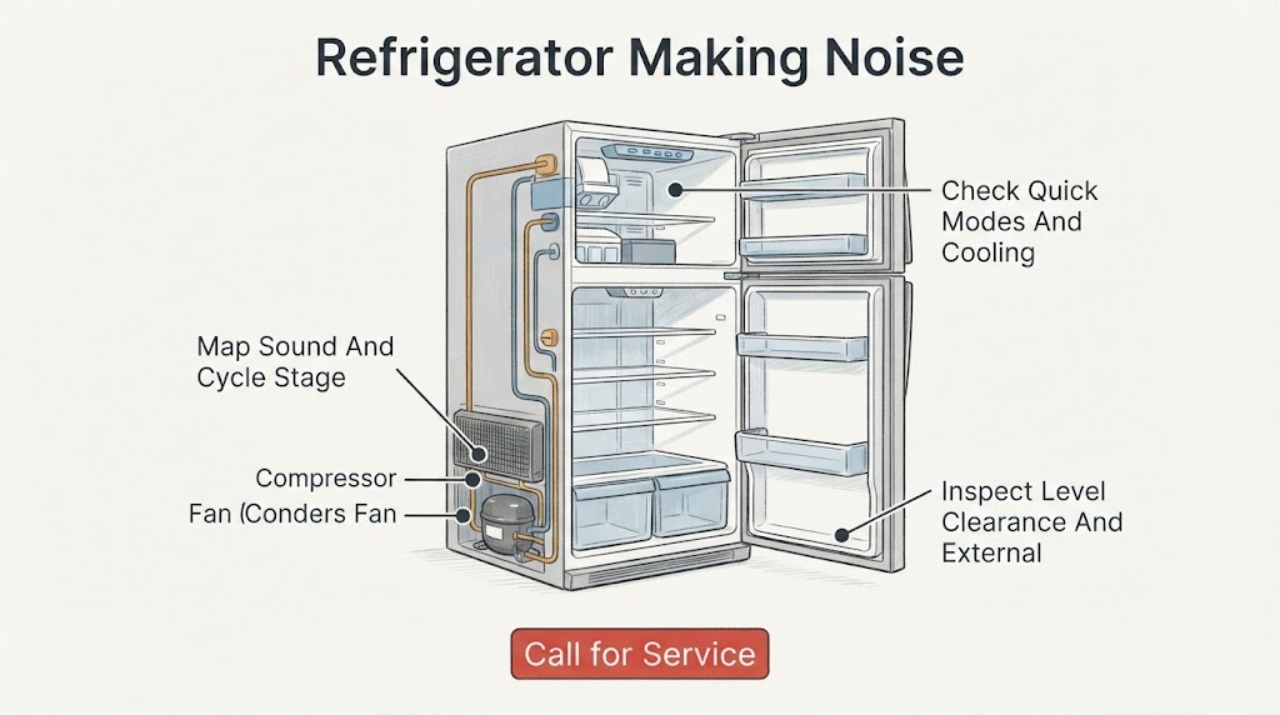
First record the sound and when it occurs: startup or frequent door opening, compressor cooling, fan circulation, defrost, water or refrigerant flow, ice making, door closing, or a constant scrape, grind, or vibration. Hitachi manuals explain that compressor and fan sounds can become louder while a refrigerator is first cooling, after frequent door opening, in high ambient temperature, or in Quick/Quick Cool modes; flowing, bubbling, sizzling, clicking, and ice-maker sounds can also be normal on listed models. Check the model's Quick modes, floor, wall or cabinet contact, clearance, and whether the refrigerator is firmly level. With power disconnected and the cabinet safe to touch, remove only obvious external contact or loose items; do not pull a built-in unit, open the sealed system, or remove panels. A new harsh sound, scraping or grinding, fan obstruction, repeated clicking without cooling, abnormal vibration, burning smell, smoke, hot plug, oil or refrigerant evidence, or a sound that remains after the documented external checks requires Hitachi or qualified service.
Before you begin
Safety first
- The user may record the sound, check model-documented modes, inspect accessible floor and external contact, remove loose containers, and compare the event with the exact manual. Qualified personnel must handle mounts requiring appliance movement, fan or compressor access, ice-maker mechanisms, wiring, controls, live testing, and sealed refrigerant systems.
Work through in order
Diagnostic checks
Use only checks that match the exact appliance or system and its official guide.
-
Check 1
From outside the refrigerator, record whether the sound occurs at startup, after a door opening, during steady cooling, during defrost, when water enters or ice drops, immediately after a door closes, or continuously. Describe it as hum, buzz, click, pop, gurgle, hiss, scrape, grind, rattle, or vibration, and note location and cooling behavior.
Expected result: The sound is brief and stage-linked; becomes louder in Quick mode or after door openings; follows ice making or defrost; changes when the cabinet is touched; or is continuous, harsh, load-independent, or accompanied by poor cooling, heat, odor, leak, or a code.
Next step: Use the exact model manual to compare the timing and sound class. For stage-linked sounds without warning signs, continue with Quick-mode and external-contact checks; for harsh or unsafe sounds, stop and arrange service.
Stop if: Stop immediately for smoke, sparks, flame, burning odor, abnormal heat, oil or refrigerant evidence, a hot or damaged cord or plug, water near electrical parts, or repeated breaker trips.
Why this matters
Why: Stage-linked sounds may match documented compressor, fan, refrigerant, defrost, control, or ice-maker operation. A load-independent harsh sound or a sound paired with a performance or safety symptom makes a mechanical, electrical, installation, or sealed-system fault more likely.
-
Check 2
Check the exact model's display or control panel for Quick, Quick Cool, Quick Freeze, energy-saving, or similar high-speed settings, and note whether the refrigerator is newly installed, recently moved, warm inside, or recovering from frequent door opening. Do not change settings repeatedly to reproduce a loud sound.
Expected result: A Quick mode is active; the refrigerator is still cooling after installation or a move; doors were opened frequently; the room is hot; or no high-load condition is present and the sound remains loud.
Next step: Follow the exact manual to return to the normal setting when the cooling task is complete, reduce unnecessary door opening, and allow the refrigerator to stabilize. If the sound remains loud or cooling is poor, arrange service.
Stop if: Stop for a burning odor, smoke, abnormal heat, repeated clicking with no cooling, hot power hardware, a breaker trip, or a sound that changes into scraping or grinding.
Why this matters
Why: High-speed compressor or fan operation can explain a temporary increase in sound under the conditions documented by Hitachi. A persistent loud sound without those conditions is less consistent with the documented explanation and needs closer inspection.
-
Check 3
With the refrigerator powered off and safe to handle, inspect the visible floor, adjustable feet area, side and rear clearance, adjacent cabinet or wall, door bins, shelves, and loose containers. Remove only an obvious loose external item or contact point; do not pull a built-in unit, remove a rear cover, or reach a fan.
Expected result: The unit rocks, an adjustable support is not firmly on the floor, the cabinet touches a wall or furniture, a loose item is vibrating, or the installation and external items are stable.
Next step: Correct only obvious loose-item or contact issues without disturbing the installation. If the refrigerator is unstable or needs foot, mount, or clearance adjustment, use the exact installation guide or a qualified installer; if internal noise remains, arrange appliance service.
Stop if: Stop for a refrigerator that can tip, damaged tubing, a loose built-in mount, water near electrical parts, or any need to pull the appliance out or remove a panel.
Why this matters
Why: An uneven or contacting installation can amplify compressor or fan vibration, while a loose container can create a cabinet rattle. Stable external conditions with an internal scrape, grind, or vibration make a fan, compressor mount, motor, or other internal fault more likely.
-
Check 4
If the refrigerator has an automatic ice maker or a model-specific ice-making control, note whether the sound occurs when water fills the tray, ice releases, or the bucket is moved. Also note whether a brief flow, bubbling, sizzling, clicking, or popping sound coincides with defrost or temperature control. Do not put hands into the ice maker or disable it unless the exact manual documents the control.
Expected result: The sound occurs only with ice fill/release; follows a defrost or cooling transition; occurs with an empty ice compartment; or is harsh, continuous, or accompanied by a stuck mechanism, leak, or poor cooling.
Next step: Compare the timing with the exact model manual and monitor a brief documented sound. For persistent, harsh, or failed-operation symptoms, keep hands and tools out of the mechanism and arrange qualified service.
Stop if: Stop for a jammed ice tray, sharp ice, water leak, frost requiring cover removal, smoke, burning odor, abnormal heat, or any need to reach into a powered mechanism.
Why this matters
Why: Hitachi documentation describes ice-maker, refrigerant-flow, defrost, and temperature-control sounds as normal on listed models. A sound independent of those events or coupled with a failure makes an ice-maker mechanism, fan, compressor, control, or sealed-system issue more likely.
-
Check 5
After the documented external checks, note whether the sound settles, returns with the same cycle, or persists with a stable empty cabinet and normal settings. Inspect the cord and plug externally only; do not perform live measurements, open the rear or control covers, adjust refrigerant, or operate with a damaged component.
Expected result: The sound stopped after clearing contact or changing a documented mode; it returns with the door or ice cycle; it persists continuously; cooling or ice production is impaired; or smoke, odor, heat, vibration, leak, or a power trip occurs.
Next step: Monitor only a refrigerator that is stable, cooling, and free of safety symptoms. Otherwise keep it out of service when unsafe and provide Hitachi or qualified service with the model, sound recording, timing, location, settings, and checks completed.
Stop if: Stop immediately for smoke, sparks, flame, burning odor, abnormal heat, a hot or damaged cord or plug, refrigerant or oil evidence, uncontrolled water, loss of cooling, or repeated breaker trips.
Why this matters
Why: Resolution after a safe external correction supports an installation, loose-item, or documented operating-mode cause. Recurrence or a performance/electrical warning makes a fan, compressor, motor mount, control, wiring, ice-maker, or sealed-system fault possible.
Use your observations
Decision map
Find the observation that best matches what you see, then follow the next safe action.
-
PATH 01Safety boundary
What you see
The sound is a brief hum, buzz, flow, bubble, click, pop, or fan/compressor sound that follows cooling, defrost, or temperature changes and the refrigerator cools normally.
Do this next
Monitor the sound and compare it with the exact model manual. Check Quick modes and unnecessary door opening if the sound is temporarily louder; arrange service if it becomes harsh, persistent, or changes character.
Why this path and its safety boundary
Why it matters: The pattern is consistent with documented operating sounds for the listed Hitachi models, though exact behavior remains model-specific.
Safety stop: Stop for smoke, burning odor, abnormal heat, poor cooling, leak, scraping or grinding, repeated breaker trips, or a hot or damaged cord or plug.
-
PATH 02Safety boundary
What you see
The sound becomes louder during first cooling, after frequent door opening, in hot surroundings, or while Quick/Quick Cool/Quick Freeze is active, then settles as temperature stabilizes.
Do this next
Use the exact model's normal setting when the quick-cooling task is complete, reduce door opening, and allow cooling to stabilize. Seek service if the sound does not settle or cooling remains abnormal.
Why this path and its safety boundary
Why it matters: High-speed compressor or fan operation is more likely than a failed component under the conditions documented by Hitachi.
Safety stop: Do not continue if the sound becomes grinding, scraping, or electrical, or if smoke, heat, odor, or power trips occur.
-
PATH 03Safety boundary
What you see
The refrigerator rocks, touches a wall or cabinet, has a loose external item, or the noise changes when an adjacent surface vibrates.
Do this next
Remove only obvious loose items or external contact without pulling the unit. Use the exact installation instructions or a qualified installer for leveling, mounts, or built-in clearance.
Why this path and its safety boundary
Why it matters: Installation contact, floor support, or a loose container is more likely to be amplifying a normal operating vibration.
Safety stop: Stop for instability, damaged tubing, a loose built-in mount, water near power parts, or any need to operate with a panel or mount removed.
-
PATH 04Safety boundary
What you see
The sound occurs only when ice is released or water enters the ice tray, or briefly during defrost, refrigerant flow, or a temperature-control transition.
Do this next
Compare the event with the exact model manual and do not reach into the mechanism. If the sound is continuous, the ice maker is jammed, water leaks, or cooling changes, arrange service.
Why this path and its safety boundary
Why it matters: An automatic ice-maker, defrost, refrigerant, or control operation is more likely than a constant mechanical fault on the models documented by Hitachi.
Safety stop: Do not use sharp tools, force an ice tray, remove a cover, or disable a control as a substitute for diagnosis.
-
PATH 05Safety boundary
What you see
The sound remains after external contact and documented-mode checks, occurs with a stable cabinet or empty load, or is paired with poor cooling, fan obstruction, repeated clicking, abnormal vibration, heat, odor, leak, or a power symptom.
Do this next
Keep the refrigerator out of service when unsafe and contact Hitachi or qualified appliance service. Provide the exact model, sound recording, timing, location, settings, cooling status, installation history, and safe checks.
Why this path and its safety boundary
Why it matters: A fan, compressor, motor mount, control, wiring, ice-maker mechanism, or sealed-system fault is possible; noise does not identify a safe replacement part.
Safety stop: Do not open panels, perform live tests, bypass controls, touch moving parts, open the sealed system, or repeatedly energize a refrigerator with smoke, heat, odor, leak, or breaker trips.
Helpful context
Understand the symptom
Match the sound to the operating event
A Hitachi refrigerator can change sound as the compressor ramps, the fan moves air, refrigerant flows, defrost water drains or evaporates, controls switch, or the automatic ice maker fills and releases ice. The useful clues are the sound's character, location, duration, and cycle timing—not a generic decibel threshold. Record whether cooling, ice making, door closing, and temperature remain normal.
High-speed cooling can be temporary
Hitachi's manual explains that operation can sound louder while the refrigerator is cooling for the first time, after frequent door opening, or in high ambient temperature. Quick, Quick Cool, or Quick Freeze modes can also make the compressor or fan run at high speed. If the sound settles after cooling and there is no harsh mechanical or electrical symptom, it may be documented operation; if it never settles or cooling is poor, service is more appropriate.
Vibration often comes from the installation interface
An uneven floor, a refrigerator that is not firmly supported, or contact with a wall, cabinet, or furniture can amplify a normal compressor or fan sound. Check only what is visible and accessible. Do not pull out a built-in refrigerator or adjust mounts unless the exact installation instructions and a qualified installer make that safe.
Ice-maker and defrost sounds are architecture-dependent
A refrigerator with an automatic ice maker can make water-fill, ice-release, or bucket sounds that a model without an ice maker cannot. Defrost and refrigerant-flow sounds are also described in Hitachi documentation. Compare against the exact model manual; do not disable an ice maker or remove a cover solely to chase a sound unless the manual documents that control.
Safety boundary
Stop conditions
- Stop immediately for smoke, sparks, flame, burning odor, scorching, abnormal heat, a hot or damaged cord or plug, water near electrical parts, refrigerant or oil evidence, loss of cooling, or repeated breaker trips.
- Do not pull a built-in refrigerator, remove rear or control covers, perform live measurements, touch an energized or moving fan, or bypass a temperature, door, or ice-maker control.
- Do not use sharp tools to clear an ice mechanism, force a tray, open the sealed refrigeration system, add refrigerant, or repair compressor, fan, wiring, or control parts as a home procedure.
- Do not apply a sound rating, Quick-mode behavior, ice-maker procedure, or installation adjustment from another Hitachi model or region without the exact manual.
- If external, model-documented checks do not resolve the noise, leave the refrigerator out of service when unsafe and arrange Hitachi or qualified appliance service.
Only after diagnosis
Potential parts
- model-matched leveling foot, mount, shelf, door part, fan shroud, or external vibration isolator
Consider only when inspection or qualified diagnosis confirms an installation, contact, loose removable part, or damaged external support as the noise source.
Verify exact model, cabinet layout, mount, floor interface, and region; do not fit a generic foot or shroud based on appearance. - model-matched ice-maker tray, motor, fan, compressor mount, sensor, control, or wiring component
These parts are relevant only after qualified diagnosis of persistent internal noise, ice-maker failure, fan obstruction, cooling loss, or control/electrical symptoms; noise alone does not select a part.
Internal mechanical, electrical, and refrigeration parts require qualified service and exact model identification; do not open the cabinet or sealed system.
When checks do not resolve it
Need a professional?
Contact Hitachi or qualified service when a sound remains after the exact model's Quick-mode, door-opening, clearance, floor, and external-contact checks; returns with an empty or stable cabinet; or is accompanied by poor cooling, fan obstruction, repeated clicking, harsh grinding or scraping, abnormal vibration, leak, smoke, burning odor, abnormal heat, or a breaker trip. The user may record the sound, compare it with the model manual, check accessible external contact and loose items, and verify documented operating modes. Do not pull a built-in refrigerator, remove panels, perform live tests, touch moving parts, open the sealed refrigerant system, or repair compressor, fan, control, wiring, ice-maker, or electrical components. Isolate power when there is an electrical hazard and protect perishable food if cooling is affected.
Safety scope: The user may record the sound, check model-documented modes, inspect accessible floor and external contact, remove loose containers, and compare the event with the exact manual. Qualified personnel must handle mounts requiring appliance movement, fan or compressor access, ice-maker mechanisms, wiring, controls, live testing, and sealed refrigerant systems.
Common questions
FAQ
Is it normal for a Hitachi refrigerator to make a humming or buzzing sound?
Hitachi manuals describe compressor and fan sounds during cooling, including louder operation while first cooling, after frequent door opening, in high ambient temperature, or in Quick modes. If the sound is new, harsh, continuous, or paired with poor cooling, vibration, heat, odor, or a leak, arrange service.
Why does my Hitachi refrigerator get louder after I turn on Quick Cool?
The R-G420KH-B manual says Quick, Quick Cool, and Quick Freeze can increase compressor or fan speed and noise. Use the exact model's settings and allow cooling to stabilize; persistent loud or harsh noise needs diagnosis.
Can an uneven floor make a Hitachi refrigerator noisy?
Yes. Hitachi support and manuals connect excessive noise or vibration with an uneven or unstable installation and contact with a wall or furniture. Check visible contact only; use the exact installation guide or a qualified installer for leveling or built-in adjustments.
Why does my Hitachi refrigerator make popping, gurgling, or water sounds?
Hitachi documentation describes refrigerant flow, defrost water, temperature-control parts, and ice-maker filling or ice release as possible operating sounds on listed models. Compare timing with the exact manual; a new harsh sound or sound with cooling failure needs service.
When should I stop using a noisy Hitachi refrigerator?
Stop and isolate power when safe for smoke, sparks, burning odor, abnormal heat, a hot or damaged cord, water near electrical parts, oil or refrigerant evidence, loss of cooling, violent vibration, or repeated breaker trips. Do not open panels or the sealed system; arrange qualified service.
Read the exact guide
Official sources
- Hitachi Refrigerator Support FAQsArçelik Hitachi Home Appliances Sales Middle East Fze · Regional Hitachi support guidance; use as general context and defer to the exact model's manual for settings and procedures.
- Hitachi R-G420KH-B Instruction ManualHitachi Home Appliances Hong Kong · Directly applies to the R-G420KH-B model; use conditionally for other Hitachi refrigerators only after checking the exact regional manual.
- Hitachi Refrigerator Sounds FAQHitachi Appliances Japan · Official Japan support guidance; sound names and model features vary by region, so use the exact regional manual before applying a procedure.
Community feedback
Share a repair observation
Share a plain-text repair observation. Accepted observations are published automatically; this page may take a moment to update.