
On this page
Start here
Quick answer
If a Hotpoint dishwasher is not draining, first note whether water remains in the tub and record the full model/product code and any LED or display code. With the appliance switched off and unplugged before examination, check the model-approved filter in the base for food or glass debris, inspect the visible waste hose for a trap or kink, and inspect the dishwasher connection under the sink. Hotpoint's official dishwasher guidance specifically calls out an incorrectly installed waste hose, a blocked or still-blanked sink waste spigot, a blocked base filter, and a trapped or kinked hose; it also says a dishwasher must drain before it can fill. Hotpoint labels F03 as water-drain failure/timeout on its published code page, but codes and LED layouts must be matched to the exact model. If the accessible path is clear but water remains, F03 returns, the pump is silent or abnormal, there is a leak/overflow, or water is near electrical parts, stop and arrange qualified service rather than opening the pump or base.
Before you begin
Safety first
- This article covers model identification, power-off accessible filter inspection, visible hose routing and under-sink connection checks. It does not authorize opening the pump/base/control, live testing, bypassing anti-flood protection, moving an integrated appliance or working around live or leaking water.
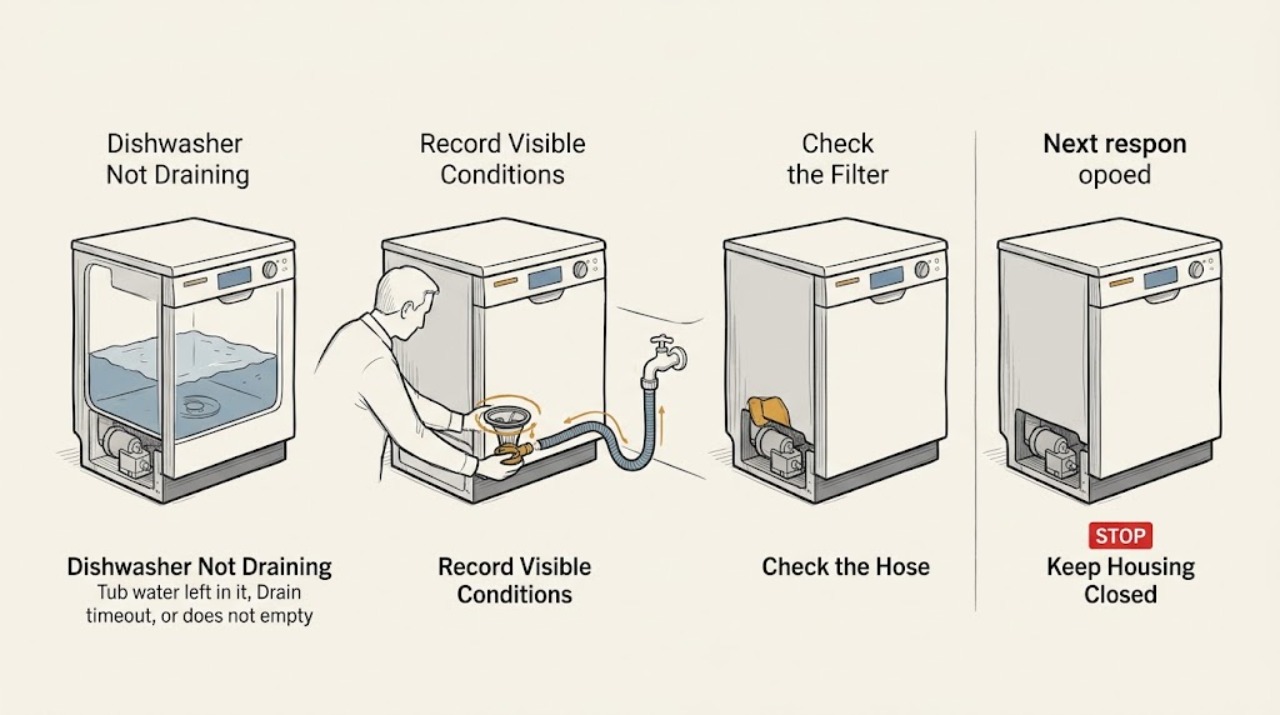
Work through in order
Diagnostic checks
Use only checks that match the exact appliance or system and its official guide.
-
Check 1
Before moving the appliance, record the complete Hotpoint model/product code, programme selected, when the drain failure appears, whether the tub is full or nearly empty, whether the sink drains, and the exact display code or flashing LED sequence.
Expected result: Water remains after wash or rinse, the machine stops at a drain stage, F03 or another code is displayed, only LEDs flash, or the tub is empty but the programme still reports a fault.
Next step: Use the matching branch below and the exact Hotpoint manual. Do not start by ordering a pump or applying a code table from another model.
Stop if: Stop for an active leak or overflow, smoke, burning smell, sparks, a hot/damaged cord, repeated breaker trips or water near electrical parts.
Why this matters
Why: The water level separates a physical drain-path symptom from a code/interface symptom. Hotpoint uses different standard, integrated and slimline support pages and LED layouts, so one code sequence cannot be safely copied to another model.
-
Check 2
Switch the dishwasher off and unplug it before examination. Following the exact manual, remove only the user-accessible base filter or filter assembly and look for food, glass or other visible debris; keep a towel or shallow container ready for residual water and refit the filter exactly as instructed.
Expected result: The base filter is blocked, the filter is damaged or missing, the filter area is clear, or water is hot, contaminated or deeper than can be handled safely.
Next step: Clean and refit only the accessible filter permitted by the manual. If the filter is damaged, water cannot be handled safely, or the symptom persists, leave the machine disconnected and arrange service.
Stop if: Do not reach into the pump or sump, use sharp tools to dig through debris, run without the filter, or work with the appliance connected to power.
Why this matters
Why: Hotpoint identifies a blocked base filter as a direct reason a dishwasher may not empty. A clear or damaged filter does not prove that the drain pump or hidden sump passage is healthy.
-
Check 3
With power disconnected, inspect the visible waste hose behind or below the dishwasher for a sharp kink, crushing, sagging or an installation route that the model manual does not permit. Do not pull an integrated machine out of cabinetry just to reach hidden plumbing.
Expected result: The hose is trapped or kinked, the route is visibly low or crushed, the hose looks correctly routed, or its hidden section cannot be inspected without moving the appliance.
Next step: Correct only an obvious accessible kink without stressing the connection. If the hose is hidden, damaged or still does not drain after the visible route is corrected, stop and arrange service.
Stop if: Do not disconnect a pressurized or water-filled connection, drag an integrated dishwasher, straighten a hose by force, or restart with a wet electrical area.
Why this matters
Why: Hotpoint states that an incorrectly installed, trapped or kinked waste hose can stop the dishwasher emptying. A hidden hose problem or an internal restriction requires a controlled service inspection, especially on an integrated appliance.
-
Check 4
If the waste hose joins the sink plumbing, place a bowl below the connection and inspect the dishwasher branch externally with power disconnected. Confirm the spigot's blanked end was removed during installation and look for an accessible food or grease obstruction; do not dismantle a fitting that is leaking or under pressure.
Expected result: The dishwasher branch is still blanked, visibly obstructed, leaking, not connected, or appears clear while the sink itself drains normally.
Next step: Have the installation corrected or clear only an accessible obstruction with the water contained and power off. If the connection is sound but the tub remains full, escalate to qualified service.
Stop if: Do not cut plumbing, loosen a leaking valve, force a fitting, or reconnect power while water is present near the socket, plug or wiring.
Why this matters
Why: Hotpoint explicitly notes that a blocked or still-blanked under-sink spigot can prevent the dishwasher from emptying even when the sink drains. If that connection is clear, the restriction may be farther along the hose, pump or control path.
-
Check 5
Write down the exact code or LED sequence and compare it only with the exact Hotpoint model's official manual or code page. If it is the published F03 drain failure/timeout pattern, first confirm the filter, waste hose and under-sink path checks above; do not open the pump to inspect the impeller or wiring.
Expected result: The exact manual confirms a drain timeout, an overflow/flood condition, a different fill/heating/control fault, or no model-matched code is available.
Next step: Follow only the model-approved accessible check. For a persistent code, unknown LED pattern, overflow or a clear external drain path with standing water, keep the dishwasher off and arrange qualified service.
Stop if: Do not bypass an anti-flood device, force a pump, remove the base, probe connectors or perform live electrical tests.
Why this matters
Why: Hotpoint's code page assigns F03 to water drain failure/timeout, while F01, F02, F04, F06, F08, F10, F11 and board/display codes point to different fault categories. A code narrows the service path but does not identify a user-replaceable part.
-
Check 6
After the accessible filter, hose and sink-connection checks, document whether water actually leaves the tub, whether the same code or light sequence returns, and whether the drain pump makes an abnormal noise or stays silent. Do not deliberately reproduce a leak, overflow or electrical fault.
Expected result: The tub empties normally, the tub remains full, the fault returns intermittently or every cycle, an abnormal pump sound is heard, or a leak/overflow is present.
Next step: Use the exact model/product code to arrange qualified Hotpoint service and provide the water level, code, hose/filter results and any sound or leak pattern. Keep the appliance disconnected for hazards.
Stop if: Do not keep restarting a machine with standing water, an active leak, burning smell, sparks, repeated breaker trips or water near electrical parts.
Why this matters
Why: Normal emptying after a corrected blockage supports an external drain-path cause. Persistent water or a recurring code can involve the drain pump, pump wiring, water-level sensing or main control; the symptom cannot safely distinguish them.
Use your observations
Decision map
Find the observation that best matches what you see, then follow the next safe action.
-
PATH 01Safety boundary
What you see
The tub is visibly full after the programme and the filter, drain hose or under-sink branch has not yet been checked.
Do this next
Disconnect power, inspect the model-approved filter and visible hose/under-sink route, and escalate if any check requires moving the appliance or opening the pump.
Why this path and its safety boundary
Why it matters: An accessible drain-path obstruction is more likely than a detergent or wash-quality issue. Hotpoint's standard, integrated and slimline guidance converges on the base filter, correctly installed waste hose and sink spigot.
Safety stop: Do not work with live power or hot/contaminated water and do not tilt a water-filled dishwasher.
-
PATH 02Safety boundary
What you see
The accessible filter, visible hose and sink connection are clear, but the tub stays full or the exact model shows F03/drain timeout again.
Do this next
Leave the appliance off and arrange qualified service with the exact model, code and external-check results.
Why this path and its safety boundary
Why it matters: An internal drain pump, hidden hose restriction, pump wiring, water-level sensing or control issue is more likely; F03 narrows the system but does not prove a failed pump.
Safety stop: Do not remove the base, inspect the impeller with tools, probe wiring or substitute a pump from a different model.
-
PATH 03Safety boundary
What you see
The sink drains normally but the dishwasher branch has a blanked end, food/grease obstruction or a leaking/loose connection.
Do this next
Have the under-sink installation corrected with power off and water contained; if the branch is sound but the dishwasher still will not drain, use service rather than opening the appliance.
Why this path and its safety boundary
Why it matters: The dishwasher can be unable to empty through its dedicated branch even though the sink basin itself is clear.
Safety stop: Do not cut or force plumbing or reconnect power with water around the socket or appliance wiring.
-
PATH 04Safety boundary
What you see
Water is escaping, an anti-flood/overflow indication is present, or the exact Hotpoint code is F01 rather than F03.
Do this next
Stop the programme, disconnect power if safe, close the water supply if water continues to enter, protect nearby electrics and arrange qualified service.
Why this path and its safety boundary
Why it matters: This is a water-leak or anti-flood branch, not an ordinary filter-cleaning conclusion. Hotpoint's error page assigns F01 to anti-flooding overflow and directs the owner toward an engineer.
Safety stop: Do not tilt the dishwasher to force drainage, bypass a float/anti-flood device or continue operating it while leaking.
-
PATH 05Safety boundary
What you see
The tub is empty but a different code/light pattern is present, or the dishwasher will not fill after a previous drain fault.
Do this next
Match the exact code and model manual. Do not add drain-pump parts or repeat cycles unless the manual's safe external instruction supports it; arrange service for persistent codes.
Why this path and its safety boundary
Why it matters: Hotpoint states that a dishwasher must drain before filling, but F02/F06 fill, F04/F08/F10 temperature and F11 wash-pump indications lead to different service paths. An empty tub alone does not prove the drain system is failing.
Safety stop: Do not treat a fill, heating or pump code as F03, and do not open electrical or pump components.
Helpful context
Understand the symptom
Start with the exact model and the water level
Hotpoint publishes separate troubleshooting paths for standard, integrated and slimline dishwashers, and its support pages use model-specific manuals and LED layouts. Record the complete model/product code, whether the tub is completely full or only has a small residual film, whether the sink drains normally, and any code or flashing-light sequence. A dishwasher that is powered but has poor cleaning is a different problem from a dishwasher that cannot empty.
The sink can drain while the dishwasher connection is blocked
Hotpoint specifically warns that the waste hose may connect to an under-sink waste spigot whose blanked end was never removed, or whose passage is blocked. A clear sink basin therefore does not prove that the dishwasher branch is clear. Inspect the connection externally and only disconnect plumbing with power off, a bowl ready for residual water, and the exact installation instructions available.
Use F03 as a model-matched clue, not a universal diagnosis
Hotpoint's UK error page calls F03 a water drain failure/timeout and recommends checking the drain pipe and under-sink plumbing. The same page lists other faults for fill, overflow, heating, wash-pump and board/display communication, while the integrated support page shows different LED combinations. Record the exact code or lights and use the matching manual; do not infer a pump replacement from F03 alone.
Drainage checks have a clear stop boundary
Switch off and unplug the dishwasher before examining the filter, hose or sink connection, and allow hot water to cool before touching it. Stop for an active leak, overflow, burning smell, sparks, a damaged cord, repeated breaker trips or water near electrical parts. Do not reach into the pump, remove the base, probe wiring, tilt the appliance with water inside, or run a replacement-part test with the cover removed.
Safety boundary
Stop conditions
- Switch off and unplug the dishwasher before examining the filter, hose or sink connection; allow hot water to cool before handling it.
- Stop immediately for an active leak or overflow, smoke, burning smell, sparks, a hot or damaged cord, repeated breaker trips or water near electrical parts.
- Do not tilt or move a water-filled or integrated dishwasher, bypass an anti-flood device, reach into the pump or remove the base.
- Do not probe live wiring, force an impeller, run without the filter or choose a replacement part from an error code alone.
Only after diagnosis
Potential parts
- model-specific drain pump
Consider only after the model-approved filter, waste hose and sink connection are clear and qualified diagnosis confirms an internal pump fault.
Hotpoint dishwasher pumps vary by model and product code; F03 or standing water alone does not establish the correct part. - model-specific drain hose or sink waste spigot component
Consider only when the exact hose or sink-connection component is damaged, incorrectly installed or confirmed obstructed after safe plumbing inspection.
Standard, integrated and slimline installations use different routing and fittings; confirm the exact product code and installation information. - model-specific drain sensor, wiring or control assembly
Consider only after qualified service confirms the external drain path is clear and identifies a sensor, wiring or control fault associated with the model-specific code.
A code narrows the diagnostic category but is not a part number; do not perform electrical work or order by brand alone.
When checks do not resolve it
Need a professional?
Arrange qualified Hotpoint/appliance service when the base filter, visible waste hose and under-sink connection are clear but water remains; when F03 or another model-specific fault returns; when the pump is silent or abnormal; when the appliance leaks or overflows; or when internal access is needed. Stop use immediately for smoke, burning smell, sparks, a hot/damaged cord, repeated breaker trips or water near electrical parts.
Safety scope: This article covers model identification, power-off accessible filter inspection, visible hose routing and under-sink connection checks. It does not authorize opening the pump/base/control, live testing, bypassing anti-flood protection, moving an integrated appliance or working around live or leaking water.
Common questions
FAQ
Why is my Hotpoint dishwasher leaving water in the bottom?
Hotpoint identifies a blocked base filter, trapped or kinked waste hose, incorrectly installed hose, or a blanked/blocked under-sink waste spigot as possible drainage causes. Switch off and unplug the appliance before checking only the accessible parts allowed by the exact manual. If the path is clear and water remains, arrange service for the hidden drain system or pump.
What does F03 mean on a Hotpoint dishwasher?
Hotpoint's published error page labels F03 as water drain failure/timeout and recommends checking the drain pipe and under-sink plumbing, then contacting service if the fault continues. Match the exact model and LED layout before applying that meaning; do not assume every Hotpoint interface uses the same code presentation.
Can a clear kitchen sink still cause a Hotpoint dishwasher not to drain?
Yes. Hotpoint notes that the dishwasher waste branch under the sink may still be blocked or may have a blanked end that was not removed, even if the sink basin drains. Inspect the dishwasher connection safely with power off and water contained; escalate if the plumbing is leaking or inaccessible.
Should I replace the Hotpoint drain pump when the dishwasher will not empty?
Not from the symptom alone. First use the exact manual for the accessible filter, waste hose and sink-connection checks. If those are clear and the fault or F03 returns, a pump, hidden hose, wiring, sensor or control issue is possible and should be diagnosed by qualified service.
Read the exact guide
Official sources
- Hotpoint Dishwasher Error CodesHotpoint UK Appliances Limited · Official Hotpoint UK code page; F03 and LED sequences are clues that must be matched to the exact interface/model.
- Hotpoint Service Dishwasher RepairHotpoint UK Appliances Limited · Official Hotpoint repair page; use for the general repair boundary and listed code categories, not as a model-specific service manual.
- Slimline Dishwasher Troubleshooting & RepairHotpoint UK Appliances Limited · Official Hotpoint slimline-dishwasher page; checks are conditional to slimline installation and should be verified against the model manual.
- Dishwasher Troubleshooting & Repair ServiceHotpoint UK Appliances Limited · Official Hotpoint UK general dishwasher page; exact filter access, installation and controls remain model-specific.
- Hotpoint Service Integrated Dishwasher RepairHotpoint UK Appliances Limited · Official Hotpoint integrated-dishwasher page; use conditionally for integrated installations and its listed LED/error patterns.
- How to Videos - Dishwasher Repair ServiceHotpoint UK Appliances Limited · Official Hotpoint maintenance hub; video steps and filter access still depend on the exact model.
Community feedback
Share a repair observation
Share a plain-text repair observation. Accepted observations are published automatically; this page may take a moment to update.