
On this page
Start here
Quick answer
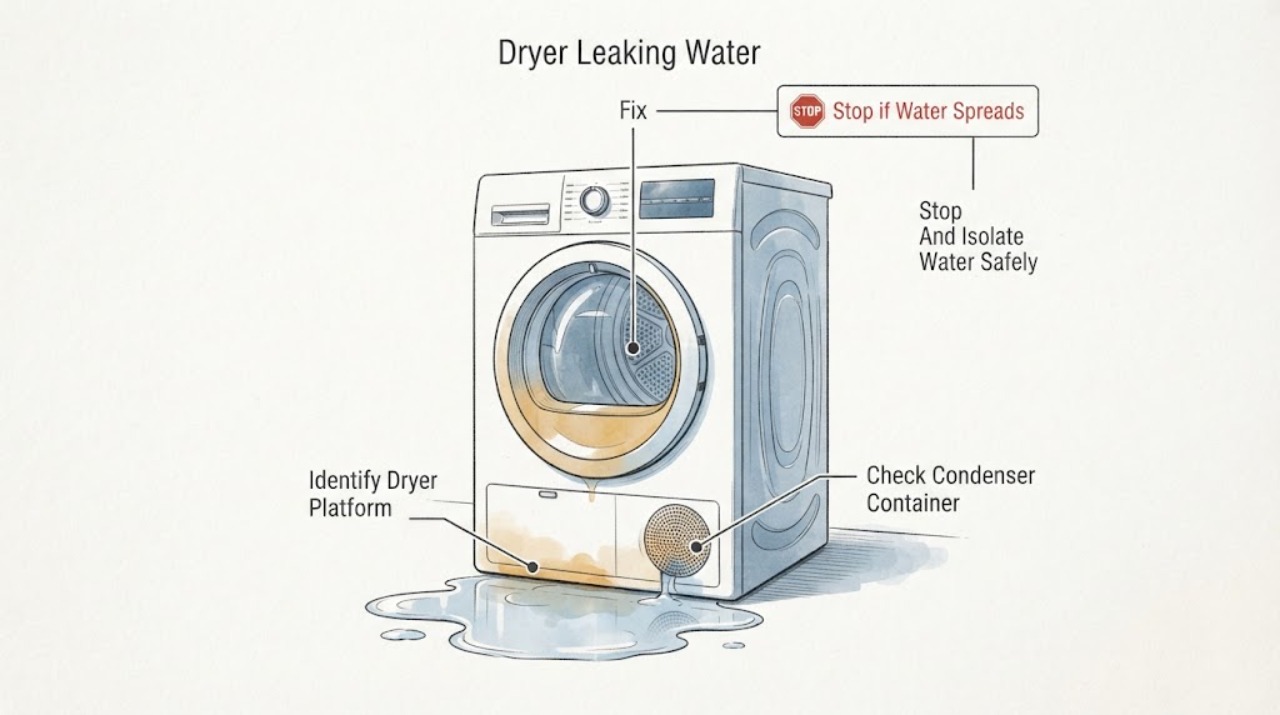
First stop the dryer and keep water away from the plug, socket and electrical controls. Identify the dryer type from the exact manual and visible design: a condenser or heat-pump model intentionally collects moisture in a container, while a vented model sends moist air through a vent hose and should not be treated as a tank-based dryer. With the appliance cool and safely unplugged, check only the accessible water container, filter/condenser or evaporator-filter area, visible seals and hose/vent connections that the model manual identifies. Empty and fully reseat a condenser tank if that is the correct model path; never assume a puddle is normal. If water returns, enters the cabinet, reaches electrics, or the source is not visible, leave the dryer off and arrange Hotpoint service rather than opening panels or running it to reproduce the leak.
Work through in order
Diagnostic checks
Use only checks that match the exact appliance or system and its official guide.
-
Check 1
Stop the dryer, keep standing water away from the plug, socket and controls, and disconnect it from the mains only if this can be done without touching wet electrical equipment.
Expected result: Water is near the plug/socket, inside the cabinet, under a control area, or accompanied by a burning smell, smoke, unusual heat or a tripped breaker; or the water is limited to a dry accessible floor/exterior area.
Next step: Leave the dryer off and obtain qualified service for any electrical or internal-water condition. Do not run a cycle to reproduce the leak or open panels.
Why this matters
Why: Water near electrical parts or a safety symptom makes continued operation unsafe; a dry external spill still needs a source check before use.
-
Check 2
Use the exact model manual or rating information to identify whether the dryer is condenser, heat pump or vented, and note whether it has a removable water container, a lower condenser/evaporator-filter access or a vent hose.
Expected result: The type and model are confirmed, or the machine cannot be classified confidently from its manual and visible connections.
Next step: Follow only the matching branch below. If the type remains uncertain, keep the dryer off and provide the model/serial information to Hotpoint service instead of guessing.
Why this matters
Why: Hotpoint's water-container, condenser, evaporator-filter and vent-hose checks are platform-specific; a wrong platform diagnosis can send water to the wrong place.
-
Check 3
Only on a confirmed condenser model, remove the water container with the dryer cool, empty it, inspect for an obvious crack or displaced seal, and push it fully back into its housing; do not dismantle the tank or pump.
Expected result: The container was full, not fully seated or visibly damaged, or it was correctly seated but water still returns outside the dryer.
Next step: If the container was corrected, keep the area dry and follow the model manual before any supervised use. If water returns or the container is cracked, leave the dryer off and arrange service with the model details.
Why this matters
Why: Hotpoint supports emptying and fully refitting the condenser container. A continuing leak after that check is not proof of a particular pump, tank or seal failure.
-
Check 4
On a confirmed heat-pump or condenser model, inspect and clean only the user-accessible evaporator filter/condenser path described in the exact manual, allowing washed parts to dry before refitting. On a confirmed vented model, inspect the visible vent hose and outlet for a kink, blockage or condensation path; do not run with the hose disconnected.
Expected result: The matching filter/condenser is blocked or incorrectly seated, or the vent hose/outlet is restricted; or those external paths are clear.
Next step: Correct only the model-approved accessible condition. If water remains, reaches the cabinet, or the source is unclear, stop and arrange service rather than removing covers or testing internal airflow/water parts.
Why this matters
Why: Hotpoint links filter/condenser maintenance and venting to moisture handling and drying performance, but a clear external path does not clear an internal drain or leak.
-
Check 5
Record the exact model, dryer type, water location, timing, container/filter/vent observations and any electrical or heat symptom for Hotpoint service; keep the appliance disconnected while a leak persists.
Expected result: Water reappears after the matched external check, comes from behind/under the cabinet, remains in the drum, or the leak cannot be localized safely.
Next step: Arrange a qualified Hotpoint repair visit. Do not open the cabinet, replace a guessed pump/seal, or repeatedly run the dryer to locate the leak.
Why this matters
Why: The remaining possibilities involve an internal drainage, pump, seal, tank or hose condition that cannot be diagnosed from a generic platform description.
Use your observations
Decision map
Find the observation that best matches what you see, then follow the next safe action.
-
PATH 01Next step
What you see
Water is near the plug, socket, controls or cabinet interior, or there is a burning smell, smoke, unusual heat or a tripped breaker.
Do this next
Do not operate or touch wet electrical equipment. If safe, isolate the supply without contact with the hazard and arrange qualified electrical/Hotpoint service; do not reproduce the leak.
Why this path and its safety boundary
Why it matters: This is an electrical and water-safety condition, regardless of whether the dryer is condenser, heat pump or vented.
-
PATH 02Next step
What you see
The exact model is a condenser dryer and the water container is full, not fully seated or visibly damaged, with no water near electrical parts.
Do this next
Correct the seating or empty the container with the dryer cool. Leave the dryer off and contact service if water returns or the container is damaged.
Why this path and its safety boundary
Why it matters: Hotpoint supports emptying the container and pushing it fully back into position, but a damaged container or continued leak still needs service.
-
PATH 03Next step
What you see
A confirmed heat-pump/condenser model has a blocked or displaced accessible filter/condenser, or a confirmed vented model has a kinked or blocked visible vent path.
Do this next
Clean or refit only the user-accessible model-approved item, ensure washable parts are dry, and keep the appliance off if water persists after the check.
Why this path and its safety boundary
Why it matters: The matching moisture/air path may explain poor condensation handling or external dampness, but it does not prove an internal leak or pump failure.
-
PATH 04Next step
What you see
The water source is behind/under the cabinet, water remains in the drum, the container/filter/vent path is clear, or the dryer type cannot be confirmed.
Do this next
Keep the dryer disconnected and arrange Hotpoint service with the model and observations. Do not remove panels or order an unverified part.
Why this path and its safety boundary
Why it matters: The leak cannot be safely narrowed to a user-accessible condition; a generic pump, seal, tank or hose diagnosis would be speculation.
Helpful context
Understand the symptom
Do not assume every Hotpoint dryer handles water the same way
A condenser dryer collects moisture in an easy-to-empty container, while a vented dryer uses a vent hose instead of a tank. Hotpoint's cleaning guidance also gives a separate evaporator-filter path for heat-pump dryers. Confirm the exact model and type before interpreting a puddle, a full container or a damp vent; a procedure for one platform should not be transferred to another.
Make the first check an electrical-safety check
Stop the cycle and keep water away from the plug, socket, controls and any extension connection. If it is safe to do so without touching wet electrical equipment, disconnect the dryer from the mains and dry only accessible floor or exterior surfaces. Do not run the dryer to find the leak, remove panels, or touch wiring, pumps or heater areas. A persistent leak, water inside the cabinet, burning smell, heat, smoke or a tripped breaker needs service.
Use only the water path that matches the model
For a condenser dryer, check that the water container is emptied and fully seated. For a heat-pump dryer, use the manual's evaporator-filter and condenser access instructions; for a vented dryer, inspect the visible vent hose and outlet for a kink, blockage or condensation path. These observations can identify a container, filter or ventilation condition, but they do not confirm a failed pump, seal, tank or internal hose.
When checks do not resolve it
Need a professional?
Have this ready
- exact Hotpoint model and serial/industrial code
- confirmed condenser, heat-pump or vented type
- where the water appears and whether it remains in the drum
- container/filter/vent observations
- any water near electrics, burning smell, heat, smoke or tripped breaker
Common questions
FAQ
Is water under a Hotpoint dryer normal?
Not automatically. Condenser and heat-pump models collect moisture through a model-specific path, while vented models use a vent hose. Identify the exact type, keep water away from electrics and investigate the source before operating again.
What should I do with a full Hotpoint condenser dryer water container?
With the dryer cool, remove the container, empty it and push it fully back into position. If it is damaged or water returns outside the appliance, leave the dryer off and arrange service.
Can I use the condenser cleaning steps on a vented Hotpoint dryer?
No. Hotpoint publishes separate condenser, heat-pump evaporator-filter and vent-hose paths. Use the exact model manual and do not transfer a tank or condenser procedure to a vented dryer.
Should I open the dryer to find the leaking pump or hose?
No generic internal procedure is supported here. Unplug before repairs, keep water away from electrical parts and arrange qualified Hotpoint service for water behind or inside the cabinet or for a leak that persists after the accessible checks.
Read the exact guide
Official sources
- Tumble Dryer Troubleshooting - Quick Fixes & Tips - HotpointHotpoint UK · Official Hotpoint UK tumble dryer troubleshooting page. Used for condenser versus vented scope, safety unplug boundary, water-container empty/refit, filter and vent observations, and service escalation.
- Hotpoint Service Tumble Dryer RepairHotpoint UK · Official Hotpoint UK repair page. Used narrowly for water remaining in the drum, model-dependent filter/hose checks and engineer escalation; it does not prove a pump failure for every model.
- Step-by-Step Guide on How to Clean Your Tumble DryerHotpoint UK · Official Hotpoint UK maintenance article. Used to distinguish condenser, heat-pump and vented maintenance paths and to limit cleaning to model-matched user-accessible components.
- 10kg Condenser Tumble DryersHotpoint UK · Official Hotpoint UK condenser product-family page. Used only to establish that condenser models collect moisture in an easy-to-empty container and differ from vented dryers; no model-specific leak claim is made.
Community feedback
Share a repair observation
Share a plain-text repair observation. Accepted observations are published automatically; this page may take a moment to update.