
On this page
Start here
Quick answer
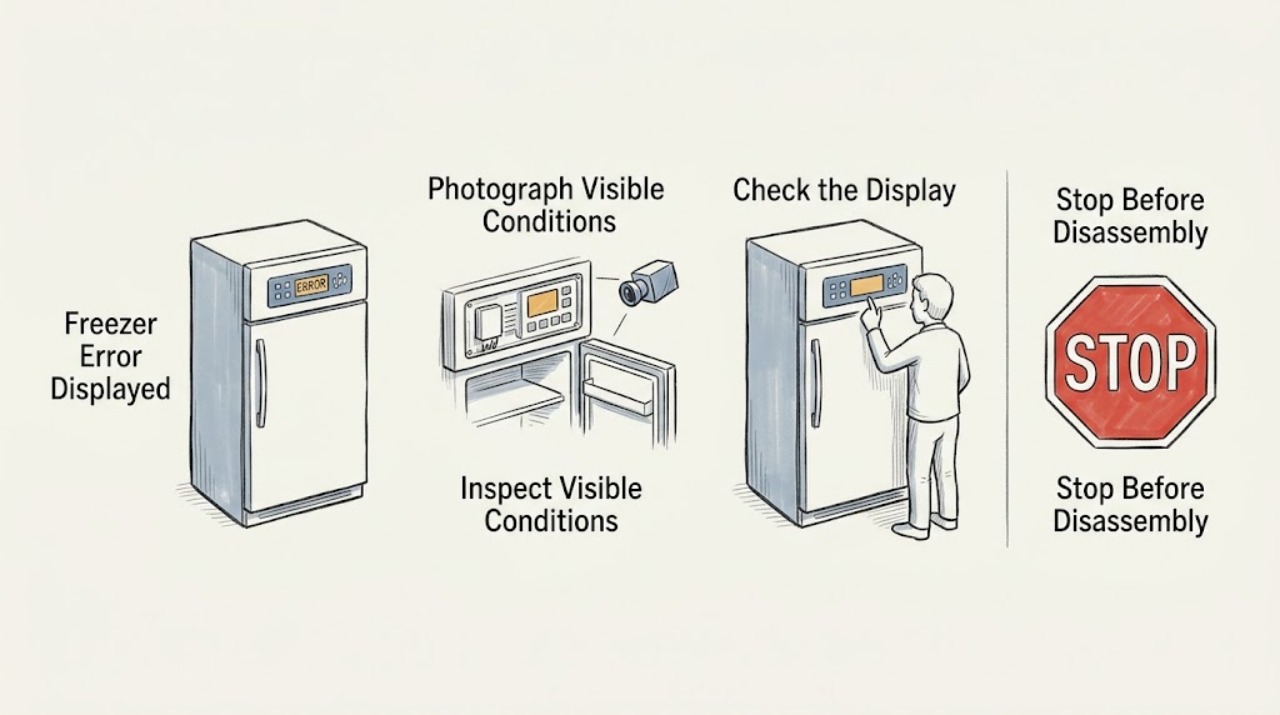
When a Hotpoint freezer displays an error, photograph or write down the exact letters, number, and flashing-light pattern before changing anything. Hotpoint's published freezer list includes E2 for a freezer sensor fault, E5 for a freezer defrost sensor fault, E6 for a control/display fault, E7 or E8 for an environmental-temperature sensor fault, E9 for a high-temperature alarm, and EE for an ice-maker circuit fault when fitted. Check that the door is properly closed and that the freezer has safe power, ventilation, and the correct temperature setting, but do not guess a code, remove panels, or replace a sensor. Persistent codes, a warm cabinet, repeated power trips, smoke, a burning smell, or a damaged cord require qualified service while food is kept safely cold.
Work through in order
Diagnostic checks
Use only checks that match the exact appliance or system and its official guide.
-
Check 1
Read the freezer display and photograph the exact code, letters, number, and flashing pattern. Note whether the code appears with a red high-temperature light, an amber fast-freeze light, a door alarm, or a completely blank display.
Expected result: The display shows E2, E5, E6, E7, E8, E9, EE, another code, or only a light pattern.
Next step: Compare the exact code with the model manual and the published Hotpoint list; record the cabinet temperature and continue only with external checks.
Why this matters
Why: The exact code determines whether the published Hotpoint path concerns a freezer sensor, defrost sensor, control/display, environmental sensor, high temperature, or optional ice maker. An unlisted pattern cannot safely be assigned a part from this page.
-
Check 2
Check the freezer door and gasket from outside. Close the door fully, remove only an obvious package obstruction, and look for a seal that is folded, torn, or unable to contact the cabinet evenly. Do not force a door that is under pressure immediately after closing.
Expected result: The door was left ajar or obstructed, the gasket does not seal, or the door closes normally.
Next step: Correct only the visible obstruction, keep the door closed, and monitor the code and temperature. Arrange service if the alarm persists with a sound seal.
Why this matters
Why: A door that remains open can raise the compartment temperature and trigger a high-temperature warning. A normal seal makes a sensor, defrost, control, or cooling issue more likely when the code returns.
-
Check 3
Confirm the freezer is receiving normal power from its accessible plug and socket, and that the temperature control is not in an off or warm setting. If household protection has tripped, reset it only once when there is no heat, water, scorching, or cord damage.
Expected result: The freezer has stable power and the normal cold setting, or it is dead / protection trips again / the external connection is unsafe.
Next step: For an unsafe or unstable supply, stop and arrange qualified electrical or appliance service. If power is stable, continue with ventilation and code-specific checks.
Why this matters
Why: A power interruption can produce a warning or leave controls inactive. A repeated trip or unsafe connection is an electrical stop condition, not evidence that a sensor should be replaced.
-
Check 4
Check the external ventilation and installation space without moving a loaded freezer. Make sure vents are not covered, the cabinet is not pressed against a heat source or wall where the manual requires clearance, and the freezer is level enough for the door to align.
Expected result: Airflow or location is restricted, or the installation appears normal but the display and temperature warning remain.
Next step: Clear only an accessible obstruction and allow the freezer to recover with the door closed. Do not dismantle the rear or move the appliance to access refrigeration tubing.
Why this matters
Why: Hotpoint lists ventilation, heat-source position, and door closure among the checks for a freezer that is too warm. Normal installation with a recurring sensor or control code shifts the diagnosis toward service.
-
Check 5
Use the code meaning to choose the safe next step. Treat E2/E5 as freezer temperature or defrost-sensor paths, E6 as control/display, E7/E8 as environmental-temperature sensing, E9 as a high-temperature alarm, and EE as an ice-maker circuit issue only if the appliance has an ice maker.
Expected result: The published code matches the visible symptom, or the code returns despite a closed door, stable power, correct setting, and clear ventilation.
Next step: Record the code and temperature history, keep food safe, and arrange qualified service. Do not open the control area or replace a sensor based solely on the code.
Why this matters
Why: A matching code identifies the system to report to a technician, not a guaranteed replacement part. A recurring code after the external checks needs model-specific diagnosis.
-
Check 6
Protect the food while the error is active. Keep the door closed, use an appliance thermometer if available, and note how long the freezer has been warm. If a part will be replaced under the exact manual, disconnect the appliance first; otherwise leave internal work to a qualified technician.
Expected result: The freezer remains at a safe cold temperature and recovers, or food is thawing / the warning stays active / cooling does not recover.
Next step: Follow official food-safety guidance for each item and arrange service for persistent warnings or warm temperatures; never taste food to test safety.
Why this matters
Why: A recovered temperature after a door or power event supports an operating condition. Thawing food or a persistent warning indicates a potential cooling or sensor fault and creates a separate food-safety concern.
Use your observations
Decision map
Find the observation that best matches what you see, then follow the next safe action.
-
PATH 01Safety boundary
What you see
Smoke, a burning smell, visible cord or control damage, water at electrical parts, or a breaker that trips again is present.
Do this next
Stop using the freezer, isolate power only if safe, keep clear of the hazard, and arrange qualified electrical or appliance service. Do not keep resetting power.
Why this path and its safety boundary
Safety stop: Continue with the exact-code, door, power, setting, and ventilation checks.
-
PATH 02Safety boundary
What you see
The displayed code is E2, E5, E6, E7, E8, or EE and returns after the door, power, temperature, and ventilation checks.
Do this next
Treat the indicated sensor, defrost, control/display, environmental-sensing, or optional ice-maker circuit as a service diagnosis and arrange qualified repair. Do not replace the part from the code alone.
Why this path and its safety boundary
Safety stop: If the code clears and the freezer recovers, monitor it and keep the exact code in the appliance record in case it returns.
-
PATH 03Safety boundary
What you see
The code is E9 or a high-temperature warning and the freezer remains warm or food is thawing.
Do this next
Keep the door closed, move food to safe cold storage when possible, follow food-safety guidance, and arrange service for the unresolved temperature problem.
Why this path and its safety boundary
Safety stop: If a door or recent load explains the warning and the freezer is recovering, monitor temperature without repeatedly opening the door.
-
PATH 04Safety boundary
What you see
The display shows an unlisted code or pattern, or the display itself is unreliable.
Do this next
Record a photograph, model number, and symptom sequence and use the exact model manual or qualified service; do not infer a component from another Hotpoint model.
Why this path and its safety boundary
Safety stop: Continue with the published code-specific service boundary and external temperature checks.
Helpful context
Understand the symptom
The displayed code is evidence, not a part order
A code narrows the system involved, but it does not prove which component should be replaced. Record the exact code, whether it flashes or stays lit, the cabinet temperature, and whether the freezer still runs. Hotpoint's code meanings are model and feature dependent, especially for optional ice-maker functions, so use the model manual for confirmation.
High-temperature alarms need a food plan
An E9-style high-temperature warning can follow an open door, a large fresh load, a power interruption, or an actual cooling fault. Keep the door closed while checking. If the cabinet is not recovering, move food to safe cold storage and use an official food-safety guide rather than tasting food to decide whether it is safe.
Stop before opening the cabinet
Sensor, defrost, control-board, and ice-maker circuit work is internal appliance repair. Do not remove covers, bridge a control, probe wiring, or repeatedly reset a tripping circuit. Disconnect power before any model-authorized part replacement, and use a qualified technician when the code returns.
Only after diagnosis
Potential parts
- freezer temperature or defrost sensor
Consider this category only after a qualified diagnosis confirms an E2/E5-type sensor or defrost fault for the exact model.
Confirm the exact Hotpoint model and manufacturer's fit information before ordering any part. - control/display board
Consider this category only after a qualified diagnosis isolates the control/display path for a recurring E6-type fault.
Control boards are model-specific; verify the exact model documentation before purchase.
When checks do not resolve it
Need a professional?
Arrange qualified service when a Hotpoint freezer code returns after a sound door, power, setting, and ventilation check; when E2, E5, E6, E7, E8, or EE needs internal diagnosis; when an E9/high-temperature warning persists; when the cabinet remains warm; or whenever there is an electrical hazard or damaged control. Provide the exact model, code and flashing pattern, temperature reading, door and power history, and whether an ice maker is fitted.
Common questions
FAQ
What does an E2 error mean on a Hotpoint freezer?
Hotpoint lists E2 as a freezer sensor fault. Record the exact code and temperature, check the door, stable power, setting, and ventilation from outside, and arrange service if it returns. Do not replace a sensor based on the code alone.
What does E9 mean on a Hotpoint freezer?
Hotpoint identifies E9 as a freezer high-temperature alarm. Check that the door is closed and the freezer is recovering, keep the door shut, protect thawing food, and arrange service if the warning or warm cabinet persists.
Can I clear a Hotpoint freezer error by unplugging it?
Do not use repeated power cycling as a repair. Record the exact code first, follow only the model manual's user-level reset instruction, and arrange qualified service if the code returns or the freezer is warm. Disconnect power before any authorized part replacement.
Read the exact guide
Official sources
- Hotpoint Freezer Troubleshooting & RepairHotpoint · Hotpoint freezer temperature, door, ventilation, frost, and power troubleshooting
- Hotpoint Fridge Freezer Error CodesHotpoint · Hotpoint fridge-freezer error-code meanings and service guidance
- Hotpoint Service Freezer RepairHotpoint · Hotpoint freezer error codes, fast-freeze indicator, and repair escalation
Community feedback
Share a repair observation
Share a plain-text repair observation. Accepted observations are published automatically; this page may take a moment to update.