
On this page
Start here
Quick answer
An intermittent buzz does not by itself prove that the freezer fan needs replacement. Hotpoint says frost-free freezers use internal and external fans during normal operation, and it lists compressor or pump hum, gas circulation and defrost-related cracking as normal sounds. Establish whether the noise is normal cycling or is accompanied by frost, warming, vibration or an unstable cabinet. Do not remove covers or test a fan while powered; disconnect the appliance before any repair or part replacement.
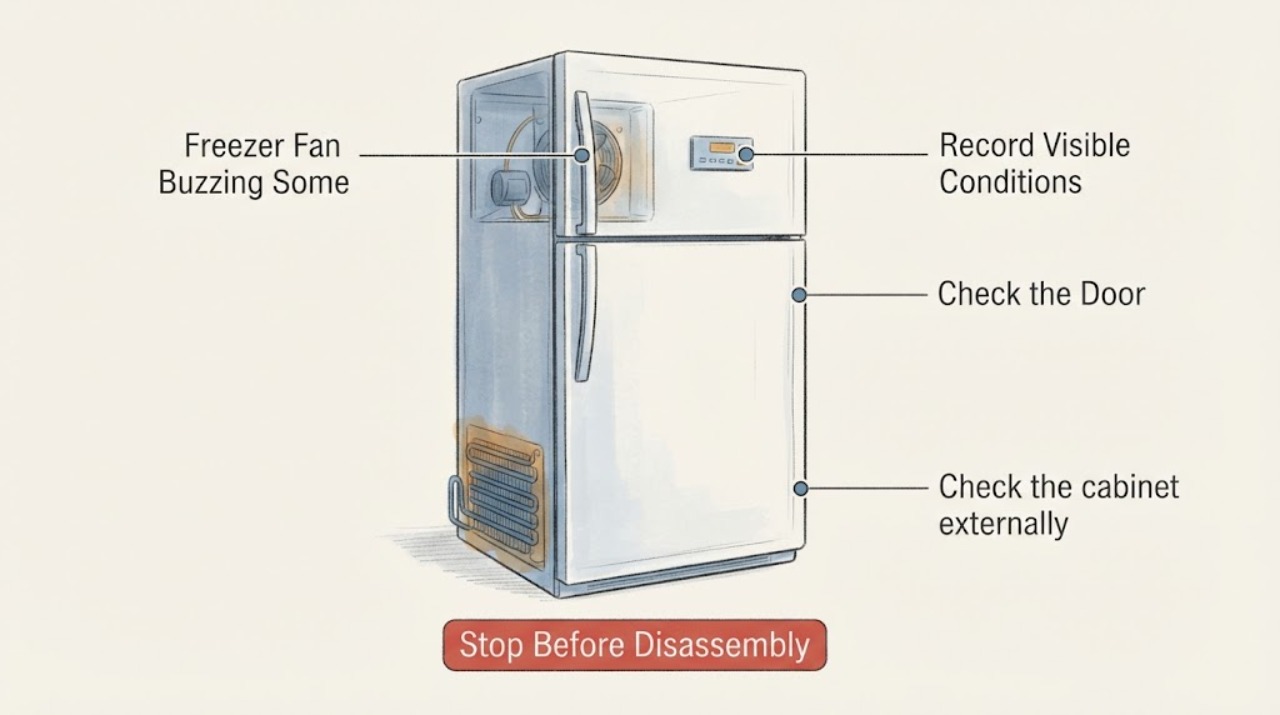
Work through in order
Diagnostic checks
Use only checks that match the exact appliance or system and its official guide.
-
Check 1
Record when the buzz occurs: at startup, during a cooling run, after the door closes, during defrost, or at random. Listen from outside the cabinet without opening panels or defeating a door switch.
Expected result: The sound is brief and tied to a cooling or defrost cycle, or it is a persistent scrape, harsh rattle or buzz independent of normal cycles.
Next step: If cycle-linked and temperature is stable, monitor it; if persistent, worsening or paired with temperature loss, use the service boundary rather than guessing a fan replacement.
Why this matters
Why: Hotpoint says frost-free models use fans during normal operation and identifies compressor or pump hum, gas movement and defrost air movement as normal sound sources. Persistent mechanical noise is not established as normal by that generic guidance.
-
Check 2
Inspect only visible areas for heavy frost, ice at the door edge, food touching the rear wall, or a door that is not closing fully. Do not remove an inner cover or chip ice around a concealed fan.
Expected result: There is no visible frost or door issue, or frost and moisture are accumulating inside.
Next step: Close the door fully and observe normally; if frost continues or blocks airflow, arrange model-appropriate service instead of dismantling the fan area.
Why this matters
Why: Hotpoint says frost can appear when a door is left ajar and sharp cracking can accompany frost and defrosting. Frost or a door-sealing problem can change airflow and noise, but it does not prove the fan motor is defective.
-
Check 3
Check the cabinet externally for rocking and listen for pipework or the cabinet touching a wall. Do not move a loaded freezer alone.
Expected result: All four corners appear supported and clear, or the cabinet rocks or pipework visibly contacts a surface.
Next step: If safe, have a second person help stabilize or reposition the appliance without straining connections; if the noise remains, arrange service rather than opening the appliance.
Why this matters
Why: Hotpoint says pipework vibrating against a wall and an unlevel freezer can increase noise, so the sound may be transmitted vibration rather than a fan that needs replacement.
-
Check 4
Check whether the freezer is maintaining its normal operating temperature shown in its user instructions; Hotpoint's general guidance says the freezer must reach -18°C. Use the appliance's normal display or an appropriate external reading method, without probing wiring or the sealed system.
Expected result: The freezer remains at its normal setting, or temperature is rising and food is softening while the buzzing occurs.
Next step: If temperature is rising or food safety is uncertain, keep the door closed, protect food as appropriate and arrange qualified service; do not repeatedly restart or perform live tests.
Why this matters
Why: A normal operating sound with stable temperature is less urgent; buzzing together with warming or frost accumulation indicates that continued operation needs professional assessment, without identifying a particular fan or part.
Use your observations
Decision map
Find the observation that best matches what you see, then follow the next safe action.
-
PATH 01Next step
What you see
The buzz is brief or cycle-linked, there is no abnormal frost, and the freezer maintains its normal temperature.
Do this next
Monitor for change and record timing; use the exact model manual if the sound becomes persistent or appliance performance changes.
Why this path and its safety boundary
Why it matters: The available Hotpoint guidance is consistent with normal fan, compressor, gas-flow or defrost-related operating sound; it does not support replacing a fan solely from this symptom.
-
PATH 02Next step
What you see
Frost or moisture is building, the door is not sealing or closing, or the sound resembles rubbing near the airflow path.
Do this next
Keep the door closed, do not chip ice or remove covers, and arrange model-appropriate service if the condition persists.
Why this path and its safety boundary
Why it matters: The observation points to an airflow, frost or door-condition concern that the generic page cannot reduce to a fan failure.
-
PATH 03Next step
What you see
The freezer is warming, food is softening, the buzz is worsening, or the cabinet or pipework is vibrating loudly.
Do this next
Stop troubleshooting and contact qualified appliance service; do not order a fan until the exact model and failed component are confirmed.
Why this path and its safety boundary
Why it matters: The noise is accompanied by a performance or stability concern, so continued self-diagnosis is not justified.
Helpful context
Understand the symptom
Separate normal cycling from a developing fault
Hotpoint says a frost-free freezer uses internal and external fans as part of normal operation, so a sound that starts and stops with cooling or defrosting may be expected. Its troubleshooting page also distinguishes normal compressor or pump hum, gas circulation and defrost air movement from noise caused by pipework vibrating against a wall or an unstable cabinet. Assess the sound with temperature, frost and vibration observations rather than ordering a fan immediately.
Keep the check external
Listen and observe without removing the rear cover or reaching toward the fan. Check cabinet position, visible frost and door closure, and note whether the freezer maintains its normal operating temperature. Hotpoint says the freezer must reach -18°C to be safe; if temperature is rising or frost is building, stop treating the noise as cosmetic and arrange service.
When checks do not resolve it
Need a professional?
Stop and arrange qualified appliance service if the freezer warms, food begins to soften, frost blocks airflow, the sound becomes harsh or persistent, or the appliance is unstable. Disconnect power before any repair or part replacement; do not remove fan covers, defeat door switches, chip ice, or perform live electrical tests.
Common questions
FAQ
Does intermittent buzzing prove the freezer fan needs replacement?
No. Hotpoint says frost-free freezers use internal and external fans during normal operation and lists several normal operating sounds. Confirm the sound pattern, temperature, frost and vibration before considering service.
What visible checks are reasonable before calling service?
Observe sound timing, confirm the door closes, look for visible frost or food against the rear wall, and check whether the cabinet rocks or touches a wall. Keep covers and wiring untouched and do not infer a part from noise alone.
When should I stop using the freezer?
Stop self-troubleshooting and arrange service when the freezer warms, food softens, frost blocks airflow, or the noise becomes harsh or persistent. Disconnect power before any repair or part replacement.
Read the exact guide
Official sources
- Freezer TroubleshootingHotpoint UK Appliances Limited · Opened official Hotpoint freezer troubleshooting page. It covers Hotpoint freezers generally rather than a supplied model; it supports external checks and service boundaries, not a diagnosis that this unit needs a replacement fan.
Community feedback
Share a repair observation
Share a plain-text repair observation. Accepted observations are published automatically; this page may take a moment to update.