
On this page
Start here
Quick answer
A Hotpoint oven cycle or preheat light staying on is not automatically a failure. GE Appliances' official cooking guidance says some models keep an indicator on continuously, while other models cycle it with the heating elements; the exact behavior depends on the model and setting. First identify whether the lamp is labeled Cycle, Bake, Preheat, Clean, or Lock, and whether the oven is in Bake, Broil, or Self-Clean. If the light is only indicating a documented heating cycle, use the model manual. If the control is OFF but the oven continues heating, the light or heat behavior is abnormal, or the oven becomes excessively hot, stop using it and arrange qualified service; do not open the control panel or test internal temperature components.
Before you begin
Safety first
- Limit user checks to reading the lamp label, recording the selected function and temperature, observing the lamp from outside, and using the normal OFF/Cancel control. Do not remove panels, defeat door interlocks, probe live wiring, adjust a thermostat, or handle hot surfaces during an active cycle.
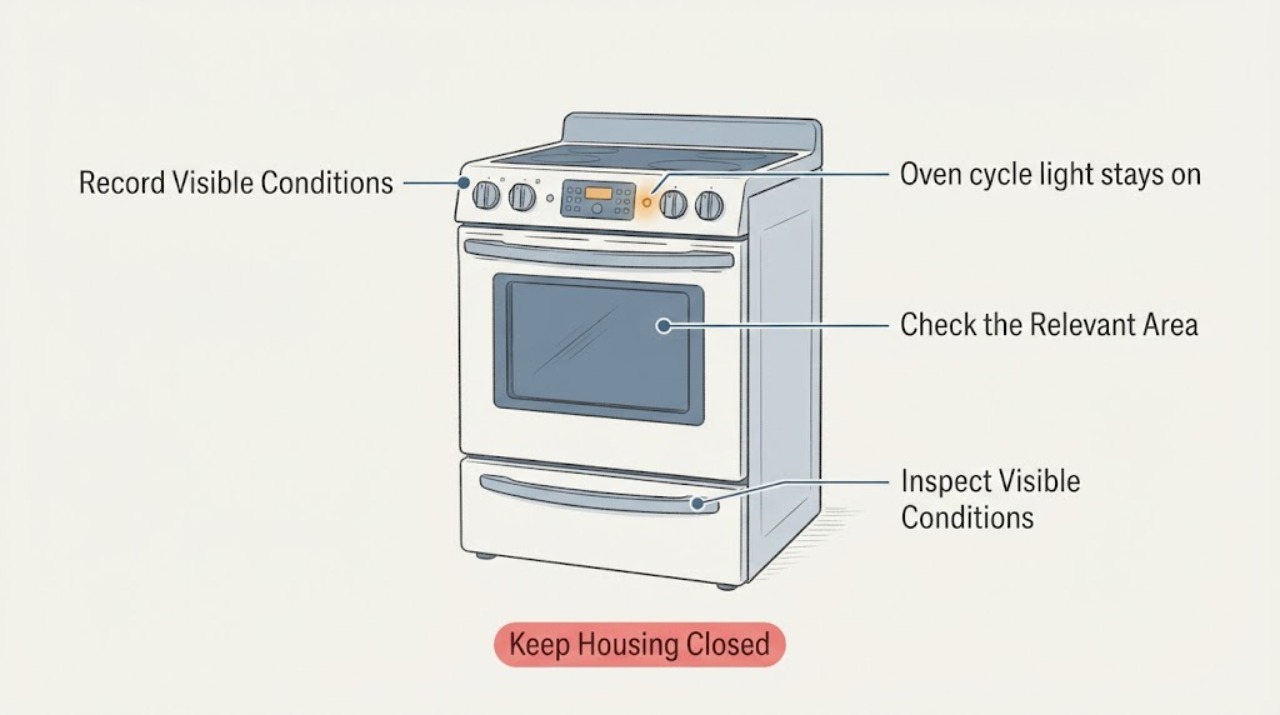
Work through in order
Diagnostic checks
Use only checks that match the exact appliance or system and its official guide.
-
Check 1
Read the label beside the lamp and record whether it says Cycle, Bake, Oven On, Preheat, Clean, Lock, or Oven Light. Note whether the oven has mechanical knobs or an electronic display.
Expected result: The lamp is clearly labeled as a heating/preheat indicator, or it is labeled Clean/Lock/interior light and the reported light is being misidentified.
Next step: Follow only the matching section of the exact Hotpoint owner's manual; do not use a generic button combination.
Stop if: Treat the identity as unresolved and arrange model-specific support rather than naming a thermostat or control part.
Why this matters
Why: Different indicators have different normal behavior. A cycle/preheat lamp can track the heating elements, while a Clean or Lock lamp can remain on during a self-clean cycle or cooldown.
-
Check 2
With the oven under observation, record the selected function (Bake, Broil, or Self-Clean), the temperature setting, and whether the lamp is steady or cycles while the oven is operating normally.
Expected result: The light cycles during Bake/Broil, stays on during a low-temperature setting, or remains on during Self-Clean/cooldown.
Next step: Compare the behavior with the exact model manual and allow a normal cycle or cooldown to finish; do not alter a thermostat or remove a panel.
Stop if: Continue to the control-off observation, especially if the lamp is on when no cooking or cleaning function is selected.
Why this matters
Why: GE Appliances documents cycling during Bake, Broil, and Self-Clean, and says some models can keep the cycle light on without cycling at temperatures of 250°F or below. A Clean/Lock light can also remain on during self-clean cooldown. These observations alone do not prove a failed control.
-
Check 3
When cooking is complete, use the oven's normal OFF or Cancel control and observe from outside whether the indicator responds and whether the oven is merely retaining residual heat or continuing an active heating cycle.
Expected result: The lamp goes out and the oven cools normally, or the lamp/active heating indication remains after OFF/Cancel and the oven continues to get hotter.
Next step: If it continues heating or becomes excessively hot after OFF/Cancel, stop using the oven and move to the service branch; do not keep cycling the controls to test it.
Stop if: If it cools normally, record the model and the normal indicator behavior for comparison with the manual.
Why this matters
Why: A lamp that ends with the documented cycle is consistent with an indicator function. Continued active heating or a control indication after OFF/Cancel is an abnormal safety observation, but it does not identify which internal component is responsible.
-
Check 4
If the lamp is associated with Self-Clean, check the displayed or labeled cycle state from outside and allow the documented cooldown before attempting to open the door. Do not force the latch.
Expected result: The oven is in Self-Clean and the Clean/Lock light remains on during cooldown, or the self-clean state has ended but the light/lock remains indefinitely.
Next step: Keep the door closed while it is locked and follow the exact manual's cancel/cooldown instructions. If it remains locked or hot beyond the model guidance, stop and arrange service.
Stop if: Do not label a Bake/Cycle light as a Clean/Lock light; return to the model-identification and normal-heating branches.
Why this matters
Why: GE Appliances says Clean and Lock lights may remain on while the oven cools after self-clean; the lock light should remain until the oven cools enough to open. A light that remains after the documented cooldown is not explained by the normal guidance.
-
Check 5
Record the model number, lamp label, selected function, temperature setting, whether the light cycles, and what happens after OFF/Cancel before contacting support.
Expected result: The exact manual confirms the observed lamp behavior, or the manual does not cover it and the light/heat behavior remains abnormal.
Next step: Use the manual for normal operation or provide the recorded observations to qualified Hotpoint/GE appliance service.
Stop if: Stop using the oven if active heating persists after OFF/Cancel, if smoke or burning odor appears, or if the oven becomes dangerously hot; arrange qualified service.
Why this matters
Why: Model-specific documentation is needed to distinguish a normal indicator design from a control or heating fault. The visible symptom does not support naming a thermostat, relay, sensor, or lamp assembly.
Use your observations
Decision map
Find the observation that best matches what you see, then follow the next safe action.
-
PATH 01Next step
What you see
The lamp is a Cycle/Bake or Preheat indicator and it cycles with the heating element during Bake or Broil, or remains on under a documented low-temperature condition
Do this next
Confirm the exact behavior in the Hotpoint owner's manual and continue normal use only while the oven responds correctly to its controls and does not overheat.
Why this path and its safety boundary
Why it matters: The behavior matches GE Appliances' family-level description of normal model-dependent heating indication.
-
PATH 02Next step
What you see
The lamp is a Clean or Lock indicator during Self-Clean and the oven is still in its normal cooldown period
Do this next
Keep the door closed, allow the model's cooldown to finish, and do not force the latch or repeatedly restart the cycle.
Why this path and its safety boundary
Why it matters: A persistent light can be normal while the self-cleaning oven cools and the lock remains engaged.
-
PATH 03Next step
What you see
The oven is set to OFF/Cancel but the light stays active together with continued heating, rising temperature, smoke, or a burning odor
Do this next
Stop using the oven. If safe to do so, disconnect power at the accessible control or breaker without opening the appliance, keep clear of hot surfaces, and arrange qualified appliance service.
Why this path and its safety boundary
Why it matters: This is a safety symptom rather than proof of a particular thermostat, relay, or sensor failure.
-
PATH 04Next step
What you see
The light stays on but the oven cools normally after OFF/Cancel and no smoke, burning odor, or excessive heat is present
Do this next
Record the model and lamp label and compare with the exact Hotpoint manual before requesting a part or repair.
Why this path and its safety boundary
Why it matters: The observation does not confirm active heating; it may be a model-specific indicator or a lamp-label misunderstanding.
Helpful context
Understand the symptom
The words “cycle light” can describe different Hotpoint controls. A red Bake/Cycle lamp may show that the element is heating, while a Preheat, Clean, Lock, or interior-light indicator has a different purpose. A lamp that remains lit can therefore be normal on one model and a service symptom on another. Start by reading the label beside the lamp and noting the knob or button setting; do not infer a failed thermostat from the light alone.
No model number was supplied, so this page gives family-level observations only. Hotpoint's Americas support page routes appliance questions to GE Appliances, whose official range and wall-oven guidance repeatedly says indicator behavior varies by model. Use the exact Hotpoint owner's manual for the lamp label and control sequence, and use the safety boundary below if the oven appears to keep heating after it should be off.
When checks do not resolve it
Need a professional?
Use qualified appliance service for persistent heating after OFF/Cancel, abnormal heat or odor, a locked Self-Clean state beyond documented cooldown, or any diagnosis requiring access to controls, wiring, sensors, relays, or heating components.
Safety scope: Limit user checks to reading the lamp label, recording the selected function and temperature, observing the lamp from outside, and using the normal OFF/Cancel control. Do not remove panels, defeat door interlocks, probe live wiring, adjust a thermostat, or handle hot surfaces during an active cycle.
Common questions
FAQ
Is it normal for a Hotpoint oven cycle light to stay on continuously?
Sometimes. GE Appliances says indicator behavior varies by model; some preheat lights remain on until the oven is turned off, and some cycle with the heating elements. Some cycle lights can also remain on without cycling at low temperatures. Check the exact Hotpoint manual before calling it a failure.
How do I tell the cycle light from the oven light or Self-Clean lock light?
Read the label next to the lamp and note the selected function. A Cycle/Bake or Preheat lamp relates to heating, while a Clean or Lock lamp can stay on during Self-Clean and cooldown. An interior Oven Light is a separate illumination control.
What if the light stays on after I turn the oven off?
Observe whether the oven is only retaining residual heat or is still actively heating. If it continues getting hotter, or there is smoke, a burning odor, or excessive heat, stop using it and arrange qualified service. Do not open the panel or guess which control part failed.
Can I replace the thermostat or relay because the cycle light stays on?
No. A lamp alone does not identify a thermostat, relay, sensor, or control-board fault, and no model number was supplied. Use the exact manual and qualified service for any internal diagnosis or part selection.
Read the exact guide
Official sources
- Range & Wall Oven - Preheat LightGE Appliances · Family-level model variation for preheat indicator behavior; not a diagnosis of a Hotpoint internal component
- Hotpoint SupportHotpoint · Hotpoint states that appliance questions are directed to the GE Appliances Answer Center and that Hotpoint products are serviced through its service channel; used to scope GE cooking support, not to infer a model-specific control behavior
- Oven Lock Light Operation During Self-CleanGE Appliances · Family-level Self-Clean lock-light timing and safe door-closed boundary; exact model controls remain manual-specific
- Range & Wall Oven - Oven Cycling Light OperationGE Appliances · Family-level explanation of Bake/Cycle indicator behavior; exact timing and controls remain model-specific
- Range & Wall Oven - Explanation of Self-Clean Oven Cool DownGE Appliances · Family-level Clean/Lock light and cooldown behavior; does not redefine a Bake/Cycle lamp
Community feedback
Share a repair observation
Share a plain-text repair observation. Accepted observations are published automatically; this page may take a moment to update.