
On this page
Start here
Quick answer
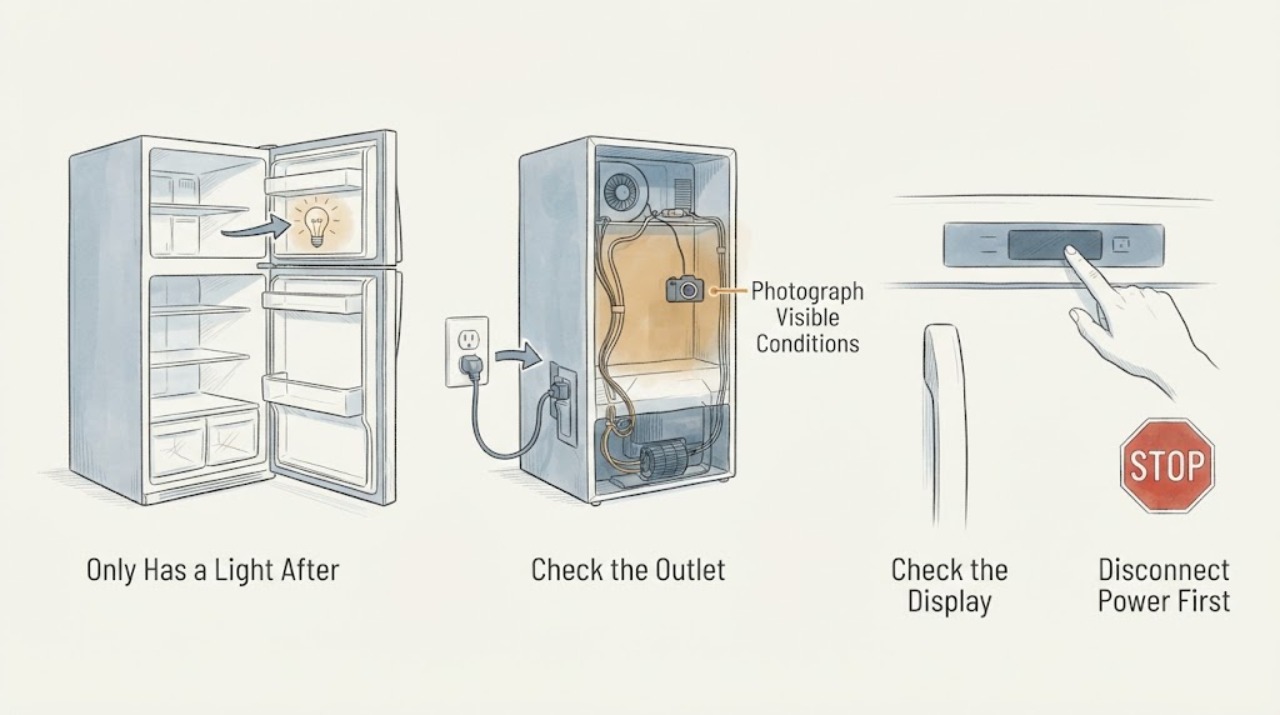
If the Hotpoint HTS18GBSBRWW stopped cooling after an evaporator-fan replacement and only the light works, treat the repair timing as a clue—not proof that the new fan is bad. On this older top-freezer platform, the light can remain powered even when the temperature control is at 0, so a lit bulb does not prove that the cooling circuit, fan wiring, compressor, or defrost path is operating. Protect perishable food, keep the doors closed, and check only from outside that the plug and outlet are dry and undamaged, the control is not at 0, and the freezer and fresh-food temperatures are recorded. Do not reconnect wires, bypass a switch, open the rear or freezer cover, test energized circuits, or add refrigerant. If the light works but neither compartment cools, or if the fan replacement left a loose, pinched, scorched, or exposed wire, stop using the refrigerator and arrange qualified Hotpoint/GE appliance service with the repair history.
Before you begin
Safety first
- The user-level scope ends at food protection, model and repair-history documentation, ordinary control position, thermometer readings, sound notes from outside, and visible cord/plug/door observations. Do not reconnect fan wires, bypass a switch, remove the freezer or rear cover, reach into the fan, touch the compressor, handle refrigerant, or test energized circuits. The manual says to unplug before cleaning or repairs and recommends qualified service.
Work through in order
Diagnostic checks
Use only checks that match the exact appliance or system and its official guide.
-
Check 1
Protect food before troubleshooting. Keep both doors closed as much as practical, place an appliance thermometer in each compartment if available, and look only from a dry, safe position for smoke, burning odor, sparks, water near the plug or cord, a hot outlet, or a breaker that trips again.
Expected result: The refrigerator is at or below 40°F and the freezer is near 0°F with no safety warning, or a compartment is out of range, exposure time is unknown, or an electrical warning is present.
Next step: Move or discard food according to FDA guidance when safety cannot be established. Leave the refrigerator off for an electrical warning and arrange qualified appliance or electrical help; do not restore power repeatedly.
Stop if: Stop immediately for smoke, burning odor, sparks, water near electrical parts, a hot or damaged cord/outlet, or a breaker that trips again.
Why this matters
Why: A safe reading permits a short external record. An unsafe or unknown food temperature is a food-safety issue; smoke, water, heat, sparking, or repeated tripping is an electrical stop and cannot be diagnosed by observing the light.
-
Check 2
Read and photograph the complete rating-label model and serial information without moving the appliance. Record that the assigned model is HTS18GBSBRWW, what fan work was done, the date of the work, whether the refrigerator was unplugged during it, and whether the light was working before the repair.
Expected result: The label confirms HTS18GBSBRWW and the repair history is clear, or the label is partial/different and the repair details or market are uncertain.
Next step: Use the exact model and serial with Hotpoint/GE service or the original technician. Keep the refrigerator off if exposed wiring, an incorrect connector, or damage is visible; do not try to correct it yourself.
Stop if: Do not remove a cover, pull the unit out, reconnect a plug or wire, or order a replacement fan from the symptom alone.
Why this matters
Why: Exact identity and repair chronology are needed before a technician can compare the correct diagram and parts information. Uncertain identity makes any fan connector or replacement-part claim unsafe.
-
Check 3
From the front, verify that the temperature control is not at 0 and that the control moves or responds as the model manual describes. Do not repeatedly turn the control or treat the lamp as evidence that cooling is commanded.
Expected result: The control is at 0, the setting is ordinary, the control is damaged or loose, or the setting appears normal but neither compartment cools.
Next step: If the control was clearly at 0 and no safety warning exists, return it to the manual's ordinary temperature range and allow the documented recovery period without repeated changes. If it was already set normally or cooling does not return, stop and arrange service.
Stop if: Do not open the control housing, bypass the temperature control, or use a live test to decide whether it is switching.
Why this matters
Why: The manual says 0 stops cooling in both compartments while leaving the light powered, so a 0 setting can exactly mimic “only the light works.” A normal setting with no cooling keeps the post-repair power, fan, compressor, defrost, and control paths unresolved.
-
Check 4
Without opening any panel, compare the refrigerator and freezer thermometer readings and listen from outside for the normal operating response described in the manual. Note whether both compartments are warm, whether one remains cold, and whether there is no sound, a repeated click, or an abnormal sound; do not create a new run cycle to chase a symptom.
Expected result: Both compartments are warm, the freezer is cold but the refrigerator is warm, the unit is silent, the motor runs continuously, or repeated clicking or another abnormal sound occurs.
Next step: Record the readings, settings, and sound pattern for service. Arrange qualified diagnosis if cooling is not restored after the manual's recovery period; do not open the rear cabinet or freezer cover.
Stop if: Do not touch the compressor, fan, wiring, or refrigerant tubing, and do not perform an energized voltage or continuity test.
Why this matters
Why: Both compartments warm after a repair can involve power, control, fan, defrost, compressor, or sealed-system paths. A cold freezer with a warm refrigerator keeps airflow or compartment control in consideration. Sound timing is useful evidence but cannot identify a component.
-
Check 5
Inspect only the visible front, door edge, plug, and cord for a door held open, damaged gasket, crushed cord, loose plug, scorch mark, or water. Do not move the refrigerator or reach behind it to inspect the replacement fan; check accessible food packages are not blocking the freezer air duct.
Expected result: A package blocks the air duct or door, a gasket or cord is visibly damaged, the plug/outlet is abnormal, or all accessible conditions appear normal.
Next step: Remove only a clear package obstruction while the appliance remains safe and stationary. Leave the unit off and contact qualified service for any damage, heat, exposed wire, or persistent no-cooling condition.
Stop if: Do not pull the refrigerator out, remove trim or covers, re-seat a connector, or continue using it with exposed, pinched, or scorched wiring.
Why this matters
Why: A simple accessible obstruction can explain a warm compartment, while a visible repair-related cord or wiring hazard requires professional inspection. Normal external appearance does not clear a hidden fan connection or cooling fault.
-
Check 6
Prepare a repair handoff rather than selecting a part. Provide the exact identity, both thermometer readings, control position, which compartment is warm, the time cooling stopped relative to the fan work, whether the light stays on, visible cord or wire observations, and any breaker or odor event.
Expected result: Cooling returns after a clearly documented control or obstruction correction, or it remains absent after the setting and recovery checks, especially with a repair-related wire concern.
Next step: Monitor only a stable recovery. Otherwise arrange Hotpoint/GE qualified appliance service and request a documented inspection of the recent repair before any component is ordered.
Stop if: Do not reconnect wires, bypass a switch, remove the fan or panel, add refrigerant, or test live circuits.
Why this matters
Why: A stable recovery after an external correction supports that limited explanation. Persistent no cooling after fan work needs a technician to verify power isolation, connectors, fan operation, defrost, controls, and the sealed system in the correct order; it does not prove that the newly installed fan is the failed part.
Use your observations
Decision map
Find the observation that best matches what you see, then follow the next safe action.
-
PATH 01Next step
What you see
The control is at 0, the plug and cord are normal, no food-safety or electrical warning exists, and cooling returns after one ordinary setting correction and the manual's recovery period.
Do this next
Keep the setting stable and continue to monitor both thermometer readings. Do not repeat fan work or order a part unless the no-cooling symptom returns.
Why this path and its safety boundary
Why it matters: The control position was a sufficient explanation for the immediate symptom; the working light was not evidence that cooling was operating.
-
PATH 02Next step
What you see
The light works, the control is in an ordinary setting, and both compartments remain warm after the documented recovery period following fan work.
Do this next
Leave the refrigerator off if the repair left any wiring concern and arrange qualified Hotpoint/GE appliance service with the repair timeline and temperature record. Do not perform another energized test.
Why this path and its safety boundary
Why it matters: The light circuit is active but the cooling path remains unresolved. Fan, connector, control, defrost, compressor, or sealed-system causes are possible; none is proven by the symptom.
-
PATH 03Next step
What you see
The freezer is cold but the fresh-food compartment is warm, with a clear front door and no accessible package blocking the air duct.
Do this next
Document both readings and the exact visible pattern, then arrange model-matched service if it persists. Do not remove a freezer cover to inspect or spin the fan.
Why this path and its safety boundary
Why it matters: Airflow, frost, or a compartment-specific control remains plausible; this pattern does not prove an evaporator-fan failure or a sealed-system failure.
-
PATH 04Next step
What you see
A connector or wire appears loose, exposed, pinched, scorched, wet, or damaged after the fan replacement, or a breaker trips when the refrigerator is energized.
Do this next
Keep the refrigerator unplugged, protect food, and contact the original technician or qualified appliance/electrical service. Do not reconnect, bypass, or probe the wiring.
Why this path and its safety boundary
Why it matters: The repair history creates a credible electrical or workmanship risk, but the exact failed point still requires isolated professional inspection.
-
PATH 05Next step
What you see
A thermometer is above the food-safety limit or the time above that limit is unknown, even if the light still works.
Do this next
Move food to a safe appliance or cooler and discard items when safety cannot be established under FDA guidance. Keep the faulty refrigerator closed and arrange service.
Why this path and its safety boundary
Why it matters: Food protection takes priority over troubleshooting and the light does not establish safe refrigeration.
Helpful context
Understand the symptom
Why the repair timing matters without proving a failed fan
The new symptom appeared after a fan replacement, so the order of events is important evidence. It just does not identify which part or connection is at fault. The HTS18GBSBRWW manual explicitly separates the light circuit from cooling: moving the temperature control to 0 stops cooling in both compartments but does not shut off power to the light. A light that still illuminates can therefore coexist with a disconnected control, fan, compressor, or defrost path.
Keep the inspection at the boundary
The safe user-level record is the complete model, what was replaced, who performed the work, when cooling stopped, which compartment is warm, and any visible cord or wire damage from ordinary access. Do not pull the refrigerator out to reach a cover, remove a freezer liner, or probe the new fan. The manual says to unplug before cleaning or making repairs and recommends qualified service, which is especially important when a repair has left a questionable connection.
Protect food while the cause is unresolved
Use appliance thermometers rather than the light or a hand on the cabinet to decide whether food is safe. FDA says to keep the refrigerator at 40°F or below and the freezer at 0°F. Move perishables to a safe appliance or cooler when the reading is unsafe; when exposure time is unknown, do not rely on smell or appearance.
When checks do not resolve it
Need a professional?
Use Hotpoint/GE qualified appliance service for persistent no cooling after the fan replacement, a warm compartment with the control set normally, any suspected repair-related connector or wiring problem, or any need for internal access. Use qualified electrical service for power hazards and an emergency response for smoke or fire. Protect or discard food according to FDA temperature guidance.
Safety scope: The user-level scope ends at food protection, model and repair-history documentation, ordinary control position, thermometer readings, sound notes from outside, and visible cord/plug/door observations. Do not reconnect fan wires, bypass a switch, remove the freezer or rear cover, reach into the fan, touch the compressor, handle refrigerant, or test energized circuits. The manual says to unplug before cleaning or repairs and recommends qualified service.
Have this ready
- Provide HTS18GBSBRWW and serial information, market, the original symptom, exactly what fan work was performed and when, whether the refrigerator was unplugged, the light and control behavior, both thermometer readings and settings, which compartment is warm, sound timing, visible cord/plug/wire observations, breaker or odor history, and any photographs taken without moving the appliance.
Common questions
FAQ
If the light works, does that mean the refrigerator has power for cooling?
No. The HTS18GBSBRWW manual says the 0 temperature-control position stops cooling but does not remove power from the light circuit. A lit bulb therefore does not prove that the fan, compressor, defrost path, or cooling control is operating.
Should I reconnect the evaporator-fan wires after the replacement?
No. Do not reconnect, bypass, or probe a fan connector based on a symptom. Keep the refrigerator unplugged if wiring appears exposed, loose, pinched, scorched, or wet, and have the original technician or qualified appliance service inspect the repair safely.
How can I tell whether the food is still safe?
Use an appliance thermometer. FDA says the refrigerator should be 40°F or below and the freezer 0°F. If perishable food has been above 40°F for an unknown period, do not rely on smell or appearance; move safe food to another cold appliance and discard food whose safety cannot be established.
Could the new fan itself be the only problem?
It is one possibility, but the timing alone does not prove it. The same symptom can follow a control position, connector or wiring issue, power interruption, defrost condition, compressor problem, or another cooling fault. Give service the repair chronology and readings rather than ordering another fan.
Read the exact guide
Official sources
- 49-60521-1v03GE Appliances / Hotpoint · The PDF was opened from the Owner’s Manual link on the exact HTS18GBSBRWW manufacturer parts page. It covers models 16, 17, and 18, so it supports the documented control/light distinction, unplug-before-repair rule, qualified-service boundary, and general troubleshooting entries, not an unverified fan wiring procedure.
- Refrigerator Thermometers - Cold Facts about Food SafetyU.S. Food and Drug Administration · Official FDA consumer food-safety guidance opened for appliance-thermometer use, 40°F refrigerator/0°F freezer boundaries, and handling food when temperature or exposure time is uncertain.
- Model Search | HTS18GBSBRWWGE Appliances Parts · Official GE Appliances parts site page opened for the exact HTS18GBSBRWW model. It identifies the appliance as a Hotpoint 18.2 cu. ft. top-freezer refrigerator and links the owner's manual and installation instructions; it is not used to infer a replacement-fan diagnosis.
Community feedback
Share a repair observation
Share a plain-text repair observation. Accepted observations are published automatically; this page may take a moment to update.