
On this page
Start here
Quick answer
First determine whether the refrigerator has power and whether the freezer is also warm. Keep the doors closed and protect perishable food while you check the exact model manual. Hotpoint advises checking the temperature setting, door closure and seal, blocked vents, clearance and nearby heat; on some models Holiday mode disconnects refrigerator cooling and must be used only when the refrigerator compartment is empty. After a documented defrost or restart, Hotpoint product guidance says optimal temperature can take about 2–12 hours, but persistent warmth, a model-specific error, heavy recurring frost, or a refrigerator that runs continuously needs service. Do not remove covers, test energized wiring, handle the compressor or refrigerant circuit, or use sharp or heated tools to remove ice.
Before you begin
Safety first
- The owner checks only dry external power, settings, doors, accessible load/airflow, clearance, frost, and manual-approved drainage or defrost steps. Internal electrical, fan, compressor, control, defrost, and refrigerant work belongs to qualified service.
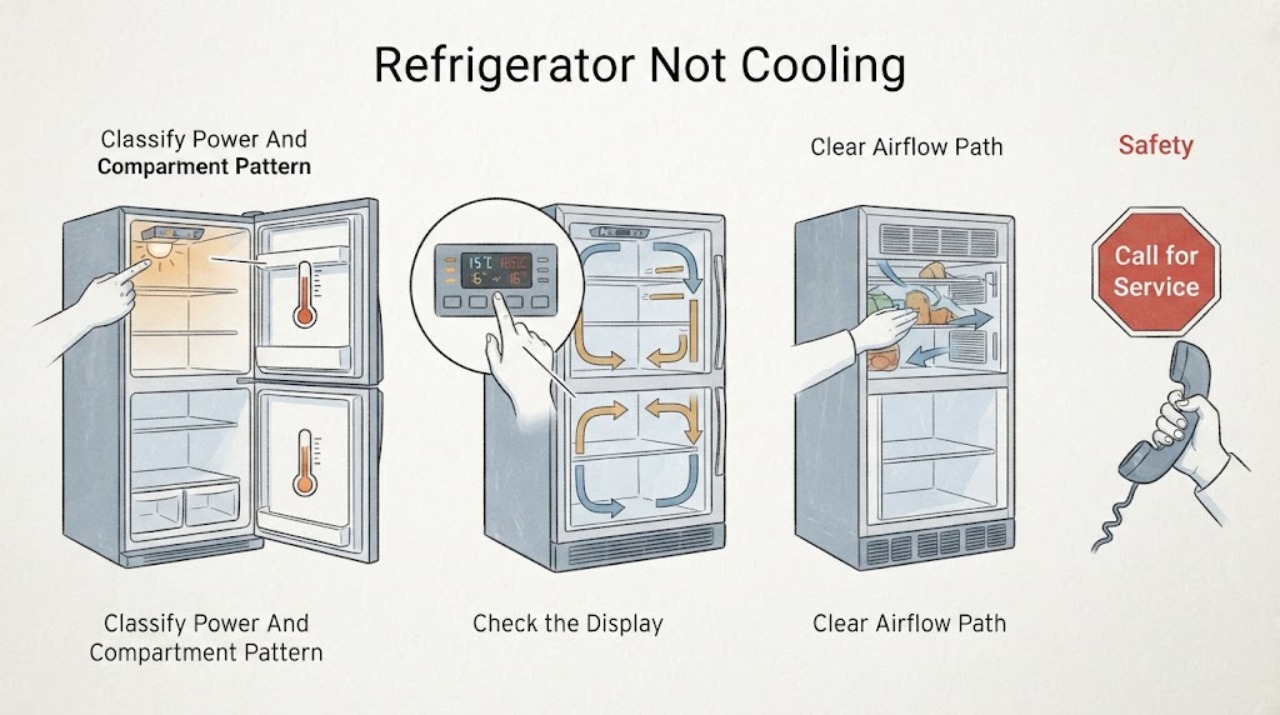
Work through in order
Diagnostic checks
Use only checks that match the exact appliance or system and its official guide.
-
Check 1
Without moving the appliance, note whether the interior light or display is operating, whether both compartments are warm, and whether the freezer is cold while the refrigerator compartment is warm. Keep the doors closed as much as possible while protecting food.
Expected result: There is no light or display; both compartments are warm; only the refrigerator compartment is warm; or the unit has power indications and one compartment is still cooling.
Next step: Follow the matching symptom branch below. Do not remove a rear cover or use a live voltage test. If food safety is in doubt, keep perishable food cold by a safe alternative and minimize door opening.
Stop if: Stop for smoke, burning odor, sparks, a hot or damaged plug/cord, water near electrical parts, or a breaker that trips.
Why this matters
Why: No power indication changes the first path to the outlet, breaker, plug, or appliance power supply. A cold freezer with a warm refrigerator suggests an airflow, damper, setting, frost, or compartment-specific issue rather than proving a sealed-system failure. Power indications do not prove that the cooling system is healthy.
-
Check 2
Read the complete model information without moving the refrigerator, then use the exact Hotpoint manual to check the temperature setting, control lock, Holiday mode, fast-freeze or other economy setting, and any documented restart or defrost recovery period. Do not repeatedly change settings to force cooling.
Expected result: Holiday mode is selected; the setting is warmer than intended; the control is locked or an unfamiliar mode is active; the appliance was just restarted or defrosted; or the controls match the manual and the recovery period has elapsed.
Next step: Correct only a clearly identified user setting using the exact manual, and allow its documented recovery time. If the setting is correct or warmth persists after recovery, continue with external door, load, frost, and ventilation checks, then arrange service if unresolved.
Stop if: Do not activate a mode whose meaning is unknown, use Holiday mode with food inside, or open the control panel.
Why this matters
Why: On some Hotpoint models Holiday mode disconnects refrigerator cooling and is intended only for an empty refrigerator compartment. A recent restart or defrost can explain temporary warmth. A correct setting with completed recovery makes a persistent cooling or airflow fault more likely, but does not identify a part.
-
Check 3
Inspect the door gasket, door alignment, and accessible shelves and vents. Look for a gasket that is visibly displaced or torn, a door held open by a container, food touching the rear wall, or packages blocking the cold-air path. Do not force the door or remove trim.
Expected result: The door does not close squarely; the gasket has visible damage or gaps; food or a container holds the door open; a rear vent is blocked; or doors, seals, and accessible airflow paths appear clear.
Next step: Rearrange only accessible items and close the door normally. If the gasket or alignment is visibly damaged, identify the exact model and request service or a model-specific part assessment. Do not keep operating with a door that will not seal.
Stop if: Stop if the door, hinge, cabinet, or gasket requires force, or if water has reached electrical areas.
Why this matters
Why: A door that cannot seal or blocked airflow can admit moisture and reduce cooling, and food touching a rear wall can contribute to moisture or frost. A clear seal and airflow path make a concealed airflow, defrost, sensor, control, fan, compressor, or sealed-system issue more plausible if the cabinet remains warm.
-
Check 4
From outside and without moving the refrigerator, check for direct heat or sunlight, blocked ventilation around the cabinet, unusual contact with a wall, heavy or localized frost, or water at the inner base. If the manual permits an accessible drain check, follow that manual only; never use a sharp object or external heat source on ice.
Expected result: The cabinet is near a heat source or lacks clearance; there is heavy frost; the inner base has water or a blocked-looking gutter; or installation and visible frost/drainage conditions appear normal.
Next step: Remove only an accessible food obstruction and keep heat sources away without pulling the appliance. If a full defrost is required, use the exact manual and protect food; allow the documented 2–24 hour defrost and 2–12 hour restart recovery guidance only where applicable. Escalate if frost or warmth returns.
Stop if: Do not pull, tilt, drill, chip, scrape, or heat the appliance; do not reach behind it or touch a wet electrical area.
Why this matters
Why: Hotpoint identifies ventilation, heat exposure, frost from doors left open, and a blocked gutter outlet or rear-wall contact as possible contributors to cooling or moisture symptoms. Heavy recurring frost or water despite an unobstructed accessible path can indicate a concealed defrost or drainage problem that needs service.
-
Check 5
If cooling remains poor after the exact manual's setting and recovery checks, record the model, compartment pattern, temperature setting, door and frost observations, fan or compressor sound pattern, and any displayed code. Compare a code only with the exact model documentation; do not reproduce a fault by opening covers or repeatedly cycling power.
Expected result: An error code is present; the refrigerator is still warm after recovery; it runs continuously; a fan or compressor sound is abnormal; or the external checks restore stable cooling.
Next step: Arrange qualified Hotpoint appliance service and provide the exact model and observations. If the external correction restored stable cooling, monitor without repeated setting changes and use the manual's temperature guidance.
Stop if: Do not remove panels, test energized wiring, touch the compressor or fan, handle refrigerant, bypass a sensor or control, or replace an internal component based only on a symptom.
Why this matters
Why: Hotpoint documents model-specific sensor, defrost, control, and high-temperature codes, and says some refrigerator and freezer fan or compressor sounds are normal. Persistent warmth, an unexplained code, or an abnormal sound after external checks needs diagnosis; the symptom alone cannot select a replacement part.
Use your observations
Decision map
Find the observation that best matches what you see, then follow the next safe action.
-
PATH 01Safety boundary
What you see
The interior light and display are both absent, or the outlet/plug/cord is visibly damaged, wet, or unusually hot.
Do this next
From a dry, safe position, check only that the plug is seated in the correctly rated outlet; do not use adapters or extension cords. Leave the refrigerator off and use qualified electrical or appliance service for a repeat or hazardous condition.
Why this path and its safety boundary
Why it matters: The immediate path is the household supply or appliance power path, not a temperature-setting diagnosis. A visible electrical hazard overrides cooling troubleshooting.
Safety stop: Do not touch wet equipment, change a breaker rating, restore power after smoke or scorching, or repeatedly reset a tripping device.
-
PATH 02Next step
What you see
Both compartments are warm after the documented restart/defrost period, while the setting, door closure, accessible airflow, and external clearance appear correct.
Do this next
Keep the doors closed, protect food, and arrange Hotpoint service with the model, timing, temperature setting, and any sound or code. Do not run an energized test or open the rear cabinet.
Why this path and its safety boundary
Why it matters: A persistent cooling-system, fan, defrost, sensor, control, or compressor issue is more likely than a simple user setting, but no individual internal cause is proven.
-
PATH 03Next step
What you see
The freezer remains cold but the refrigerator compartment is warm, especially when a rear vent is blocked, frost is localized, or a model-specific mode is active.
Do this next
Check only the exact manual's refrigerator setting or Holiday mode, move accessible items away from vents, and inspect door closure. Escalate persistent warmth or recurring frost rather than accessing a damper or fan.
Why this path and its safety boundary
Why it matters: Airflow, damper behavior, frost, the refrigerator setting, or a door/seal issue is more plausible than concluding that the whole sealed system has failed. The exact model is needed for controls and air paths.
-
PATH 04Safety boundary
What you see
There is heavy or recurring frost, or water collects at the inner base and does not resolve after an accessible, manual-approved drainage/defrost check.
Do this next
Keep food protected and use only the exact manual's safe defrost or drain procedure. Arrange service for recurring frost, hidden blockage, or any need to remove panels.
Why this path and its safety boundary
Why it matters: Door moisture, a blocked gutter, or food against the rear wall may explain a limited symptom; recurring heavy frost, hidden drainage, or poor cooling raises a concealed defrost or airflow concern.
Safety stop: Never chip ice with a knife, use a heat gun, pour water into electrical areas, or puncture a liner.
-
PATH 05Safety boundary
What you see
A code appears, the compressor or fan runs continuously with poor cooling, an abnormal sound persists, or the appliance trips power or develops a burning odor.
Do this next
Record the exact code and event without reproducing it, leave the appliance off for an electrical hazard, and arrange qualified Hotpoint service. Use the exact manual to distinguish documented normal fan/compressor sounds from an abnormal pattern.
Why this path and its safety boundary
Why it matters: Hotpoint's documented sensor, defrost, control, and high-temperature codes are model-specific; continuous operation can also reflect heat, ventilation, or a cooling fault. Burning odor, smoke, sparks, water near electricity, or a trip is an immediate safety stop.
Safety stop: Do not bypass controls, force a compressor start, open panels, handle refrigerant, or keep resetting power.
Helpful context
Understand the symptom
Start with the compartment pattern
A dark display or interior light and two warm compartments call for a power and control check. A cold freezer with a warm refrigerator compartment is a different path: do not assume the whole appliance has lost refrigerant. Note which compartment is warm, whether food is freezing in the refrigerator section, whether the fan sound changes when a door opens, and whether the unit has recently been moved, defrosted, or restarted.
Use the exact Hotpoint model manual
Hotpoint manuals and troubleshooting behavior vary by model and market. Hotpoint's service page explains that the first five digits of the model number can be used to find the relevant manual, while its manuals page provides the model lookup route. Use that manual for temperature controls, Holiday or fast-freeze modes, defrost instructions, alarms, and recovery times rather than borrowing a sequence from another appliance.
Normal recovery is not the same as a persistent fault
After a restart or defrost, a Hotpoint product page says the appliance may need time to reach its optimal operating temperature. A warm cabinet immediately after a restart is therefore not enough to identify a failed part. Keep the doors closed, avoid loading fresh food until the documented recovery period has passed, and escalate if the exact manual's recovery period has elapsed without cooling.
Frost and water provide location clues
Hotpoint explains that small frost can follow a door being left open, while moisture at the inner base can result from a blocked gutter outlet or food touching the rear wall. Do not chip ice with a knife or melt it with a heat gun. Only clear an accessible drain obstruction in the way the exact manual permits; recurring heavy frost, concealed blockage, or a warm compartment with abnormal ice formation belongs with service.
Do not choose an internal part from a symptom alone
Fans, defrost components, sensors, control boards, compressors, and the sealed refrigerant system can produce overlapping symptoms. Hotpoint's error-code guidance routes several sensor, defrost, control, and high-temperature codes to service. Stay at the external observation boundary: no rear-panel removal, live electrical test, fan obstruction test, refrigerant work, or replacement of a guessed part.
Safety boundary
Stop conditions
- Stop immediately for smoke, sparks, burning odor, a hot or damaged plug/cord/outlet, water near electrical parts, or repeated breaker trips; leave the refrigerator disconnected and seek qualified help.
- Do not remove panels, perform live electrical tests, touch the compressor, fan, wiring, or sealed refrigerant system, bypass controls, or replace internal parts from a symptom alone.
- Do not use knives, drills, heat guns, or other sharp or high-heat tools to remove frost or clear a blocked passage.
- Keep perishable food protected and minimize door opening while the cooling fault is unresolved.
Only after diagnosis
Potential parts
- model-specific door gasket
Consider only if service confirms that the exact model's gasket is torn, deformed, or unable to seal after door alignment is assessed.
Gasket shape and fit are model-specific; do not order by brand and appearance alone. - model-specific fan, defrost, sensor, or control component
Consider only after a qualified technician identifies a compartment-specific airflow, frost, sensor, defrost, or control fault from the exact model diagnosis.
Hotpoint documents model-specific codes and functions; a warm compartment does not identify one compatible component. - model-specific compressor or sealed-system component
Consider only after qualified service confirms a compressor or sealed-system fault and provides the model- and market-appropriate repair decision.
Do not handle refrigerant or select a compressor from symptoms, dimensions, or a generic listing.
When checks do not resolve it
Need a professional?
Arrange Hotpoint appliance service when both compartments remain warm after the exact model's recovery period, when one compartment stays warm despite clear doors and accessible airflow, when frost or inner-base water recurs, when an unknown or model-specific code appears, or when internal access would be needed. Use qualified electrical help for damaged or hot power equipment, repeated trips, smoke, sparks, or a breaker that behaves abnormally.
Safety scope: The owner checks only dry external power, settings, doors, accessible load/airflow, clearance, frost, and manual-approved drainage or defrost steps. Internal electrical, fan, compressor, control, defrost, and refrigerant work belongs to qualified service.
Common questions
FAQ
How long should a Hotpoint refrigerator take to cool after a restart?
Hotpoint product guidance says reaching optimal temperature can take about 2–12 hours after switching on or restarting, with exact conditions and models varying. Use the exact manual, keep the doors closed, and arrange service if warmth persists after its documented recovery period.
Why is the freezer cold but my Hotpoint refrigerator compartment warm?
Check the exact model's refrigerator setting and Holiday mode, door seal, accessible vents, food placement, and visible frost. Hotpoint says Holiday mode on some models disconnects refrigerator cooling and should be used only with an empty refrigerator compartment. Do not access a damper or fan yourself.
Can frost cause a Hotpoint refrigerator to stop cooling?
Frost from a door left open or a blocked airflow path can reduce cooling, and Hotpoint also describes inner-base moisture from a blocked gutter outlet or food touching the rear wall. Use only the exact manual's safe defrost or drain procedure; never chip or heat ice.
What does a Hotpoint refrigerator error code mean?
Codes are model-specific. Hotpoint's integrated guidance lists examples involving refrigerator/freezer sensors, defrost sensors, controls, environmental sensors, and a freezer high-temperature alarm, and routes those faults to service. Match the code to the exact manual instead of guessing.
Should I remove the back panel to check the fan or compressor?
No. A fan, compressor, defrost component, control, or sealed-system fault cannot be safely selected from an external symptom. Stop at dry external observations and arrange qualified Hotpoint service when internal access is needed.
Read the exact guide
Official sources
- Integrated Fridge Freezer Error CodesHotpoint · Official Hotpoint UK code table for supported integrated models; codes must be checked against the exact model.
- Integrated Fridge Freezer TroubleshootingHotpoint · Official Hotpoint UK integrated fridge-freezer support; apply feature details only when the exact model matches.
- Hotpoint Fridge FreezersHotpoint · Official Hotpoint UK product guidance; exact values and controls are not universal to every model.
- Fridge Freezer Repair and TroubleshootingHotpoint · Official Hotpoint UK support page; model and market features vary.
- Hotpoint Appliance ManualsHotpoint · Official Hotpoint UK manual index; select the exact appliance model and market.
Community feedback
Share a repair observation
Share a plain-text repair observation. Accepted observations are published automatically; this page may take a moment to update.