
On this page
Start here
Quick answer
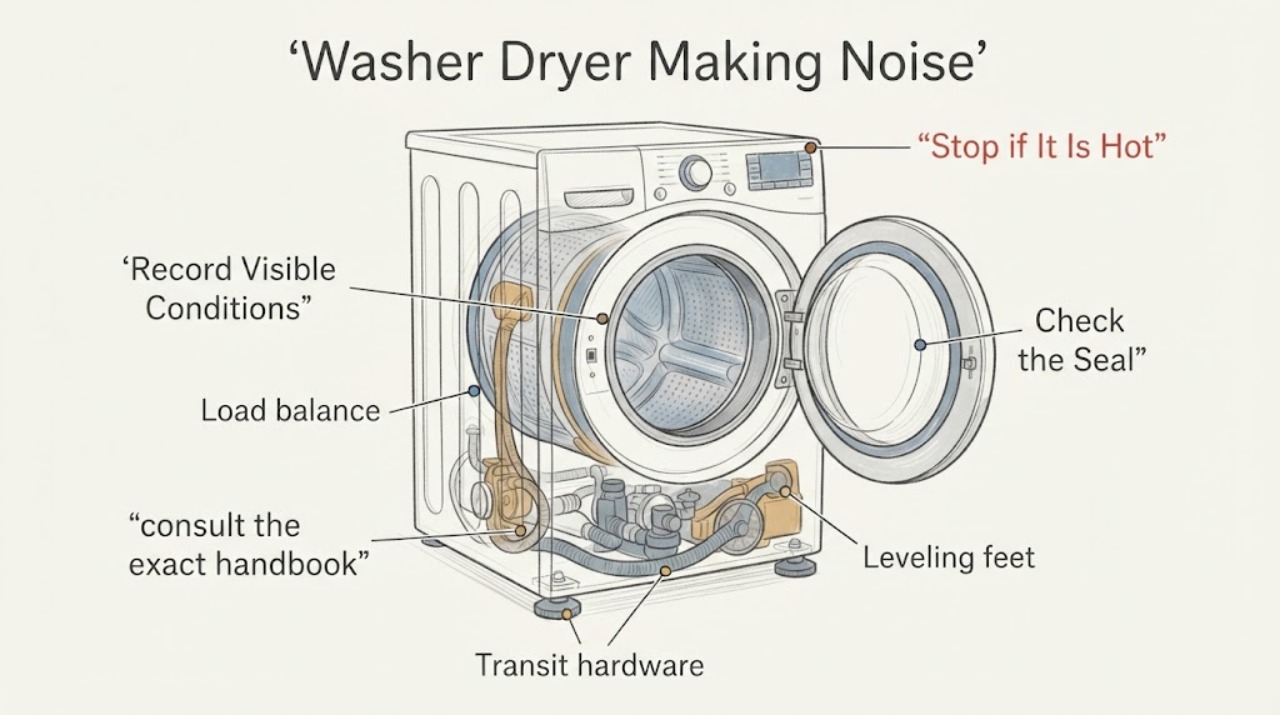
If a Hotpoint washer-dryer is making noise, first note whether the sound occurs while filling, washing, draining, spinning, or drying, and whether the cabinet moves. A machine that is noisy or unstable on its first use may still have transportation brackets or bolts installed; Hotpoint says those protective parts must be removed according to the handbook before use. For a later noise, stop the machine, unplug it before user-accessible inspection, remove coins or buttons that are visible in the drum or seal, redistribute an unbalanced load, and check that the appliance is level and its hoses are not striking the cabinet. Do not open the cabinet to tighten belts, screws, bearings, or motor parts. Stop for scraping that continues with an empty drum, a burning smell, smoke, water near electrics, a damaged cord, or violent movement, and arrange qualified appliance service.
Work through in order
Diagnostic checks
Use only checks that match the exact appliance or system and its official guide.
-
Check 1
Run one supervised, low-load observation only if there is no safety warning. Note whether the sound occurs during fill, wash tumble, drain, spin, or dry, and record whether it is a click, rattle, scrape, hum, or repeated thump. Stop immediately if the cabinet moves violently or the sound is accompanied by smoke, burning odor, or a leak.
Expected result: A thump that appears only at spin points toward load balance or installation; a rattle during drain points toward an object or drain path; a scrape that follows drum rotation even when empty points toward an internal rotating part. A first-use noise has a separate transportation-hardware branch.
Next step: Use the first-use installation check for a new appliance. Otherwise continue with load balance and visible-object checks, preserving the exact stage and sound for service if the noise persists.
Why this matters
Why: The cycle stage changes which accessible checks are useful. Continuing to run a machine that is moving violently or producing an electrical or burning warning can turn a diagnosable symptom into damage or injury.
-
Check 2
If the noise began on the first use or immediately after moving the washer-dryer, consult the exact handbook and check from the outside whether the specified transportation brackets or bolts are still fitted. Do not operate the appliance to test the result while transport hardware remains installed, and do not remove hardware by guessing its location or tool sequence.
Expected result: If the transport pieces are present, they can explain severe first-use vibration or instability. If the handbook confirms they were removed and the unit is still noisy, installation level, load balance, or an internal fault becomes more likely.
Next step: Follow only the model handbook's removal and installation instructions, then run one low-load observation. If the noise remains, the machine still walks, or the hardware cannot be identified safely, stop and arrange service.
Why this matters
Why: Hotpoint specifically identifies incomplete installation as a cause of first-use noise and directs the owner to the handbook for removal. The correct hardware and removal procedure vary by model.
-
Check 3
Stop the programme, unplug the appliance, and inspect the load and the visible drum opening for an unbalanced cluster, coins, buttons, or other loose objects. Check the door seal fold and detergent or drain areas only as far as the model handbook permits; do not reach into a moving or locked drum.
Expected result: A small hard object can make a sharp intermittent rattle, while a single heavy item or tightly packed load can cause repeated thumps during spin. If the drum and seal are clear but the same sound occurs with no load, the symptom is not explained by laundry balance or a visible object.
Next step: Remove only loose visible objects and redistribute the load evenly, then run one supervised low-load test. If the object is trapped behind the seal or drum, do not pry it out; arrange service.
Why this matters
Why: Hotpoint lists foreign objects as a noise cause and recommends redistributing an unbalanced load. This check separates a removable user-level cause from a rotating or structural fault.
-
Check 4
With the appliance empty, unplugged, and the door open, check whether the washer-dryer stands firmly on the floor and whether the visible feet are set according to the handbook. Inspect the outside of the cabinet for rocking or a gap at one corner; do not place hands under the machine while it is operating.
Expected result: A cabinet that rocks by hand or walks during spin indicates an installation or leveling problem. A firm, level cabinet that still produces a metal scrape or growl with an empty drum shifts the diagnosis toward an internal component.
Next step: Correct only the model-approved foot adjustment, secure the appliance as described by the handbook, and test once. If it cannot be leveled, continues to walk, or the sound remains with no load, stop and arrange service.
Why this matters
Why: Stability changes how vibration reaches the floor and cabinet. Leveling cannot explain a persistent internal grinding sound when the drum is empty and the frame is stable.
-
Check 5
Inspect the visible fill and drain hoses, nearby plumbing, and cabinet clearance while the appliance is off. Look for a hose striking the cabinet, a drain hose pulled tight, a loose external object, or a leak. Do not loosen a pressurized connection or pull the washer-dryer forward if doing so could strain the hoses.
Expected result: A hollow tapping that matches pump or spin activity and stops when a hose is safely clear can be external contact. Water, a kinked drain path, or a hose under tension changes the issue to a leak or installation repair rather than a noise-only adjustment.
Next step: Clear only a harmless visible contact without disturbing connections and run one supervised test. If there is a leak, damaged hose, restricted drain, or contact that cannot be corrected without moving the unit, use qualified appliance or plumbing service.
Why this matters
Why: External hoses and plumbing can transmit vibration or create a noise that sounds internal. A leak near electrical parts is a stop condition even if the noise itself is minor.
-
Check 6
After the visible checks, run one empty or very low-load programme permitted by the handbook and compare the sound with the earlier load. Do not add more laundry to mask the noise, repeatedly restart a programme, or run a spin test if the cabinet is unstable.
Expected result: If the sound disappears with an even low load, the earlier symptom was consistent with balance or a loose object. If the same scrape, growl, or repeated knock remains empty, or if the drum hesitates or fails to spin, a drive, bearing, support, pump, or motor fault is possible.
Next step: Stop using the appliance for persistent empty-drum noise, severe vibration, a burning smell, smoke, a leak, or an electrical trip. Arrange qualified service and provide the cycle stage, recording of the sound, load, and all external checks completed.
Why this matters
Why: A controlled comparison distinguishes a load-dependent noise from a machine-dependent noise. The remaining internal possibilities require access and model-specific diagnosis, not a guessed part replacement.
-
Check 7
Review the display and indicator lights after the noise occurs and note any fault message, flashing sequence, drain warning, or door-lock behavior. Use the exact Hotpoint handbook for the meaning of the code; do not remove panels to inspect belts, shock absorbers, pumps, wiring, or the motor.
Expected result: A fault indication or a machine that aborts spin after repeated instability adds a control, drain, or balance branch. No code does not make an empty-drum scrape or electrical warning safe to ignore.
Next step: Record the exact code and stop if the warning returns. Arrange qualified service for a persistent noise, aborted spin, repeated fault, or any condition needing internal inspection.
Why this matters
Why: Hotpoint states that models vary and directs owners to the user manual for lights and codes. The display evidence can help a technician choose the correct diagnostic path without unsafe internal access.
Use your observations
Decision map
Find the observation that best matches what you see, then follow the next safe action.
-
PATH 01Next step
What you see
Noise or instability began on the first use or just after transport.
Do this next
Use the exact handbook to confirm that transportation brackets or bolts were removed and that the appliance is installed level. Test once at low load; arrange service if the hardware or installation cannot be safely confirmed.
-
PATH 02Next step
What you see
A repeated thump occurs only during spin and the load is clustered or unbalanced.
Do this next
Stop, redistribute the laundry evenly, and run one supervised low-load test. If the cabinet still walks or the spin aborts, stop and arrange service.
-
PATH 03Next step
What you see
A sharp rattle is linked to the drum and a coin, button, or other object is visible in the accessible opening.
Do this next
Unplug the appliance and remove only the loose visible object. Do not pry behind the seal or drum; use service if the object is trapped or the rattle remains.
-
PATH 04Next step
What you see
The noise matches hose or plumbing contact and there is no leak or damage.
Do this next
Clear the harmless visible contact without straining a connection, then test once. Use qualified plumbing or appliance service for a leak, kink, damaged hose, or inaccessible contact.
-
PATH 05Next step
What you see
The same scraping, growling, or knocking continues with an empty drum, or the drum will not spin normally.
Do this next
Stop using the washer-dryer and arrange qualified appliance service. Do not open the cabinet or replace a belt, bearing, pump, shock absorber, or motor based only on the sound.
-
PATH 06Next step
What you see
The appliance produces smoke, a burning smell, a damaged cord, water near electrical parts, violent movement, or a repeated supply trip.
Do this next
Stop immediately, isolate power only when safe, keep clear of the hazard, and arrange qualified appliance or electrical service. Do not reset the supply repeatedly or run another test.
Helpful context
Understand the symptom
Match the sound to the part of the cycle
A brief click when a programme changes is different from a rattle during drain, a thump during spin, or a scrape that follows drum rotation. Write down the programme, load, cycle stage, speed, and whether the noise continues with an empty drum. A sound that only occurs during a heavily loaded spin can be balance or installation related; a persistent scrape or grinding sound with no laundry is a service symptom.
Keep moving and electrical parts behind the service boundary
Stop the programme before looking inside the door opening and unplug the appliance before any user-accessible inspection. Do not reach into a moving drum, remove the cabinet, tighten an internal belt or screw, test a motor or shock absorber, or bypass a door or safety device. If the appliance walks, leaks, smokes, smells burnt, or trips its supply, isolate it when safe and arrange qualified service.
When checks do not resolve it
Need a professional?
Professional diagnosis is appropriate for persistent noise independent of load, internal rotating or suspension symptoms, repeated instability, leaks, fault indications, or any electrical or heat warning.
Common questions
FAQ
Why is my Hotpoint washer-dryer noisy on its first use?
Hotpoint says first-use noise or instability can result from incomplete installation, especially transportation brackets or bolts that have not been removed. Use the exact handbook to identify and remove them before running the appliance.
Can an unbalanced load make a Hotpoint washer-dryer bang?
Yes. Hotpoint says an unbalanced load can cause excessive movement and may cause the appliance to abort spin. Stop the cycle, redistribute the laundry evenly, and run one supervised low-load test.
What should I check if my Hotpoint washer-dryer rattles?
Unplug the appliance and inspect only the accessible drum opening and seal for loose coins, buttons, or other objects. If the object is trapped or the rattle remains with an empty drum, arrange service instead of prying into the mechanism.
Should I tighten a belt or screw when my Hotpoint washer-dryer is noisy?
No. Hotpoint's public guidance requires unplugging before repairs, and internal belts, screws, shock absorbers, pumps, and motors are not ordinary user-accessible checks. Persistent noise needs qualified diagnosis.
When should I stop using a noisy Hotpoint washer-dryer?
Stop for violent movement, persistent scraping with an empty drum, smoke, a burning smell, water near electrics, a damaged cord, or a repeated supply trip. Isolate power when safe and arrange qualified appliance or electrical service.
Read the exact guide
Official sources
- Washer Dryer Troubleshooting & Repair ServiceHotpoint · Official Hotpoint UK washer-dryer troubleshooting page; its first-use noise and instability guidance, unplug safety boundary, hoses, plumbing, and model-manual warnings apply to Hotpoint washer-dryer complaints.
- Washing Machine Troubleshooting - Quick fixes & Tips - HotpointHotpoint · Official Hotpoint troubleshooting page for closely related drum, spin, and installation mechanics; use its noise and load guidance for the washer portion of a washer-dryer only when the model handbook agrees.
Community feedback
Share a repair observation
Share a plain-text repair observation. Accepted observations are published automatically; this page may take a moment to update.