
On this page
Start here
Quick answer
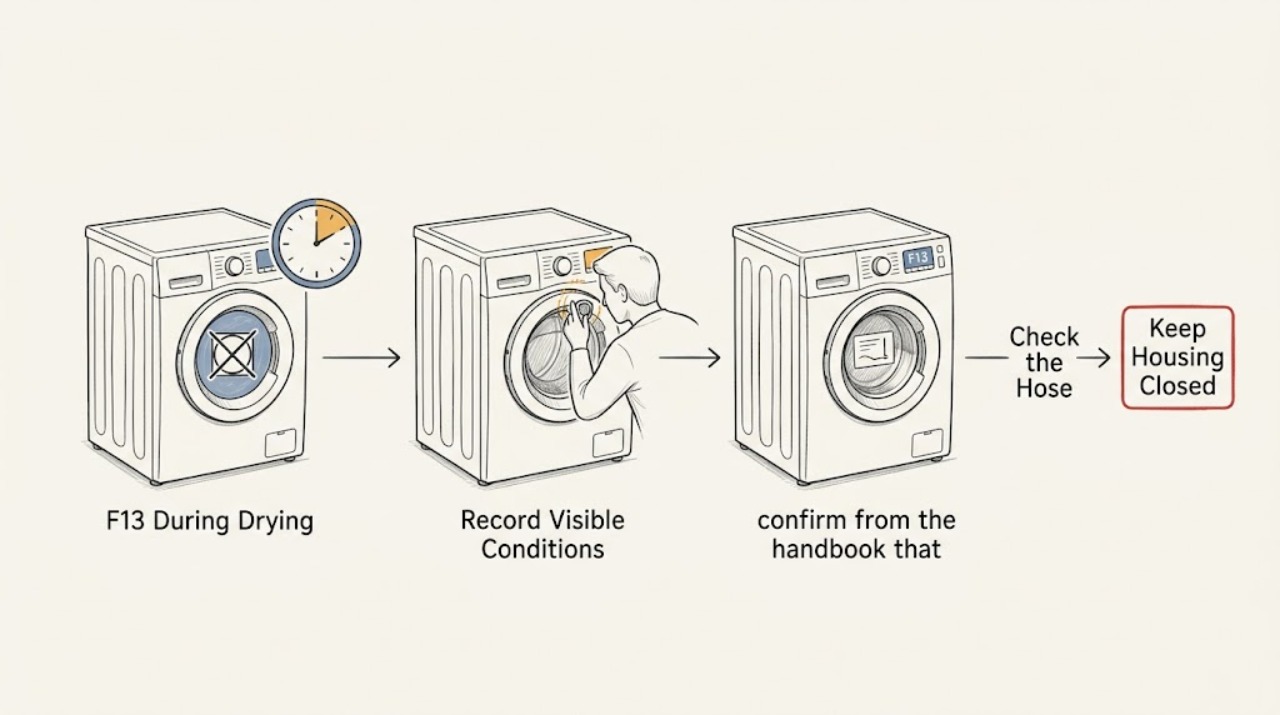
Hotpoint's public washer-dryer code guide defines F13 as a dryer temperature-sensing fault and describes the symptom as clothes not drying; it directs the owner to an engineer rather than a sensor or heater replacement. On the BHWD149, first confirm the full model label and that the message occurs only on a selected drying programme. Check the load against the user handbook's drying limit, confirm that the wash has drained and spun, and verify that the drying control is not set to a non-drying position. Use only the exact model handbook for any user-accessible filter, water, or condensation step. If F13 returns, drying stays cold, or the machine shows abnormal heat, smoke, burning smell, leakage, or a trip, stop using the drying function and arrange qualified service. Do not open the cabinet, enter service mode, test live parts, or choose a temperature sensor, fan, heater, or board from the code alone.
Before you begin
Safety first
- Owner checks are limited to reading the complete model, confirming the drying programme and load against the handbook, observing drainage and spin, checking visible hoses and handbook-listed user-accessible parts with power safely isolated, and recording the code and stage. Do not open the cabinet, remove the control panel, test live parts, enter service mode, bypass an interlock, or choose a sensor, heater, fan, or control board by code.
Work through in order
Diagnostic checks
Use only checks that match the exact appliance or system and its official guide.
-
Check 1
Read the complete rating label and record BHWD149 plus any suffix or service number. Record the exact display or light sequence, whether F13 appears only after selecting drying, the selected drying setting, and whether wash cycles still complete normally.
Expected result: The full identity is confirmed and F13 is limited to drying, or the suffix/display is incomplete or different.
Next step: Use the exact BHWD149 handbook for the displayed sequence and give the complete identity to service. If the display is uncertain, stop at identity capture rather than borrowing a nearby code table.
Stop if: Do not remove the control panel or open the cabinet to identify a hidden code.
Why this matters
Why: Hotpoint's F13 entry is explicitly for washer dryers and drying performance, while the exact model handbook controls programme labels and indicator interpretation. A different code or a flashing pattern cannot safely be treated as F13.
-
Check 2
Before another drying attempt, confirm from the handbook that the selected knob/programme includes drying and that the load is within the model's drying capacity. Remove excess items and separate tangled heavy pieces; do not add more heat or extend the cycle blindly.
Expected result: The control was on a non-drying or unsuitable setting, the load exceeded the handbook's drying limit, or a correctly sized load on the correct drying setting still remains damp.
Next step: Correct only the documented programme/load condition and, if there are no safety warnings, make one supervised attempt. If F13 returns or the correct cycle stays cold, stop the drying function and arrange service.
Stop if: Do not keep running oversized loads or bypass a programme warning to force drying.
Why this matters
Why: A programme or load mismatch can make drying appear ineffective without proving a temperature-sensing fault. If the correct setting and load still produce F13 or no drying, capacity is no longer a sufficient explanation.
-
Check 3
Check the preceding wash result before blaming the dryer: note whether the drum drained fully, whether there is standing water, whether clothes are unusually wet after spin, and whether a drain or pump symptom occurred. Inspect only the visible drain hose and connections for a kink or leak; use the handbook for any removable filter or pump pre-chamber procedure.
Expected result: Water remains, the load is much wetter than normal after spin, an external hose issue is visible, or washing drains and spins normally.
Next step: Resolve only a visible, handbook-permitted drain condition before one supervised drying attempt. If the wash is normal but F13 recurs during drying, stop and provide the drainage result to service.
Stop if: Do not force a filter cap, reach into a pump, move the integrated machine, or run drying with standing water or a leak.
Why this matters
Why: A drain or spin problem leaves too much moisture for the drying stage and is a separate path from Hotpoint's F13 meaning. Normal draining and spinning make the drying-only symptom more specific, but do not identify the internal sensor or heater.
-
Check 4
With the machine cool and disconnected only from a safe accessible plug or switch, inspect the user-visible areas named in the BHWD149 handbook: the door closing path, detergent/dispenser area, drain connection, and any listed filter or condensation/water path. Do not invent a vent, filter, or water procedure for a different Hotpoint platform.
Expected result: A visible obstruction, leak, incorrectly fitted user part, or blocked handbook-listed path is found, or all permitted external conditions look normal.
Next step: Correct only the handbook-listed external condition, refit the part, and make no more than one supervised attempt if F13 is absent. If the path is clear and the code returns, use qualified service.
Stop if: Do not remove panels, probe the heater or sensor, run the appliance with covers removed, or alter the water/air path.
Why this matters
Why: Hotpoint's service guidance says models vary and directs owners to the user manual for model-specific checks. An absent vent or filter is not evidence that another model's airflow procedure applies; a normal external path does not rule out an internal sensing fault.
-
Check 5
Record the drying-stage behaviour without opening the machine: whether the drum turns, whether the load ever becomes warm, when F13 appears, and whether the programme stops, pauses, or completes with damp clothes. Stop immediately for abnormal heat, smoke, burning smell, water leakage, a hot plug/cabinet, or a tripped breaker.
Expected result: F13 repeats on the correct drying programme, the machine stays cold or stops, or a safety warning occurs.
Next step: Stop using the drying function, disconnect power only if safe, keep the machine out of service, and arrange qualified Hotpoint appliance service. Give the technician the exact model, code, cycle, load, and observed timing.
Stop if: Do not reset repeatedly, run a long confirmation cycle, test live parts, or purchase an internal component from F13 alone.
Why this matters
Why: Hotpoint treats F13 as a dryer temperature-sensing fault and recommends engineer service. A cold drum or repeat stop is not enough to separate temperature sensor, heater, fan, wiring, or controls; a fire, water, or electrical warning overrides all troubleshooting.
Use your observations
Decision map
Find the observation that best matches what you see, then follow the next safe action.
-
PATH 01Next step
What you see
A non-drying programme or oversized/tangled load was found, the correct handbook setting is then used, and the load dries normally without F13 or warning signs.
Do this next
Keep within the documented drying capacity and use the correct drying programme. Escalate if F13 or cold/damp drying returns on a correctly sized load.
Why this path and its safety boundary
Why it matters: The programme or load condition explains the immediate result better than a confirmed temperature-sensing fault.
-
PATH 02Next step
What you see
The wash leaves standing water or an unusually wet load, or a visible handbook-permitted drain condition is found before drying.
Do this next
Stop drying, correct only the documented external drain condition, and obtain service if water remains, the hose leaks, or F13 persists after normal drainage.
Why this path and its safety boundary
Why it matters: A drain or spin condition is a separate moisture path and can make the drying result poor; it does not prove the F13 component meaning.
-
PATH 03Next step
What you see
F13 returns during drying on a correct programme and a correctly sized load after normal drainage and the handbook-listed external checks.
Do this next
Stop using the drying function and arrange qualified service with the exact BHWD149 identity, code, stage, and observations. Do not select a part from the code alone.
Why this path and its safety boundary
Why it matters: Hotpoint's published meaning is a dryer temperature-sensing fault, but the code does not distinguish the temperature sensor from heater, fan, wiring, or control causes.
-
PATH 04Next step
What you see
Smoke, burning smell, abnormal heat, a hot or damaged plug/cabinet, water leakage, exposed wiring, or a repeated breaker trip occurs.
Do this next
Stop the machine, isolate power only from a safe dry position if possible, keep clear, and obtain qualified appliance or electrical help. Use emergency procedures for active smoke or fire.
Why this path and its safety boundary
Why it matters: This is an immediate appliance, fire, water, or electrical safety stop condition, regardless of whether F13 is also displayed.
Helpful context
Understand the symptom
F13 is a drying-stage clue, not a remotely identifiable part. Hotpoint's public table places F13 specifically under washer dryers, calls it a dryer temperature-sensing fault, and sends the customer to an engineer. That is different from F03, which Hotpoint describes as a temperature-sensing fault affecting wash or dry settings, and from F15 or F19, which have their own meanings. Do not import another Hotpoint, Indesit, or generic dryer procedure.
The BHWD149 is an older integrated washer dryer, so keep checks external and model-specific. The useful question is whether a load/programme/drain condition explains the result, or whether F13 recurs on a correct drying programme. A recurring code needs service; it does not justify opening the cabinet or ordering a sensor, fan, heater, or control board.
When checks do not resolve it
Need a professional?
Contact Hotpoint or a qualified appliance technician for a recurring F13, a no-heat drying cycle after the safe external checks, an unconfirmed display, or any internal diagnosis. Use qualified electrical help for a hot/damaged supply connection or repeated breaker trip.
Safety scope: Owner checks are limited to reading the complete model, confirming the drying programme and load against the handbook, observing drainage and spin, checking visible hoses and handbook-listed user-accessible parts with power safely isolated, and recording the code and stage. Do not open the cabinet, remove the control panel, test live parts, enter service mode, bypass an interlock, or choose a sensor, heater, fan, or control board by code.
Have this ready
- Provide BHWD149 and every suffix/service number, the exact F13 display or light pattern, selected drying programme, load size, wash-drain/spin result, external hose/filter observations, and any heat, odor, smoke, water, or breaker history.
Common questions
FAQ
What does F13 mean on a Hotpoint BHWD149?
Hotpoint's public washer-dryer guide calls F13 a dryer temperature-sensing fault and describes the symptom as clothes not drying. It recommends engineer service; the code does not identify a user-replaceable sensor or another specific part.
Why does F13 appear only during drying?
That timing is consistent with Hotpoint's published F13 symptom, which is specific to the dryer function. Still verify the exact programme, load, drainage/spin result, and display before treating it as the same code; a drying-only pattern cannot prove which internal component is involved.
Should I replace the temperature sensor or heater first?
No. Hotpoint directs F13 cases to an engineer and does not use the public code entry to identify one replacement part. Give service the full BHWD149 identity, code, programme, load, drainage result, and timing instead.
Can I keep using the wash cycles if only drying shows F13?
If washing is normal and there are no leaks, odors, abnormal heat, smoke, or electrical warnings, keep the drying function off and arrange service rather than repeatedly testing it. Stop the entire appliance for any safety warning or visible damage.
Read the exact guide
Official sources
- Integrated Washer Dryer Hotpoint BHWD 149 (UK)/1Hotpoint UK · Exact Hotpoint product page for the BHWD149 family and UK /1 variant; use the complete rating-label suffix and handbook for programme and user-maintenance details.
- Hotpoint Service Washer Dryer RepairHotpoint UK · General official Hotpoint advice used for model variation, visible hose/drain observations, manual-first boundaries, and safe power isolation before part work; it is not a BHWD149 internal diagnostic guide.
- Hotpoint Washer-Dryer Error Codes - Quick Troubleshooting GuideHotpoint UK · Official Hotpoint washer-dryer code table; F13 is explicitly limited to washer dryers and is used for the drying-only symptom and engineer-service boundary, not for choosing an internal part on every suffix.
Community feedback
Share a repair observation
Share a plain-text repair observation. Accepted observations are published automatically; this page may take a moment to update.