
On this page
Start here
Quick answer
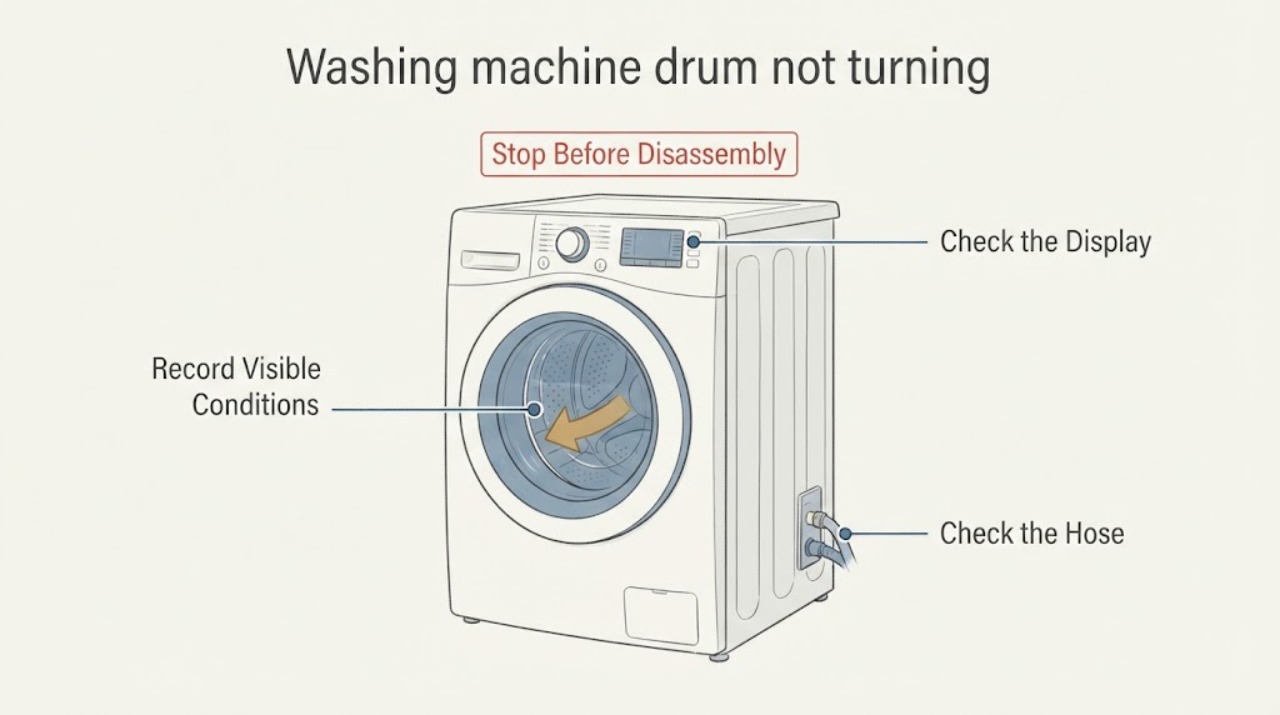
“Not turning” can mean the washer has no power, will not start, fills but never moves the drum, or aborts spin after an unbalanced load or drainage problem. First note which stage fails. With the washer unplugged for any repair work, check the visible power and door state, external water and drain hoses, and load balance. Hotpoint says an unbalanced load can abort spin and that water left in the drum can prevent spin; the symptom alone does not prove a motor, belt, pump, or control failure. Do not remove panels or reach into a moving or powered washer; arrange model-specific service if the external checks do not restore operation.
Work through in order
Diagnostic checks
Use only checks that match the exact appliance or system and its official guide.
-
Check 1
Run no further cycle yet; record whether the controls are blank, the programme will not start, the drum fills but does not move during wash, or the drum fails only at spin.
Expected result: Hotpoint gives different guidance for no electrical supply, a door that prevents starting, no drum rotation during a wash cycle, and an unbalanced load that aborts spin.
Next step: Continue only with the matching visible check below and keep hands, clothing, and tools away from the drum while the appliance is powered.
Why this matters
Why: The failed stage determines whether a power/door, drainage/load, or model-specific service branch is relevant; “not turning” alone does not identify a motor or belt fault.
-
Check 2
Check the visible power and start conditions: confirm the socket is live using another appliance, the washer's plug and fuse are appropriate, the on/start control is selected, and a front-loader door is closed firmly.
Expected result: Hotpoint lists the power socket, plug/fuse, on/start switch and firmly closed door as checks when the washer appears to have no supply or will not start.
Next step: If the socket or supply is abnormal, stop and use a qualified electrician or appliance technician. If the controls work but the programme still will not start, record any displayed light/code and consult the exact manual; do not bypass the door lock.
Why this matters
Why: A blank display or a door that is not confirmed closed can explain no movement without proving a drum-drive failure.
-
Check 3
If water remains in the drum or the washer stops before spin, inspect the accessible drain hose, standpipe or under-sink connection for a kink, blockage, incorrect insertion, or plumbing obstruction; do not open the pump housing.
Expected result: Hotpoint says water that is not draining can prevent the spin cycle, and directs users to check the drain hose and under-sink plumbing for blockages or kinks. It also notes that a pump filter check is model-dependent and should follow the user handbook.
Next step: Correct only a visible hose or plumbing problem covered by the exact manual, then recheck with the appliance closed and attended. If water remains or the drain path needs internal access, stop and arrange service.
Why this matters
Why: A drainage condition can stop rotation at spin without proving that the drive motor or belt failed.
-
Check 4
For a washer that reaches spin but stops or never accelerates, pause the programme, remove some items, redistribute the load evenly, and select the appropriate spin programme once the drum is settled.
Expected result: Hotpoint says the washer may abort spin when it cannot balance the load, and that some models show a Final Spin indicator; it recommends removing and redistributing clothes before selecting spin again.
Next step: If the washer still will not spin with a balanced load, stop repeated trials and provide the model number, stage, remaining water, and any light/code to qualified service.
Why this matters
Why: A single corrected load points to an imbalance branch rather than proving a failed component. Repeated failure with ordinary balanced loads needs a different diagnosis.
-
Check 5
Read any display or flashing-light pattern and compare it with the exact Hotpoint manual or official error-code page; do not convert a generic no-turn symptom into an error code.
Expected result: Hotpoint's official error page identifies F02 as a motor-circuit fault associated with intermittent or no drum rotation during wash, while F05 concerns drainage/pump symptoms and F06 concerns the door lock; the page also states that model-specific manuals matter.
Next step: If a code remains after the model-specific instructions, unplug the washer and arrange service. Do not open the cabinet, test the motor, or order a motor, belt, pump, or board based only on the symptom.
Why this matters
Why: An actual F02 display would be stronger evidence for a motor-circuit service path, but no code was assigned in this task and other codes describe different stages.
-
Check 6
Unplug the washer before any repair or replacement work and stop using it if the drum is jammed, the cabinet leaks, there is a burning smell, repeated electrical tripping, or abnormal grinding/banging.
Expected result: Hotpoint's troubleshooting page states that the appliance should be unplugged before repairs or replacements and directs unresolved faults to service; its repair guidance covers model-specific repair support.
Next step: Keep the washer disconnected and give the technician the full model number, failed stage, load condition, water level, noises and displayed lights/codes.
Why this matters
Why: A persistent no-turn symptom after external checks may involve an internal drive, lock, control, or structural issue that cannot be selected safely from the generic wording.
Use your observations
Decision map
Find the observation that best matches what you see, then follow the next safe action.
-
PATH 01Next step
What you see
If the display is blank or the programme will not start
Do this next
Check the visible socket, plug/fuse, start control and firmly closed door. Do not bypass the door lock; arrange service if the controls or supply remain abnormal.
Why this path and its safety boundary
Why it matters: Power, start selection, or a door-not-closed condition remains possible; the drum has not yet been shown to have a drive fault.
-
PATH 02Next step
What you see
If the washer fills but leaves water in the drum or stops before spin
Do this next
Inspect only accessible drain hoses and plumbing for kinks or blockages under the exact manual's scope; stop for internal pump access or persistent water.
Why this path and its safety boundary
Why it matters: Hotpoint links an uncompleted drain to a spin cycle that does not start; this does not prove a failed pump.
-
PATH 03Next step
What you see
If the washer reaches spin but aborts with a wet, uneven or heavy load
Do this next
Redistribute or reduce the load and select spin once. If the failure repeats with a balanced load, stop repeated attempts and arrange service.
Why this path and its safety boundary
Why it matters: An unbalanced-load protection response is plausible and is documented by Hotpoint for some models.
-
PATH 04Next step
What you see
If the drum never rotates during wash, or a confirmed F02 remains
Do this next
Unplug the washer and use model-specific qualified service; do not remove panels or perform motor, belt, wiring, or control tests as a household check.
Why this path and its safety boundary
Why it matters: Hotpoint associates F02 with a motor-circuit fault and intermittent/no drum rotation, but a generic not-turning report without F02 does not prove that code or a specific motor part.
Helpful context
Understand the symptom
Hotpoint's official troubleshooting separates a washer that will not start, one that will not empty, and one that will not spin. “Not turning” is therefore a symptom label rather than a confirmed failed part. Use the stage and observation to choose a safe external check, then stop when the remaining cause would require opening the appliance or applying a model-specific service procedure.
When checks do not resolve it
Need a professional?
Arrange qualified Hotpoint service if the washer remains unable to turn after the visible power, door, drain and load checks; if F02 or another code persists; or if there is a jammed drum, leak, burning smell, electrical tripping, or abnormal mechanical noise. Do not bypass the door lock, open the cabinet, reach into a moving drum, or diagnose a motor, belt, pump or control from this symptom alone.
Common questions
FAQ
Does a washer that will not turn always need a new motor or belt?
No. Hotpoint also documents power, door, drainage and unbalanced-load conditions that can prevent starting or spin. A motor, belt or control fault is not established without the exact model and failed stage.
Why does the washer fill but not spin?
If water remains, Hotpoint says the drain path can prevent spin. If the load is unstable, the washer may abort spin to limit vibration. Check only the accessible drain path and load balance before arranging service.
What if the drum does not turn during the wash cycle?
Record whether an F02 code or another light pattern appears. Hotpoint associates F02 with a motor-circuit fault and intermittent/no drum rotation, but a generic symptom without that code is not enough to identify a motor or part.
Read the exact guide
Official sources
- Hotpoint Service Washing Machine RepairHotpoint · Official Hotpoint repair-support page; used only for qualified service escalation and model-specific repair scope, not a component diagnosis.
- Washing Machine Error Codes Troubleshooting GuideHotpoint · Official Hotpoint UK error-code guidance; F02 is cited only conditionally when that exact code is actually displayed.
- Washing Machine Troubleshooting - Quick fixes & TipsHotpoint · Official Hotpoint UK owner-support guidance for washing machines without a supplied model number; exact model manuals govern differences.
Community feedback
Share a repair observation
Share a plain-text repair observation. Accepted observations are published automatically; this page may take a moment to update.