
On this page
Start here
Quick answer
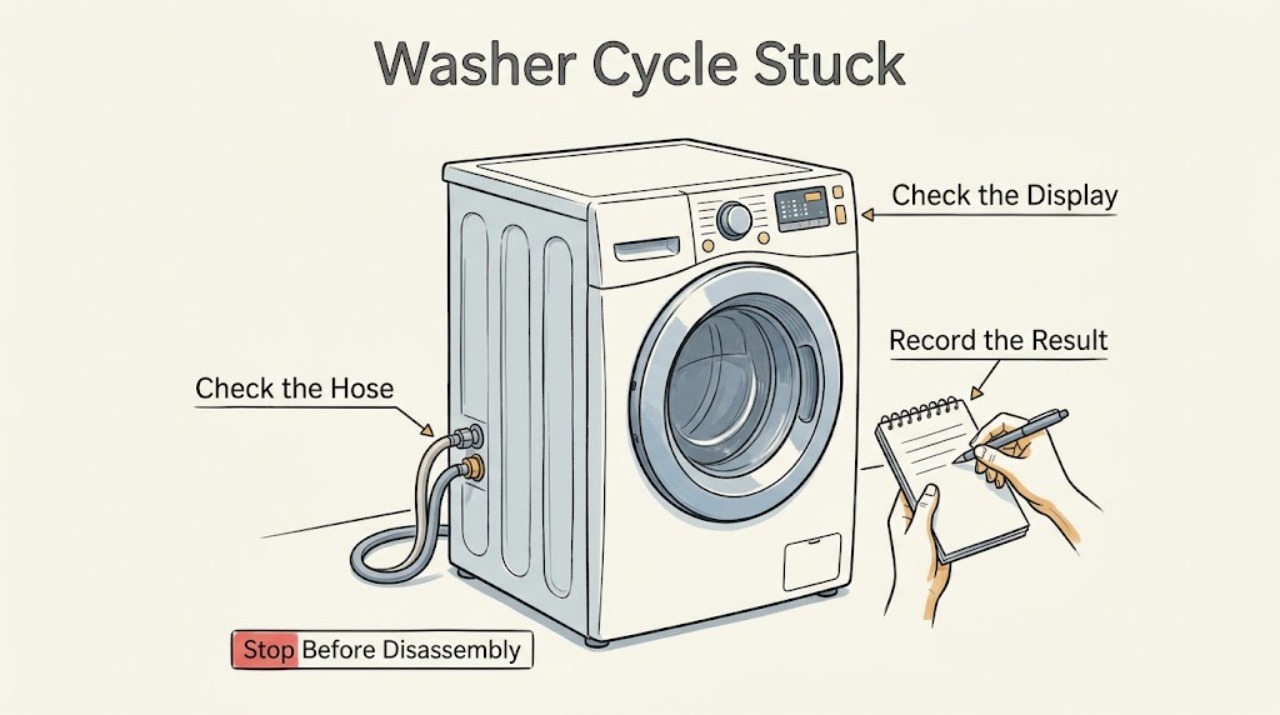
A Hotpoint washer that appears stuck should be diagnosed by the phase where it stopped: filling, washing or heating, draining, spinning, or waiting for the door or lid lock. Check the corresponding indicator or code, keep the door or lid closed while the drum moves, and inspect only accessible water-supply, drain, and load conditions. Hotpoint specifically links mid-cycle stops to a cold-water supply or incorrectly positioned drain hose, and links a flashing spin light to an excessive or unbalanced load. If water remains, the door will not lock, a fault code returns, the washer leaks or smells hot, or it repeatedly stops at the same phase, stop using it and arrange qualified appliance service. Disconnect power before any repair work and never bypass a lock or open the cabinet to force the cycle forward.
Work through in order
Diagnostic checks
Use only checks that match the exact appliance or system and its official guide.
-
Check 1
Read the display and indicator lights before changing anything. Identify whether the washer stopped during filling or rinse, washing or heating, draining, spinning, or door/lid locking. Note if the drum is moving, water is entering or standing inside, the door or lid is locked, and any code or flashing-light pattern. Keep the door or lid closed while the drum moves.
Expected result: The washer is briefly paused, filling slowly, washing or heating without advancing, holding water, attempting spin, or waiting for a lock; a code or light may also be present.
Next step: Write down the exact phase, code, and light pattern, then follow the matching check below. Do not keep canceling and restarting before recording the evidence.
Why this matters
Why: The phase distinguishes a normal pause from a supply, heating, drain, balance, or lock condition. Hotpoint's codes and lights have model-specific meanings, so a light is a clue rather than a universal diagnosis.
-
Check 2
If the washer is stuck while filling or the pre-wash, tap, or similar supply indicator is flashing, confirm that the cold-water faucet is fully open and inspect the visible fill hose for a kink, leak, or obvious blockage. If the model requires both hot and cold supplies, confirm both are open. Do not disconnect a pressurized hose or open the washer.
Expected result: The cold supply is closed, a hose is kinked or leaking, the supply route is clear, or water is available but the washer still does not fill or detect a level change.
Next step: Correct only an accessible faucet or hose-routing problem, then use the normal Start/Pause control once. If the supply is available but the washer stops again, arrange service rather than repeatedly restarting.
Why this matters
Why: Hotpoint calls a missing cold-water supply a common cause of a mid-cycle stop during rinse; visible hose problems can produce the same symptom. A clear supply with continued failure makes a valve, sensor, control, or other model-specific issue more likely.
-
Check 3
If the washer pauses before or during wash, check the selected programme and its indicator pattern against the exact user manual. Note whether the machine is heating, tumbling, making a pump sound, or showing a heater, motor, or electronic code. Do not alter internal controls or continue a cycle that smells hot, smokes, sparks, or makes a new grinding sound.
Expected result: The programme dial was moved, the washer is quietly performing a documented stage, the drum will not rotate, the pump runs continuously, or a heater, motor, or electronic code returns.
Next step: Restore a moved selector only if the manual permits it and the appliance is otherwise normal. For a returning code, continuous pump, no drum rotation, odor, smoke, or abnormal heat, stop the washer and request qualified repair.
Why this matters
Why: Hotpoint documents some lights and codes as selection, motor, heater, pump, or electronic faults. A normal stage may need time, but a recurring code or abnormal sound suggests a component or control diagnosis rather than a setting error.
-
Check 4
If water remains at the drain or final-rinse stage, inspect the visible drain hose and its route without removing it from a water-filled machine. Check for a kink, crushing, blockage, incorrect standpipe insertion, or a blocked sink or waste connection. If the model manual identifies an owner-accessible filter, follow that manual only after isolating power and containing water; otherwise leave the filter and pump closed.
Expected result: The drain hose is kinked or inserted incorrectly, the household waste path is blocked, the hose route is clear but water remains, or the washer has a pump or drain code.
Next step: Correct only an obvious external routing issue and use the model-approved drain programme if safe. If water still remains, stop using the washer and arrange qualified repair; do not open the pump or reach into the tub.
Why this matters
Why: Hotpoint says drain-hose position and waste or drain blockage can prevent emptying; its error guidance associates pump faults with water remaining. A clear external path with standing water needs service, not a forced spin.
-
Check 5
If the washer reaches spin but stops, flashes a spin or final-spin light, shakes, or leaves clothes soaking wet, pause through the normal control and wait until the drum stops. Redistribute a tightly packed or shifted load, remove a few items if the manual allows, and check that the appliance is stable without lifting or opening it.
Expected result: The load is excessive or bunched, the washer is visibly unstable, the load is balanced and water has drained, a low or no-spin programme was selected, or the machine repeatedly attempts to rebalance.
Next step: Correct the load or programme once and monitor. If spin is still aborted, the cabinet walks, the machine bangs severely, or the same light returns, stop and request service.
Why this matters
Why: Hotpoint says an unbalanced or excessive load can abort spin to limit vibration, while a clear drain and balanced load make an internal drive, lock, motor, or control issue more likely. Wet clothing alone does not identify a failed part.
-
Check 6
If the door or lid is preventing the cycle from advancing, close it firmly and inspect the visible latch area for clothing, lint, or debris. Do not force the door, bypass the interlock, or reach into the drum while it is moving or contains hot water. Wait for the model's normal unlock behavior after the basket has stopped.
Expected result: The door or lid closes and locks, a visible obstruction prevents locking, the lock clicks but the cycle does not continue, or the door/lid remains locked or will not engage.
Next step: Remove only visible debris and retry through the normal control once. If the lock remains unreliable or the door cannot be safely opened after the documented waiting period, disconnect power only by a safe accessible method and arrange qualified service.
Why this matters
Why: Hotpoint identifies door-lock faults as causes of a washer not starting or continuing, and some drum-lock faults apply to top-loading models. A clear latch that remains unreliable is a safety-control fault.
-
Check 7
After documenting the phase, code, water state, and load, use the model's normal Cancel or Start/Pause control once. If the washer is safely inactive and has no leak, standing water, burning odor, smoke, sparking, severe noise, or damaged cord, follow the model manual for a power reset; remove power before any repair work as Hotpoint instructs. Do not use an undocumented reset sequence to bypass a fault.
Expected result: The washer resumes and completes, the same phase or code returns, controls remain unresponsive, or the washer cannot be made safely inactive.
Next step: If the problem repeats, stop resetting and arrange qualified repair with the model number and recorded symptoms. For smoke, sparking, burning smell, leaking water near electricity, or unsafe heat, leave the area as needed and use appropriate emergency or utility assistance.
Why this matters
Why: A reset can clear a temporary control interruption but cannot correct a blocked drain, missing supply, failed lock, imbalance, heater, motor, pump, or wiring fault. A repeat at the same stage is important service evidence.
Use your observations
Decision map
Find the observation that best matches what you see, then follow the next safe action.
-
PATH 01Next step
What you see
The washer pauses briefly with no code, leak, odor, or abnormal noise while sensing, heating, tumbling, or redistributing a load.
Do this next
This may be a documented stage rather than a stuck cycle. Interrupting it can restart the sequence or prevent a normal balance or heating decision.
-
PATH 02Next step
What you see
The washer stops before or during rinse and the cold supply is closed, weak, kinked, leaking, or accompanied by a tap or fill light.
Do this next
A water-supply restriction is more likely than a spin or drain problem, matching Hotpoint's mid-cycle guidance.
-
PATH 03Next step
What you see
The washer pauses during wash or heating, the pump runs continuously, the drum does not rotate, or a heater, motor, or electronic code returns.
Do this next
The symptom is more consistent with a component or control fault than a normal selector setting, especially when a power reset does not clear it.
-
PATH 04Next step
What you see
The washer stops with water in the drum, will not empty, or shows a pump or drain indication.
Do this next
A kinked or incorrectly routed hose, blocked household waste path, pump blockage, or pump fault is more likely than a simple spin setting.
-
PATH 05Next step
What you see
The washer reaches spin, flashes a spin light, shakes, repeatedly redistributes, or leaves a balanced-looking load wet after water has drained.
Do this next
An excessive or unbalanced load is the first safe possibility; a repeated stop after correction raises concern about leveling, drive, lock, motor, or control operation.
-
PATH 06Next step
What you see
The door or lid never locks or unlocks normally, the same phase or code returns after one permitted reset, or a leak, burning odor, smoke, sparking, severe noise, or damaged power connection appears.
Do this next
The washer has reached the user troubleshooting boundary. A safety lock, electrical, heating, motor, pump, or control fault may be involved, and the exact model is needed for diagnosis.
Helpful context
Understand the symptom
The stopped phase is more useful than the word stuck
A washer can pause while filling, heating, redistributing a load, pumping out, or waiting for a lock confirmation. Record the light or code, whether water is entering or leaving, whether the drum is moving, and whether the clothing is wet. Hotpoint says models vary, so the user manual for the full model number takes priority over a generic light pattern.
Keep ordinary checks outside the repair boundary
You can inspect a visible hose, faucet, drain route, door or lid edge, and load condition without opening the washer. Hotpoint advises removing the power source before troubleshooting or repairs. Do not reach into a moving drum, defeat a door or lid lock, remove a pump cover from a water-filled machine, or test internal wiring as a way to make a cycle advance.
Safety boundary
Stop conditions
- Stop using the washer if it repeatedly stops at the same phase, a code returns, water remains, the door or lid lock is unreliable, or the appliance leaks.
- Stop immediately for smoke, sparking, burning odor, unusual heat, severe banging, a damaged cord or outlet, or water near an electrical connection; use appropriate emergency or utility guidance when necessary.
- Never bypass or tape a door or lid lock, reach into a moving drum, open the cabinet, test live wiring, or remove a pump cover from a water-filled machine.
- Remove power before any repair or replacement work, and do not repeatedly reset the washer to mask a supply, drain, motor, heater, lock, or control fault.
Only after diagnosis
Potential parts
- water inlet valve or fill hose assembly
Consider only when both accessible water supplies and hose routing are confirmed and a qualified diagnosis identifies a fill restriction or valve fault.
Confirm the complete Hotpoint model and exact part identification; supply components vary by model and region. - door or lid lock assembly
Consider only if the visible latch is clear and the model-specific diagnosis confirms that the lock cannot reliably engage or report closed.
Front-load door locks and top-load lid or drum locks are not interchangeable; verify the exact model before ordering. - drain pump or drain-path component
Consider only after accessible hose and household-waste checks are clear and water still remains or a pump fault is diagnosed.
A technician should identify the failed component and model fit; a wet load alone does not prove a pump failure. - heater, motor, or electronic control component
Consider only when a recurring code or documented phase-specific test identifies a related internal component fault.
Internal electrical and heating parts require model-specific diagnosis and qualified installation; do not substitute a generic component.
When checks do not resolve it
Need a professional?
Arrange qualified appliance repair when an Hotpoint washer remains stuck after one matching external check and a model-approved reset, when it stops at the same stage, will not drain or lock, displays a recurring code, or has a leak, abnormal noise, burning odor, smoke, sparking, or unsafe electrical behavior. Give the provider the full model number, phase, light or code, water state, load condition, and checks already performed.
Common questions
FAQ
Why does my Hotpoint washer stop during the rinse or mid-cycle?
Hotpoint identifies a cold-water supply problem as a common reason a washer stops while trying to fill for rinse, and says drain-hose position can also stop a cycle. Check the accessible water supply and hose route, then use the full model manual if the issue returns.
What does a flashing spin light mean on a Hotpoint washer?
Hotpoint says the load may be excessive or unbalanced. Pause through the normal control, wait until the drum stops, redistribute the load, and retry once. If spin remains aborted or the washer is unstable, request qualified repair.
What should I do if water is still inside when the cycle is stuck?
Do not reach into the drum or open the pump area on a water-filled machine. Inspect only the accessible drain hose and household waste connection for a kink, blockage, or incorrect routing. If water remains, keep the washer out of service and arrange repair.
Can I reset a Hotpoint washer that is stuck?
Record the phase and any code first. If the washer is safely inactive and has no leak, standing water, burning smell, smoke, sparking, or severe noise, follow the model manual's reset guidance. Remove power before any repair work, and stop resetting if the same phase or code returns.
What if the door or lid will not lock or unlock?
Keep the lock intact and do not force or bypass it. Check for visible clothing or debris around the latch only when the drum is stopped, then use the model manual. A recurring door-lock, lid-lock, or drum-lock symptom requires qualified service.
Read the exact guide
Official sources
- Hotpoint Service Washing Machine RepairHotpoint · Hotpoint washing machine mid-cycle stops, cold-water supply, drain-hose positioning, flashing lights, and service guidance
- What Does My Hotpoint Washing Machine Error Code Mean?Hotpoint · Hotpoint washer error-code meanings for door lock, pump, heater, motor, drum lock, and control faults
- Washing Machine Troubleshooting: Quick Fixes for Common ProblemsHotpoint · Hotpoint washer fill, drain, spin, door, light, load-balance, and safety troubleshooting
- Appliance Support - HotpointHotpoint · Hotpoint appliance support and service routing for model-specific assistance
Community feedback
Share a repair observation
Share a plain-text repair observation. Accepted observations are published automatically; this page may take a moment to update.