
On this page
Start here
Quick answer
A Kenmore washer that appears stuck may be waiting for water, unable to drain, pausing for balance, waiting for a door or lid lock, or experiencing a cycle-control or component fault. First record the exact model, the displayed stage, and any code or flashing light; do not apply a code meaning from another Kenmore model. Look only at safe external items such as the water supply, hoses, drain hose, visible leaks, load balance, and door or lid position. Never force a locked door or lid, reach into a moving drum, open a panel, or work around the lock. If water remains, the machine is hot, the drum moves unexpectedly, the breaker trips, or there is smoke, burning odor, or a leak, stop and arrange qualified service. If the model manual permits a reset and the washer is safe, perform that one documented step; a cycle that remains stuck or stops again needs model-specific diagnosis.
Before you begin
Safety first
- The user should not force locks, reach into motion, disconnect pressurized hoses, open panels, disturb wiring, or perform energized testing. A qualified technician must isolate the appliance and diagnose internal parts.
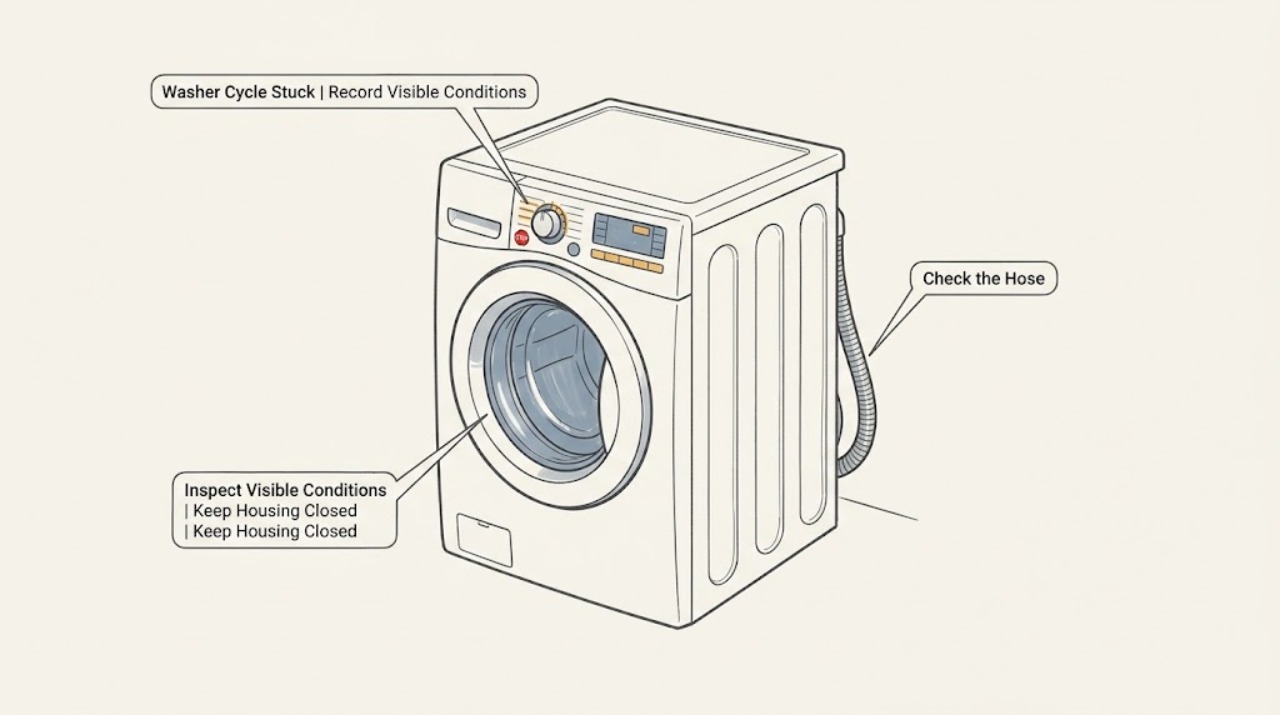
Work through in order
Diagnostic checks
Use only checks that match the exact appliance or system and its official guide.
-
Check 1
Record the exact model, every character or light pattern on the display, and the point where the cycle stopped: filling, washing, draining, spinning, or waiting for the door or lid.
Expected result: The stage and display are clear, or the machine has no display and only a light or selector position indicates the stage.
Next step: Use the exact Kenmore manual for that model and stage. If the indication is unclear, photograph it and arrange service rather than guessing or repeatedly restarting.
Why this matters
Why: A stage identifies the system that was waiting, while a partial code or light pattern cannot be safely mapped to another Kenmore model.
-
Check 2
Look at the floor, hoses, faucets, and washer exterior without moving the appliance or opening a panel; check for a leak, a closed water tap, a kinked inlet hose, a kinked drain hose, or water standing in the drum or around the machine.
Expected result: The water path looks normal and the area is dry, or a supply restriction, drain restriction, standing water, or leak is present.
Next step: Follow only the exact model's external hose or tap guidance when there is no leak. For standing water that will not clear, a leak, or a recurring drain stop, stop the cycle and arrange service without opening the pump area unless the manual explicitly defines a safe user step.
Why this matters
Why: A fill restriction can hold the washer before washing, while a drain restriction can hold it before spin or keep the door locked; a leak changes the situation to a safety and water-damage stop.
-
Check 3
If the washer stopped during filling, observe whether water enters at all and whether both supply hoses are connected and free of visible bends; do not disconnect a pressurized hose or reach behind a running machine.
Expected result: Water enters normally, enters slowly, or does not enter while the washer remains at the fill stage.
Next step: Use the Kenmore manual's external fill checks. If flow is normal but the cycle still waits, or the code returns, arrange qualified diagnosis of the inlet and control system.
Why this matters
Why: Normal flow makes a simple supply restriction less likely; slow or absent flow points toward a tap, hose, inlet screen, frozen line, or inlet valve path, depending on the model.
-
Check 4
If the washer stopped during washing or spinning, observe through the closed door or from above the lid whether the load is visibly bunched, the washer is rocking, or the drum has completely stopped; do not open a locked door or reach toward motion.
Expected result: The load is tightly bunched or the cabinet is moving, the drum is stopped, or the load looks normal while the stage remains stuck.
Next step: When the exact manual confirms the drum is stopped and the door or lid is safe to open, redistribute or reduce the load as directed. If the lock remains, motion is abnormal, or the cycle stops again, arrange service.
Why this matters
Why: A balance or overload response can pause or interrupt spin, while a normal load with a repeated stop can point toward a lock, motor, selector, control, or other fault.
-
Check 5
If the washer stopped during draining or before the door or lid can open, observe whether water remains and whether the external drain hose is kinked, crushed, or visibly blocked; do not force the door or open a filter or access cover unless the exact manual gives a safe procedure.
Expected result: Water is gone and the drain hose looks clear, or water remains, the hose is restricted, or the lock stays engaged.
Next step: Use only the model's documented drain-only or filter-access step when the appliance is safe. If water remains, a leak appears, or the code returns, stop and arrange qualified service.
Why this matters
Why: Water remaining can keep a safety lock engaged and can indicate a drain path or pump problem; a clear external hose does not prove the internal pump is working.
-
Check 6
Check only the user-facing control state for Control Lock, Pause, Delay, or a cycle-selection position that differs from the intended program; do not force buttons, the selector, the lid, or the door.
Expected result: A lock, pause, delay, or incorrect selection is visible, or the controls are unresponsive or the selector does not track the selected cycle.
Next step: Follow the exact Kenmore manual's external unlock, pause, or selection instructions. If the controls remain unresponsive or the cycle position is unreliable, arrange service without opening the console.
Why this matters
Why: A user setting can make a healthy washer appear stuck, while unresponsive controls or a selector that does not track can indicate a control, selector, or interface fault.
-
Check 7
Look and listen from a safe distance for smoke, burning odor, unusual heat, sparking, a damaged cord or outlet, repeated breaker operation, or a drum that moves unexpectedly; do not continue the cycle to reproduce the symptom.
Expected result: No safety symptom is present, or one of those electrical, thermal, water, or mechanical hazards is present.
Next step: For a hazard, stop using the washer, keep clear, and arrange qualified service; use emergency help for smoke or fire. If no hazard is present, continue only with the exact manual's safe reset guidance.
Why this matters
Why: A normal-looking pause can be diagnosed by stage, but any hazard overrides troubleshooting and may indicate an electrical, motor, water, or control fault.
-
Check 8
If the exact Kenmore manual permits a reset, perform only that one documented user reset after the washer is safe, cool, and free of standing water or other hazards, then record whether the same stage or code returns.
Expected result: The cycle completes once, or it stops again at the same or a different stage.
Next step: Do not keep repeating resets or bypass a safety lock. Preserve the model, stage, code, and observations and arrange qualified appliance service.
Why this matters
Why: A one-time electronic interruption may clear, but recurrence points toward an unresolved inlet, drain, lock, motor, selector, control, or wiring condition.
Use your observations
Decision map
Find the observation that best matches what you see, then follow the next safe action.
-
PATH 01Next step
What you see
Do this next
Follow the exact model's external tap and hose checks. If flow is normal or the cycle still will not advance, arrange qualified diagnosis.
-
PATH 02Next step
What you see
Do this next
Do not force the lock or open an access area unless the exact manual gives a safe procedure. Arrange service for persistent water, a recurring drain stop, or a door or lid that will not release.
-
PATH 03Next step
What you see
Do this next
Reduce or redistribute the load only when the exact manual confirms the machine is safe to open. If the same pause recurs with ordinary loads, arrange service.
-
PATH 04Next step
What you see
Do this next
Use only the exact manual's control-state instructions. If the selector or controls remain unreliable, stop and arrange service.
-
PATH 05Next step
What you see
Do this next
Stop using the washer, do not reproduce the failure, and arrange qualified appliance service; use emergency help for smoke or fire.
Helpful context
Understand the symptom
A stuck cycle is a stage-specific symptom
A washer can look frozen even when it is waiting for a required condition. During filling it may be waiting for water flow; during washing it may be managing load motion or control timing; during draining it may be unable to remove water; during spinning it may be balancing or waiting for a safe speed; and at the end it may keep the door or lid locked until water, heat, and drum motion are safe. Kenmore's cycle selector and manuals are model-specific, so the display stage and exact model are more useful than a generic reset.
Do not defeat the lock
A locked door or lid is a protective condition, not proof that the lock is broken. Water can remain in the drum, the interior can be hot, or the drum can still be moving. Wait for the model's normal unlock condition and never force the door, reach into the drum, or bypass the lock. If the lock does not release after the exact manual's safe steps, arrange service.
Separate an external blockage from an internal fault
A kinked inlet or drain hose, closed supply tap, excess suds, an unbalanced load, or a door obstruction can stop a cycle without a failed part. If those external conditions are normal and the cycle repeatedly stops at the same stage, a valve, pump, lock, motor, selector, control, or wiring problem becomes more likely. Kenmore's official support resources direct owners to the exact manual and repair path rather than a universal part diagnosis.
Safety boundary
Stop conditions
- Stop immediately for a leak, smoke, burning odor, sparking, damaged cord or outlet, abnormal heat, repeated breaker operation, or unexpected drum motion.
- Do not force a locked door or lid, reach into a moving drum, or bypass the door or lid lock.
- Do not disconnect pressurized hoses, open a pump or control panel, move internal wiring, or perform energized electrical testing.
- Do not keep repeating resets or apply an error-code meaning from another Kenmore model or washer stage.
- Keep the washer out of service when water remains, the lock will not release after the exact manual's safe step, or the same stage stops again.
- Arrange qualified service for a selector, inlet valve, drain pump, motor, lock, control, or wiring diagnosis rather than replacing a part from a generic symptom.
Only after diagnosis
Potential parts
- Cycle selector or control interface
Consider only after qualified diagnosis finds that the selector or interface fails to track or advance the selected cycle after external settings are ruled out.
Cycle controls vary by Kenmore model and design; confirm the exact model and use qualified installation. - Drain pump or drain-path component
Consider only when water remains and the exact model's drain checks, hose condition, and qualified diagnosis point to the pump or internal drain path.
Pump fit and safe access vary by model; do not open the pump area or order from a generic code. - Door or lid lock assembly
Consider only when a recurring lock-stage symptom remains after the model's safe closure and water-level checks and a technician confirms lock failure.
Front-load door locks and top-load lid locks are different systems; confirm the exact model and have service verify fit. - Water inlet valve
Consider only when the washer remains at filling despite normal external tap and hose conditions and qualified diagnosis identifies an inlet-valve fault.
Valve connections and flow specifications are model-dependent; do not disconnect hoses or replace the valve as a generic fix.
When checks do not resolve it
Need a professional?
Arrange qualified appliance service when a Kenmore washer stops at the same stage, the exact manual does not resolve it, or the code or light pattern is unclear., Use urgent service for leaks, an unreleased door or lid with water inside, smoke, burning odor, electrical damage, abnormal heat, or unexpected drum motion., Provide the exact model, stage, display or light pattern, water level, load condition, and result of any one documented reset.
Safety scope: The user should not force locks, reach into motion, disconnect pressurized hoses, open panels, disturb wiring, or perform energized testing. A qualified technician must isolate the appliance and diagnose internal parts.
Have this ready
- Provide the exact model, cycle stage, display or light pattern, water level, hose observations, load condition, lock behavior, reset result, and any leak, heat, odor, noise, or breaker details.
Common questions
FAQ
Why is my Kenmore washer stuck on one cycle stage?
The washer may be waiting for water, unable to drain, balancing a load, waiting for a door or lid lock, or experiencing a control or component fault. Record the stage and model before choosing a remedy.
Can I force open the door or lid when the cycle is stuck?
No. Water, heat, or drum motion can keep a lock engaged for safety. Do not force it or reach inside; use only the exact model's safe unlock or drain guidance, then arrange service if it remains locked.
What should I check if the washer is stuck while filling?
Look from outside for a closed tap, kinked inlet hose, or no water flow, without disconnecting a pressurized hose. If the external supply is normal or the code returns, have the inlet and control system diagnosed.
What if water remains when the cycle stops?
Water remaining can indicate a drain restriction or pump problem and can keep a door or lid locked. Do not force the lock or open an access cover unless the exact manual gives a safe procedure; persistent water or leaks need service.
Could an unbalanced load make a Kenmore washer look stuck?
Yes. A washer may pause or interrupt spinning to manage an unbalanced or overloaded load. When the exact manual confirms the drum is stopped and the lock is safe, redistribute or reduce the load as directed; recurrence with ordinary loads needs service.
Is it safe to keep resetting a Kenmore washer that stops?
No. If the exact manual permits a reset, perform that one documented step only when the washer is cool, dry, and free of hazards. If the cycle stops again, preserve the stage and code and arrange qualified diagnosis.
Read the exact guide
Official sources
- Washer Cycle Selector Switch Genuine Original Equipment Manufacturer (OEM) part | KenmoreKenmore · kenmore washer cycle stuck; washer cycle selector function and model-specific internal part boundary
- LG Front Load Washer - Error Code List(New) | LG USA SupportLG Electronics · general front-load washer safety reference; not Kenmore model-specific; stage-based fill, drain, lock, motor, and service boundaries
- Find Your Manual | Kenmore Appliance Manuals & GuidesKenmore · kenmore washer cycle stuck; exact model manuals and washer user-care guidance
- Customer Care & Support | Kenmore AppliancesKenmore · kenmore washer cycle stuck; manuals, safety, recalls, parts, and repair support
- LG Washer - Troubleshooting Unresponsive Washer Buttons | LG USA SupportLG Electronics · general washer control reference; not Kenmore model-specific; Control Lock, reset, and service escalation
- [LG Front Load Washing Machine] Troubleshooting Leaks | LG USA SupportLG Electronics · general washer safety reference; not Kenmore model-specific; external hose, drain, gasket, and leak escalation
- Why won't my LG front-load washer door open? | LG USA SupportLG Electronics · general washer safety reference; not Kenmore model-specific; door locks, heat, water, motion, and service boundary
Community feedback
Share a repair observation
Share a plain-text repair observation. Accepted observations are published automatically; this page may take a moment to update.