
On this page
Start here
Quick answer
A Hotpoint washer does not have one universal runtime for a 90°C White or cotton-family programme. Hotpoint says the displayed time is approximate and can change with incoming water temperature and pressure, detergent, load size/type, selected options and load balance; the machine may spend extra time redistributing an unbalanced load. Check the exact model's manual and the options shown on the display, then inspect only the external water and drain setup and correct an uneven load while the machine is supervised. An eight-hour run is not proof of a failed heater or control board, but it should not be left unattended if the display never reaches cycle end, the same phase repeats, the machine leaks, overheats, smells of burning or shows an error. Stop it safely and arrange Hotpoint or qualified service rather than opening the cabinet or testing internal parts.
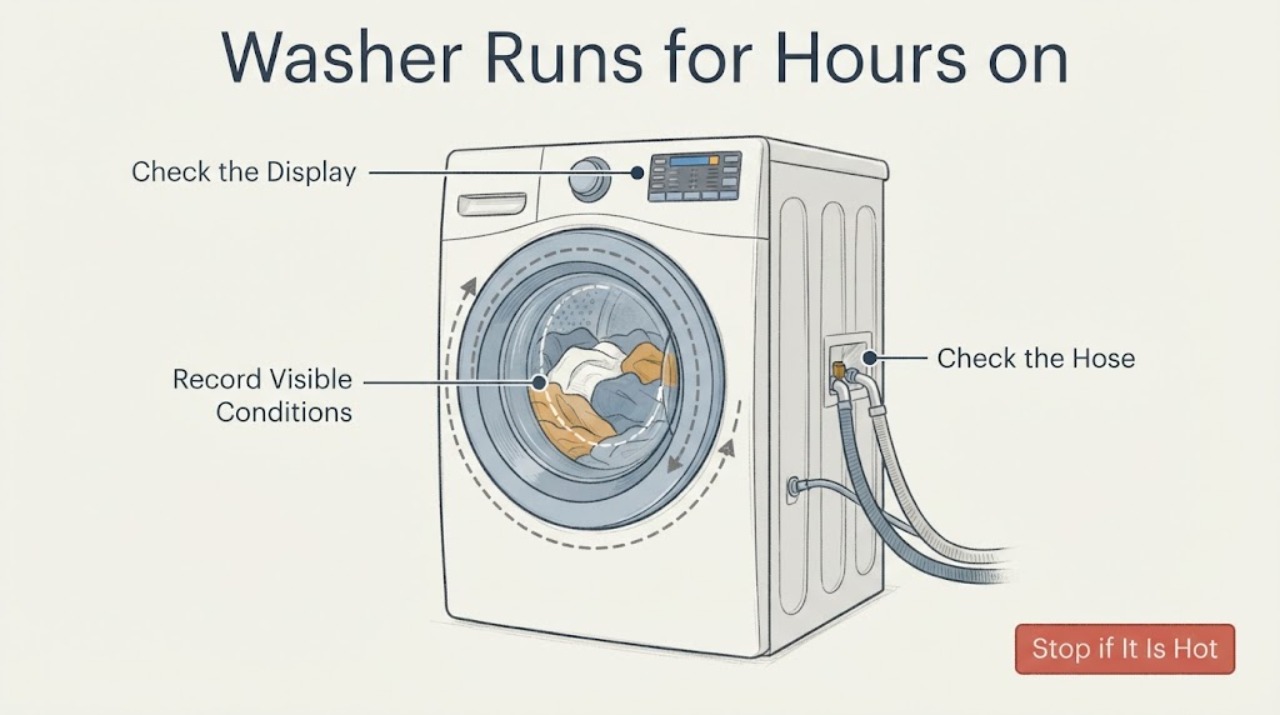
Work through in order
Diagnostic checks
Use only checks that match the exact appliance or system and its official guide.
-
Check 1
Stay with the washer while deciding whether to stop the cycle. If there is a leak, smoke, burning smell, sparking, a hot plug or cord, unusual overheating or an electrical hazard, press the machine's stop or cancel control if safe, turn off the water tap and isolate electrical power without touching wet connections. Do not restart it to reproduce the problem.
Expected result: The machine is operating normally without a hazard, or a leak, odor, heat, smoke, sparking or electrical damage is present.
Next step: Keep the washer off and arrange qualified appliance service for a hazard or active leak. Do not remove panels, measure live circuits or reach into the drum while power or water may be present.
Why this matters
Why: A long programme without a hazard can be investigated through external observations. Any fire, water or electrical warning is a stop-use condition and does not identify a particular internal part.
-
Check 2
Record the full model and serial information from the rating label, the exact programme name, selected temperature, options, start time, current display phase and whether the remaining-time display is counting down, changing or fixed. Compare the displayed programme with the exact Hotpoint manual rather than a different White or Cotton model.
Expected result: The model manual shows a normal approximate range or the machine remains on one phase and never reaches the documented cycle-end indication.
Next step: If the display is progressing and the manual allows the variation, let the supervised cycle finish. If the display is fixed, repeats a phase indefinitely or never reaches cycle end, stop using the washer and arrange model-matched service.
Why this matters
Why: Hotpoint says cycle durations are estimates and can vary, while the manual uses the display and cycle-end message to show progress. A different model's programme table cannot prove that this machine's 90°C cycle should take a particular number of hours.
-
Check 3
With the washer stopped and safe to inspect, check the water tap is open, the inlet hose is not kinked, and the drain hose is not kinked, pushed too far into the standpipe or connected too low to the sink trap. Look for an accessible blocked filter or trap only as described by the exact manual; do not pull the washer out or disconnect hoses under pressure.
Expected result: Water supply is restricted, the drain hose or sink connection is visibly incorrect or blocked, or the external setup is clear.
Next step: Correct only a clearly accessible hose or tap issue according to the model installation instructions. If the setup is clear or correction does not restore normal progress, keep the washer off and use service rather than opening the cabinet.
Why this matters
Why: Hotpoint lists low water pressure, a kinked inlet, low or incorrectly inserted drain hose, blocked pump/filter and blocked drain path as conditions that can prevent normal progress or drainage. A clear external setup does not prove a heater, pump or PCB failure.
-
Check 4
Review the load and options against the exact manual. Do not exceed the stated capacity, avoid a single heavy item, and note whether steam, extra rinse, intensive, prewash or another option was selected. If the load is safe to handle and the manual permits it, redistribute a mixed load of large and small items before the next supervised programme.
Expected result: The load is a single bulky or heavy item, the washer repeatedly attempts to balance before spin, an extended option is selected, or the load and options match the manual.
Next step: Use a correctly sized, mixed load and the intended options on a supervised cycle only if no hazard is present. If the washer still cannot finish or repeatedly rebalances, stop and request model-specific service.
Why this matters
Why: Hotpoint says load detection may redistribute an imbalanced load and that selected options affect duration. An imbalance or option can explain extra time without proving a mechanical or electronic failure.
-
Check 5
Observe the machine's progression without opening the cabinet: note whether it fills, heats, tumbles, drains and reaches the spin/end phase, and record any display code or repeated phase. Do not conclude that the heater, drain pump, relay or control board is defective from a cold door, a long pause or an eight-hour runtime alone.
Expected result: The cycle completes normally after the external correction, or it remains stuck, fails to drain/spin, shows an error or never reaches cycle end.
Next step: For repeated non-completion, persistent error, failed drain/spin or abnormal heat, switch off, close the water tap and contact Hotpoint technical assistance or a qualified engineer with the model and observations.
Why this matters
Why: A completed cycle is less concerning than a cycle that never ends. Hotpoint's manual says its sensors monitor water level, temperature, imbalance and progress, but public family guidance does not identify the failed component from this symptom alone.
Use your observations
Decision map
Find the observation that best matches what you see, then follow the next safe action.
-
PATH 01Next step
What you see
The display is counting down or changing, the load is balanced, no hazard is present and the exact model manual allows the programme's displayed variation.
Do this next
Let the supervised cycle finish and record the final duration; use the exact manual rather than treating the title's approximate three-hour estimate as a universal Hotpoint value.
Why this path and its safety boundary
Why it matters: The long runtime may reflect Hotpoint's estimated timing, water conditions, selected options or normal load sensing rather than a confirmed failure.
-
PATH 02Next step
What you see
The washer repeatedly redistributes a single heavy or uneven load before spin, or an extended option is selected.
Do this next
Stop if it is unsafe, otherwise use the exact manual to correct the load or option and supervise a later cycle. Escalate if the same pattern occurs with a correctly sized mixed load.
Why this path and its safety boundary
Why it matters: Hotpoint identifies load balancing and selected options as reasons cycle duration can increase; this does not prove a failed motor, heater or control board.
-
PATH 03Next step
What you see
The machine does not progress to cycle end, remains on one phase, fails to drain or spin, shows an error, or continues after the inlet and drain setup and load are correct.
Do this next
Switch off, close the water tap, keep the washer unplugged for inspection and arrange Hotpoint or qualified service with the exact model, display code and phase where it stopped.
Why this path and its safety boundary
Why it matters: The programme is outside the supported external explanations; a water, heating, drain or control fault remains unconfirmed and cannot be diagnosed from elapsed time alone.
-
PATH 04Next step
What you see
There is smoke, burning smell, sparking, a hot cord or plug, active leaking, flooding or other electrical or water hazard.
Do this next
Leave the appliance off, isolate water and power only when safe, keep away from wet electrical areas and obtain qualified emergency or appliance service as appropriate.
Why this path and its safety boundary
Why it matters: The immediate risk is safety, not a normal long-cycle variation.
Helpful context
Understand the symptom
Eight hours is a symptom, not a part diagnosis
The supplied report identifies a Hotpoint machine on a 90-degree white wash but no model. Hotpoint's official guidance says modern cycles can be longer and that the displayed time is approximate. A load that cannot balance may repeatedly redistribute before spin, while water temperature, pressure, detergent and selected options also affect the duration. Use the exact model's manual and the display phase to decide whether the machine is progressing; do not infer a failed heater, pump or control board from the elapsed time alone.
Check the external conditions before arranging internal repair
A long cycle can be prolonged by water entering too slowly, a drain hose or trap that is installed or blocked incorrectly, or repeated load-balancing attempts. Hotpoint's family manual lists those external conditions and says to turn off the water, switch off and contact technical assistance when the condition persists. The checks below stop at the hose, controls, load and accessible dispenser; they do not authorize cabinet access or live electrical testing.
When checks do not resolve it
Need a professional?
Arrange Hotpoint or qualified appliance service when a supervised cycle never reaches end, repeats the same phase, fails to drain or spin, displays an error, or remains abnormally long after the manual, hose, water-supply and load checks. Stop immediately for leaks, smoke, burning smell, sparking, overheating or electrical damage.
Have this ready
- Provide the full model and serial numbers, programme and temperature, selected options, displayed phase/code, whether the display time changed, water and drain-hose observations, load type/size, and whether the washer ever completed the cycle.
Common questions
FAQ
Is an eight-hour 90°C Hotpoint wash always a failed heater?
No. Hotpoint says cycle times are estimates and can change with water temperature and pressure, detergent, load, options and load balancing. A heater or another component should not be named without the exact model and a service diagnosis.
Why can the remaining time change or stop decreasing?
Hotpoint explains that the machine may redistribute an unbalanced load and that displayed times are guidance rather than precise finish times. A display that never progresses to cycle end, however, should be treated as an unresolved fault after the safe external checks.
Can I open or cancel the washer while it is running?
Use the exact model's controls. Hotpoint manuals describe pausing with Start/Pause and cancelling with the designated power control, while the door remains locked until the lock indicator permits opening. Do not force the door or reach into a running drum.
Read the exact guide
Official sources
- Instructions for use - Hotpoint GBHotpoint · Opened an official Hotpoint EU/GB manual PDF. It is used for family-level timing and safe-control boundaries only; the assigned task has no model, so its programme table is not treated as the exact machine's runtime.
- Washing Machine Troubleshooting - Quick fixes & Tips - HotpointHotpoint UK Appliances Limited · Opened Hotpoint's official UK troubleshooting page. It supports approximate cycle timing, load-redistribution explanation, basic external hose/filter checks, safety and service routing; it does not identify an internal failed part for an unspecified model.
Community feedback
Share a repair observation
Share a plain-text repair observation. Accepted observations are published automatically; this page may take a moment to update.