
On this page
Start here
Quick answer
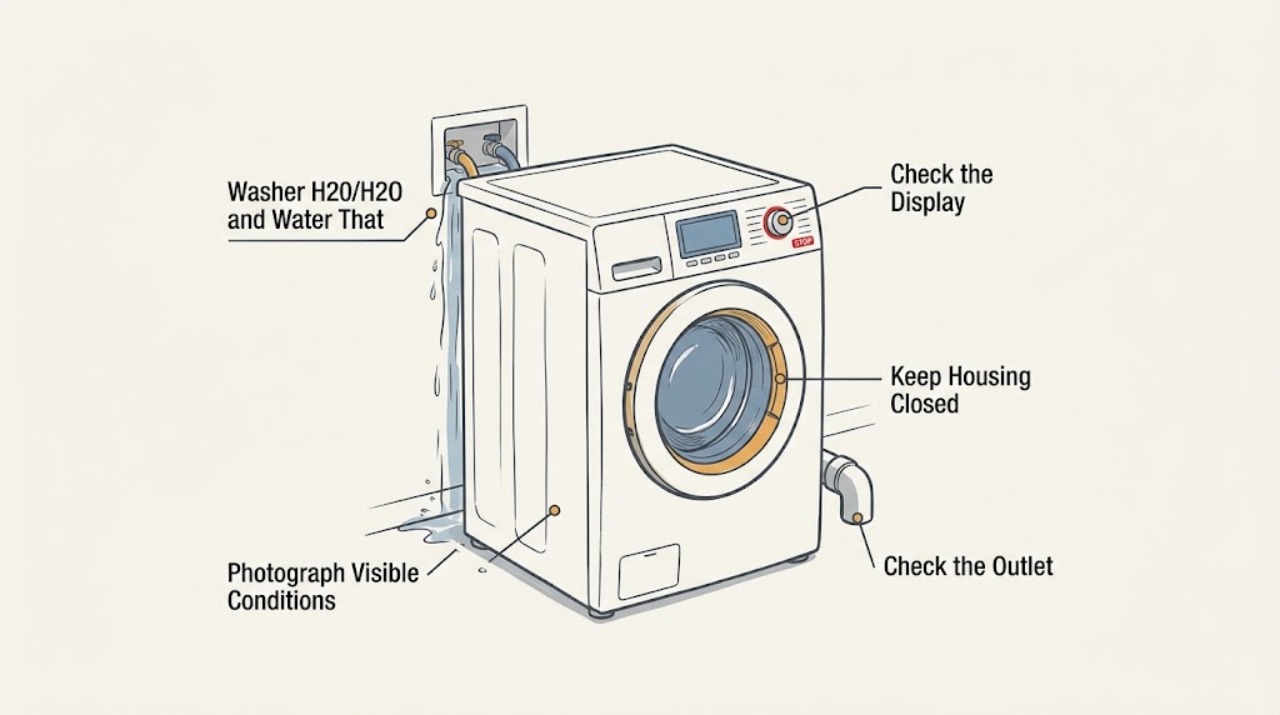
Treat a Hotpoint washer that keeps taking in water, overfills, or loads and drains continuously as a water and flooding risk first. Close the visible water tap if it is safely reachable, stop the washer from its controls, and keep away from any wet plug, outlet, cord, or electrical area; do not keep restarting it. Hotpoint's official quick guide distinguishes a display reading h2o/H2O with a failure to fill from a separate symptom in which the washer loads and drains water continuously. For the continuous load-and-drain symptom, Hotpoint lists drain-hose height, a hose end immersed in water, or a drain connection without an air vent as possible installation causes and says to close the tap, shut off the appliance, and call after-sales service if the checks do not resolve it. Because models, regions, displays, and manuals vary, photograph the complete display and obtain the full model and industrial code before interpreting H20/H2O. Check only visible tap, hose, and drain routing; do not name or replace an inlet valve, pressure sensor, control board, or other part from this code alone. If water continues entering with the machine switched off, the tub is rising toward overflow, a hose leaks, or water is near electricity, leave it off and use qualified appliance/plumbing or emergency help.
Before you begin
Safety first
- Keep the water tap closed and washer off for uncontrolled filling, overflow, leaks, water near electricity, or a trapped water-filled drum. Do not bypass a pressure or door sensor, open the inlet valve or pump, disconnect a pressurized hose, move the washer while wet or connected, open a flooded filter, or perform live electrical testing.
Work through in order
Diagnostic checks
Use only checks that match the exact appliance or system and its official guide.
-
Check 1
If water is actively entering, the tub is rising, or water is spreading, close the nearby washer water tap only if it is safely reachable from a dry position, stop the washer using its normal control, and keep the machine off. Do not touch a wet plug, outlet, cord, or cabinet, and do not keep resetting or restarting the cycle.
Expected result: The water stops and the electrical area remains dry, or water continues entering, approaches overflow, leaks from a hose, or is near electricity.
Next step: For continued filling or overflow, keep the water tap closed and arrange qualified appliance service. For water near electricity, smoke, sparks, or an unsafe flood, keep clear and obtain appropriate emergency, electrical, or plumbing help from a safe location.
Stop if: Do not reach through water, pull a plug through pooled water, operate electrical controls near a leak, or reopen the tap to test whether filling has stopped.
Why this matters
Why: A stopped flow with a dry electrical area permits limited outside observation. Continued filling, active overflow, leaking, or water near electricity is an out-of-service condition and is not a code-reset problem.
-
Check 2
With the washer stopped and dry enough to approach safely, photograph the entire display or every flashing light and read the complete model or industrial code from the rating label. Record the country/region, whether the display is H20, H2O, h20, or another code, and whether the machine is a washer or washer-dryer. Do not open the cabinet to find the label.
Expected result: The complete model and display are legible, or only H20/H2O and a partial brand or series description are available.
Next step: Use the complete model in Hotpoint's manual lookup and provide the photograph to service if the code is not listed for that model and region. Until identity is confirmed, use only the flow-state and safety branches in this article.
Stop if: Do not borrow a code definition, reset sequence, drain-hose dimension, or part number from another Hotpoint, Indesit, Ariston, or washer-dryer platform.
Why this matters
Why: Hotpoint says its models and code presentations vary, so a similar-looking display or a partial model cannot establish which manual, water-level system, or normal control sequence applies.
-
Check 3
After the water tap is closed and the washer is off, determine which flow state actually occurred without moving the appliance: no water entered, water entered and the level rose normally, or water entered while it drained away at the same time. Note whether the display showed H20/H2O at the start of the cycle or after the machine had already been filling.
Expected result: The drum stayed nearly empty, the water level rose, or water was visibly entering and leaving continuously.
Next step: Use the no-fill branch when little or no water entered; use the continuous-flow branch when water entered and drained together. If the observation is uncertain, keep the tap closed and arrange service rather than testing again.
Stop if: Do not run a second cycle to reproduce an overfill, do not place hands into a rising tub, and do not infer a sensor or valve fault from the code alone.
Why this matters
Why: Hotpoint's official guide uses h2o for a failure to take in water, while continuous loading and draining is a separate drain-installation/siphon branch. The character sequence alone cannot distinguish those states.
-
Check 4
For the continuous load-and-drain state, inspect only the visible drain hose routing from a dry, accessible position. Compare its outlet height and hose end with the exact model manual; Hotpoint's official guide for the applicable platform describes a 65–100 cm height range, warns against an end immersed in water, and calls for an air vent at the wall drain. Do not pull the washer forward, disconnect a hose, or reach into the pump area.
Expected result: The hose is visibly too low, its end is submerged, the wall connection has no air vent, or the routing cannot be confirmed without moving the washer.
Next step: If the exact manual confirms the same routing and the change is safely visible, have the installation corrected without opening the appliance. If the route is uncertain or the problem persists after a qualified correction, keep the tap closed and request after-sales service.
Stop if: Do not use a guessed hose height, seal the drain airtight, remove the hose from a pressurized connection, or keep operating while water is being lost or the tub is rising.
Why this matters
Why: A siphon or installation path can make water load and drain continuously without proving an inlet-valve or pressure-sensor failure. The published dimensions are model/region-specific and must not be generalized to every Hotpoint machine.
-
Check 5
For an H20/H2O display with little or no water entering, check only the visible supply tap position and whether the inlet hose is plainly kinked, detached, leaking, or crushed. Do not remove the hose, clean a hidden inlet screen, access the inlet valve, or use the code to choose a replacement component unless the exact manual explicitly provides a safe owner step.
Expected result: The tap is closed, the hose is visibly kinked or detached, the home's water supply is unavailable, or the visible supply path is normal but H20/H2O returns.
Next step: Correct only a plainly visible tap or hose position when there is no leak and the area is dry, then use the exact manual once. If the code returns or a check needs hose removal or cabinet access, close the tap, leave the washer off, and arrange qualified service.
Stop if: Do not loosen a water connection under pressure, open the inlet system, bypass a pressure or door sensor, or keep restarting an unidentified machine after a leak or electrical warning.
Why this matters
Why: Hotpoint's official fill guidance links the h2o display to the washer failing to take in water and lists the tap, hose, water supply, and pressure as possible external conditions. A normal visible supply with a returning code leaves the internal fill and sensing path unresolved.
-
Check 6
Once the tap is closed and the tub is safe, record whether the washer stopped with water inside, whether it drains normally on a model-approved programme, and whether the code changes or returns. Do not select a drain or reset sequence unless the exact model manual names it; do not open a filter or door while water is trapped.
Expected result: The washer remains full, the code returns after a documented external check, a different code appears, or the tub is empty but the original display persists.
Next step: Keep the washer off and give service the full model, region, display photograph, flow state, tap/hose observations, water level, and any safe reset result. Use only the exact manual's owner-access procedure for trapped water.
Stop if: Do not force a locked door, drain a flooded filter, dismantle the pump, or treat a cleared display as proof that the underlying water-control condition is repaired.
Why this matters
Why: Standing water can create a separate drain or door-lock problem, while a returning or changed code can mean that the initial flow description was incomplete or that a model-specific fault remains. Hotpoint's published error-code list does not make H20 a universal code across all regions and models.
Use your observations
Decision map
Find the observation that best matches what you see, then follow the next safe action.
-
PATH 01Next step
What you see
Water continues entering after the controls are stopped, the tub is approaching overflow, a supply hose is leaking, or water is near the plug, outlet, or other electrical parts.
Do this next
Keep the water tap closed if safely reachable, leave the washer off, keep clear of wet electrical areas, and arrange qualified appliance/plumbing or emergency/electrical help as appropriate. Do not reopen the tap or restart for a test.
Why this path and its safety boundary
Why it matters: This is an active flooding or electrical hazard. H20/H2O interpretation must stop until the appliance is safe.
-
PATH 02Next step
What you see
The display reads H20/H2O, little or no water entered, and there is no active leak or electrical hazard.
Do this next
Check only the visible supply tap and inlet-hose condition, then use the exact model and region manual. If the display returns with a normal visible supply, close the tap and arrange service without opening the inlet system.
Why this path and its safety boundary
Why it matters: On the official Hotpoint guide opened for this research, h2o describes a failure to take in water; it is not evidence that the washer is overfilling or that a fill valve has failed.
-
PATH 03Next step
What you see
Water enters the washer and drains away at the same time, leaving the level low or making the machine refill repeatedly.
Do this next
Keep the tap closed, compare the visible routing with the exact manual, and have the installation corrected safely. If the routing is correct or the symptom remains, call after-sales service.
Why this path and its safety boundary
Why it matters: The first lead is a drain installation or siphon path. Hotpoint's opened guide lists drain-hose height, an immersed hose end, and a missing air vent as possible causes; this does not prove an inlet or pressure component fault.
-
PATH 04Next step
What you see
Water entered normally, the tub retained water, and the machine stopped with H20/H2O or another display after a later programme stage.
Do this next
Do not force the door or open a flooded filter. Photograph the complete display, keep the washer off, and have the full model and programme stage checked against the correct manual or by qualified service.
Why this path and its safety boundary
Why it matters: The original display may be misread, model-specific, or accompanied by a drain/lock condition; the water was not simply a continuous siphon event.
-
PATH 05Next step
What you see
The exact model and region are still unknown, the display is only partly visible, or H20/H2O returns after the visible supply and drain-routing checks.
Do this next
Leave the water tap closed and request Hotpoint or qualified appliance service with the full model, industrial code, region, photograph, water level, flow state, and visible hose findings.
Why this path and its safety boundary
Why it matters: The evidence does not support a universal Hotpoint code meaning or a part diagnosis. Continuing to test can turn an uncertain fill condition into a flood or electrical incident.
Helpful context
Understand the symptom
H20 and H2O are easy to confuse with each other and with a symptom description. The first decision is not which component to buy; it is whether water is not entering, is entering and immediately draining away, or continues entering after the controls are off. Hotpoint's official guide treats those states differently, and the water-level or electrical hazard overrides ordinary code troubleshooting.
No exact model or region is supplied here. Hotpoint publishes different manuals and interfaces, so the safe checks stay outside the cabinet. Use the full model or industrial code from the appliance label for the matching instructions; do not infer an inlet valve, pressure switch, or control fault from H20/H2O alone.
When checks do not resolve it
Need a professional?
Use Hotpoint after-sales service or a qualified appliance provider for a persistent or model-uncertain code. Use qualified plumbing help when the household drain, standpipe, or air-vent arrangement is implicated, and emergency/electrical help for immediate flooding or electrical danger.
Safety scope: Keep the water tap closed and washer off for uncontrolled filling, overflow, leaks, water near electricity, or a trapped water-filled drum. Do not bypass a pressure or door sensor, open the inlet valve or pump, disconnect a pressurized hose, move the washer while wet or connected, open a flooded filter, or perform live electrical testing.
Have this ready
- Provide the complete model or industrial code, region, washer or washer-dryer type, exact display spelling and all flashing lights, programme and stage, whether water entered or drained at the same time, tub water level, tap and hose observations, drain-hose routing, and any safe photograph.
Common questions
FAQ
Does H20 or H2O always mean a Hotpoint washer is overfilling?
No. In the official Hotpoint quick guide opened for this research, h2o is shown for a washer that does not fill with water, while continuous loading and draining is listed as a separate symptom with drain-hose and air-vent causes. Confirm the exact display, model, region, and actual water flow before interpreting it.
What should I do if my Hotpoint washer keeps filling and draining?
Close the water tap if it is safely reachable, shut off the washer, and do not keep restarting it. Check only visible drain-hose routing against the exact manual; Hotpoint's guide lists hose height, an immersed hose end, and a missing air vent as possible causes. If the condition persists or water is near electricity, use qualified service.
Can I replace the Hotpoint inlet valve because H20 is displayed?
Do not order or replace an inlet valve from H20/H2O alone. First establish whether the washer is failing to fill or is filling and draining continuously, then use the complete model and region manual. A returning code after safe external checks needs qualified diagnosis of the supply, drain, fill-control, and sensing paths.
Read the exact guide
Official sources
- Washing Machine Troubleshooting - Quick fixes & Tips - HotpointHotpoint · Official Hotpoint UK troubleshooting page used for safe external hose/supply observations and the instruction that error meanings must be checked against the user manual; it is not a universal H20 code table.
- Quick guideHotpoint · Official Hotpoint-branded quick guide hosted on Whirlpool's manufacturer CDN. It distinguishes h2o no-fill from continuous load-and-drain and gives a 65–100 cm drain-hose range for that guide's applicable platform; exact model and region must still be confirmed.
- Hotpoint Service Washing Machine RepairHotpoint · Official Hotpoint UK service page. It states that newer models may show a tap symbol or flashing light for water-supply issues, directs owners to instruction manuals, and provides service escalation; code behavior can vary by model.
- Washing Machine Error Codes Troubleshooting Guide - HotpointHotpoint · Official Hotpoint UK error-code guide. Its published washing-machine list contains model-specific F codes and flashing-light combinations, so it is used to show that code interpretation is platform/region-dependent rather than to assign H20 universally.
- Hotpoint Customer Service | Contact Support & Assistance - HotpointHotpoint · Official Hotpoint UK contact page used only for escalation after safe observations; it does not diagnose H20/H2O or authorize owner repair.
Community feedback
Share a repair observation
Share a plain-text repair observation. Accepted observations are published automatically; this page may take a moment to update.