
On this page
Start here
Quick answer
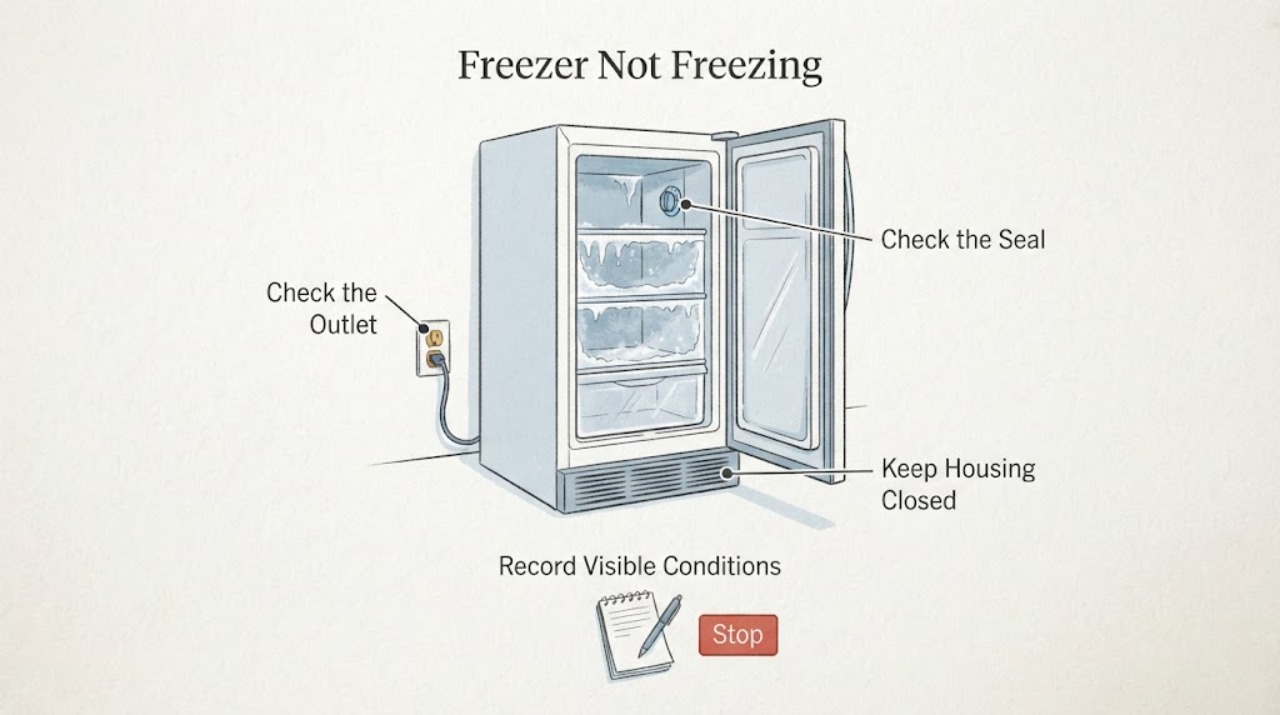
If an Insignia freezer is not freezing, protect food that is softening and keep the door closed while you check the cause. Confirm the appliance has power, the control is set to Freezer mode rather than Refrigerator or OFF on models that offer both modes, and the door closes fully against a clean, even gasket. Check that external ventilation openings are not blocked or dusty and look for heavy frost that could restrict airflow. Insignia's official freezer FAQ identifies these conditions, room temperature, and sensor alerts as possible reasons a freezer cannot maintain a cold temperature. After a recent power interruption, setting change, or large load, allow the appliance time to recover. If the temperature continues rising, a sensor code appears, the compressor never starts, or a breaker trips, stop repeated resets and arrange qualified Insignia service.
Work through in order
Diagnostic checks
Use only checks that match the exact appliance or system and its official guide.
-
Check 1
Keep the freezer door closed, move food that is thawing to another safe cold location, and record the last time the contents were known to be frozen.
Expected result: Food is still hard frozen, food is softening, or the freezer has been warm long enough that its food safety is uncertain.
Next step: Protect vulnerable food first, then continue only the safe external checks. If warming continues, arrange appliance service while the food remains in safe cold storage.
Stop if: Do not keep opening the door to sample food temperature or leave perishable food in a warming freezer while troubleshooting.
Why this matters
Why: The food risk can become urgent before the mechanical cause is known. A short temperature disturbance and sustained warming require different follow-up, but neither is resolved by silencing an alarm.
-
Check 2
Confirm the plug and accessible cord look normal, the outlet supplies power, and the control is set to Freezer mode rather than OFF or Refrigerator mode on a convertible model.
Expected result: The display is dark, the outlet or breaker is abnormal, the mode is wrong, or power and mode are normal.
Next step: Correct only an obvious external setting or supply issue. If the breaker trips again, the cord or outlet is hot or damaged, or the panel remains abnormal, disconnect only if safe and call qualified service.
Stop if: Do not use an extension cord, open the outlet, replace a fuse with an unknown rating, or repeatedly reset a tripping breaker.
Why this matters
Why: A supply interruption or wrong mode can explain a warm cabinet without proving a compressor or sealed-system failure. A repeated trip or damaged electrical path is a safety fault.
-
Check 3
Check that food packages and baskets do not block the door, close it fully, and inspect the gasket for dirt, a gap, or distortion. Do not pull the gasket out or force the door.
Expected result: The door was blocked or open, the gasket has a gap or damage, frost prevents closure, or the door seals evenly.
Next step: Remove only an obvious package obstruction and clean the accessible gasket gently. Arrange service for a damaged gasket, hinge, or door that still will not seal.
Stop if: Do not bend the gasket, chip ice around the door with a sharp tool, or continue operation with a door that cannot close.
Why this matters
Why: Warm air entering through a door gap can keep the freezer from reaching its target and can create more frost. A sealed door makes a persistent cooling fault more likely if the temperature still rises.
-
Check 4
From outside the cabinet, clear loose dust from ventilation openings and look for heavy frost or blocked interior airflow without removing panels. Follow the exact model guide for any permitted defrost procedure.
Expected result: Ventilation is blocked or dusty, frost is heavy, the room is unusually warm or cold, or airflow and the surrounding space appear normal.
Next step: Restore only safe external clearance. If the model permits manual defrost, follow its instructions and protect the food; if frost or warming returns, arrange service.
Stop if: Do not use a knife, drill, hair dryer, boiling water, or cabinet disassembly to remove frost or reach coils.
Why this matters
Why: Insignia lists blocked ventilation, heavy frost, and room conditions as causes of difficulty maintaining temperature. Normal external airflow with continued warming points toward a deeper fault.
-
Check 5
After one safe correction or a recent power or loading change, keep the door closed and observe the temperature trend and compressor behavior without repeatedly changing the setting.
Expected result: The temperature recovers, the compressor runs but the freezer keeps warming, no cooling cycle starts, or a high-temperature, out-of-range, or sensor alert returns.
Next step: If recovery does not occur, protect food and arrange qualified Insignia service with the temperature trend and alert details. Do not choose a component from the symptom alone.
Stop if: Do not repeatedly power-cycle the freezer, remove panels, or probe live electrical parts.
Why this matters
Why: Recovery supports a temporary door, mode, airflow, power, or load condition. Continued warming with normal external conditions can involve the compressor, defrost system, fan, sealed system, sensor, or control.
Use your observations
Decision map
Find the observation that best matches what you see, then follow the next safe action.
-
PATH 01Next step
What you see
Food is thawing or the temperature remains above the freezer range after power, mode, door, airflow, and frost conditions appear normal.
Do this next
Move food to safe cold storage, keep the door closed, and arrange qualified Insignia appliance service.
Why this path and its safety boundary
Why it matters: The freezer has a persistent cooling problem rather than only a door or setting issue. A compressor, fan, defrost system, sensor, sealed system, or control fault is possible, but the symptom does not identify the failed part.
-
PATH 02Next step
What you see
The freezer is in Refrigerator mode, OFF, or another non-freezing setting, or the problem began after a power interruption, setting change, or large load.
Do this next
Set the correct mode and temperature using the model controls, keep the door closed, and allow the unit time to recover. Stop and call service if it does not begin freezing or the alarm returns.
Why this path and its safety boundary
Why it matters: The immediate cause may be an operating state or recovery period rather than a confirmed mechanical failure.
-
PATH 03Next step
What you see
A package blocks the door, the gasket has a visible gap, ventilation is blocked, or heavy frost restricts the interior airflow.
Do this next
Correct only the accessible obstruction or external dust and follow the exact model's safe defrost instructions. Arrange service for a damaged seal, recurring frost, or continued warming.
Why this path and its safety boundary
Why it matters: Warm-air leakage or restricted heat removal is more likely than a confirmed compressor or control failure.
-
PATH 04Next step
What you see
The display is dark, a breaker trips, the cord or outlet is hot or damaged, smoke or burning odor appears, or water reaches electrical parts.
Do this next
Stop using the freezer, disconnect power only if safe, keep clear of water and damaged wiring, and seek qualified electrical or appliance service.
Why this path and its safety boundary
Why it matters: The immediate concern is an electrical or fire hazard. Cooling diagnosis should wait until the supply and appliance are made safe.
-
PATH 05Next step
What you see
An E2, E5, E7, high-temperature, or out-of-range alert returns after the freezer is sealed and in the correct mode.
Do this next
Record the exact alert and temperature trend, protect food, and contact Insignia support or a qualified technician. Do not replace a sensor or control without model-specific diagnosis.
Why this path and its safety boundary
Why it matters: Insignia associates these types of alerts with temperature, defrost, ambient, or related sensor conditions; muting the alert does not restore freezing performance.
Helpful context
Understand the symptom
Protect the food before troubleshooting
A freezer that is not freezing can spoil food before the cabinet feels completely warm. Keep the door closed, move food that is already softening to another working freezer or suitable cold storage, and note when the temperature problem began. A temporary recovery after a door obstruction, power interruption, mode change, or large load has a different meaning from continued warming under normal conditions.
Check the operating mode and power
Confirm the plug is fully seated in a working outlet and inspect the accessible cord for damage. On convertible Insignia models, verify that the panel shows Freezer mode rather than Refrigerator mode; the control panel is the place to change that mode. A dark display, a repeated breaker trip, a hot outlet, or a damaged cord is an electrical service issue. Do not keep resetting a breaker or use an extension cord as a workaround.
Look for a door, airflow, or frost cause
Check that packages or baskets are not preventing the door from closing and inspect the gasket around the whole opening for dirt, gaps, or distortion. From outside the cabinet, clear loose dust from ventilation openings and look for heavy frost inside. Insignia lists blocked ventilation, excess frost, door-seal gaps, and unsuitable room conditions among causes of temperature alerts. Do not chip frost with a knife or remove panels to reach the cooling system.
Allow a recent change to settle
A freezer may need time to recover after a power loss, being turned off, a temperature adjustment, or adding a large amount of food. Keep the door closed and judge the temperature trend rather than opening it repeatedly. If the cabinet begins to freeze again after the external condition is corrected, continue monitoring. If it keeps warming despite normal power, mode, sealing, ventilation, and room conditions, treat that as a cooling-system or control fault rather than making more setting changes.
When a code or persistent warming needs service
Write down any high-temperature or out-of-range alert, sensor code, temperature reading, and the time the freezer was last known to be cold. Insignia's FAQ associates sensor codes with sensor problems and directs owners to customer support. A freezer that runs but cannot lower the temperature can also need diagnosis of airflow, defrost, compressor, sealed-system, or control components. Those parts cannot be identified safely from sound or frost pattern alone.
When checks do not resolve it
Need a professional?
Arrange qualified Insignia appliance service when the freezer remains warm after the safe external checks, a high-temperature or out-of-range alert returns, a sensor code appears, the compressor or cooling cycle does not start, frost repeatedly blocks airflow, or the door cannot seal. Provide the exact model, temperature trend, mode, alert or code, power history, and photographs of safe external conditions. Stop immediately for smoke, burning odor, sparks, a hot or damaged cord, water near electrical parts, or repeated breaker trips.
Common questions
FAQ
Why is my Insignia freezer running but not freezing?
First check the temperature setting or Freezer mode, door seal, ventilation openings, frost buildup, room conditions, and whether a large load or recent power interruption requires recovery time. If the freezer keeps warming with those conditions normal, the cause may involve the fan, defrost system, compressor, sealed system, sensor, or control and needs qualified diagnosis.
Can I use Refrigerator mode when the freezer is not freezing?
Only convertible models have that choice, and Refrigerator mode will not freeze food. Check the mode indicator and use the control panel to select Freezer mode according to the model instructions. If the correct mode is selected and the cabinet still warms, arrange service.
How long should I wait after plugging in or loading an Insignia freezer?
Give the freezer time to cool after a power interruption, being turned off, or adding a large amount of food, and keep the door closed while it recovers. The exact recovery time depends on the model and conditions. If it does not begin freezing or the temperature continues to rise, protect the food and call service rather than repeatedly changing the setting.
What do E2, E5, or E7 mean on an Insignia freezer?
On Insignia upright freezer models covered by the official FAQ, E2 indicates a temperature sensor problem, E5 a defrost sensor problem, and E7 an ambient temperature sensor problem. Model behavior can differ, so record the exact model and code and contact Insignia support instead of replacing a sensor from the code alone.
Read the exact guide
Official sources
- Upright Freezer FAQsInsignia · Official Insignia FAQ for upright and convertible freezer behaviors; exact model controls and temperature ranges can vary, so use the model's own guide for model-specific instructions.
- Chest Freezer FAQsInsignia · Official Insignia FAQ used for general freezer recovery and external-condition checks; apply only the portions matching the user's freezer type and exact model.
Community feedback
Share a repair observation
Share a plain-text repair observation. Accepted observations are published automatically; this page may take a moment to update.