
On this page
Start here
Quick answer
After a power outage, a JennAir refrigerator may leave the dispenser disabled while a Power Outage alert is awaiting confirmation, depending on model. Check the display and the model's owner manual first, then confirm that the dispenser lock/Sabbath or showroom state is not active, the water filter is seated, and the external water valve and supply line are open and unkinked. Do not assume a frozen door water line or keep applying heat; if the controls and external water path are normal but no water returns, use JennAir service.
Before you begin
Safety first
- Do not heat a suspected frozen line, dismantle the door, pull internal tubing, bypass locks, force fittings or probe energized refrigerator wiring.
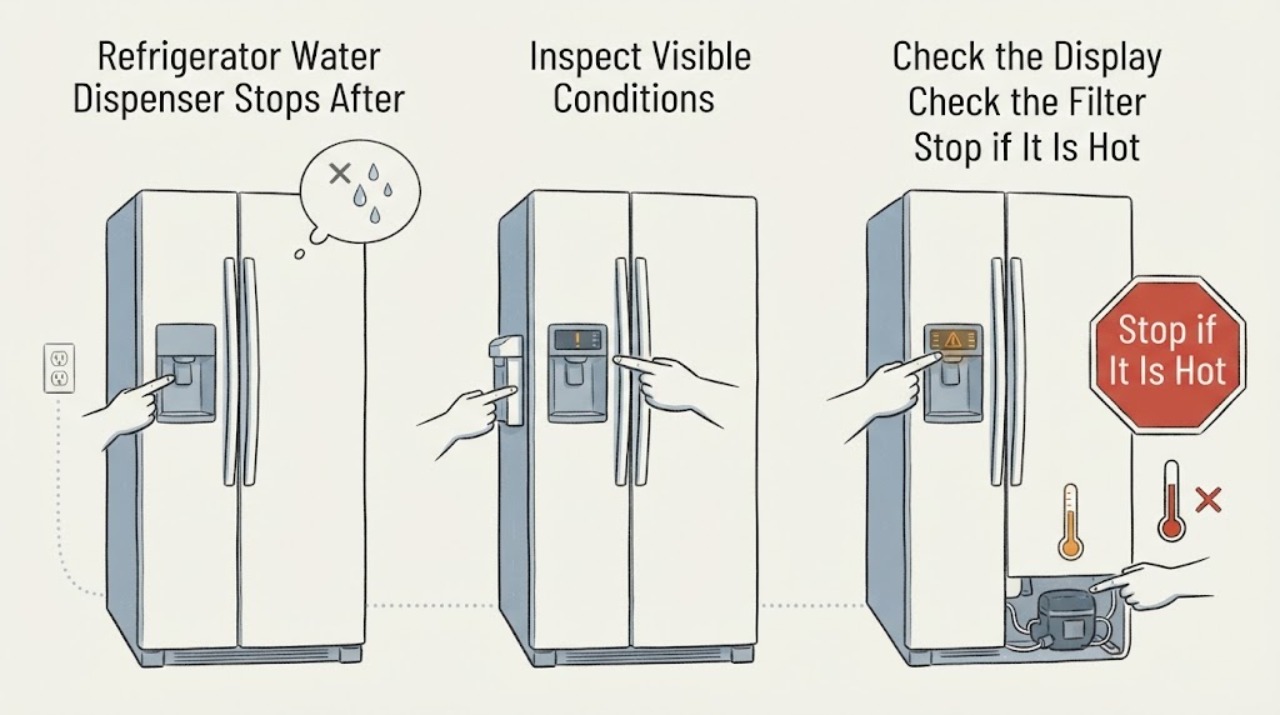
Work through in order
Diagnostic checks
Use only checks that match the exact appliance or system and its official guide.
-
Check 1
Read the refrigerator display before changing settings. Look for a Power Outage indicator, a flashing outage message or a control state that appeared after power returned. Use the exact owner manual for the assigned refrigerator to acknowledge the alert; do not borrow a button sequence from another JennAir model.
Expected result: An outage alert is present, the display is normal, or the display is blank/unresponsive.
Next step: Follow the exact manual's outage acknowledgment only when the display identifies that state. If the display remains unresponsive, stop and arrange appliance service rather than repeatedly cycling power.
Why this matters
Why: JennAir says some models disable dispenser and other controls until the power-outage condition is acknowledged; a blank or unresponsive display is a wider power/control issue.
-
Check 2
Check the dispenser lock, Sabbath mode and showroom/demo indication on the display, using only the exact manual for this refrigerator's controls. Do not hold random buttons or attempt to defeat a lock while the refrigerator is operating.
Expected result: A dispenser lock, Sabbath indication or showroom indication is active, or no such state is shown.
Next step: Exit the mode only with the model-specific manual. If no mode is active and the dispenser remains dead, continue with filter and external water checks.
Why this matters
Why: JennAir documents that Sabbath mode can turn off dispenser functions and that showroom mode can deactivate normal functions; the exact exit sequence varies by model.
-
Check 3
If the filter was recently changed or disturbed, confirm from the outside that it is the correct filter and fully seated according to the manual. Do not force the housing or remove a filter while water is spraying; place a towel below the filter area if needed.
Expected result: The filter is loose/incorrectly seated, the filter was not recently touched, or the dispenser still has no flow after a confirmed seat.
Next step: Correct the filter installation only as the manual describes and flush the system if the manual calls for it. If flow remains absent, continue to the supply-line check rather than ordering an unverified part.
Why this matters
Why: JennAir says an incorrectly installed or clogged filter can cause no or low dispensing and lower ice production.
-
Check 4
Inspect the accessible cold-water shutoff valve and the visible supply line behind the refrigerator without pulling the appliance or opening panels. Confirm the valve is open and the line is not kinked or pinched against the wall or cabinet.
Expected result: The valve is closed, the line is kinked/pinched, the line or fitting leaks, or the external supply appears normal.
Next step: If safely accessible, restore only an obviously closed valve or a gentle external line position; do not force fittings. For leaks, shut off water if safe and call service. If the supply looks normal, do not apply heat to a possible internal freeze.
Why this matters
Why: JennAir identifies an open cold-water supply and an unkinked line as prerequisites for dispenser flow; a leak is a water-damage hazard rather than a reset problem.
-
Check 5
Record whether cooling returned after the outage, the exact display state, whether ice production also changed, filter history, the supply-valve/line observations and whether the dispenser hums or is silent. Give the full model and serial to JennAir service.
Expected result: The outage state is cleared, the filter and external supply are normal, but water still does not dispense; or the refrigerator also has cooling, leak or electrical symptoms.
Next step: Keep the water feature out of use and arrange JennAir service. Do not dismantle the door, heat the line, bypass the lock or probe energized parts.
Why this matters
Why: The remaining possibilities are inside the water path, door or controls and cannot be identified safely from the symptom alone, especially without a model number.
Use your observations
Decision map
Find the observation that best matches what you see, then follow the next safe action.
-
PATH 01Next step
What you see
A Power Outage alert or flashing outage indicator is present and other dispenser/control functions are disabled.
Do this next
Use the exact owner manual to acknowledge the outage state; if controls remain disabled, schedule service.
Why this path and its safety boundary
Why it matters: The refrigerator may be awaiting model-specific acknowledgment after the power interruption.
-
PATH 02Next step
What you see
The dispenser lock, Sabbath mode or showroom/demo state is active.
Do this next
Exit the state only with the exact model manual and then retry once; do not use a guessed button sequence.
Why this path and its safety boundary
Why it matters: JennAir documents that these states can disable normal dispenser or control functions.
-
PATH 03Next step
What you see
The display is normal, the filter is seated, the shutoff valve is open and the visible water line is unkinked, but no water flows.
Do this next
Do not heat or dismantle the door. Keep the dispenser out of use and arrange JennAir service.
Why this path and its safety boundary
Why it matters: The external causes documented by JennAir have not explained the no-flow symptom; a frozen or restricted internal path is possible but unconfirmed.
-
PATH 04Next step
What you see
Water is leaking, the line/fitting is damaged, or the refrigerator has electrical symptoms after the outage.
Do this next
Shut off the water supply or power only when safely accessible, keep the appliance out of use and call qualified service; do not pull panels or probe wiring.
Why this path and its safety boundary
Why it matters: The immediate risk is water damage or electrical hazard, not a normal dispenser reset.
Helpful context
Understand the symptom
Separate an outage lockout from a frozen or restricted water path
JennAir's control-panel guidance says that, on some models, a Power Outage alert disables control and dispenser functions until the outage is acknowledged. That is a different branch from a properly unlocked dispenser with no flow. The supplied topic has no model number, so an exact reset sequence cannot be transferred from another JennAir family.
Use only visible, external water checks
JennAir's water-dispenser guidance points to filter seating, the cold-water supply, the shutoff valve and kinks in the external water line. It also warns that pushing the refrigerator too far back can pinch the line. These checks can identify a supply restriction without opening the door or refrigerator cabinet.
Power outages can change moisture and frost conditions without proving the cause
JennAir notes that an outage can temporarily increase moisture or light frost after the refrigerator warms and then resumes cooling. That does not prove that the dispenser tube is frozen, and the official guidance does not authorize heating or dismantling a door to thaw it. Persistent no-flow after the display, lock, filter and external supply checks belongs with service.
When checks do not resolve it
Need a professional?
Call JennAir service when no flow remains after the exact outage/lock checks, filter seating and external water-supply inspection, or when there is a leak, damaged line, electrical symptom or continued cooling problem.
Safety scope: Do not heat a suspected frozen line, dismantle the door, pull internal tubing, bypass locks, force fittings or probe energized refrigerator wiring.
Have this ready
- Provide the full model/serial, outage timing, display message, whether cooling and ice production returned, filter history, valve/line observations and whether the dispenser is silent or makes a normal demand sound.
Common questions
FAQ
Did the power outage definitely freeze the water line?
No. The outage may leave an outage indicator that disables the dispenser, and JennAir says outages can temporarily increase moisture or light frost. A frozen internal line is only a possibility until the display, lock, filter and external supply checks are complete.
Can I keep turning the breaker off and on until water returns?
Do not use repeated power cycling as a diagnosis. Check the model-specific outage state once and arrange service if the controls or dispenser remain abnormal.
What should I check if the ice maker also stopped?
Record that symptom for service, then check only the display/outage state, filter seating and accessible water supply. Do not infer a failed valve or board or open the refrigerator.
Can I use a hair dryer to thaw the dispenser line?
Do not apply heat to the door or water line. The official guidance supports external supply checks and service; internal thawing or door disassembly can create water and electrical damage.
Read the exact guide
Official sources
- What's Normal Condensation or FrostJennAir Product Help · Opened JennAir official article. It says a recent power outage can temporarily increase moisture or light frost; it does not establish that a dispenser tube is frozen.
- Not Dispensing Ice or Water - RefrigeratorJennAir Product Help · Opened JennAir official dispenser article. It supports external water-path and filter checks but does not authorize door disassembly or diagnose a frozen internal line.
- JennAir Use and Care GuideJennAir · Opened official JennAir PDF. It is used as family-level evidence only because the task has no model number; the guide states that the Power Outage indicator reports an interruption, documents dispenser/filter concepts and lists water-dispenser checks, but exact button sequences must be confirmed against the reader's model.
- Control Panel Not Working - RefrigeratorJennAir Product Help · Opened JennAir official support article. It says that on some models a Power Outage alert disables control and dispenser functions until acknowledged, and that showroom/Sabbath behavior and exit steps vary by model.
Community feedback
Share a repair observation
Share a plain-text repair observation. Accepted observations are published automatically; this page may take a moment to update.